Introduction
Google just released a major update to its video generation technology. In December 2025, Veo 3.1 began powering avatars in Google Vids, and the platform has already generated over 75 million videos since launching in May 2025. This latest iteration represents a significant leap forward in creating professional-quality videos directly from text descriptions. Whether you're a content creator producing YouTube shorts, a marketer building promotional videos, or a developer integrating AI capabilities into applications, understanding Veo 3.1 is essential for staying ahead in the AI-driven content landscape.
Unlike earlier video generators that produced silent clips requiring separate audio work, Veo 3.1 creates fully synchronized audiovisual content in a single generation. The model understands dialogue, ambient sound, music timing, and cinematic techniques—all integrated seamlessly. This guide walks you through everything you need to know about accessing, using, and maximizing Veo 3.1 for your creative projects.
What Is Google Veo 3.1?
Google Veo 3.1 is DeepMind's state-of-the-art AI video generation model, released in October 2025 as an upgrade to the original Veo 3. This multimodal model transforms simple text or image prompts into high-definition videos complete with synchronized audio, including realistic dialogue, sound effects, ambient noise, and background music.
The key advancement of Veo 3.1 over Veo 3 is richer native audio generation, improved narrative control, and enhanced understanding of cinematic styles. The model generates videos up to 8 seconds long at native 1080p resolution (720p also available) with 24 frames per second—professional broadcast quality. What sets it apart is the ability to extend videos to 60+ seconds using scene extension, maintain character consistency across multiple scenes, and generate realistic lip-syncing that matches dialogue perfectly.
Building on Google DeepMind's world-class AI research, Veo 3.1 demonstrates remarkable physics understanding. Objects fall naturally, liquids splash realistically, and fabric moves with authentic weight. The model also excels at prompt adherence, meaning it interprets complex creative directions and translates them into accurate visual output. This combination makes Veo 3.1 the first widely accessible AI video tool that feels production-ready rather than experimental.
Veo 3.1 vs. Veo 3: What's New?
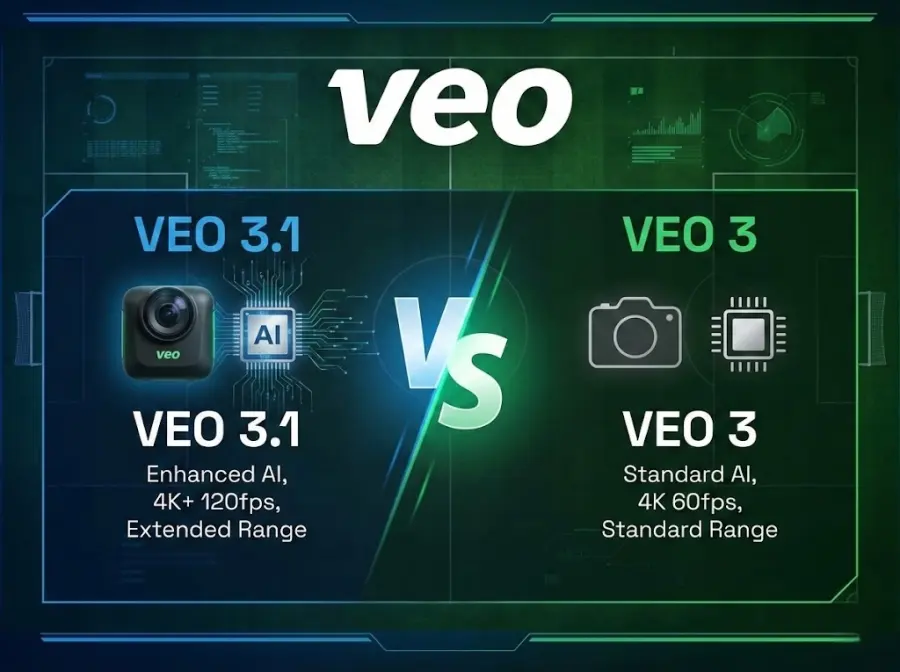
While Veo 3 introduced native audio to video generation, Veo 3.1 refines this capability significantly. The improvements include:
- Superior audio quality: More natural dialogue, richer ambient sounds, better music integration
- Better narrative control: Enhanced understanding of story structure, character emotion, and scene pacing
- Image bridging: Define exact first and last frames, then generate smooth transitions between them
- Reference images: Upload 1-3 images to maintain consistent character appearance across videos
- Scene extension: Extend videos from 8 seconds to 60+ seconds by generating new clips that connect seamlessly
- Multiple modes: Veo 3.1 Standard (highest quality) and Veo 3.1 Fast (5x cheaper, faster generation)
Pricing & Plans Breakdown
|
Plan
|
Monthly Cost
|
Veo 3.1 Access
|
Video Generation Limit
|
Key Features
|
|
Free Trial
|
$0 (1 month Pro / 3 months Ultra promo)
|
Veo 3.1 Full Access
|
Limited
|
Try before buying
|
|
Google AI Pro
|
$20
|
Veo 3.1 Standard & Fast
|
3 videos/day in Gemini
|
Flow access, basic video creation
|
|
Google AI Ultra
|
$249.99 ($125 promo)
|
Veo 3.1 Standard & Fast
|
Higher limits
|
Early access, Veo 3.1 Fast, advanced Flow features, 1M token context
|
|
API Billing
|
Pay-per-second
|
Both models
|
Unlimited (usage-based)
|
$0.15/sec (Fast), $0.40/sec (Standard) for 8-second video ~$1.20-$3.20
|
|
Student
|
Free
|
Veo 3.1 Fast
|
Generous limits
|
Through June 30, 2026
|
For creators, an 8-second video via API costs approximately $1.20-$3.20 depending on model choice. Flow users with Ultra subscription enjoy unlimited generations (standard rate applies to extended video features). For more Information about Veo 3 Pricing visit here.
Key Features of Veo 3.1
Native Audio Generation with Perfect Synchronization
The standout feature of Veo 3.1 is integrated audio synthesis that generates dialogue, ambient sounds, and music natively within the video creation process. Unlike competitors, you don't need separate audio tools. Simply describe the scene and the audio you want, and Veo 3.1 creates it all together.
The audio capabilities include:
- Realistic character dialogue with perfect lip-syncing
- Ambient sounds that match the environment (wind, rain, traffic, crowd noise)
- Background music that fits the mood and pacing
- Sound effects that sync with on-screen actions
- Multiple language support for dialogue
For example, you can prompt: "A documentary scene of a marine biologist examining coral, natural sunlight reflecting off water, her speaking thoughtfully about conservation, with gentle ocean waves in the background." Veo 3.1 generates all of this synchronized seamlessly.
1080p Native Resolution with Flexible Aspect Ratios
Veo 3.1 generates videos in native 1080p HD quality without requiring upscaling, ensuring sharp details and smooth motion. This professional-grade resolution works for YouTube, social media, and broadcast applications. The model supports both:
- Landscape format (16:9): Ideal for YouTube, presentations, websites
- Vertical format (9:16): Perfect for TikTok, Instagram Reels, short-form content
You can generate videos in 4, 6, or 8-second lengths depending on your storytelling needs. For longer content, scene extension allows you to continue narratives beyond 8 seconds.
Cinematic Camera Control
Veo 3.1 understands complex camera language. You can specify cinematic techniques directly in your prompt and the model executes them flawlessly:
- Camera movements: Smooth pans, tilts, push-ins, tracking shots, drone footage
- Framing techniques: Close-ups, wide shots, over-the-shoulder compositions
- Lighting control: Golden hour, harsh shadows, candlelight, neon scenes
- Visual styles: Film noir, Wes Anderson aesthetic, handheld documentary, cinematic blockbuster
- Speed variations: Time-lapse, slow-motion, normal speed in one video
Advanced Object and Scene Editing
Unlike purely generative tools, Veo 3.1 includes sophisticated editing capabilities within the generation framework:
- Add objects: Insert new elements into scenes with proper lighting and shadows
- Remove objects: Clean up unwanted elements while maintaining environmental consistency
- Multi-reference mode: Generate four interconnected scenes from one prompt with automatic seamless transitions
- First and last frame control: Upload starting and ending images; Veo 3.1 generates the smooth transition between them
Veo 3.1 vs. Competitors
|
Feature
|
Veo 3.1
|
OpenAI Sora
|
Runway Gen-3
|
Kling 2.1
|
|
Native Audio
|
✓ Yes
|
✗ No
|
✗ No
|
✗ No
|
|
Max Duration
|
8 sec (extend to 60+)
|
60 sec
|
Varies
|
10+ sec
|
|
Resolution
|
1080p native
|
1080p
|
Varies
|
1440p
|
|
Availability
|
70+ countries
|
Limited
|
Broad
|
Broad
|
|
API Access
|
✓ Yes
|
✗ No (limited)
|
✓ Yes
|
✓ Yes
|
|
Cost per 8-sec
|
$0.15-0.40
|
N/A
|
$0.07-0.15
|
Varies
|
|
Ease of Use
|
Very Easy
|
Limited
|
Very Easy
|
Easy
|
|
Best For
|
Audio-visual storytelling
|
Aspirational (limited access)
|
Professional studios
|
Cost-conscious creators
|
Veo 3.1's unique advantage is the combination of native audio, ease of access, and global availability. Sora offers longer duration but remains largely inaccessible. Runway excels with motion control. Kling competes on price. For most creators needing audio-visual content fast, Veo 3.1 remains the most balanced option.
How to Access Google Veo 3.1 in 2025
Veo 3.1 access depends on your use case. Here's the clearest path for each user type.
For Individual Creators (Gemini & Flow)
Step 1: Choose Your Subscription
Subscribe to Google AI Pro ($20/month) or Google AI Ultra ($249.99/month, currently $125/month promotional pricing for first 3 months). Both include a free trial period. Students get free access through June 30, 2026.
Step 2: Access Veo 3.1
- In Gemini App: Open Gemini on desktop or mobile, navigate to the Video section, and select Veo 3.1 (or Veo 3.1 Fast for quicker results)
- In Flow: Access Flow through your Google AI subscription for advanced editing, scene building, and ingredient-based video creation
Step 3: Generate Your First Video
Type a detailed description of your desired video or upload an image as a reference. Click generate, and Veo 3.1 processes your request within 30-90 seconds. Download in HD and share.
For Developers (Gemini API & Vertex AI)
Developers can integrate Veo 3.1 programmatically through two channels:
Gemini API (Flexible, Cost-Tracked): Access via Google AI Studio with per-second billing. Set usage budgets, track costs transparently, and integrate into applications. Pricing: $0.15/second for Veo 3.1 Fast, $0.40/second for Veo 3.1 Standard.
Vertex AI (Enterprise-Grade): Google Cloud's production platform offers IAM controls, regional deployment, team-level access, and consolidated billing. Same pricing as Gemini API with enterprise reliability.
For Enterprises & Studios
Enterprise customers can deploy Veo 3.1 through Vertex AI with:
- Dedicated support and SLA guarantees
- Advanced governance and compliance controls
- Integration with existing Google Cloud workflows
- Custom quotas and unlimited scaling
- Media Studio for no-code video creation
Real-world studio users include Promise Studios (using Veo 3.1 in their MUSE platform for storyboarding) and Volley (powering AI-generated cinematics in their game, Wit's End).
Veo 3 Integration with Gemini
Seamless Workflow Integration
Google AI Pro gives you the key Flow features and 100 generations per month, and Google AI Ultra gives you the highest usage limits and early access to Veo 3 with native audio generation. This integration allows users to leverage Gemini's text generation capabilities alongside Veo 3's video creation.
Enhanced Prompt Generation
Gemini can help users craft more effective prompts for Veo 3 by suggesting improvements, adding cinematic details, and optimizing descriptions for better video results. This collaboration between the two AI systems creates a more efficient creative workflow.
Script to Video Workflow
Users can generate scripts or story outlines using Gemini, then feed these directly into Veo 3 for video creation. This process is particularly useful for content creators who need both written content and visual materials.
Why Choose GPT Proto for AI API Access
If you're a developer or business building video applications, integrating Veo 3 and Veo 3.1 directly into your platform is easier than ever. However, managing multiple AI APIs across different providers creates complexity—authentication, rate limiting, billing, and documentation fragmentation slow down development and increase costs.
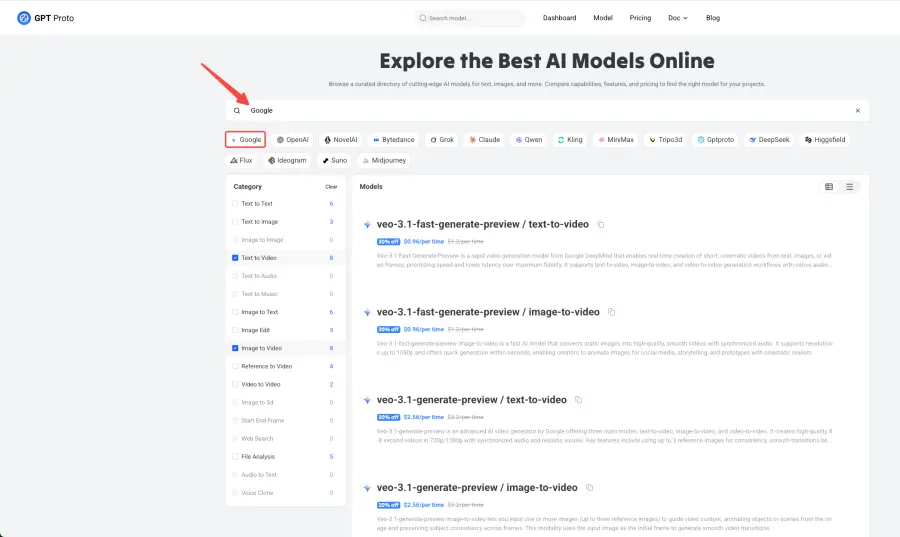
GPT Proto solves this problem through unified API aggregation. Instead of managing separate connections to Google's Vertex AI, OpenAI's Vision APIs, and other AI services, you get a single integration point for both Veo 3.1 Standard, Veo 3.1 Fast, and Veo 3 models—along with 50+ other AI capabilities. This streamlines your tech stack significantly.
Key benefits include:
- Single API key for multiple Veo versions and 50+ other AI models (video, image, text, audio)
- Full Veo 3.1 support including both Standard and Fast models, Scene Extension, and Image Bridging
- Veo 3 backward compatibility for teams still optimizing workflows on the original model
- Faster integration with centralized documentation and SDKs for all Veo variants
- Transparent pricing with consolidated billing across Veo 3, Veo 3.1 Fast ($0.15/sec), and Veo 3.1 Standard ($0.40/sec)
- Enterprise reliability with 99.9% uptime SLA and redundancy
- Developer-friendly with clear code examples and responsive support
- Cost-effective through optimized routing and volume discounts
For startups, the simplified architecture reduces engineering overhead and lets teams focus on building features instead of managing API logistics. For enterprises, centralized billing and IAM controls provide governance and compliance at scale. GPT Proto's support for both Veo 3 and Veo 3.1 variants means you can choose the model that fits your budget and quality requirements without juggling multiple API providers.
Whether you're building video editing platforms, marketing automation tools, or content creation applications, GPT Proto provides the infrastructure foundation for integrating Veo 3, Veo 3.1 Fast, or Veo 3.1 Standard efficiently. Explore GPT Proto's AI API platform to see how unified access to all Veo models accelerates your AI product roadmap.
FAQs About Google Veo 3.1
Is Veo 3 Free?
Yes. Both Pro and Ultra plans offer free trials. Pro gives one month free; Ultra offers three months at promotional pricing ($125/month). This is enough time to test the tool thoroughly.
What Makes Veo 3 Different from Competitors?
Unlike other AI video generators like Runway or Midjourney, Veo 3 offers native audio generation integrated directly into the video creation process. This eliminates the need for separate audio editing tools and creates a more streamlined workflow.
Can I Generate Voiceover or Dialogue?
Yes, Veo 3's native audio generation capabilities include dialogue creation. The system can generate character speech that synchronizes with mouth movements, creating realistic conversational scenes.
How Does Veo 3 Handle Copyright and Safety?
Google has implemented safety measures and content filters to prevent the generation of inappropriate or copyrighted content. The system includes watermarking to identify AI-generated videos.
Conclusion
Google Veo 3.1 represents a watershed moment for accessible AI video creation. By integrating native audio, cinematic control, and professional-quality output into a single tool, Google DeepMind has removed major friction from video production. Whether you're creating content independently, working with teams, or building AI-powered products, Veo 3.1 offers a mature, accessible solution that works today—not someday.
The 75+ million videos already generated prove real creators are using this technology in production workflows. The rollout to Google Vids avatars shows enterprise adoption is accelerating. As capabilities continue improving and pricing remains competitive, expect Veo 3.1 to become the default choice for creators seeking quality, speed, and ease of use.
For those interested in exploring the broader landscape of AI technology and integration opportunities, platforms like GPT Proto API provide valuable resources and API access for developers looking to build the next generation of AI-powered applications. The future of content creation is here, and with tools like Veo 3, anyone can become a video creator.