What Is Claude Fable 5.2?
Fable 5.2 is a general-purpose language model built for demanding work that involves multiple steps. In an agent environment, those steps can include inspecting files, writing code, using tools, checking results, and revising a solution.
The official model overview lists these specifications:
| Specification |
Claude Fable 5.2 |
| Developer |
Anthropic |
| Release date |
November 9, 2026 |
| Context window |
1 million tokens |
| Maximum output |
128K tokens |
| Input |
Text and images |
| Output |
Text |
| Reasoning |
Always-on adaptive thinking |
| Official model ID |
claude-fable-5-2 |
The distinction between model and environment matters. An API response can contain code for an animation, but something still has to run that code. A coding agent adds the tools and workspace needed to turn the response into a working project.
Fable and Mythos 5.2 share the same underlying model, according to Anthropic's announcement. Their access and safeguards differ. For this article, the relevant product is the generally available Fable version.
What's New in Fable 5.2?
The upgrade brings stronger published coding results, faster output, and lower standard API rates. Anthropic reports output generation up to 30% faster than Fable 5.1. That figure concerns generation speed; a complete project can still take longer if the agent performs more work.
For developers upgrading from Claude Fable 5.1, configuration deserves attention too. The Fable 5.2 migration notes describe changes affecting preserved thinking, edited conversation histories, and older computer-use integrations. Test a representative session before switching an existing agent.
For a new project, start with a clear completion condition. “Build a portfolio” leaves much of the task undefined. “Build a portfolio with working project filters, a mobile menu, and keyboard navigation” gives you something concrete to inspect.
How Good Is Fable 5.2 at Coding and Frontend Design?
Coding performance
These results come from Anthropic's published evaluation table:
| Evaluation |
Fable 5.2 |
Fable 5.1 |
Opus 5.5 |
GPT-6 Astra |
Gemini 4 Carbon |
| FrontierCode 2.0 |
49.1% |
32.4% |
45.5% |
42.8% |
41.1% |
| FrontierSWE v2 |
69.9% |
56.3% |
62.3% |
65.5% |
61.2% |
| AutomationBench |
51.4% |
31.4% |
42.5% |
41.4% |
53.9% |
These are vendor-published results, with model-specific evaluation settings. They provide evidence for testing Fable on difficult software tasks, rather than a guarantee about your repository. They also show why a blanket “best at everything” claim would be misleading.
For a practical coding comparison, give each model the same bug, repository, and acceptance test. Record whether the fix works, whether it introduces regressions, how much intervention it needs, and the final cost. A larger initial response is not necessarily a better solution.
Our frontend test: a clean, responsive museum website
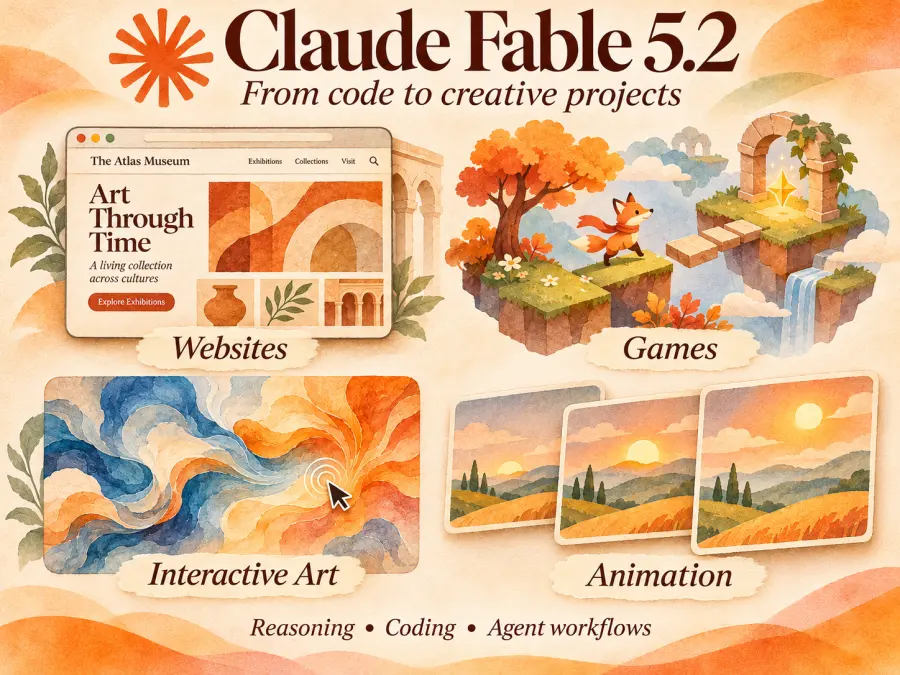
Our museum website test produced a design with a clear visual identity: warm ivory backgrounds, restrained red accents, generous spacing, and large serif headings. The exhibition cards carried the same style through the page, so the layout felt consistent as we moved from the introduction to the gallery and visitor information.
The page felt fluid during use. In the recording below, switching exhibition filters updates the visible cards, and scrolling reveals a coherent page rather than a collection of unrelated sections. The design leaves enough space around the content to keep it easy to follow.
Our takeaway: Fable 5.2 delivered a website prototype that looked polished and felt usable in this desktop test. The balance between typography, spacing, and functioning interactions was what impressed us most. We did not measure frame rates or run a cross-device performance benchmark.
Our Fable 5.2 museum website test: page navigation, exhibition filtering, and a consistent editorial layout.
For a similar project, adapt this brief:
Build a responsive website for a small independent art museum.
Use an editorial layout, warm ivory backgrounds, restrained red accents,
and typography that makes exhibition titles easy to scan.

Include an exhibition filter, a working mobile menu, keyboard focus states,
and a reduced-motion option. Use clearly labeled placeholder artwork.
Run the project and check the main interactions if your tools allow it.
Report anything you could not verify.
The recording demonstrates the desktop page and filtering. The additional requirements in this reusable brief, including mobile navigation and keyboard accessibility, should be checked separately in your own build.
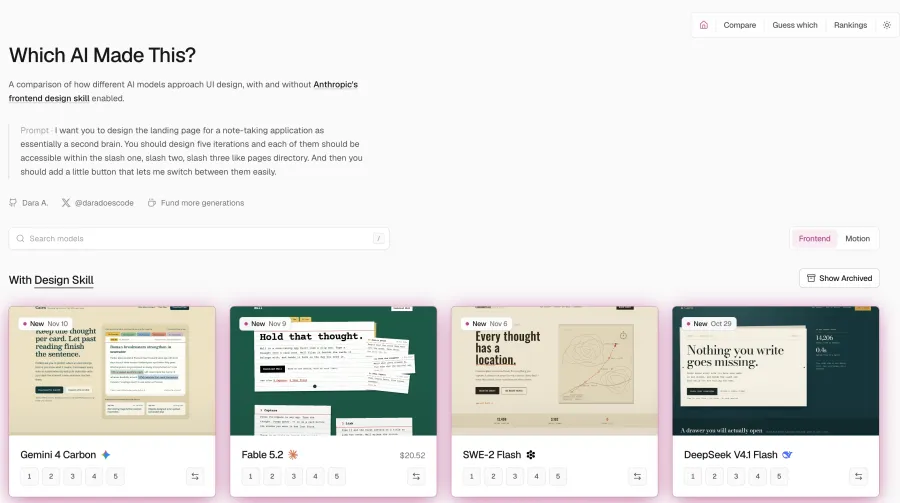
If you want to compare visual directions across models, Which AI Made This? publishes landing-page examples with and without a frontend design skill. Compare results within the same group. Our museum test supports a positive assessment of this particular output; it does not establish an aesthetics ranking against other models.
Can Fable 5.2 Build a Playable Game?
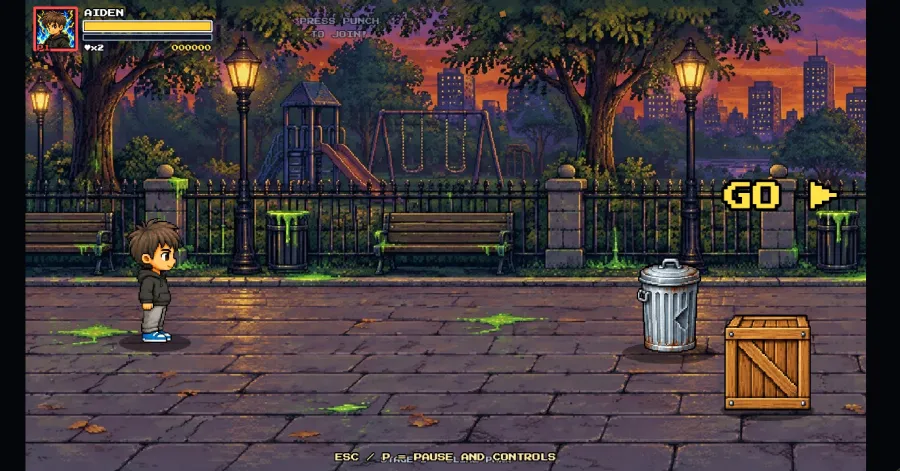
There is a concrete example worth exploring. In Lex Toumbourou's game-building account, family drawings and an existing project became the starting point for a larger action game. His prompt allowed external image and sound tools. He reports that Fable rewrote much of the project and tested its stages with a browser-playing bot.

You can try the resulting game. The useful lesson is how the agent combined implementation, assets, and testing. This was a creator's documented workflow with existing material and tool access, not a controlled test of an isolated text response.
For an indie developer, a sensible first experiment is a small playable slice. Ask for one level, one enemy type, collision behavior, a restart state, and controls that work on your target device. Once those hold together, expand the content.
Keep a short acceptance list alongside the creative brief. Can the player finish? Can they get stuck? Does restarting reset the score and enemies? Are loading errors visible? These questions help distinguish a working game from a convincing opening screen.
The same approach suits interactive learning projects: a language exercise, a museum activity, or a story puzzle. Start with a complete interaction loop and add visual detail around it.
Can Fable 5.2 Draw and Create Digital Art?
Our watercolor test: useful interaction and natural rendering
We also ran an interactive watercolor study. The interaction felt practical, all the features we tried worked, and the rendering looked natural during use. That combination made the demo enjoyable to work with: we could interact with the piece and judge the visual response as it happened.
The strongest impression was how well the interaction and appearance worked together. For an art experiment, both matter. An appealing image loses much of its value as an interactive demo if its controls are awkward or unresponsive; this test felt usable as well as visually convincing.
Our Fable 5.2 watercolor test: interactive use and natural-looking rendering.
This is our hands-on assessment of the demo we ran, rather than a measured simulation-accuracy or browser-compatibility test. It gives us a concrete reason to consider Fable for interactive art prototypes, alongside conventional frontend projects.
Watercolor, calligraphy, and interactive artwork
Fable can write code that produces artwork. That opens a different kind of creative workflow: shapes, textures, motion, and interaction remain editable as part of the project.
In Yu愉工房's creative-coding journal, the author reports 45 code-based pieces, including interactive and sound-producing examples. The documented works include watercolor spreading and animated calligraphy. An accompanying interactive collection lets readers explore the results.

Those examples suggest useful starting points for cultural and educational projects. A calligraphy demonstration can show how a mark develops over time. An interactive painting surface can let visitors explore color. A mathematical pattern can become something a student manipulates rather than passively watches. These are proposed applications, not claims that the creator deployed those products.
What makes the visual quality interesting?
“Good aesthetics” is easier to assess when you separate its parts:
| Element |
What to inspect |
| Composition |
Does the viewer know where to look first? |
| Material |
Do marks, edges, and textures support the intended medium? |
| Movement |
Does the timing suit the subject and interaction? |
| Consistency |
Do color, type, and behavior feel like one project? |
These criteria also improve your prompts. “Make it beautiful” gives the model little direction. A description of the material, palette, pacing, and audience gives you a more useful starting point for revision.
For a similar watercolor experiment, adapt this brief in your coding environment:
Create an interactive watercolor study in a browser.
Use a warm paper background and a restrained blue-and-ochre palette.
Let the visitor place pigment with a pointer and clear the canvas.
Use procedural rendering rather than external image assets.
Keep the controls readable on mobile and include a pause option.
Explain the rendering approach and any performance limitations.
When adapting the brief, check the result while drawing and changing controls. Our positive experience came from using the demo, and that is the most useful way to assess your version too. Verify any extra requirements you add, including mobile behavior and pause controls.
Can Fable 5.2 Make Videos and Animations?
Animations built with code
The same creative-coding journal includes a short film about a particle of light and a comparison with an earlier version. You can watch the linked film to assess the result yourself.
For a similar project, separate the work into a script, scene descriptions, visual implementation, and export. This gives you a way to revise a confusing explanation without asking the model to rebuild everything at once.
A useful first assignment is a short explainer with a small number of scenes and a single visual language. Request a storyboard before implementation. Check the scientific or historical claims separately from the animation: persuasive motion does not establish factual accuracy.
Working alongside image and video models
Another approach is to let Fable plan the scenes and write the application code while dedicated media models produce assets. A product explainer, for example, might combine generated product imagery, animated labels, narration, and a timeline assembled by code.
GPT Proto's shared API account can simplify access to multiple models, but each model still has its own supported interface and pricing. Choose the media models from the GPT Proto model catalog, then use their individual integration instructions.
For creators, the main benefit of this arrangement is control over the production process. You can revise the script, replace an asset, or change the timing independently. The tradeoff is that someone still needs to run, inspect, and assemble the project.
What About Writing and Research?
The official overview includes multistep research and work that ends in a document, spreadsheet, or presentation among Fable's intended uses. That makes it relevant beyond software development, although the creative examples above do not establish a general advantage in humanities research.
A useful proposed workflow is an exhibition guide. Supply approved source material, ask for a theme and visitor narrative, then request exhibit labels, an audio-guide script, and an accessible web version. Keep the source references attached to factual claims throughout the process.
The reason to try a higher-tier model here is the number of connected decisions. The narrative has to fit the evidence, the labels have to fit the audience, and the web presentation has to remain readable. For a quick caption rewrite, start with a cheaper model and compare the result before upgrading.
How Much Does Claude Fable 5.2 Cost?
The following standard rates were checked on November 11, 2026. Official rates come from the model documentation; GPT Proto rates are listed on the Fable 5.2 model page.
| API access |
Input per 1M tokens |
Output per 1M tokens |
| Anthropic standard API |
$8.00 |
$40.00 |
| GPT Proto |
$7.20 |
$36.00 |
As an illustrative calculation, 100,000 uncached input tokens and 10,000 billable output tokens would cost $1.20 at the listed official rates or $1.08 on GPT Proto. This excludes cache-specific charges, tool fees, media generation, and any additional calls.
That last point matters for creative work. An agent may inspect the project repeatedly, generate alternatives, run checks, and revise its output. The final file size tells you little about everything billed along the way.
Set a budget for an initial prototype and inspect usage before requesting a large expansion. Compare the cost of a satisfactory result, including your own correction time, rather than the price of a single response.
Fable 5.2 vs Opus 5.5, GPT-6 Astra, and Gemini 4 Carbon
The most useful comparison starts with the task you already have.
| Comparison |
How to make the decision |
| Fable 5.2 vs Fable 5.1 |
Retest a task that challenged the older model; check migration requirements for an existing integration. |
| Fable 5.2 vs Opus 5.5 |
Establish a daily-work baseline with Opus, then measure whether Fable resolves the failures that matter to you. |
| Fable 5.2 vs GPT-6 Astra |
Use the same repository and acceptance checks; compare completion quality, intervention, and cost. |
| Fable 5.2 vs Gemini 4 Carbon |
For visual work, compare actual outputs under similar instructions; for business workflows, use representative tasks. |
Anthropic itself recommends Opus 5.5 as the starting point for most everyday coding and knowledge work. You can inspect Claude Opus 5.5 on GPT Proto and browse the site's published model comparisons.
My practical recommendation: spend the Fable budget where your cheaper baseline repeatedly fails. For visual projects, keep both versions and compare them in use. A different color palette alone is not evidence of a better model.
How to Access Claude Fable 5.2 Through GPT Proto
Start at the Claude Fable 5.2 model page. Create a GPT Proto account, prepare a balance for testing, and create an API key. Use the model page's current integration instructions for the endpoint, model ID, and authentication settings.
You can give those instructions to Codex, Claude Code, or another coding assistant to help add Fable to your application. Include the project language, the feature you want, and a small verification task. Keep the real API key in your local or server-side configuration.
For example, ask the assistant to add a backend action that turns an exhibition brief into a structured storyboard. First verify a short response; then test the larger creative workflow. Request a clear account of which checks actually ran.
If you want to configure the coding client's own model provider, follow the separate GPT Proto CLI setup guide. Claude Code and Codex CLI require different configurations. Codex custom providers use the Responses protocol, as specified in the official configuration reference; confirm that the selected GPT Proto model route supports it before switching.