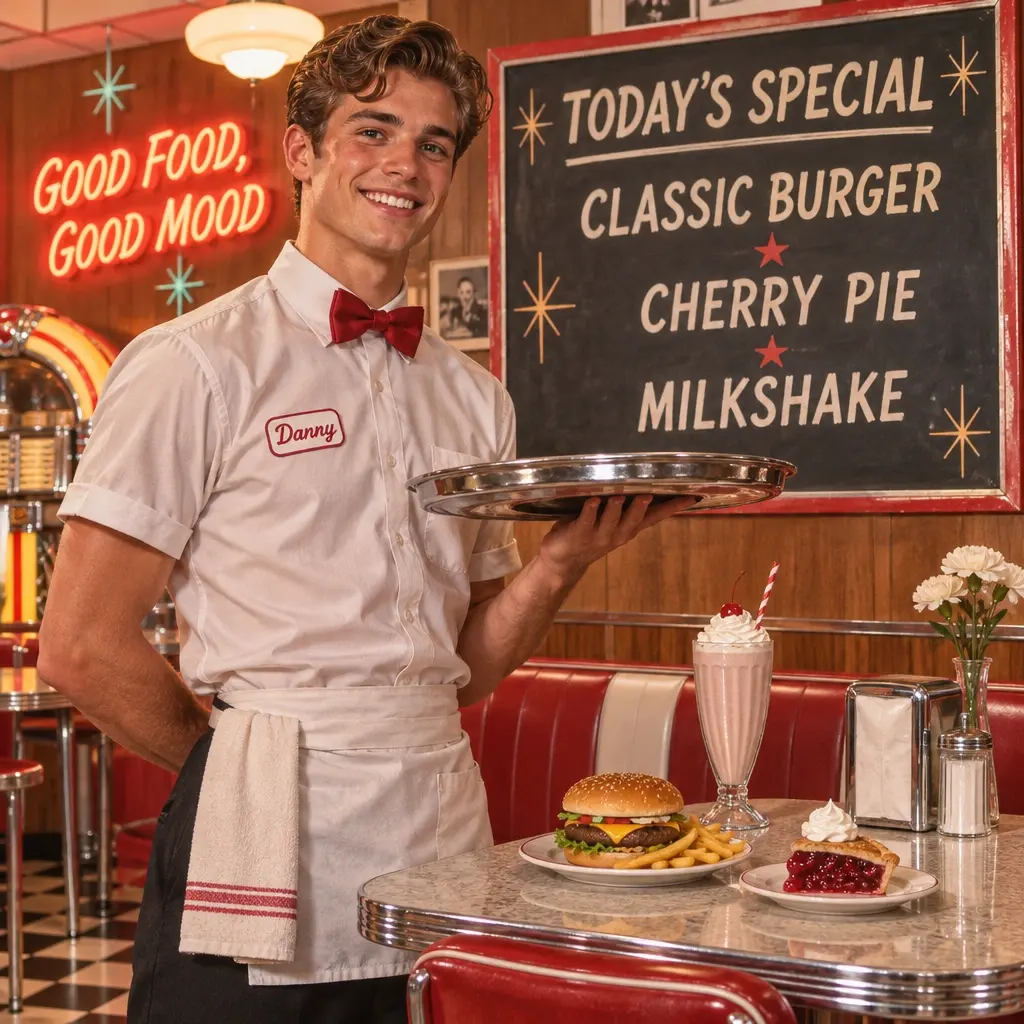
Faster First Drafts
OpenAI reports that Flare can generate an image in as little as six seconds at low quality. Use quick drafts to compare layouts, crops, and lighting before rendering the version you plan to publish.

curl --request POST "https://gptproto.com/api/v3/openai/gpt-image-2.6-flare/text-to-image" \
    --header "Authorization: Bearer $GPTPROTO_API_KEY" \
    --header "Content-Type: application/json" \
    --data '{
        "prompt": "A tiny origami fox sailing a teacup across a moonlit puddle",
        "n": null,
        "quality": "auto",
        "size": "auto",
        "enable_sync_mode": false,
        "response_format": "url"
}'Start from the cost of a single sample and pick a testing budget. GPTProto rates are 5% below list price.
| Scenario | OpenAI list | OpenRouter | GPTProto | You save / mo |
|---|---|---|---|---|
| Quick tests & prototypes100 images / mo | $1.35 | $1.43 | $1.29 | −$0.07≈ $0.81 / yr |
| Product & e-commerce photos1,000 images / mo | $13.54 | $14.29 | $12.87 | −$0.68≈ $8.13 / yr |
| Ad / marketing creatives2,500 images / mo | $33.86 | $35.72 | $32.17 | −$1.69≈ $20.32 / yr |
| Social media content10,000 images / mo | $135.44 | $142.89 | $128.67 | −$6.77≈ $81.26 / yr |

OpenAI · $7.6/M input · $28.5/M output
Go from a creative brief to a first image quickly, then refine the composition, background, or copy. Flare is designed for workflows where you need to review several directions before choosing one to finish.
Faster First Drafts
OpenAI reports that Flare can generate an image in as little as six seconds at low quality. Use quick drafts to compare layouts, crops, and lighting before rendering the version you plan to publish.
Control How Much the Model Plans
OpenAI’s complexity setting controls how much the model plans before rendering. Start with low complexity for a focused change, then try medium or high when your brief includes several objects or layout constraints.
Guide Edits With Annotations
OpenAI’s markup workflow lets you circle a product, sketch a new object, or point to the area you want to edit. Pair the annotation with instructions for which details to preserve.
One Key for Multiple Image Models
Test Flare alongside Nano Banana 2.1 and Seedream 5.0 Pro using one GPTProto API key and shared balance. Compare the results on your own briefs before choosing a model for repeat jobs.
GPT Image 2.6 Flare is OpenAI’s speed-focused model for generating images from text and editing existing images. It fits workflows that need frequent visual feedback, such as previewing a new ad layout or trying three backgrounds for a product photo before choosing a direction.
The main control to understand is the difference between planning and rendering. In OpenAI’s Image API, complexity affects how much the model plans the scene before it renders. quality affects the detail in the rendered image. A small background change can be a low-complexity request even when you need a detailed final asset. A rough poster with several lines of copy and specific placements can benefit from more planning even at draft quality.
| Capability | OpenAI Image API behavior |
|---|---|
| Inputs and tasks | Text prompts for generation. Source images and instructions for edits. |
| Planning | complexity accepts low, medium, and high. OpenAI defaults to high when omitted. |
| Rendering quality | low, medium, high, xhigh, and max are explicit quality levels. |
| Markup-guided edits | A separate transparent PNG guides an edit to the first input image. Match its dimensions after orientation and submit it separately from the original. |
| Animated GIF and SVG | OpenAI documents both as generation outputs. Check the GPTProto request schema for the formats exposed on your route. |
Ad layouts for several placements. Generate a square concept with the product on one side and room for copy on the other. Once the art direction is approved, request a separate portrait composition using the same brief. Review the safe area at each placement’s actual display size so the headline and subject both survive the crop.
Product photo revisions. Provide an approved image, name the one change you want, and spell out what should carry over. For a catalog shot, that might mean changing the backdrop while preserving the label, packaging shape, reflections, and camera angle. Review the label at full size before approving the revision. Small changes in packaging text can make a realistic-looking image unusable.
Poster and social creative. Use Flare to compare hierarchy and composition before committing to a final design. Give the headline verbatim, say where it should sit, and keep any secondary copy short. If the graphic contains a price or a time-sensitive offer, check the rendered text against the source copy before exporting.
Create a square studio ad for a matte navy insulated bottle. Place the bottle on the right third on a pale gray plinth. Keep the left half clear for copy. Use soft side lighting and a warm off-white background. Leave the image free of text.
Check that the empty area is large enough for the headline and that the bottle remains recognizable at thumbnail size.
Replace the tabletop with light oak. Keep the camera angle, product shape, printed label, reflections, and shadows from the source photo. Limit the change to the tabletop and match the existing light direction.
When your endpoint exposes markup, circle the tabletop on a separate transparent overlay and send it with the original. Check the boundary around the product and compare the label against the source.
Animate a small illustrated mascot waving once. Keep the camera, background, and framing fixed. Start with its hand down, lift it for the wave, and return it to the opening pose so the animation loops smoothly.
On an endpoint that exposes OpenAI’s GIF controls, eight frames at 150 milliseconds per frame give you a 1.2-second loop. Check the transition from the last frame back to the first for a visible jump.
Choose the model around the work you repeat most often. A team producing hundreds of catalog images may value per-image budgeting. An interactive editor may care more about time to the first usable result and how well an edit preserves the source.
| Model | When to choose it | What to compare |
|---|---|---|
| GPT Image 2.6 Flare | You need fast concept generation, ad layout variants, or focused revisions. | Time to the first usable draft and accuracy on a single requested edit. |
| GPT Image 2.5 Flare | You already run Flare 2.5 and want a baseline before upgrading. | Run your existing prompts at matching size and quality. Check label fidelity, latency, and cost per approved image. |
| GPT Image 2.5 Sunburst | You want a precision-oriented OpenAI baseline for detailed revisions. | Compare how well both outputs retain small typography, recurring characters, and product details across two edits. |
| Nano Banana 2.1 | You need per-image budgeting or repeated edits across several references. | Use the same product and style references. Review identity retention and the cost of revisions. |
| Nano Banana Pro | You want another option for detailed mockups, dense layouts, or localized copy. | Check text legibility and whether the first result meets your layout requirements. |
| Seedream 5.0 Pro | You create 1K or 2K posters and product visuals with multiple references. | Compare layout at the intended size and include any extra reference-image charges in your estimate. |
Use the same prompt, source images, and output dimensions where each model supports them. Count the requests it takes to get an image you would approve. When one model bills by tokens and another bills per image, total spend divided by approved images gives you a common number to compare.
Side-by-side price, speed and fit against the models people weigh it against.
Guides, comparisons, and updates related to this model.
All Articles
GPT-6.2 Astra has no announced release date, but it runs in some Codex accounts. What's confirmed, what's rumor, how to check yours, what to use now.
Learn how to face swap yourself into a video using a photo or reference clip, fix flicker and side-angle errors, and choose the right workflow.
See Nano Banana 2.1 and Nano Banana Pro compared in five real ecommerce tests covering product photos, editing, packaging, multilingual text, and pricing.
Compare 5 affordable AI video APIs for ecommerce and AI short drama. See current pricing, clip costs, audio fees, and the best model for each job.
Input
Output