OpenAI API Alternatives at a Glance
| Alternative |
Best fit |
Access approach |
Main migration consideration |
| GPT Proto |
Multiple model families and discounted access |
Unified model platform |
Confirm capabilities for the chosen model and endpoint |
| Anthropic Claude |
Coding and agent workflows |
Direct model API |
Native Claude features and SDK compatibility differ |
| Google Gemini |
Multimodal applications |
Direct model API |
Advanced features may require Gemini-native integration |
| DeepSeek |
Budget-focused reasoning workloads |
Direct model API |
Include cache and peak versus off-peak pricing |
| Groq |
Speed-sensitive applications |
Hosted inference |
Evaluate the supported model and feature combination |
| Mistral |
Document-centric applications |
Models plus document APIs |
OCR, conversation state, and inference are separate concerns |
| OpenRouter |
Model exploration and provider routing |
Multi-provider gateway |
Pin routing requirements and account for platform fees |
How We Compared These OpenAI API Alternatives
Published by GPT Proto, this comparison uses official documentation, public pricing, and documented application features checked on October 29, 2026. The recommendations are editorial judgments about workflow fit; no private cross-provider performance benchmark was performed. We distinguish direct model APIs from gateways and inference services because they replace different parts of an OpenAI setup.
The 7 Best OpenAI API Alternatives
1. GPT Proto for Multi-Model Access and Discounted Pricing
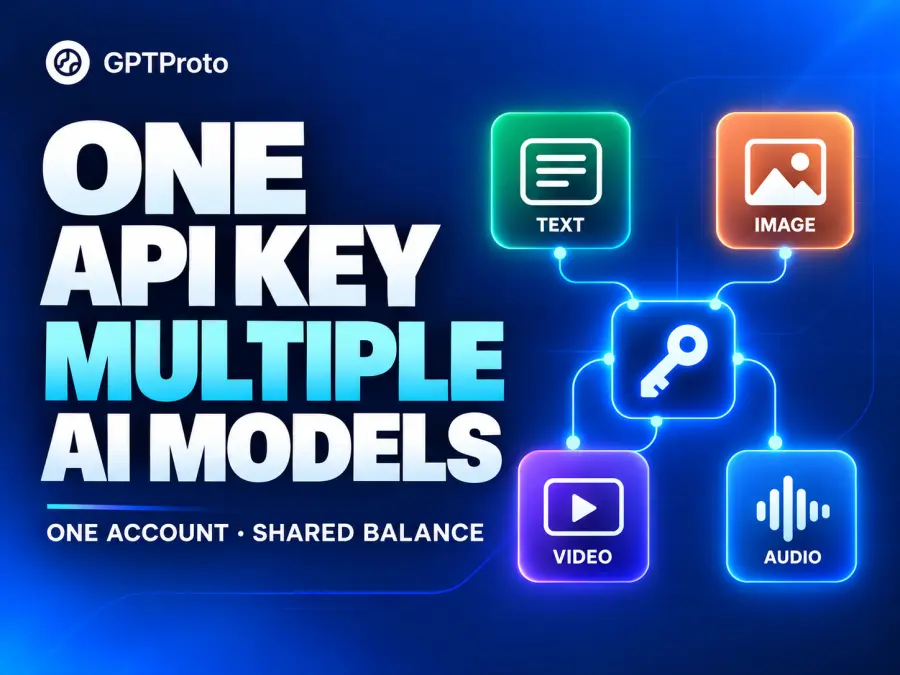
GPT Proto fits a SaaS team whose product needs several models: one for routine support, another for difficult coding, and perhaps separate image or video generation. Its model catalog brings text, image, video, and audio options under one account, API key, and shared balance.
That supports a gradual migration. Keep the GPT requests that already work, move a defined task to Claude or DeepSeek, and compare the results before changing the rest of the application. A shared account reduces the billing and credential setup involved in that evaluation.
There is also a straightforward option for teams that want to retain GPT. The GPT-6.1 Sol API page lists $1.60 input and $8 output per million tokens, compared with OpenAI's standard $2 and $10 rates. That is a 20% reduction in those token rates. Claude Sonnet 5.5 is listed at $1.80 and $9, 10% below Anthropic's corresponding standard rates.
Choose GPT Proto when model choice and consolidated access are the priorities. Check the selected model's API Usage section for supported interfaces and fields; a shared key does not make every model or media endpoint interchangeable. Keeping GPT through another provider also preserves dependence on the GPT model family.
2. Anthropic Claude for Coding and Agent Workflows
Claude belongs on the shortlist when the application spends most of its time editing code, analyzing documents, or deciding which tool to use next. Start with Sonnet for everyday coding and agent work, evaluate Opus for more demanding tasks, and consider Haiku for repetitive classification, extraction, or routing.
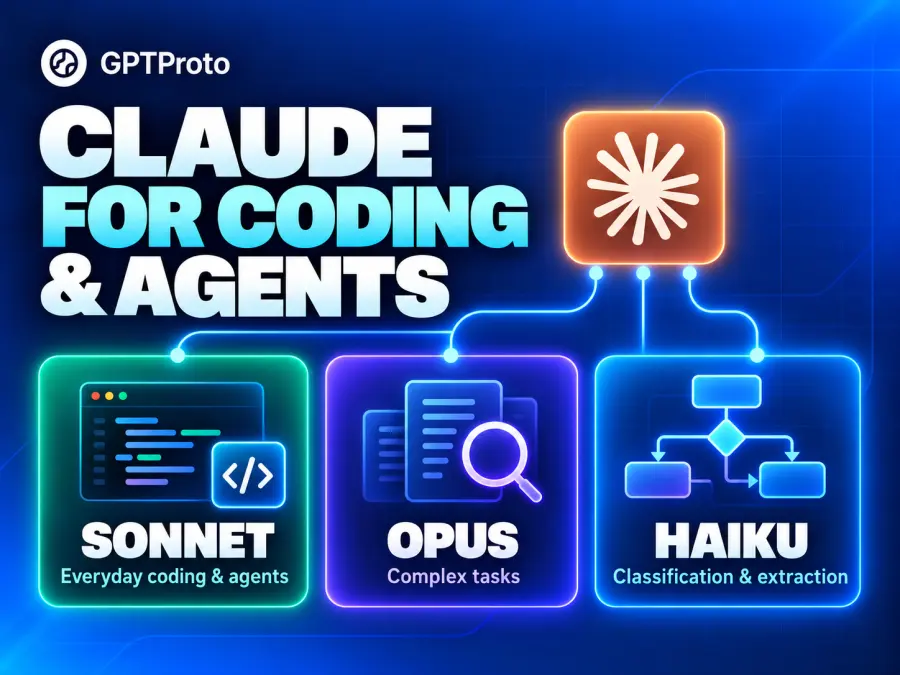
For example, a support agent could use a lightweight model to categorize requests and reserve a stronger model for investigating a complex technical issue. Anthropic's model pricing makes these tiers visible: Sonnet 5.5 is $2 input and $10 output per million tokens, while Haiku 5.5 starts at $0.10 and $0.50 for prompts up to 100K input tokens.
Migration requires attention to the interface. Anthropic's OpenAI SDK compatibility documentation states that the compatibility layer ignores the tool-schema strict field. Applications that depend on strict validation should evaluate the native Claude API's structured-output support.
Use the Claude model collection on GPT Proto to compare available routes. Claude is a capability-driven alternative; choosing Sonnet at its official standard rate does not automatically reduce the bill relative to GPT-6.1 Sol.
3. Google Gemini for Multimodal Applications
Gemini is a useful candidate for products that combine text with screenshots, recorded audio, video, or documents. A learning app reviewing a student's recording and a support tool interpreting screen captures need more than text generation alone.
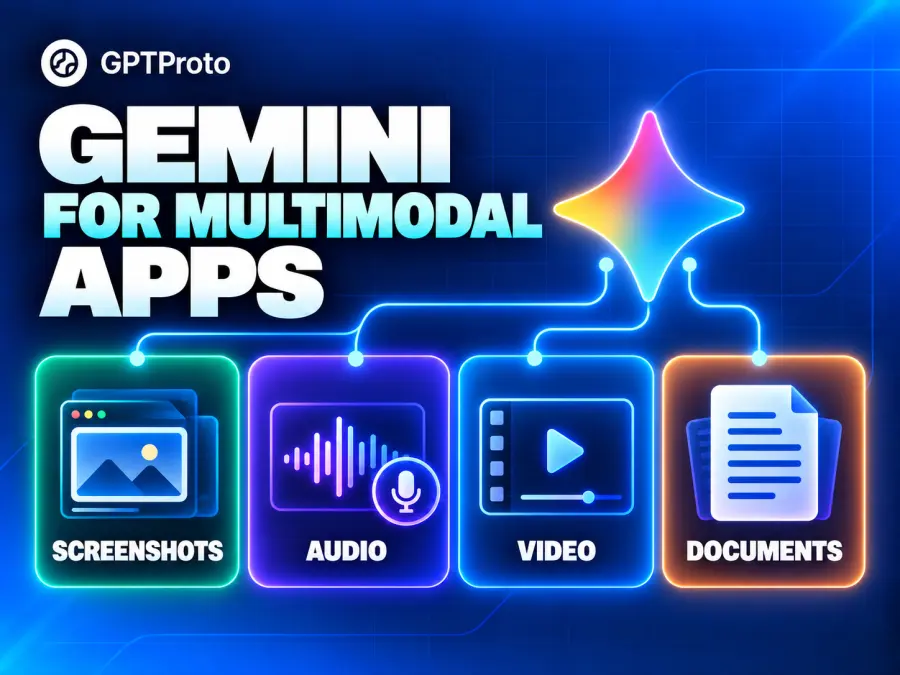
Google documents OpenAI SDK compatibility, including changing the base URL, key, and model for supported requests. That can simplify an initial evaluation. Its integration guidance also explains that advanced Gemini features and server-side tools can need additional handling or native integration.
Select the model for the actual input and output requirements. A Flash-Lite model can be a cost candidate for simpler processing, while a separate Live API handles real-time interaction. Access to a Gemini text endpoint does not establish support for every Gemini product.
Browse Google models on GPT Proto, or inspect Gemini 3.8 Flash for its listed multimodal inputs. Google also offers free tiers for selected models, with different limits and data-use terms from paid access, as shown in its pricing documentation.
4. DeepSeek for Budget-Focused Reasoning Workloads
DeepSeek is worth evaluating for repeated document analysis, coding assistance, and reasoning tasks where token costs accumulate quickly. It is particularly relevant when requests reuse substantial input or can run outside peak pricing hours.
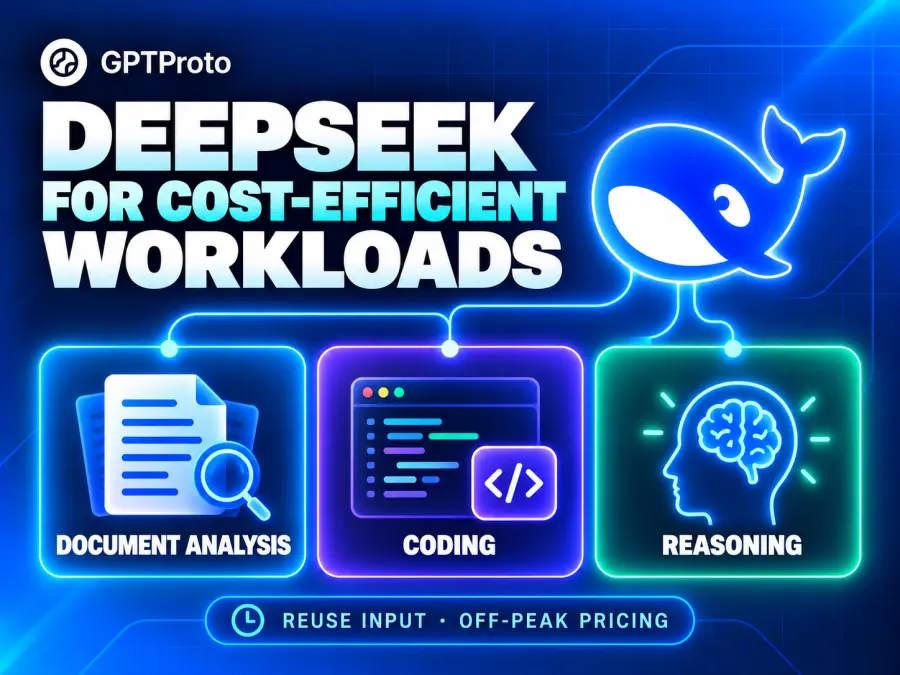
The official DeepSeek pricing table lists Flash at $0.30 per million uncached input tokens and $1.20 per million output tokens during peak periods. Off-peak rates are $0.15 and $0.60. Cached input has a separate, lower rate, so a recurring document workflow can have different economics from short, unrelated prompts.
DeepSeek's API guide documents OpenAI- and Anthropic-compatible access. Use the exact model identifier for the chosen service; compatibility with a request format still leaves model behavior and tool handling to validate.
The DeepSeek Flash API page provides a GPT Proto access route. For a wider shortlist, compare the top Chinese LLM providers or explore Chinese LLMs for coding.
Its low rates justify an evaluation, but they do not make it cheaper than every small OpenAI model.
5. Groq for Speed-Sensitive Applications
Groq is an option for applications where users wait directly for generated output: interactive assistants, short-response features, and workflows with several sequential model calls. Its value depends on finding a supported model that meets the task's quality requirements.
Use Groq's supported-model documentation to check availability, limits, and published serving specifications. Measure time to first useful response and total workflow time in your application; a vendor's generation-speed figure does not include every network or tool delay.
Groq provides OpenAI-compatible access, with documented unsupported fields. It also has a Responses API, but the documentation says applications must maintain and resend conversation history themselves.
Choose Groq when response speed is a meaningful product requirement and the available model fits. If the existing app depends heavily on stored conversations, include state management in the migration estimate. Replacing the hosting service and replacing the model developer are separate decisions.
6. Mistral for Document-Centric Applications
Mistral is worth considering for applications built around document intake, extraction, and question answering. An invoice-processing tool, for example, needs reliable text extraction before it can classify a document or explain a discrepancy.
Its API catalog and pricing distinguish general models from OCR services. This helps teams estimate extraction and generation separately instead of treating the entire document pipeline as one chat request.
Mistral's migration guide covers OpenAI-style Chat Completions. Its Responses API supports text generation, supported file and image inputs, function calls, and streaming. At review time, it is in public preview and is stateless: your application supplies the conversation history.
Mistral is a sensible candidate when document processing is central to the product. Evaluate the extraction output, downstream answer quality, and the cost of both stages. A working chat migration alone does not validate a complete document-processing workflow.
7. OpenRouter for Provider Routing and Model Exploration
OpenRouter suits teams that want to compare models and control which underlying providers serve their requests. It can also help when an application needs an explicit backup-provider strategy.
Routing introduces its own choices. Decide whether requests may move between providers, whether every requested parameter must be supported, and which data-handling requirements apply. OpenRouter exposes provider preferences, fallback settings, and parameter-support controls; those settings deserve attention when an application relies on a specific feature.
For an initial evaluation, keep the provider and model fixed so that changes in results are easier to investigate. Then test the intended fallback configuration, including failures and differences in usage reporting. Credit-purchase fees and any applicable BYOK charges also belong in the cost estimate.
Choose OpenRouter when routing controls are a primary requirement. Our comparison of LLM API providers explains how gateways, managed platforms, and inference specialists differ.
Which OpenAI API Alternatives Are Actually Cheaper
There are two separate cost decisions. You can retain the same model through a different access provider, or change the model doing the work. The first gives a relatively direct token-price comparison. The second needs a quality evaluation alongside the bill.
The example below assumes 10 million uncached input tokens and 2 million billed output tokens per month. It is a calculated usage scenario, not a benchmark of equal task quality. Billed output includes reasoning tokens where the provider charges them as output. Tool fees, taxes, cache writes, and batch discounts are excluded.
| Model and access route |
Input per 1M |
Output per 1M |
Example cost |
| GPT-6.1 Sol via OpenAI Standard |
$2.00 |
$10.00 |
$40.00 |
| GPT-6.1 Sol via GPT Proto |
$1.60 |
$8.00 |
$32.00 |
| GPT-6 Luna via OpenAI Standard |
$0.10 |
$0.50 |
$2.00 |
| Haiku 5.5 direct, prompts up to 100K |
$0.10 |
$0.50 |
$2.00 |
| DeepSeek Flash direct, peak |
$0.30 |
$1.20 |
$5.40 |
| DeepSeek Flash direct, off-peak |
$0.15 |
$0.60 |
$2.70 |
| Gemini 3.1 Flash-Lite direct, standard text |
$0.25 |
$1.50 |
$5.50 |
Rates come from the OpenAI pricing page, GPT Proto's Sol page, and the Anthropic, DeepSeek, and Google pricing pages linked above.
The Sol example saves $8, or 20%, at the stated token volume. The lightweight-model rows show why an alternative should be compared with the OpenAI model you actually need. A small OpenAI model can cost less than a more capable alternative.
Haiku's 100K threshold applies to each request's input, not monthly volume. DeepSeek's two rows assume all usage falls within the stated pricing period; mixed traffic produces a blended bill. Tokenizers, reasoning effort, and retries can also change how many tokens a task consumes. For agent workloads, compare affordable LLM APIs by task fit, then track cost per accepted result.
How Much of Your OpenAI Integration Can You Keep
Start by identifying the interfaces and behaviors the application uses. A successful greeting request establishes very little about a tool-using agent.
| Existing dependency |
Check before migration |
Possible application change |
| Chat and streaming |
Request fields, event format, termination |
Client configuration or response parser |
| Tool calling |
Arguments, tool results, follow-up turn |
Tool adapter and validation |
| Structured output |
Enforced schema rules and failure cases |
Schema changes and application-side checks |
| Stored conversations |
History storage and retrieval |
Persistence and history replay |
| Files or built-in tools |
Equivalent feature and billing |
Separate retrieval or tool service |
A developer's account of structured-output portability describes constraints being handled differently across providers. Treat that as one practitioner's experience, then verify your exact schema against current documentation and responses.
Run representative requests through the candidate integration: normal traffic, long inputs, a failed tool, and an output that violates your expected format. Record accepted results, billed usage, response time, and retries. For coding applications, also run the generated change through the project's own checks.
Keep a way to return traffic to the previous configuration while evaluating the replacement. If you are still choosing an overall platform for a new product, the broader AI API guide for developers covers that decision.
Alternatives to OpenAI Realtime Assistants and Moderation APIs
OpenAI Realtime API Alternatives
Gemini Live API is a candidate for real-time voice and vision interaction. Evaluate interruption handling, audio formats, session behavior, and voice response time. A pipeline combining speech recognition, an LLM, and speech synthesis is another architecture, but its separate stages add integration work and latency. Ordinary streamed text is not an equivalent replacement for a live audio session.
Alternatives to OpenAI Assistants API for Production Agents
The Assistants API was sunset on August 26, 2026, according to OpenAI's migration guide. Teams remaining with OpenAI should follow its Responses migration path.
For a provider-independent design, combine a chosen model API with an orchestration runtime such as LangGraph. Its state and checkpointing components can support persistent workflows, but your team still needs to implement tool execution, retrieval, storage, and recovery. Switching the model endpoint does not migrate those responsibilities or recreate old threads automatically.
OpenAI Moderation API Alternatives for Chat Applications
Azure AI Content Safety offers text and image analysis for potentially harmful content. Compare supported categories, languages, thresholds, response times, and false positives on your application's examples.
Moderation is a separate selection from the conversational model. For creative chat or roleplay, our uncensored LLM API comparison addresses model behavior; an application still needs its own decisions about which content to allow and how to enforce them.
How to Try OpenAI API Alternatives on GPT Proto
Start with one workload you can judge consistently, such as answering support questions or extracting fields from a document.
Choose a model. Open the GPT Proto catalog and compare the relevant Claude, Gemini, or DeepSeek options.
Open the model's setup instructions. Use Try This Model where available, or the API Usage section. Copy the model-specific instructions into your coding assistant or follow the displayed example.
Configure the integration. Create a GPT Proto API key and use the model ID, endpoint, and request format shown on that page. Keep credentials in the application's secret configuration.
Evaluate a small request set. Compare useful results, billed usage, and response time before expanding traffic. Test required tools and structured outputs separately.