Kimi K3.1 Pro vs Opus 5.5 at a Glance
| Item |
Kimi K3.1 Pro |
Claude Opus 5.5 |
| Official input / output price per 1M tokens |
$2 / $10 |
$4 / $20 |
| GPT Proto input / output price per 1M tokens |
$2 / $10 |
$3.60 / $18 |
| Context window |
About 1M tokens |
1M tokens |
| Model input / output |
Text and images / text |
Text and images / text |
| Native API default reasoning effort |
Max |
Medium |
| My recommended first trial |
Bounded tasks with clear checks |
Complex development and final review |
Prices were checked on October 29, 2026. Official specifications come from the Kimi API documentation and Claude model documentation. GPT Proto rates are listed on the Kimi K3.1 Pro API page and Claude Opus 5.5 API page. Cache operations and other applicable charges need separate accounting.
For a quick catalog comparison, use the Kimi K3.1 Pro vs Claude Opus 5.5 comparison page. For the background on this Kimi release, see what changed in Kimi K3.1 Pro.
What the Benchmarks Tell Us About Coding and What They Leave Out
Moonshot's published launch comparison reports 65.7% for Kimi K3.1 Pro and 66.4% for Opus 5.5 on Terminal-Bench 4.0. These are vendor-published figures, pending independent verification of that specific comparison. They support taking Kimi seriously for terminal-based work; they do not establish equal performance across application development.
The broader independent picture is different. On October 29, the Artificial Analysis Intelligence Index v5.0 model pages showed Kimi at 46 and Opus at 58, with the latter labeled Max with Default Fallback. Those index points are not percentages or a coding success rate. Keep the index version and configuration attached to the comparison.
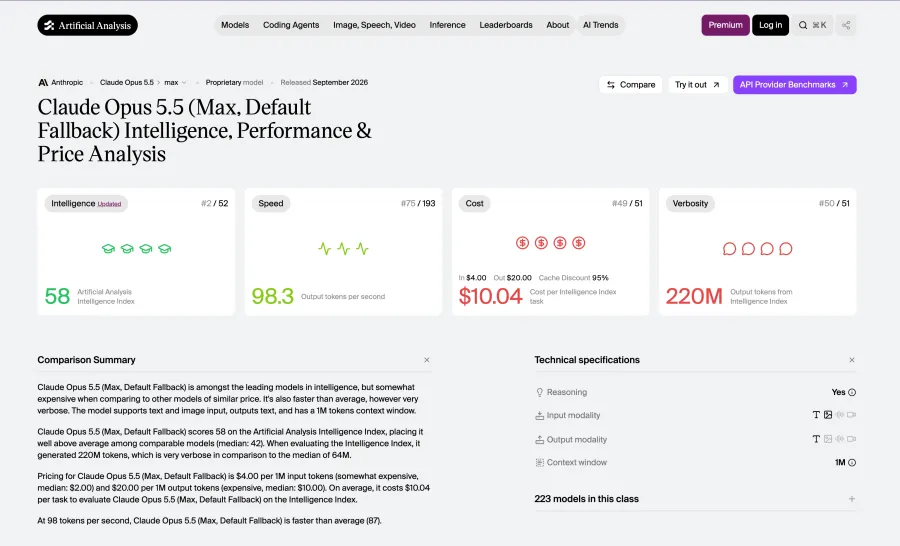
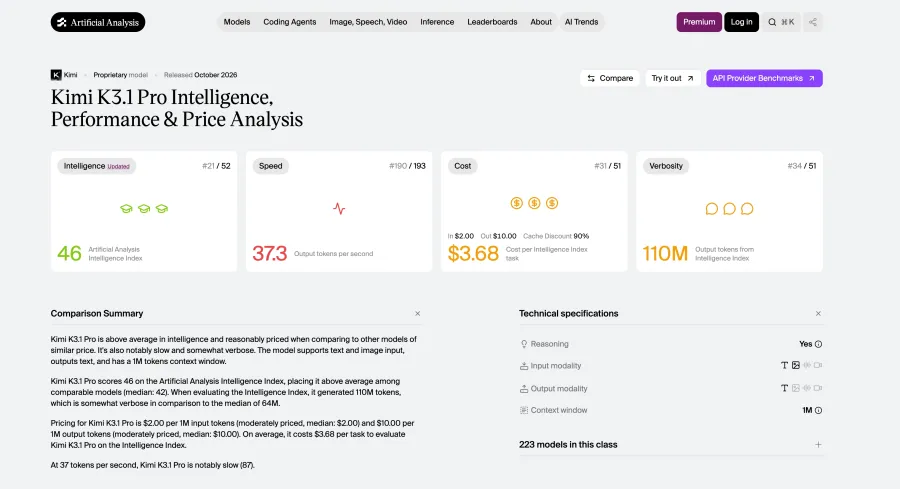
I would treat Opus as the initial quality baseline for demanding work, then test whether Kimi meets the same acceptance criteria at a lower cost. A terminal benchmark cannot tell you whether a booking form preserves its state or a dashboard remains readable on mobile. Your application tests have to answer that.
Frontend Coding: From a Screenshot to a Working Interface
For a screenshot-to-interface task, separate appearance from behavior. A faithful layout still needs working navigation, form states, keyboard access, and a usable mobile version. Then ask for a change. Adding a filter without breaking the existing layout is a different test from generating a fresh page.
There is a useful developer example here. In Melvynx's published comparison, he preferred Opus's visual treatment of a timezone checker. That is an aesthetic judgment about one build, rather than a measured frontend win rate.
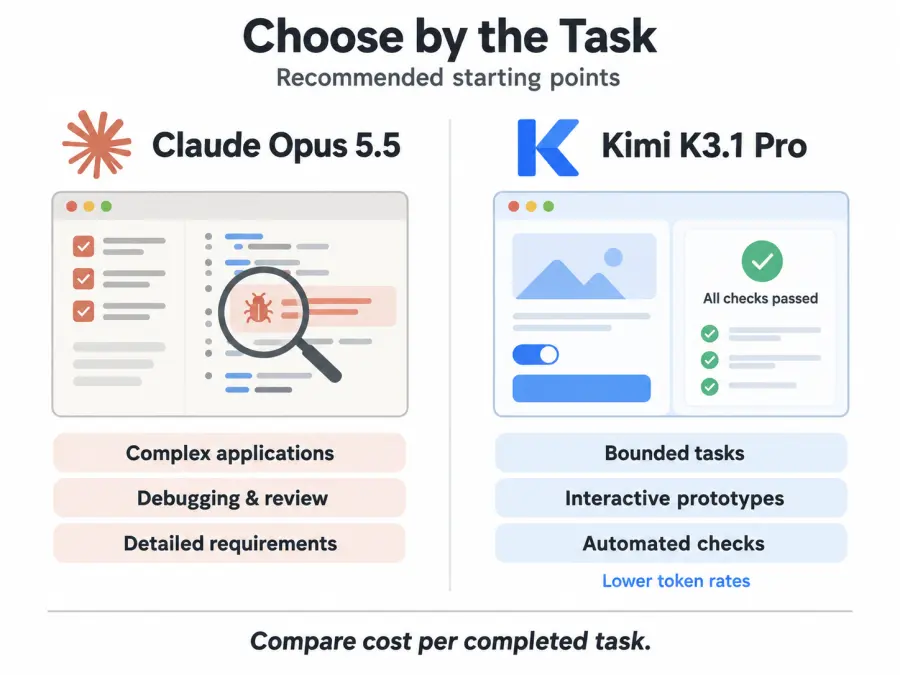
For a marketing site or client-facing dashboard, my first choice would be Opus when the design needs distinction and repeated refinement. Kimi is a sensible candidate for an internal interface with a clear design system, especially when you can inspect the result before release. The trade-off is the time spent correcting what the initial prompt leaves open.
Consider a booking interface as an evaluation brief. Give both models the same reference image, existing component library, and requirements for date selection, unavailable slots, validation, and confirmation. Ask each to connect the interface to the same mock API. Then introduce a failed request and check whether the user can recover without losing the form.
That last step makes this an application comparison. It exposes whether an attractive page also handles the customer's next action.
Interactive Apps and 3D: Visual Quality, Logic, and Runtime Performance
Kimi's case becomes more interesting on interactive visual work. Melvynx's lava-lamp example included lighting and color controls. He rated Opus's higher-effort result best, while finding Kimi's materials and glass effects convincing. His reported run costs were $2.30 for Kimi High and $4.16 for Max, versus $4.35 for Opus Medium and $6.39 for Extra High.
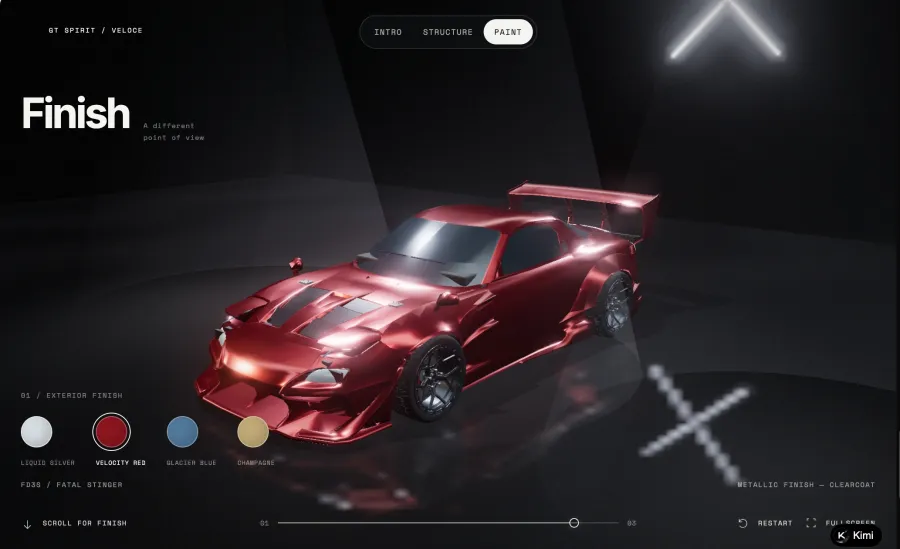
The same review describes a crash simulation that worked better at Kimi High than Max. The author discloses a Kimi affiliate link and a shared, non-isolated workspace. These examples are useful observations, with those limits attached.
My reading is that Kimi is worth testing for product configurators, educational demos, and visual prototypes. Choosing a higher effort setting automatically would miss one of the practical lessons of those examples. Start with an explicit requirement and inspect the artifact.
For a furniture configurator, define what must change when someone selects a material, switches a camera view, or resets the design. Check whether the displayed price matches the selection. Reload the page. Try the controls on a phone. A visually appealing chair is only part of the deliverable.
Technical accuracy needs its own checks. Moonshot's BenchCAD results report 92.7% for Kimi and 96.2% for Opus with tools, using a geometry reconstruction metric. That vendor-published result addresses a different question from whether a scene looks attractive. A convincing animation still needs separate validation before you use it to teach physics or represent an engineering process.
For a prototype, I would trial Kimi first. For a precision-sensitive application, I would begin with Opus and require domain-specific checks whichever model produces the code.
Agentic Development: Can the Model Finish a Multi-Step Task?
An agent working in a repository has to understand existing behavior, choose files to change, run tools, interpret failures, and decide when to stop. Mistakes can accumulate between those steps.
Both vendors publish examples of extended work. Moonshot describes Kimi diagnosing and correcting a simulator before retraining a walking controller. Anthropic's Opus 5.5 launch report describes improvements across a web application, including a load-time task completed successfully in 39 of 40 trials. These are separate vendor examples, rather than a shared head-to-head test.
For an existing invoicing application, a useful comparison would be adding CSV imports. Require field mapping, invalid-row handling, duplicate detection, a preview, and tests covering existing behavior. Let each model work from the same repository snapshot and inspect both patches. A summary saying “all tests pass” needs a test log behind it.
For that kind of cross-file change, Opus would be my default starting point. Kimi is easier to evaluate on a bounded part of the job, such as implementing validation against an agreed schema. Expand its scope after the tests establish that it can handle the surrounding application.
Configuration also matters. Kimi's tool-use guidance requires retaining the complete assistant message across turns. Claude's Opus documentation describes model-specific thinking and tool behavior. Verify those details on your chosen route; matching a basic request format does not establish identical agent behavior.
Pricing and Cost: What Does an Accepted Result Actually Cost?
Kimi K3.1 Pro has the lower standard input and output rates. The harder question is how many calls, retries, and review cycles your task needs.
Here is a planning example using GPT Proto's listed rates. Assume each attempt uses 1M uncached input tokens and 200,000 billed output tokens. These are hypothetical volumes, not observed application results.
| Planning scenario |
Kimi K3.1 Pro |
Claude Opus 5.5 |
| One attempt at the stated volumes |
$4.00 |
$7.20 |
| Two attempts, each at the same volumes |
$8.00 |
$14.40 |
Under those assumptions, a Kimi result needing two attempts costs more in tokens than an Opus result accepted after one. Real retries rarely repeat exactly the same token volumes, so use your usage records for the actual calculation.
Caching changes the comparison again. Both vendors list official cache reads at $0.20 per 1M tokens in their Kimi and Claude documentation. A long agent session with extensive cache hits will have a different cost ratio from a fresh request. Check cache-write charges, output use, and your provider's actual rates as well.
For a team, I would track cost per accepted task alongside elapsed time and reviewer minutes. A cheaper draft can be good value when checking it is quick. It becomes less attractive when a developer has to reconstruct what the agent changed before trusting it.
How to Compare Both Models on Your Own App Through GPT Proto
Use a small application change with observable results. A booking form, CSV importer, or product configurator gives you more useful evidence than an unrestricted request to “build something impressive.”
Open the Kimi model page and Opus model page. Use Try this model and Quick Start to obtain the integration guide, then copy the Markdown instructions to your coding assistant. Keep your API key in a local environment variable or server-side configuration.
Before evaluating development quality, check that both model routes respond. This connection example follows the Chat Completions format published on the model pages. Set GPTPROTO_API_KEY locally before running it; the requests consume paid tokens.
for model in kimi-k3.1-pro claude-opus-5-5; do
  curl --fail-with-body --silent --show-error --max-time 180 \
    https://gptproto.com/v1/chat/completions \
    -H "Authorization: Bearer $GPTPROTO_API_KEY" \
    -H "Content-Type: application/json" \
    --data "{
      \"model\": \"$model\",
      \"messages\": [{\"role\": \"user\",
        \"content\": \"Return only: API connection OK\"}]
    }"
done
This checks connectivity, not coding quality. The native APIs have different default reasoning settings; configure and record the supported effort settings before an application comparison. An API response also needs an agent or application around it to edit files, execute tools, and inspect a browser.
For the development trial, start each model from a clean copy of the same project. Supply the same task, permissions, dependencies, and acceptance tests. Record the model route, effort, billed usage, completion time, and manual changes required. Repeat the task before making a small difference your production default.
If the endpoint returns an authentication error, check the key and authorization header. If an optional parameter is rejected, compare it with the current model-page guide. Verify a successful response contains the intended model output before expanding the job.
Which Model Should You Choose?
| Your workload |
My starting choice |
Condition for keeping it |
| Client-facing frontend with repeated design revisions |
Opus 5.5 |
Better accepted output justifies its cost |
| Interactive prototype or visual experiment |
Kimi K3.1 Pro |
Controls work and the artifact is easy to inspect |
| Complex changes in an existing application |
Opus 5.5 |
Repository tests and review support the choice |
| Repeated implementation against a fixed specification |
Kimi K3.1 Pro |
Automated checks keep correction costs low |
| Precision-sensitive code or simulation |
Opus as the initial baseline |
External validation is required for either model |
I would choose Opus 5.5 as the initial default for a team handing substantial application work to an agent. The broader evaluation evidence supports starting there, while the actual repository decides whether the premium earns its place.
Kimi K3.1 Pro is a practical candidate for reducing the cost of well-defined work. Start with tasks you can inspect or test, measure accepted results, and give it more responsibility as the evidence improves. That is a stronger reason to switch than a near-tie on one benchmark.
Bring one small task to the Kimi K3.1 Pro API and Claude Opus 5.5 API pages, use the integration guides, and compare the result your application can accept.