GPT-6.1 Terra is OpenAI's reasoning model for visual understanding, computer use, writing, and everyday agent tasks. Released on October 26, 2026, it brings a lower-cost option to teams choosing between routine automation and more demanding work. Its official standard input and output rates are half those of GPT-6.1 Sol.
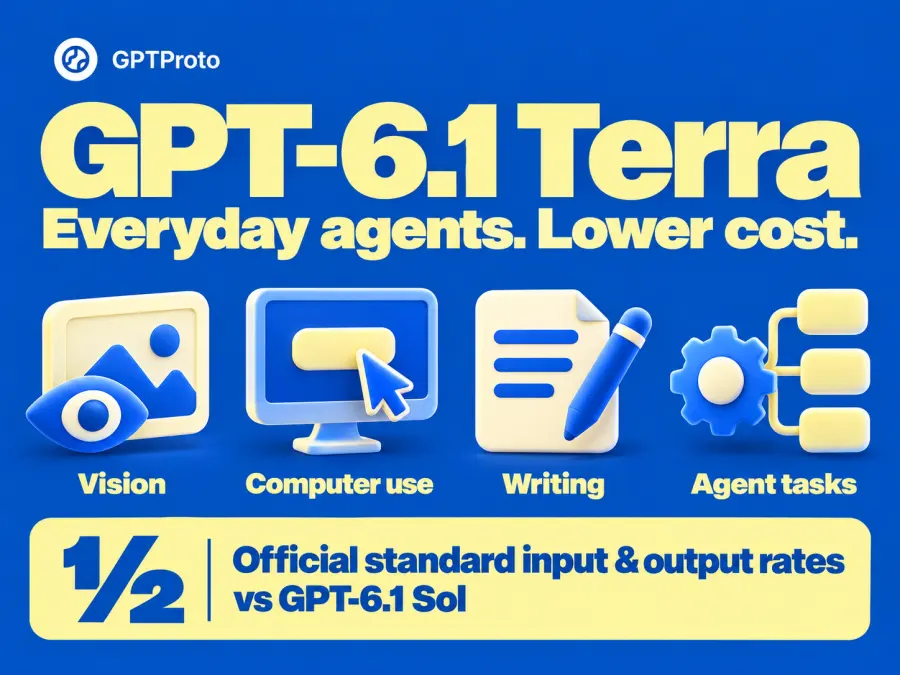
The useful question is which tasks you can move to Terra while preserving the results you need. My recommendation is to start with repeatable work you can verify: a product check, a small code fix, or a form-processing task. You can explore GPT-6.1 Terra API access on GPTProto and compare it with Sol using the same task.
What Changed from GPT-5.6 Terra?
Visual understanding and computer use
OpenAI's introduction emphasizes detailed visual reasoning, precise computer use, and clearer writing. Think of an agent checking an application screen, deciding which field to fill, and inspecting the result after typing.
Your integration supplies the execution environment. The model interprets information and proposes actions; connected tools carry them out and return feedback. Reading a screenshot is therefore a smaller integration task than operating a browser reliably.
One launch-day community discussion described Terra as offering “great bang for the buck,” particularly for visual understanding. That is an initial reaction to the published results, with no reproducible private test documented in the post.
Better factual reliability and everyday coding
OpenAI reports 50.3% on Terminal-Bench 4.0 at maximum reasoning effort, compared with GPT-5.6 Terra's published 21.5%. On its internal error-inducing prompts, the low-effort factual-error rate fell from 53.6% to 16.7%.
Those measurements support an upgrade, with limits: the factuality evaluation uses selected difficult prompts, and the coding score describes a particular test setup. OpenAI still recommends Sol and Astra for the most complex programming tasks.
What Can You Use GPT-6.1 Terra For?
Product and catalog checks are a practical starting point. Give the model a product photo and its written specifications, then ask it to identify visible mismatches. Require references to the relevant image details so a reviewer can check each finding.
Screenshot analysis offers another bounded task. Supply a page capture, the expected layout, and a specific question. Ask for overlapping elements, missing labels, or the next likely action. Verify the observations in the actual application before allowing an automated change.
For routine coding, use a reproducible bug and a clear acceptance test. GitHub's early testing found that Terra solved more terminal and C# tasks than its predecessor, with an emphasis on well-scoped work. GitHub did not publish full quantitative methods in that announcement.
These are proposed evaluation tasks. Start with a small set, record failures, and decide which results can be accepted automatically.
Keep the inputs and acceptance criteria consistent when comparing models. For a catalog check, include an obvious mismatch, a correct listing, and a case where the image is too unclear to decide. A useful result should identify the mismatch, leave the correct listing alone, and acknowledge uncertainty in the ambiguous case. This makes the trial more informative than judging a single fluent answer.
GPT-6.1 Terra Pricing: What Does a Task Cost?
Terra's model documentation and Sol's model documentation list these official Standard prices, in US dollars per million tokens:
| Model |
Input |
Cached input |
Output |
| GPT-6.1 Terra |
$1.00 |
$0.05 |
$5.00 |
| GPT-6.1 Sol |
$2.00 |
$0.10 |
$10.00 |
For a hypothetical request with 10,000 input tokens and 1,000 total billed output tokens, Terra costs $0.015 and Sol costs $0.030. That calculation assumes no cache or additional tool charges and identical billed usage.
An agent may spend different amounts of reasoning and output on the same task. Retries and extra tool steps also affect the bill. Record total cost alongside whether the final result passed your checks.
For an internal comparison, record requests, billed tokens, accepted results, and minutes of manual correction. Divide total spend by accepted results, while keeping review time visible. A cheaper request that creates more checking can still be a poor fit for your team.
Long prompts have another condition: above 272K input tokens, OpenAI applies twice the input and cache rates and 1.5 times the output rate to the full request. Check GPT Proto's current Terra pricing for the platform's applicable rates and supported options.
GPT-6.1 Terra vs Sol, Sonnet 5.5, and GLM-5.3
The following snapshot comes from Artificial Analysis's Intelligence Index v4.3.2, checked October 27. The index is a composite score, not a percentage. Task cost is its weighted average evaluation cost.
GPT-6.1 Terra vs GPT-6.1 Sol
Terra max and Sol medium both display 48 points, yet Sol medium's measured task cost is lower. Matching rounded aggregate scores does not establish identical abilities. It does give you a reason to compare configurations before turning every request up to max.
I would trial Terra on routine tasks with clear checks and include GPT-6.1 Sol when evaluating harder coding work. Keep an escalation path for cases Terra cannot complete reliably.
Is GPT-6.1 Terra Better than Sonnet 5.5?
The displayed Sonnet configuration scores higher and costs more per evaluation task. Its “Default Fallback” setting is part of the tested configuration and should accompany any interpretation of the score.
If you already use Claude tooling, compare Sonnet 5.5 and Terra on your actual workflow, including tool handling and review time. This table alone cannot identify the best choice for your application.
GPT-6.1 Terra vs GLM-5.3
Terra max scores higher and has a lower measured task cost in this snapshot. Artificial Analysis also lists Terra with image input, while GLM-5.3 is text-only and has open weights.
That makes visual work and deployment requirements useful selection criteria. Review GLM-5.3 API access if that model fits your application, and include your required input formats in the comparison.
Can You Use GPT-6.1 Terra in Codex or Claude Code?
Yes. You can connect GPT-6.1 Terra to both Codex and Claude Code through GPT Proto’s API integrations. For the quickest setup, open the GPT-6.1 Terra model page and use Try this model to access the dedicated setup options.
Click “Try this model.” This opens the Quick Start panel on the model page.
Choose your coding tool. Under Let AI finish the integration, select Claude Code or ChatGPT (Codex) to start the one-click setup.
Complete the connection. Follow the setup instructions to connect your GPT Proto API key and configure GPT-6.1 Terra.
You can also click Copy Markdown for AI in the same panel and paste the integration guide into your coding assistant. It provides the model-specific instructions your assistant can use to help configure the connection in your project.
How to Try GPT-6.1 Terra on GPT Proto
Open the Terra model page, check current access and prices, and use its API Usage example. Copy the page's current request into your AI coding assistant if you want help integrating it. The same GPT Proto account gives you a place to compare supported alternatives and their current rates as your workload changes.
For a basic text smoke test, the request pattern is:
curl --fail-with-body https://gptproto.com/v1/chat/completions \
  -H "Authorization: Bearer $GPTPROTO_API_KEY" \
  -H "Content-Type: application/json" \
  -d '{
    "model": "gpt-6.1-terra",
    "messages": [{
      "role": "user",
      "content": "Simplify this label: Commence account creation."
    }]
  }'
Set GPTPROTO_API_KEY locally and confirm the model identifier against the page's current example before running this billable request. This text-only pattern has not been live-tested against the Terra route for this guide.
A response confirms basic access. Next, try a representative task with a clear acceptance check. OpenAI requires the Responses API for Terra tool calling; verify GPT Proto's corresponding route before extending the example into an agent.
Start with one repeatable workflow and compare the total cost of results that meet your requirements. Explore GPT-6.1 Terra on GPT Proto, with Sol available for the tasks that need it.