Quick answer: Which affordable video AI API is best?
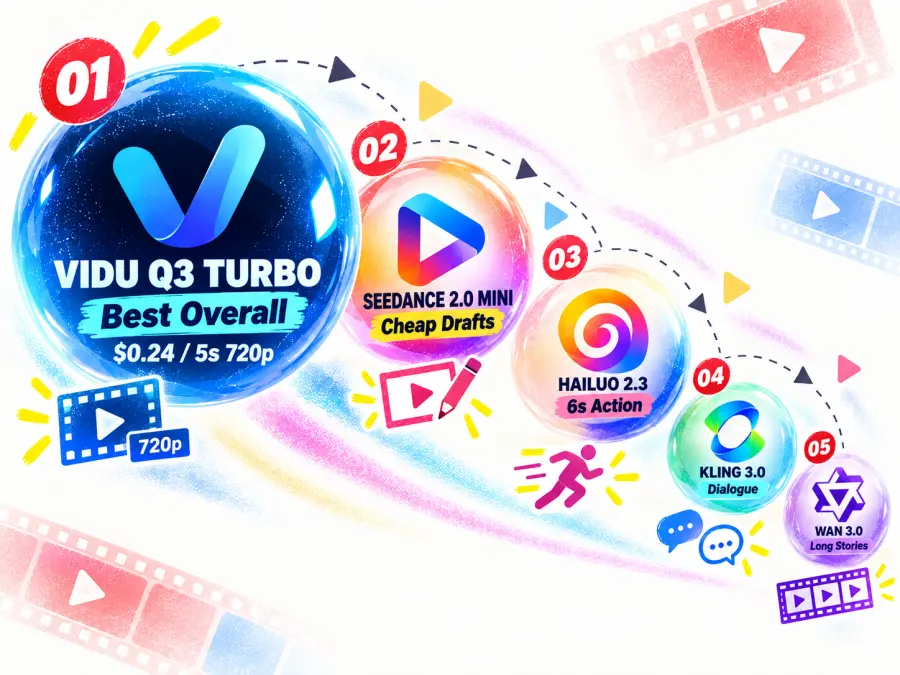
For most short-form projects, I would start with Vidu Q3 Turbo. It has the lowest exact five- and ten-second 720p bills among the five APIs compared here, and upgrading a five-second clip from 720p to 1080p adds only $0.04.
The other four models win narrower jobs:
| Need |
Best affordable API |
Why it wins |
| Best overall budget API |
Vidu Q3 Turbo |
$0.24 for 5s at 720p and $0.28 at 1080p |
| Cheapest draft tier |
Seedance 2.0 Mini |
About $0.0247/s at 480p for 16:9 or 9:16 drafts |
| Low-cost six-second action |
Hailuo 2.3 Standard |
$0.252 per six-second generation |
| Dialogue and human motion |
Kling v3.0 Standard |
Optional native sound and 3–15s duration choices |
| AI short drama |
Wan 3.0 |
2–30s generation, multi-shot control, and native audio |
Compare before you commit
Browse Affordable Text-to-Video APIs in One Place
Compare live models, current output settings, and per-generation pricing before writing an integration around one provider.
Affordable AI video APIs comparison: 2026 price table
“Starting at” prices can be misleading. A 480p rate is not a fair substitute for a 720p production quote, and a model with a lower effective rate may still charge for a longer minimum clip than you need.
The table therefore compares output near 720p where possible and shows the minimum charge separately.
| API |
Resolution compared |
Billing method |
5s or minimum clip |
10s clip |
Audio treatment |
Best use |
| Vidu Q3 Turbo |
720p |
$0.048/s |
$0.240 |
$0.480 |
Direct audio available |
Ecommerce and affordable 1080p |
| Seedance 2.0 Mini |
720p, 16:9 |
$0.0532/s |
$0.266 |
$0.532 |
Native audio available |
Drafts and bulk variants |
| Hailuo 2.3 Standard |
768p model tier |
Flat by duration |
$0.252 minimum for 6s |
$0.504 |
No audio claim used here |
Six-second action shots |
| Kling v3.0 Standard |
Current standard route |
Flat by duration and sound |
$0.336 silent / $0.504 sound |
$0.672 silent / $1.008 sound |
Sound raises the rate by 50% |
Dialogue and hero shots |
| Wan 3.0 |
720p |
$0.09 effective rate |
$0.450 |
$0.900 |
Native audio option |
Longer, multi-shot narrative |
The numbers are generation charges, not measured costs per accepted output. Hailuo’s five-second column uses its minimum six-second bill. Seedance Mini’s displayed figures use the 16:9 rate; other aspect ratios differ slightly.
How we compared affordable AI video APIs
This is a researched and price-checked comparison, not a controlled visual-quality test. The shortlist follows four rules:
The text-to-video endpoint must be live on GPT Proto. A cheap image-to-video model does not qualify for a text-to-video ranking.
Prices should be compared at similar output settings. The main table uses roughly 720p output rather than mixing a 480p starting rate with a 1080p final render.
Minimum clip length and audio count. A six-second minimum can cost more than a five-second request on another API. Native sound may also change the bill.
Generation cost and usable-output cost are different. The article shows one-pass and three-attempt scenarios, but it does not invent a universal failure rate.
Capability claims come from current model and vendor documentation. Community reports appear only where they illustrate a possible production failure, such as discarded generations or unusable speech. They are not treated as benchmark results.
1. Vidu Q3 Turbo — Best affordable video AI API overall
Vidu Q3 Turbo is my default budget recommendation because it combines low 720p pricing with an unusually small 1080p premium. GPT Proto currently lists $0.032/s at 540p, $0.048/s at 720p, and $0.056/s at 1080p. That makes a five-second clip $0.16, $0.24, or $0.28 respectively.
It is also more than a text-only model. Vidu’s text-to-video documentation lists one- to sixteen-second generation at 540p, 720p, or 1080p for Q3 Turbo. Separate routes cover image-to-video, first-and-last-frame video, and reference-to-video. Direct audio can generate dialogue and sound effects with the clip.
That mix is particularly useful for ecommerce. Text-to-video works for rough concepts, but an approved product image is a safer starting point when the package, color, logo, or proportions must remain recognizable. Use image-to-video for a single product asset, first/last-frame control for a defined transformation, or visual references when the same product or mascot appears across several clips.
There are limitations. Q3 Turbo caps a single generation at 16 seconds. Vidu’s documentation also says style and movement_amplitude do not take effect on Q3 models, while the separate bgm option is unavailable. Sound should be requested through the direct audio control and described in the prompt. Small label text and exact product geometry still need human review.
Best for: ecommerce videos, social variants, short narrative scenes, and affordable 1080p output.
Main tradeoff: the low rate buys more attempts, but it does not guarantee product fidelity. Start from a reference asset when accuracy matters.
2. Seedance 2.0 Mini — Best for cheap drafts and bulk variants
Seedance 2.0 Mini makes sense when you want to explore more prompts, storyboards, and aspect ratios before paying for final shots.
At 16:9 or 9:16, GPT Proto currently lists approximately $0.0247/s at 480p and $0.0532/s at 720p. A five-second 16:9 clip therefore costs about $0.124 at 480p or $0.266 at 720p. The live route supports four- to fourteen-second text-to-video generation, native audio, a camera-lock toggle, and common landscape, portrait, square, and editorial ratios.
The 480p tier is the important part of its budget case. If a team is deciding between ten prompt directions, it can inspect composition, subject placement, camera intent, and overall motion before moving the selected idea to 720p or a more expensive model. It is also a practical tier for storyboard previews, product-loop concepts, and high-volume social variations.
The catch is in the name: Mini is the lightweight tier. Its low starting price does not prove it will match the full Seedance 2.0 or Seedance 2.5 on difficult motion, dense references, or final-shot polish. Independent scores for those larger models should not be reassigned to Mini.
A second caution is that cheaper resolution does not always mean fewer total costs. If a lower-quality draft hides a motion problem that only becomes visible at 720p, the team may pay for another round. Use 480p to reject clearly wrong ideas, not to approve final performance or small visual details.
Best for: prompt exploration, storyboards, bulk social variants, and draft product loops.
Main tradeoff: it is the cheapest practical draft tier here, but the final shot may still need a higher-resolution or higher-capability model.
3. Hailuo 2.3 Standard — Best low-cost six-second action API
Hailuo 2.3 Standard has the lowest effective rate in this comparison at its six-second setting, but fixed duration choices make “cheapest” more complicated than one number suggests.
The current GPT Proto text-to-video route charges $0.252 for a six-second generation and $0.504 for ten seconds. Those work out to $0.042/s and $0.0504/s. This is flat pricing by run and duration—not $0.252 per second.
MiniMax’s text-to-video API reference confirms that Hailuo 2.3 accepts text prompts. Its model specifications list 768p output for six- or ten-second clips and 1080p for six-second clips. MiniMax also claims improvements in complex action, stylization, facial micro-expressions, and motion instructions; those are vendor claims rather than results from this comparison.
Hailuo is a good budget fit when the shot naturally fits a six-second unit: a character turns toward camera, a dress moves in the wind, or a product opens in one controlled action. The six-second rate is lower than Vidu’s 720p rate on an effective per-second basis.
But suppose the edit needs only four or five seconds. Hailuo still bills the six-second run, while a five-second Vidu Q3 Turbo clip at 720p costs $0.24. In that case, Vidu produces the lower total bill even though its displayed per-second rate is higher.
Best for: six-second character, fashion, and action shots with a simple motion goal.
Main tradeoff: only two duration choices are exposed on the current route, so the lowest effective rate is not the lowest bill for every shot length.
4. Kling v3.0 Standard — Best budget step-up for dialogue and human motion
Kling v3.0 Standard is not the cheapest option on this list. It is the more defensible budget step-up when a shot depends on speech, expressive movement, or a human performance that should look less like a draft.
GPT Proto currently charges by duration and sound setting. Without sound, the effective rate is $0.0672/s; with sound, it is $0.1008/s. A five-second generation costs $0.336 without sound or $0.504 with it. At ten seconds, the figures rise to $0.672 and $1.008.
The advantage is that sound and video can be planned together instead of adding every line, effect, and pause in post-production. That makes Kling a stronger candidate for a close-up conversation, a reaction shot, or a short dramatic beat where body motion and speech carry the scene.
The cost penalty is clear: turning sound on raises the quoted generation price by 50%. It also increases the financial impact of a failed take. In one Kling community discussion, a user praised the model’s speech and complex movement when the output worked but described wrong-language speech as a reason for wasted credits. That is one user’s experience, not a measured failure rate, but it identifies a sensible QA check: verify language, wording, voice, and timing before approving the visual performance.
For shots that will receive separately recorded dialogue anyway, use the silent setting and add audio later. Pay for native sound only when synchronized generation is likely to remove enough editing work to justify the premium.
Best for: dialogue, expressive human motion, close-ups, and important short-drama shots.
Main tradeoff: better production fit comes with a higher base price, and native sound makes each retry more expensive.
Spend more only where viewers notice
Move the Final Shot to Kling or Wan
Draft cheaply, then switch the model endpoint for dialogue, character motion, or a longer narrative scene.
5. Wan 3.0 — Best affordable API for AI short drama
Wan 3.0 costs more per 720p second than Vidu Q3 Turbo, but it earns its place through longer duration, multi-shot control, and native audio—not through the lowest sticker price.
GPT Proto currently charges $0.225 for five seconds at 480p, $0.45 at 720p, and $0.90 at 1080p. The effective rates are $0.045/s, $0.09/s, and $0.18/s. At 720p, a ten-second generation costs $0.90 and a thirty-second generation costs $2.70.
Alibaba’s Wan 3.0 generation guide documents two- to thirty-second generation, 480p through 1080p output, single- and multi-shot modes, and synchronized dialogue, sound effects, or music. Multi-shot prompts can divide the clip into timed scenes, which is more useful for short drama than simply stretching one movement across a longer duration.
There is also an independent quality signal. In the Arena.ai text-to-video leaderboard dated September 4, 2026, Wan 3.0 ranked third. The snapshot reported 668,045 total votes across 48 models. That does not prove it will win every prompt, but it supports the argument that Wan offers competitive quality relative to its mid-range API price.
The main weakness is cost. At 720p, Wan’s $0.09 effective rate is almost twice Vidu Q3 Turbo’s $0.048. A 30-second failed generation also wastes $2.70 before retries. Wan should therefore be reserved for scenes that use its longer duration or multi-shot structure, not for every establishing shot or visual draft.
Best for: AI short drama, multi-shot storytelling, longer scenes, and clips where native dialogue or sound design matters.
Main tradeoff: it offers more narrative room, but a poor 30-second attempt costs much more than a short draft on Vidu or Seedance Mini.
Best affordable video AI APIs for ecommerce
For ecommerce, start with Vidu Q3 Turbo for final short assets and Seedance 2.0 Mini for cheap concept variants. Use an image or reference input whenever the actual package, label, color, or product geometry matters.
| Ecommerce task |
Recommended API |
Reason |
| Many rough product-video concepts |
Seedance 2.0 Mini |
Lowest draft-tier price in the shortlist |
| Final 720p or 1080p product clip |
Vidu Q3 Turbo |
Low rates at both resolutions |
| Human holding or using a product |
Kling v3.0 Standard |
Better fit for expressive human motion, at a higher price |
| Product story longer than 15 seconds |
Wan 3.0 |
Up to 30 seconds with multi-shot control |
Pure text-to-video is best treated as a concept tool when the product must be exact. A prompt can describe “a matte-black wireless speaker,” but it cannot guarantee the approved logo, button layout, dimensions, or surface finish.
A safer production route is:
Generate rough camera and lighting concepts at 480p with Seedance Mini.
Approve the composition as a still product image.
Send that asset through Vidu’s image- or reference-led workflow.
Review every frame containing labels, hands, product edges, and small controls.
Use Kling only for the human interaction shots that justify its higher cost.
This is also easier to scale. Store the product SKU, source image, prompt version, model endpoint, resolution, task ID, and review status together. When a result fails QA, you can see whether the problem came from the prompt, source asset, model, or output setting instead of paying for blind reruns.
Best affordable video AI APIs for AI short drama
For an AI short drama, use Wan 3.0 for longer or multi-shot scenes, Kling v3.0 Standard for dialogue-heavy hero shots, and Seedance 2.0 Mini for low-cost storyboard drafts.
The cheapest workflow is usually a model stack rather than one model:
Storyboard with Seedance Mini. Reject weak framing and unclear action before spending on important shots.
Move dialogue and close performance to Kling. Use sound only where synchronized speech saves real editing time.
Use Wan for long or multi-shot structure. A 20- or 30-second scene can be cheaper operationally than stitching many unrelated short outputs, provided the prompt is already stable.
Keep Vidu for inexpensive inserts. Establishing shots, objects, transitions, and social cutdowns do not all need the most expensive model.
No model guarantees character consistency across a complete episode. Keep approved character images, wardrobe notes, shot scale, lighting, and camera direction stable. Break scenes into one clear action per shot when possible.
A filmmaker’s recent self-reported production breakdown illustrates why this planning matters. The creator said a twelve-minute film cost roughly $1,200, with about $600 spent on image and video generation. The expensive part was largely work that did not reach the final cut. The same creator later preferred 480p tests, still-image composition checks, and selective use of complex shots. This is anecdotal, but the underlying budgeting lesson is sound: decide which scenes deserve expensive attempts before generating them.
The cheapest API is not always the cheapest usable clip
The quoted price tells you what one generation costs. It does not tell you how many generations you will reject.
A simple planning formula is:
usable-output cost = quoted generation cost × attempts per accepted clip
The table below shows the cost of producing 60 seconds once and a conservative planning scenario with three attempts for every accepted clip.
| Setting |
One generation pass |
Three attempts per keeper |
| Vidu Q3 Turbo, 720p |
$2.88 |
$8.64 |
| Seedance 2.0 Mini, 720p 16:9 |
$3.19 |
$9.58 |
| Hailuo 2.3 Standard, ten 6s clips |
$2.52 |
$7.56 |
| Kling v3.0 Standard, silent |
$4.03 |
$12.10 |
| Kling v3.0 Standard, sound |
$6.05 |
$18.14 |
| Wan 3.0, 720p |
$5.40 |
$16.20 |
These are arithmetic scenarios, not observed acceptance rates. Your actual retry count will depend on prompt difficulty, number of characters, motion, text, audio, references, and review standards.
A separate practitioner retrospective claiming 10,000 AI video generations recommends generating variations and selecting from them rather than expecting a perfect first output. That is also anecdotal, but it explains why unit price affects creative freedom: a cheaper draft model lets a team explore several directions without spending hero-shot money on every idea.
Three controls make the budget more predictable:
Test composition cheaply. Use a still image or low-resolution draft before the final render.
Separate draft and hero models. Route inserts and experiments to cheaper endpoints.
Log rejected generations. If campaign reporting counts only downloaded winners, it will hide the real cost of production.
When Seedance 2.5 is worth paying more
Seedance 2.5 is not one of the five affordable winners. Its current GPT Proto rate is approximately $0.1131/s for 480p 16:9 and $0.2542/s for 720p 16:9—far above Seedance Mini or Vidu Q3 Turbo.
It can still be the economical choice when its additional control replaces several cheaper failures. ByteDance’s Seedance 2.5 documentation describes up to 30-second generation, mixed image/video/audio references, and more precise editing and reference control. Those features matter when an approved visual asset, a specific motion, and an audio cue must appear in the same longer take.
Keep the expectations grounded. In one community first look, the poster reported promising 30-second single takes but corrected an initial 4K assumption to 720p and found that larger casts could still look stiff. One post cannot establish a general success rate, but it is a useful reminder to verify the actual provider resolution and test dense scenes before committing a large budget.
Choose Seedance 2.5 when the reference and editing features are essential. Do not choose it merely because it is newer.
How to start with one GPT Proto API key
GPT Proto uses asynchronous video jobs. You submit a request, receive a prediction ID, and poll the result URL until the status becomes completed or failed.
First, create a key and place it in an environment variable:
export GPTPROTO_API_KEY="your-api-key"
Submit a five-second 720p Vidu Q3 Turbo request:
curl --request POST "https://gptproto.com/api/v3/vidu/viduq3-turbo/text-to-video" \
  --header "Authorization: Bearer $GPTPROTO_API_KEY" \
  --header "Content-Type: application/json" \
  --data '{
    "prompt": "A matte-black wireless speaker on a stone pedestal. Slow camera orbit, cool edge lighting, subtle room ambience, no text, end on a centered front view.",
    "resolution": "720p",
    "duration": 5,
    "aspect_ratio": "16:9",
    "audio": true,
    "seed": 1
  }'
The response includes the prediction ID in data.id and an authoritative polling URL in data.urls.get. You can query the result with:
result_id="YOUR_RESULT_ID"

curl --request GET "https://gptproto.com/api/v3/predictions/$result_id/result" \
  --header "Authorization: Bearer $GPTPROTO_API_KEY"
While data.status is created or running, continue polling at a reasonable interval. When it becomes completed, the generated file is returned in data.outputs. If it becomes failed, inspect data.error before retrying.
The same GPT Proto key and balance can access other supported video models, but “one key” does not mean every request body is identical. Kling has a sound setting, Wan uses its own duration and resolution fields, and Hailuo exposes fixed duration choices. Copy the endpoint and parameters from the selected live model page instead of swapping only the model name inside a Vidu request.
One account, several video models
Start with the Cheapest Model That Fits the Shot
Use one GPT Proto API key, compare current rates, and route drafts, product clips, dialogue, and longer scenes to different supported endpoints.
Final verdict
Vidu Q3 Turbo is the best affordable AI video API for most short-form work. Seedance 2.0 Mini is the better draft tier, Hailuo 2.3 Standard is economical for fixed six-second shots, Kling v3.0 Standard justifies its higher rate for selected dialogue or human-performance scenes, and Wan 3.0 offers the strongest value for longer AI short drama.
The right choice is not the model with the smallest number beside “per second.” It is the least expensive model that can produce the required duration, resolution, audio, and shot structure without creating more retries or post-production than it saves.
Compare current GPT Proto text-to-video models, settings, and prices before choosing an endpoint.