GPT Image 2.6 Flare is an OpenAI image generation and editing model designed for fast iteration. On GPTProto, you can use it to draft ad layouts, create product visuals, and revise images through a GPTProto API key and shared balance. The integration has two task-specific routes: one for generating images from text and another for editing reference images. Submit a request, keep the prediction ID, and retrieve the finished outputs through the result URL. This guide explains that workflow using GPTProto’s published request schemas, rather than assuming its image routes use OpenAI’s native request and response formats.
GPT Image 2.6 Flare API: Generation, Editing, and Pricing
Learn to generate and edit images with GPT Image 2.6 Flare on GPTProto, including asynchronous requests, Python and curl examples, parameters, and pricing.
Use this pattern
Make the first API call.
from openai import OpenAI
import os

client = OpenAI(
    base_url="https://gptproto.com/v1",
    api_key=os.environ["GPTPROTO_API_KEY"],
)

completion = client.chat.completions.create(
    model="claude-fable-5-2",
    messages=[
        {
            "role": "user",
            "content": "Who are you?"
        }
    ]
)
print(completion.choices[0].message.content)Key Takeaways
Generate with
POST /api/v3/openai/gpt-image-2.6-flare/text-to-image; edit with the separate/image-editroute onhttps://gptproto.com.Authenticate with
Authorization: Bearer YOUR_GPTPROTO_API_KEY. JSON submission requests also useContent-Type: application/json.Text-to-image requires
prompt. Image editing requiresimagesandprompt; the model is already identified in the route.The default workflow is asynchronous. Poll
data.urls.getuntildata.statusbecomescompletedorfailed, then readdata.outputs.GPTProto lists
urlandb64_jsondelivery options. Do not confuse delivery format with image file format or assume that every upstream feature is exposed.Compare settings using the total cost of approved images, including reference inputs and repeat generations—not an unsupported fixed price per quality tier.
Table of contents
What Flare Is Designed For
Flare is positioned for quick drafts, frequent previews, and interactive revisions. Practical uses include exploring product-photo backgrounds, testing campaign compositions, and generating several visual directions before choosing one to finish. GPT Image 2.6 Sunburst is the detail- and consistency-oriented alternative in the same family. It is not simply an “illustration mode,” and Flare is not restricted to photorealism. Compare them on the details that determine approval: label fidelity, layout, preservation of an approved subject, and the number of revisions required. Use the model catalog to check current availability. A shared account does not make every model’s inputs, task routes, or output settings identical.
Set Up Your API Key
Create a key in the GPT Proto API Keys dashboard, then make it available to your server-side application:
export GPTPROTO_API_KEY="your_api_key_here"
Keep the key out of browser code and version control. Load it from an environment variable or your deployment’s secret store. If you use a local .env file, exclude that file from commits.
For this guide, the API origin is https://gptproto.com. The generation and editing paths below already contain /api/v3; do not prepend /v1 or substitute a chat-completions base URL.
A successful model-list request is not proof that an image route can complete a job. Verify the complete submit-and-result flow with a small request before adding batch processing.
Generate an Image
The Flare text-to-image route publishes this endpoint:
POST https://gptproto.com/api/v3/openai/gpt-image-2.6-flare/text-to-image
Start with one image and explicit settings so the request is easy to inspect:
curl --request POST \
  "https://gptproto.com/api/v3/openai/gpt-image-2.6-flare/text-to-image" \
  --header "Authorization: Bearer $GPTPROTO_API_KEY" \
  --header "Content-Type: application/json" \
  --data '{
    "prompt": "A square studio product photo of a matte navy insulated bottle on a pale gray plinth. Soft side lighting, warm off-white background, room for copy on the left. No text.",
    "n": 1,
    "quality": "medium",
    "size": "1024x1024",
    "enable_sync_mode": false,
    "response_format": "url"
  }'
The model is selected by the URL. This published route does not require a separate model field, and size is optional rather than a mandatory third field.
Request Fields
| Field | Requirement | Published values or behavior |
|---|---|---|
prompt |
Required | Text instructions for the image |
n |
Optional | 1–10 images; start with 1 for a controlled test |
quality |
Optional | auto, low, medium, high, xhigh, max; default auto |
size |
Optional | auto, 1024x1024, 1536x1024, 1024x1536, 2048x2048, 2048x1152, 3840x2160, 2160x3840; default auto |
enable_sync_mode |
Optional | Boolean; default false |
response_format |
Optional | url or b64_json; default url |
These are the fields listed in GPT Proto’s current text-to-image schema. Do not add quality: "hd", negative_prompt, format, or output_format merely because another model or API accepts them. The published schema does not specify a prompt-length maximum, so a limit from another endpoint should not be treated as this route’s contract. |
Retrieve the Result
Submission and result retrieval use an envelope containing code, message, and data. HTTP success alone does not mean generation has finished. Check the business-level code as well as the prediction status.
| Field | How to use it |
|---|---|
data.id |
Keep this prediction ID for troubleshooting and subsequent retrieval |
data.urls.get |
Use the returned result URL rather than guessing a polling address |
data.status |
created, running, completed, or failed |
data.outputs |
Output strings; populated when the prediction is complete |
data.error |
Failure information when status is failed |
Poll every 1–3 seconds while the job is created or running, as described in GPT Proto’s route reference. A typical result address follows this pattern: |
GET https://gptproto.com/api/v3/predictions/{result_id}/result
Use the same Bearer authentication when polling. For response_format: "url", completed outputs are file URLs. For b64_json, the documented output array can contain Base64 strings. Neither case uses the native OpenAI assumption data[0].b64_json for this GPT Proto route.
Save assets you need to retain, preserve their actual media type, and do not rely on an undocumented hosted-URL lifetime.
Python: Submit and Poll
Install requests in your application environment. The following example submits once, polls the returned result URL, and prints completed output URLs. The five-minute deadline is an application timeout used in this example, not a service guarantee.
import os
import time
from urllib.parse import urlparse
import requests
ORIGIN = "https://gptproto.com"
API_KEY = os.environ["GPTPROTO_API_KEY"]
HEADERS = {"Authorization": f"Bearer {API_KEY}"}
def read_envelope(response):
    response.raise_for_status()
    body = response.json()
    if body.get("code") != 200:
        raise RuntimeError(f"GPT Proto request failed: {body.get('message')}")
    data = body.get("data")
    if not isinstance(data, dict):
        raise RuntimeError("Missing prediction data")
    return data
def submit_and_poll(scene, payload, timeout_seconds=300):
    if scene not in {"text-to-image", "image-edit"}:
        raise ValueError("Unsupported scene")
    endpoint = f"{ORIGIN}/api/v3/openai/gpt-image-2.6-flare/{scene}"
    response = requests.post(
        endpoint,
        headers={**HEADERS, "Content-Type": "application/json"},
        json=payload,
        timeout=(10, 120),
    )
    prediction = read_envelope(response)
    prediction_id = prediction.get("id")
    deadline = time.monotonic() + timeout_seconds
    while True:
        status = prediction.get("status")
        if status == "completed":
            outputs = prediction.get("outputs")
            if not isinstance(outputs, list) or not outputs:
                raise RuntimeError("Completed prediction has no outputs")
            return outputs
        if status == "failed":
            raise RuntimeError(
                f"Prediction {prediction_id} failed: {prediction.get('error')}"
            )
        if status not in {"created", "running"}:
            raise RuntimeError(f"Unexpected prediction status: {status}")
        if time.monotonic() >= deadline:
            raise TimeoutError(f"Check prediction {prediction_id} before resubmitting")
        result_url = prediction.get("urls", {}).get("get")
        parsed = urlparse(result_url or "")
        if (
            parsed.scheme != "https"
            or parsed.netloc != "gptproto.com"
            or not parsed.path.startswith("/api/v3/predictions/")
        ):
            raise RuntimeError("Unexpected result URL; check the route documentation")
        time.sleep(2)
        prediction = read_envelope(
            requests.get(result_url, headers=HEADERS, timeout=(10, 60))
        )
if __name__ == "__main__":
    outputs = submit_and_poll(
        "text-to-image",
        {
            "prompt": "A square product photo of a navy bottle on a pale plinth, soft side lighting, no text",
            "n": 1,
            "quality": "medium",
            "size": "1024x1024",
            "enable_sync_mode": False,
            "response_format": "url",
        },
    )
    for output_url in outputs:
        print(output_url)
Save the script as flare_example.py if you want to reuse its helper in the editing example below. It intentionally stops on request errors rather than automatically resubmitting a potentially billable generation. Add production retry handling around the appropriate operation after checking whether the original prediction exists.
Node.js: Submit a Generation
With a current Node.js runtime that supports fetch and AbortSignal.timeout, you can submit the same JSON without an SDK-specific image wrapper. Save this example as an .mjs file:
const apiKey = process.env.GPTPROTO_API_KEY;
if (!apiKey) throw new Error("Set GPTPROTO_API_KEY first");
const response = await fetch(
  "https://gptproto.com/api/v3/openai/gpt-image-2.6-flare/text-to-image",
  {
    method: "POST",
    headers: {
      Authorization: `Bearer ${apiKey}`,
      "Content-Type": "application/json",
    },
    body: JSON.stringify({
      prompt: "A square product photo of a navy bottle, soft side lighting, no text",
      n: 1,
      quality: "medium",
      size: "1024x1024",
      enable_sync_mode: false,
      response_format: "url",
    }),
    signal: AbortSignal.timeout(120000),
  },
);
if (!response.ok) throw new Error(`HTTP ${response.status}`);
const body = await response.json();
if (body.code !== 200 || !body.data) {
  throw new Error(body.message || "Prediction submission failed");
}
console.log(JSON.stringify(body.data, null, 2));
This prints the prediction, not a finished image file. Use its urls.get value for authenticated polling and read outputs only after status becomes completed, following the workflow above.
Edit Reference Images
The Flare image-edit route is separate from generation:
POST https://gptproto.com/api/v3/openai/gpt-image-2.6-flare/image-edit
It accepts JSON with required images and prompt fields. GPT Proto describes images as an array of strings and allows up to 16 reference images. It lists the same quality, size, synchronization, and delivery settings as the generation route.
Prepare reference images through the supported upload flow and inspect the generated request. Use those reference strings in images; do not substitute a local file path, an arbitrary Base64 encoding, or a multipart field named image without checking the expected input representation.
For example, store the reference strings from that flow as a JSON array in GPTPROTO_REFERENCE_IMAGES, then reuse the Python helper:
import json
import os
from flare_example import submit_and_poll
references = json.loads(os.environ["GPTPROTO_REFERENCE_IMAGES"])
if (
    not isinstance(references, list)
    or not 1 <= len(references) <= 16
    or not all(isinstance(item, str) and item for item in references)
):
    raise ValueError("Provide 1–16 valid reference strings from the upload flow")
outputs = submit_and_poll(
    "image-edit",
    {
        "images": references,
        "prompt": "Replace only the tabletop with light oak. Preserve the bottle shape, printed label, camera angle, reflections, and shadow direction.",
        "n": 1,
        "quality": "medium",
        "size": "1024x1024",
        "enable_sync_mode": False,
        "response_format": "url",
    },
)
print(outputs)
Masks and Markup Are Not Interchangeable
The current GPT Proto edit schema does not list mask or markup fields. Do not send a black-and-white mask or a transparent annotation layer and assume it will be interpreted as an edit boundary.
OpenAI documents markup-guided editing in its image generation guide, but upstream support is not proof that GPT Proto’s JSON route exposes the same controls. For this route, start with supported reference inputs and a precise edit instruction. Compare the output against the original, including areas that were meant to remain unchanged.
Choose Quality, Size, and Delivery Separately
Use low for inexpensive drafts where it meets the brief, then compare medium and higher settings for final assets. This is a workflow recommendation, not a measured guarantee that a higher setting always produces the best image or a particular latency.
The published size selector includes square, landscape, and portrait options. Its dimension guidance requires edges divisible by 16, a maximum edge of 3,840 pixels, an aspect ratio no wider or taller than 3:1, and a total pixel count between 655,360 and 8,294,400. Start with the listed presets rather than assuming that any custom width and height will be accepted.
response_format controls delivery: url or b64_json. It does not select PNG, JPEG, WebP, GIF, or SVG. The current GPT Proto request schema does not list output_format, frame_count, frame_duration_ms, complexity, or negative_prompt.
OpenAI documents additional capabilities, including SVG and animated GIF output. Treat those as upstream capabilities until the GPT Proto route you use explicitly exposes them. Do not add undocumented fields to the request or describe these formats as confirmed outputs of this route.
Pricing and Cost per Approved Image
Rates checked November 8, 2026, Pacific time. GPT Proto’s current model reference lists these image-token rates; prices can change.
| Billing component | GPT Proto rate per 1M tokens |
|---|---|
| Image input | $7.60 |
| Image output | $28.50 |
| Cached image input | $1.90 |
Text input is billed separately. Check the live rate and its displayed precision before estimating a complete job. The model page currently advertises rates 5% below list price; that is a model-specific price statement, not a guaranteed discount across all models or a fixed saving on every generated image. For illustration, 1,000 billable image output tokens at $28.50 per million cost $0.0285. This is an arithmetic example covering output only—not a forecast of how many tokens a particular image will use. Text input, reference-image processing, and repeat generations add to the total.
The current route reference does not document a usage field in its prediction envelope. Use the billing information available for your account; do not build cost reporting around an unconfirmed response field. Higher quality, larger outputs, and additional references can change consumption, but no fixed multiplier or tier-by-tier image price is established here.
Track total spend divided by approved assets to compare workflows. A cheaper draft that needs several revisions can cost more than a higher-quality first result. Start with n: 1, use the dimensions required by the placement, and increase volume only after checking both output quality and billing. See GPT Proto pricing for current account-level payment terms.
Write Prompts You Can Evaluate
Describe the asset, subject, composition, lighting, style, and constraints in plain language. For an edit, separate the requested change from the details that must remain unchanged. Do not assume that a fixed word order has a documented token-weighting advantage.
Product campaign: “Create a square studio ad for a matte navy insulated bottle. Place it on the right third on a pale gray plinth. Keep the left half clear for copy. Use soft side lighting and a warm off-white background. Leave the image free of text.”
Focused revision: “Change only the tabletop to light oak. Keep the camera angle, bottle shape, printed label, reflections, and shadow direction unchanged. Match the existing lighting.”
Exact text: “Create a portrait event poster with the headline ‘NIGHT MARKET’ exactly as written. Use one large headline at the top, one product photo in the center, and clear space at the bottom for a date to be added later.”
Review lettering at full size and inspect the final crop. A visually convincing output can still contain an incorrect label or unusable copy area. The GPT Image 2.5 prompt guide provides related prompting exercises; its examples are not a benchmark for Flare 2.6.
Handle Errors Without Creating Duplicate Jobs
Check both the HTTP response and the prediction envelope. Request acceptance, generation completion, and asset retrieval are separate steps.
| Status or condition | Recommended action |
|---|---|
| HTTP 400 | Check required fields, supported values, and any moderation-related message |
| HTTP 401 | Check the Bearer key and account access; do not repeat unchanged credentials |
| HTTP 403 | The route reference lists insufficient credits as a possible cause; check balance and the returned message |
| HTTP 413 | Reduce the request body or use the supported reference-upload workflow |
| HTTP 429 | Back off before retrying; respect Retry-After if the response provides it |
| HTTP 500, 502, or 504 | Determine whether submission created a prediction before sending a second generation |
data.status: "failed" |
Inspect data.error; correct the cause rather than polling indefinitely |
Use a bounded retry policy with jitter for retryable operations. The delay, attempt count, and application deadline are your configuration choices—not guaranteed GPT Proto defaults. Do not assume every response contains a particular set of rate-limit headers.
Log prediction IDs, response status, timing, and sanitized error details. Do not log the API key, complete reference images, or every full request payload. After a network timeout, recover the known prediction where possible before submitting again; duplicate generations may incur additional charges.
Move an Existing Workflow to Flare 2.6
An upgrade is more than replacing a model string. GPT Proto selects this model and task through the route path. Keep an existing integration available while you test the new generation or edit route with representative prompts and references.
Use explicit size, quality, image count, and delivery settings. Compare text accuracy, preservation of product details, time to an approved result, and total spend across revisions. Recheck response parsing and polling behavior before moving recurring production traffic.
If you are migrating from an OpenAI-native image client, adapt the payload and result handling to GPT Proto’s data.status and data.outputs envelope. Do not assume that client.images.generate() or client.images.edit() can call these native GPT Proto routes unchanged.
One Key for Agents, Coding & Apps
Power your AI agents, coding tools, and apps with affordable access to leading models through one API key.
Browse API Models
Related features
All FeaturesAI French Kissing Generator
Turn two photos into a romantic AI kiss video in seconds. Our AI French kissing generator animates a natural, lifelike kiss from your own couple photos online.

AI Age Filter
Upload a photo to see yourself older, younger, or as a baby. AI Age Filter creates realistic age-progression photos in seconds and recreates the viral TikTok aging trend.
Related models
All models


Frequently Asked Questions
Which URL should I use for GPT Image 2.6 Flare on GPTProto?
Use https://gptproto.com/api/v3/openai/gpt-image-2.6-flare/text-to-image for generation and the /image-edit route for reference-image editing. Authenticate with a GPTProto Bearer key.
Does every request return Base64 image data immediately?
No. The published default is asynchronous processing with URL delivery. Submission may return a prediction whose outputs are still empty. Poll the returned result URL, then read data.outputs after completion. b64_json is a separate supported delivery choice.
Can I request GIF, SVG, or a mask-based edit through these routes?
The current schemas do not expose GIF/SVG format controls or mask fields. Upstream OpenAI support does not establish their availability through these GPTProto routes. Use the parameters published for the selected route.
How much does one image cost?
There is no universal price for a low-, medium-, or high-quality image. Token consumption, reference inputs, and repeat attempts affect total spend. Use current rates and actual account billing for the workload you intend to run.
Should I choose Flare or Sunburst?
Start with Flare for rapid iteration and interactive revisions. Evaluate Sunburst when detailed composition or consistency across edits determines whether an asset is usable. Choose using representative outputs rather than assuming one is the photography model and the other is the illustration model.
Related Articles
More Blogs
Best Speech-to-Text APIs for Developers: 11 Services Compared
The best speech-to-text API depends on whether audio arrives live or as a completed file, which languages and accents it contains, and whether speaker labels or word timestamps are required. Deepgram and AssemblyAI document streaming products, while the deprecated whisper-1 model processes recorded audio. OpenAI schedules whisper-1’s shutdown for February 26, 2027; new integrations should evaluate its recommended replacements rather than start with this legacy endpoint.
Michael Johnson | 2026-11-11

What Is Claude Fable 5.2? Coding, Games, and Creative Examples
We tried Claude Fable 5.2 on two visual projects: an art museum website and an interactive watercolor study. The website felt fluid and looked clean, with a restrained palette and working exhibition filters. The watercolor demo was practical to use, its controls worked in our test, and the rendering felt natural. Those hands-on results are the most interesting part of this review, alongside the coding benchmarks and community projects below. Claude Fable 5.2 is Anthropic's model for difficult reasoning, software development, and extended agent work, released on November 9, 2026. Its creative appeal comes from applying those capabilities to things you can see and interact with: websites, games, procedural artwork, and animation. My recommendation is to try it on a project with several connected requirements: design, behavior, content, and revision. A simple rewrite gives you little reason to pay for this tier. A project that repeatedly stalls with a cheaper model is a better test. You can get Claude Fable 5.2 API access through GPTProto , with listed standard token rates 10% below the official price.
Schuyler Stacy | 2026-11-11
What Is Seedream 5.5? 100-Round Editing, Native RGBA, and API Status
Most image-model updates are easy to summarize: better output, better prompt following, or faster generation. Seedream 5.5 is more interesting because ByteDance is targeting what happens after the first image. The model is designed to keep an image stable through repeated edits, produce reusable transparent assets, and render dense text with fewer errors. There is one catch. The boldest results—including the 100-round editing demo and most of the model comparisons—come from ByteDance's own tests. Seedream 5.5 has also not been added to GPTProto yet, and its public international API documentation is still incomplete. Here is the short version. Seedream 5.5 status Current information Official release November 9, 2026 Model type Image generation and editing Main upgrades Multi-turn editing, native RGBA assets, realism, and text rendering Consumer access Rolling out through ByteDance products GPTProto access Not available yet Public international API ID Not documented at the time of writing Seedream 5.5 Pro Announced, with no release date Create with Seedream 5.0 Pro
Schuyler Stacy | 2026-11-10
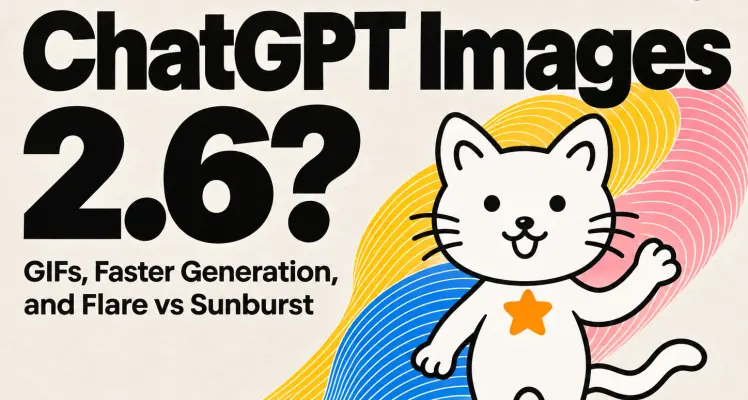
What Is ChatGPT Images 2.6? GIFs, Faster Generation, and Flare vs Sunburst
ChatGPT Images 2.6 is OpenAI’s November 4, 2026 update to image generation and editing. It brings looping GIFs to ChatGPT and introduces two API models. Flare is built for quick drafts and revisions. Sunburst is the one I’d try first when a product label has to survive a background change. I tried the update on a sketch of a cat with an orange star on its chest. I asked for a single wave of its raised paw. The face, whiskers and star gave me fixed details to check as the paw moved. Draft Faster with Flare
Schuyler Stacy | 2026-11-05