Why Hunyuan 3D Is Changing the Game for 3D Assets
If you've spent any time in the 3D space lately, you know the struggle. Generating a mesh with AI usually results in a "blob" of disconnected triangles that looks like a melted candle. But then hunyuan 3d showed up. Developed by the team at Tencent, this tool is actually producing stuff we can use.
Most AI generators focus on pretty pictures. They give you a 2D image and then a messy 3D approximation. That's not what most of us need. We need clean geometry. We need something that doesn't crash our engine. That's why the hype around hunyuan 3d has been building so fast on Reddit lately.
The recent jump from version 2.1 to 3.0 and 3.1 was massive. It wasn't just a minor tweak. It was a complete overhaul of how the underlying AI handles spatial awareness. When people talk about hunyuan 3d now, they aren't just talking about a tech demo. They're talking about a production tool.

I've tested dozens of these generators. Most of them are toys. But hunyuan 3d feels different because it understands the end-user. It knows you probably want to take that model into Blender or Unreal. It’s not trying to be the final word; it’s trying to be the best first step.
The Evolution of Hunyuan 3D from Research to Production
The early days of hunyuan 3d were a bit rough. You’d get a model, but the topology was a nightmare. Fast forward to the release of 3.0, and the game changed. This version focused heavily on geometry quality, making hunyuan 3d a legitimate contender against paid services like Tripo AI.
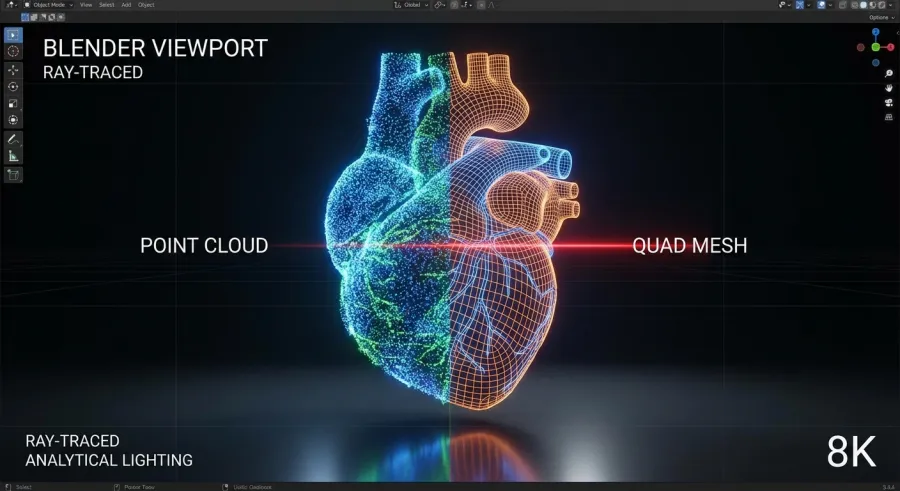
Version 3.1 took it even further. It refined the texture results and improved how the AI interprets complex sketches. For developers, this means the hunyuan 3d workflow is becoming much more predictable. You aren't just rolling the dice; you're actually getting consistent results that require less manual cleanup.
And let’s be honest, the fact that hunyuan 3d is largely accessible for free or through local installs is a huge win. It’s putting high-end AI generation in the hands of indie devs who can’t afford $50-a-month subscriptions for every single asset they need.
Getting Started with Hunyuan 3D: Web vs. Local Setup
You have a few ways to jump into hunyuan 3d. The easiest is the official international site. It’s clean, straightforward, and lets you test the waters without worrying about your VRAM. If you want more advanced features, there’s a Chinese version, but the international portal is where most people start.
For the power users, running hunyuan 3d locally is the way to go. This is where you get the most control. You can integrate it into your existing local AI pipelines. But be warned: it’s hungry. You’re going to need a beefy GPU to get the best out of it.
Here’s the thing about the web version: it’s great for testing, but it can be slow when the servers are slammed. Everyone is trying to see if hunyuan 3d is as good as the rumors say. If you're serious about your workflow, you'll eventually want to look into the local implementation or a dedicated API.
If you find that managing multiple AI tools is becoming a headache, you should explore all available AI models on platforms that aggregate these services. It saves a lot of time when you can access everything through one unified API interface standard.
Navigating the Official Hunyuan 3D Interfaces
When you first log into the official hunyuan 3d site, you’ll see options for text-to-3D, image-to-3D, and sketch-based generation. The sketch-based option is particularly impressive. You can give hunyuan 3d a rough outline, and it fills in the blanks with surprising accuracy.
The interface is designed to be intuitive. You don't need a PhD in prompt engineering to get a decent result from hunyuan 3d. Just describe what you want, or upload a clear photo. Within a minute or two, you’ll have a preview of your mesh.
But don't stop at the preview. The real magic happens when you dive into the export settings of hunyuan 3d. This is where you can choose your resolution and whether you want the AI to attempt a smart retopology pass right then and there.
Key Features of Hunyuan 3D That Actually Work
Let's talk about why people are actually switching to hunyuan 3d. It's not just the price. It's the features. Specifically, the smart retopology and UV unwrapping. For a long time, AI-generated models were basically useless because they didn't have a clean "skin" or proper texture maps.
With hunyuan 3d, you get a "smart retopology" section. This tries to turn that messy triangle soup into a proper quad mesh. It’s not always perfect, but it’s miles ahead of where we were a year ago. It makes the model much easier to animate or edit later.
Texture generation in hunyuan 3d has also seen a massive boost. Version 3.1 delivers textures that actually look like they belong on the object. They aren't just blurry colors smeared over the mesh. They have details, shadows, and highlights that make the hunyuan 3d output look production-ready.
One of the biggest wins for hunyuan 3d is the ability to generate low-poly models specifically for games. High-poly counts look great in a render, but they'll kill your frame rate. Hunyuan 3d finally gives us a low-poly option that works.
Smart Retopology and UV Unwrapping in Hunyuan 3D
If you've ever manually retopo'd a model, you know it's soul-crushing work. Hunyuan 3d attempts to automate this using AI. By selecting the smart retopology option, you're telling the AI to rebuild the mesh with animation-friendly loops. This is a huge time-saver in the hunyuan 3d pipeline.
UV unwrapping is another area where hunyuan 3d shines. Usually, AI models have thousands of tiny "islands" in their UV maps, making them impossible to paint. Hunyuan 3d tries to create logical UV layouts. This means you can actually take the model into Substance Painter and work on it.
It’s important to remember that these are automated tools. While hunyuan 3d does a better job than most, you might still need a quick five-minute cleanup in Blender. But starting with a hunyuan 3d base is still ten times faster than starting from scratch.
Real-World Use Cases for Hunyuan 3D in Game Dev
I’ve seen developers using hunyuan 3d for everything from environmental props to background NPCs. If you need a hundred different barrels, crates, or rocks, why would you model them manually? You can feed hunyuan 3d some sketches and have your assets in an afternoon.
The speed of hunyuan 3d makes it perfect for rapid prototyping. You can block out an entire level with AI-generated assets to see if the scale and vibe feel right. If the game works, you can then decide which hunyuan 3d models to keep and which ones to refine further.
Another area where hunyuan 3d excels is character concepts. Even if the final model needs a professional touch, having a full 3D version of a character concept from hunyuan 3d helps the whole team visualize the final product. It bridges the gap between 2D art and 3D production.
For those looking to scale this process, you might want to read the full API documentation for various AI services. Automating asset generation via an API can significantly speed up the content creation pipeline for larger projects.
Using Hunyuan 3D for Rapid Prototyping and Low Poly Assets
The "low poly" option in hunyuan 3d is a godsend for mobile game developers. These models are optimized for performance without losing the silhouette of the object. When you use hunyuan 3d to generate these, you're getting assets that can run on a phone without much extra work.
And because hunyuan 3d supports image-to-3D, you can take a photo of a real-world object and have a low-poly version ready in minutes. This is great for "asset bashing." You can take bits and pieces from different hunyuan 3d generations to build something entirely unique.
But don't just take my word for it. Try uploading a simple sketch of a weapon or a piece of furniture. You'll see how hunyuan 3d interprets those 2D lines into a 3D form. It’s an incredibly intuitive way to work, especially for artists who aren't experts in 3D modeling software.
Honest Limitations: What Hunyuan 3D Still Struggles With
No tool is perfect, and hunyuan 3d has its fair share of quirks. If you try to run it locally, you might run into the dreaded "resolution error." Users have reported that version 2.1 and even 3.0 can crash if you try to push the output resolution above 2048. It’s a hardware-intensive process.
Then there's the topology. While the "smart" features are better than they used to be, hunyuan 3d can still produce some "illegal" geometry. We're talking non-manifold edges or overlapping faces. You can't just blind-export a hunyuan 3d model and expect it to be 100% perfect every time.
Complexity is also an issue. If you ask hunyuan 3d to generate something with very thin parts—like a bicycle or a skeleton—the AI might struggle to keep the mesh connected. These are areas where hunyuan 3d still needs a bit more training data and algorithmic refinement.
To keep things running smoothly, you should monitor your API usage in real time if you're using a cloud-based version. Knowing when you're hitting limits helps you plan your work better and avoids mid-project crashes.
Hardware Constraints and Topology Issues in Hunyuan 3D
Running hunyuan 3d on your own machine requires a serious GPU. If you have less than 12GB of VRAM, you're going to have a hard time with the higher-quality settings. This is a common pain point for many people trying to use hunyuan 3d outside of the web portal.
The topology issues usually crop up in tight corners or complex intersections. While hunyuan 3d is getting better at quad meshes, it can still leave some "nasty bits" behind. It’s always a good idea to run a "Mesh Cleanup" operation in Blender on any hunyuan 3d export.
Despite these flaws, hunyuan 3d is still a massive net positive. The key is knowing what it can and can't do. Don't expect it to model a functional engine, but for a character's backpack or a statue in a park, hunyuan 3d is more than capable.
The Verdict: Is Hunyuan 3D the Best Free AI Generator?
Right now, it’s hard to argue against it. When you compare the output of hunyuan 3d to other free tools, the geometry is cleaner and the textures are sharper. It feels like a professional tool that just happens to have a very accessible entry point.
Is it a "Tripo AI killer"? Not necessarily. Tripo still has its strengths, especially in ease of use and consistent cloud performance. But for those who want more control and are willing to deal with a bit of technical setup, hunyuan 3d is a very strong alternative.
The fact that hunyuan 3d is now available in ComfyUI is the icing on the cake. This allows you to build incredibly complex workflows where hunyuan 3d is just one part of a larger AI generation chain. It’s this flexibility that makes hunyuan 3d so valuable to the community.
For those looking for more latest AI industry updates, keeping an eye on Tencent's releases is a must. They are moving fast, and hunyuan 3d is clearly a priority for them. We're likely to see even more improvements in the coming months.
Why Pros Are Moving Toward Hunyuan 3D for Their Pipeline
Professionals are looking for efficiency. If hunyuan 3d can save them four hours of modeling time per asset, they're going to use it. Even if they spend thirty minutes cleaning it up, that's still a massive win for the project timeline.
The quad-based retopology in hunyuan 3d is a major selling point for anyone working in animation. Having a mesh that deforms somewhat naturally is better than having a rigid clump of triangles. This is where hunyuan 3d really pulls ahead of the "toy" generators.
In short, hunyuan 3d is the real deal. It’s not perfect, but it’s practical. Whether you're a hobbyist or a professional dev, it’s worth taking the time to learn the hunyuan 3d workflow. It’s going to save you a lot of time and a lot of headaches.
If you're managing multiple models and need a way to keep costs down, consider how you manage your API billing. Using a unified platform like GPT Proto can give you access to models like hunyuan 3d while cutting costs by up to 70% compared to direct subscriptions.
Written by: GPT Proto
"Unlock the world's leading AI models with GPT Proto's unified API platform."