TL;DR
If ChatGPT 5 not showing up in your account, it's usually due to gradual rollouts, app updates, cache issues, or account plan limits. Start a new chat, update your app, clear cache, and verify your subscription.
Can't access ChatGPT 5? Learn why ChatGPT 5 not showing up happens and get simple fixes for web, mobile, and API users.
TL;DR
If ChatGPT 5 not showing up in your account, it's usually due to gradual rollouts, app updates, cache issues, or account plan limits. Start a new chat, update your app, clear cache, and verify your subscription.
OpenAI launched GPT-5 on August 7, 2025, bringing advanced reasoning and multimodal capabilities to ChatGPT users. However, many users are searching for solutions when ChatGPT 5 not showing up in their accounts. This frustration is understandable—you've heard about the new model's improvements, but when you log in, you only see GPT-4 or older versions.
The good news? In most cases, this isn't a permanent problem. The issue typically stems from staged rollouts, outdated apps, browser cache, or simple configuration settings. Whether you're using ChatGPT on desktop, iPhone, Android, or through an API, this guide will walk you through proven solutions to get GPT-5 working.
What you'll learn in this article:
Understanding why you can't see ChatGPT 5 helps you fix the problem faster. Here are the main reasons this happens.
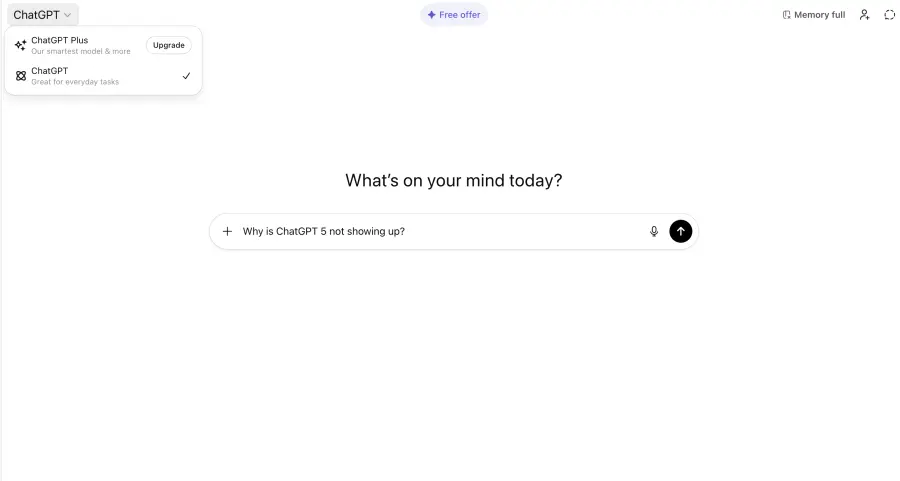
Follow these troubleshooting steps in order. Most users resolve the issue before reaching the end of this checklist.
Log into your ChatGPT account and confirm you're using the correct email address. If you have multiple accounts (personal and work), make sure you're signed into the one with an active subscription. Check your subscription status in Settings to confirm you have access to the latest models.
If you're on a free plan, GPT-5 access may be limited or delayed compared to paid users. Consider upgrading to Plus, Pro, or Team plans for priority access.
One of the simplest fixes is starting a new chat thread. Old conversations retain their original model settings, so even if GPT-5 is available, your existing chat might still be using GPT-4.
Click the "New Chat" button and look at the model selector at the top of the conversation window. If you see GPT-5 or GPT-5.1 Instant as an option, select it before typing your first message.
For mobile users, visit the App Store (iPhone) or Google Play Store (Android) and update ChatGPT to the latest version. After updating, force-close the app and restart your device.
For web users, clear your browser cache and cookies. Here's a quick method:
Try using a private or incognito window to test if the issue persists without cached data.
If you've been using ChatGPT heavily, you may have hit your plan's usage limit. GPT-5 requires more computational resources than older models, so systems may temporarily switch you to lighter versions when limits are reached.
Wait a few hours and try again, or check your account settings to see if you can upgrade for higher limits. Different ChatGPT plans provide varying usage levels, with Plus covering focused sessions and Pro supporting full workweek usage.
Network issues can prevent certain features from loading properly. Try these tests:
Network switching:
Device testing:
Occasionally, OpenAI experiences high demand or performs maintenance. Check OpenAI's official status page or their social media accounts for any announcements about service interruptions or rollout delays.
Mobile users often encounter unique issues with ChatGPT 5 not showing up. Here's how to fix them on iPhone and Android.
If ChatGPT 5 works at home but not at work or school, network restrictions are likely the cause. Many organizations use firewalls that block certain AI features or throttle bandwidth.
Contact your IT department to ask if they can whitelist ChatGPT domains. Explain that you need access for legitimate work or educational purposes. Some organizations create exceptions for verified use cases.
Alternatively, use your mobile data or personal hotspot when you need GPT-5 access. This bypasses the restricted network entirely. For remote workers, some companies allow VPN usage for approved applications. Check your organization's policy before attempting this.
If you're experiencing persistent issues with ChatGPT 5 not showing up, or if you need reliable API access for development work, GPT Proto offers an excellent alternative solution.
GPT Proto is an all-in-one AI API platform that provides developers with access to multiple leading AI models through a single unified interface. GPT Proto offers pay-as-you-go pricing with significant discounts on OpenAI, Claude, and other popular AI APIs.
Key Benefits for ChatGPT 5 Users
Additionally, GPT Proto supports other advanced coding models like Claude Sonnet, Gemini Pro, and DeepSeek, giving you options when one model doesn't meet your specific needs.
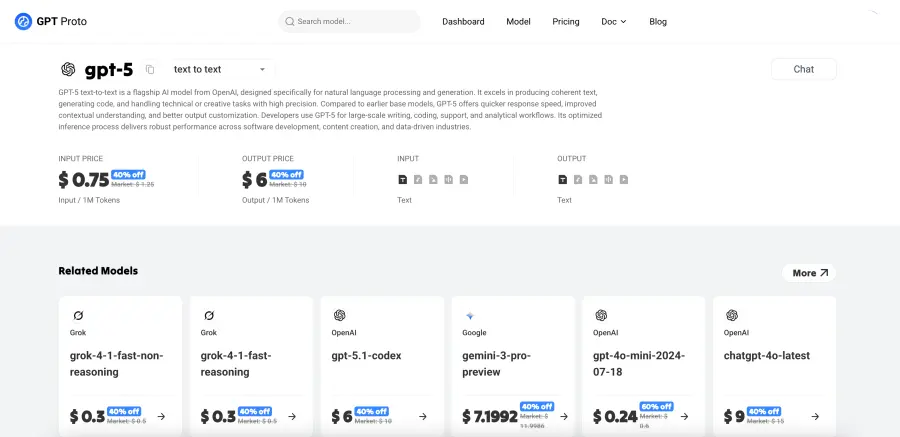
The pay-as-you-go model means you only pay for what you use, with no minimum commitments or subscription fees required.
If basic fixes haven't resolved your ChatGPT 5 not showing up problem, try these advanced solutions.
Browser Extension Conflicts
Some browser extensions interfere with ChatGPT's functionality. Ad blockers, privacy tools, and script blockers can prevent the model selector from loading properly.
Temporarily disable all extensions and test ChatGPT in a clean browser profile. If GPT-5 appears, re-enable extensions one at a time to identify the culprit.
Authentication Method Issues
If you signed up using Google or Microsoft single sign-on but are now trying to log in with email and password (or vice versa), you might be accessing a different account that doesn't have GPT-5 access.
Always use the same authentication method you originally chose. Check your email to see which method was used for your paid subscription.
Device Time and Date Settings
Incorrect system time can cause authentication and synchronization issues. Ensure your device's date, time, and timezone are set to automatic.
Workspace and Admin Restrictions
Enterprise and Education accounts sometimes have administrator controls that limit which models team members can access. If you're on a managed account, ask your administrator if GPT-5 has been enabled for your workspace.
API Rate Limiting
For developers using the OpenAI API, you may be hitting rate limits that force your application to fall back to older models. Check your API dashboard for usage statistics and error logs. Consider implementing retry logic with exponential backoff in your code.
GPT-5 is available to both free and paid ChatGPT users, though free users may experience gradual rollout delays. Free accounts can access GPT-5, but with usage limits and lower priority during high-demand periods. Starting a new chat session and selecting GPT-5 from the model picker (when available) is the best approach for free users.
Even after updating, you may not see GPT-5 immediately due to OpenAI's staged rollout approach. The update ensures your app is ready to support GPT-5, but account-level access is granted gradually. Try starting a new conversation, clearing your app cache, and checking again in 24-48 hours. If the issue persists beyond a week, contact OpenAI support.
This depends on your organization's network policies. Many workplaces and educational institutions restrict AI tools or bandwidth-intensive applications. If ChatGPT 5 works on your home network but not at work, network restrictions are likely the cause. Speak with your IT department about getting ChatGPT whitelisted, or use your personal mobile data as an alternative.
GPT-5.1 is an upgraded version released in November 2025 that offers warmer, more conversational responses, better instruction following, and adaptive reasoning capabilities. GPT-5.1 comes in two variants: Instant (faster, more conversational) and Thinking (deeper reasoning for complex tasks). Both versions perform better than the original GPT-5, with improvements in speed, accuracy, and user experience. GPT-5 will remain available in the legacy models dropdown for paid subscribers for three months after the GPT-5.1 launch.
In conclusion, if ChatGPT 5 is unavailable, perform basic troubleshooting: create a new chat, update your app, and verify your subscription includes access. If problems persist, test with a different network or device to rule out local blocks.
For developers needing consistent, cost-effective API access, GPT Proto offers an excellent solution with discounted rates. Otherwise, remember that OpenAI's rollout is gradual. If all steps fail, access should typically be granted within a few days, requiring only a short wait.
TL;DR Is your workflow currently stalled because ChatGPT is refusing to connect? You are not alone. With millions of professionals relying on ChatGPT for coding, content creation, and data analysis, service interruptions can be devastating to productivity. Whether you are facing the dreaded "at capacity" screen, persistent network errors, or login loops, immediate action is required. This expert guide covers deep troubleshooting steps for ChatGPT issues and introduces reliable, professional-grade alternatives like GPT Proto to ensure your AI access remains uninterrupted.
Michael Johnson | 2026-03-02
TL;DR GPT-5, released August 2025, unifies reasoning and standard AI capabilities into a single multimodal platform with dynamic thinking modes, expanded context handling, and state-of-the-art performance across coding, mathematics, and scientific tasks for enterprise and developer integration.
Tiffany Layne | 2026-02-03

Getting hit with a usage cap while deep in a crucial project is incredibly frustrating. When you rely on cutting-edge AI for professional work, unexpected interruptions destroy your momentum. The recent launch of GPT-5 brought incredible reasoning capabilities to the public. However, it also introduced much stricter GPT-5 usage restrictions to manage global server loads. Understanding why these GPT-5 limits exist is the first step toward reclaiming your daily productivity. Whether you face high server demand, hidden token consumption, or account tier restrictions, this comprehensive guide breaks down everything. We will explore highly effective, practical strategies to bypass these roadblocks so you can keep your GPT-5 workflow running seamlessly.
Michael Johnson | 2026-03-02


