GPT Proto

GPTProto

  • 대시보드
  • LLM

    • hunyuan
      Hy4 Preview신규
    • z-ai
      GLM 5.3
    • claude
      Claude Fable 5
    • deepseek
      DeepSeek v4 Pro
    • google
      Gemini 3.7 Flash
    • grok
      Grok 4.6
    모델 둘러보기 >

    이미지

    • openai
      GPT Image 2.5 Sunburst신규
    • openai
      GPT Image 2
    • google
      Nano Banana Pro (Gemini 3 Pro Image)
    • google
      Nano Banana 2 (Gemini 3.1 Flash Image)
    • midjourney
      Midjourney
    • openai
      GPT Image 2.5 Flare
    모델 둘러보기 >

    영상

    • qwen
      Wan 3.0신규
    • bytedance
      Seedance 2.5 (Build 260628)
    • bytedance
      Seedance 2.0 (Build 260128)
    • bytedance
      Seedance 2.0 Mini (Build 260615)
    • kling
      Kling v3.0 4K
    • vidu
      Vidu Q3 Turbo
    모델 둘러보기 >
    230+ 모델 둘러보기 >
  • 생성기

    • 이미지 만들기
    • 영상 만들기
    • 캔버스에서 편집
    • 채팅

    기능

    • AI 영상 테스트신규
    • AI 패키징 디자인 생성기
    • 애니메이션 AI 아트 생성기
    • AI 객체 제거기
    • AI 이미지 편집기
    • AI 모션 트랜스퍼
    • AI 워터마크 제거기
    • 온라인 AI 이미지 향상 도구
    • 온라인 배경 제거 도구
    • AI Face Swap Image
    모두 둘러보기 >

    프롬프트

    • Seedance 2.0 프롬프트신규
    • GPT Image 2 프롬프트
    • Nano Banana Pro 프롬프트
    • Seedream 5.0 Pro 프롬프트
    • Midjourney 프롬프트
  • AI 블로그

    • OpenRouter와 GPTProto 비교: 가격, 모델, 라우팅 및 2026년에 어느 API가 더 나은가?
    • AI 제품 광고 워크플로: 세탁 세제 이미지에서 25초 광고 영상까지
    • DeepSeek V4 Pro vs GLM 5.2: 2026년에는 어느 쪽이 더 나을까요?
    • 2026년 API, 일괄 편집 및 제품 사진을 위한 최고의 이미지 편집 AI 모델 7가지
    • DeepSeek V4 Pro vs Kimi K3: 0813 업데이트 후 무엇이 바뀌었나?
    모두 둘러보기 >

    AI 인사이트

    • DeepSeek 피크 요금제가 이제 적용됩니다: API 비용이 더 비싸지는 때는?
    • GLM-5.3이란? Z.ai의 조용한 코딩 플랜 출시, 가격 및 확인된 업그레이드
    • OpenAI의 최신 모델 Astra란? 출시일, 벤치마크 및 비교 (2026)
    • MiniMax H3가 출시되었습니다: 동영상 편집 업그레이드로 실제로 달라지는 점
    • Emochi AI란 무엇이며, 왜 이렇게 빠르게 성장하고 있을까? (2026)
    모두 둘러보기 >

    AI 문서

    • gpt-image-2
    • gpt-5.4
    • kimi-k2.5
    • claude-opus-4-6
    • kling-v3.0-pro
    모두 둘러보기 >

    AI 스킬

    • browser-use
    • claude-to-im
    • competitive-ads-extractor
    • content-creator
    • data-storytelling
    모두 둘러보기 >
요금제+7% 보너스
English繁體中文한국어日本語EspañolРусский
지금 시작하기
  1. 홈
  2. /모델
  3. /OpenAI
  4. /gpt-image-2.5-flare
OpenAI
GPT Image 2.5 Flare
$ 
OpenAI's speed-focused GPT Image 2.5 model for everyday generation and precise editing. Use text or image inputs, choose quality from low through max, and create custom-size images up to 4K with 5% off official token rates on GPTProto.

모달리티

입력: 텍스트입력: 이미지
출력: 이미지

/

API 사용 예제
$ 
curl --request POST "https://gptproto.com/api/v3/openai/gpt-image-2.5-flare/text-to-image" \
  --header "Authorization: Bearer $GPTPROTO_API_KEY" \
  --header "Content-Type: application/json" \
  --data '{
    "prompt": "A tiny origami fox sailing a teacup across a moonlit puddle",
    "n": null,
    "quality": "auto",
    "size": "auto",
    "enable_sync_mode": false,
    "response_format": "url"
  }'
GPT Image 2.5 Flare 요금

샘플 1회 비용부터 시작하고 테스트 예산을 고르세요. GPTProto 요금은 표시가보다 5% 저렴합니다.

사용량수량단가비용
tokens
$4.75/1M$0.0008
tokens
$7.6/1M$0
tokens
$1.9/1M$0
tokens
$28.4999/1M$0.03

모델 요금

Token-based billing
ModelToken CategoryPrice
GPT Image 2.5 FlareImage Output$0.0285 / 1K tokens
GPT Image 2.5 FlareImage Input$0.00760 / 1K tokens
GPT Image 2.5 FlareCached Input$0.00190 / 1K tokens
GPT Image 2.5 FlareText Input$0.00475 / 1K tokens
관련 모델
전체 모델
GPT Image 2.5 Flare
현재
$ 
byOpenAI$7.6/M input$28.5/M outputmore
GPT Image 2.5 Sunburst
$ 
byOpenAI$7.6/M input$28.5/M output
Grok Imagine Image 2.0
$ 
byGrok$0.04 / 시간당1K · 2K · more
Seedream 5.0 Pro (Build 260628)
$ 
byBytedance$0.0405 / 시간당1K · 2K
Nano Banana 2 Lite (Gemini 3.1 Flash-Lite Image)
$ 
byGoogle$0.0202 / 시간당1K
Nano Banana 2 (Gemini 3.1 Flash Image)
$ 
byGoogle$0.0402 / 시간당1K · 2K · 4K
GPT Image 2
$ 
byOpenAI$6.4/M input$24/M output
Nano Banana 2 (Gemini 3.1 Flash Image)
$ 
byGoogle$0.0402 / 시간당1K · 2K · 4K
Seedream 5.0 (Build 260128)
$ 
byBytedance$0.0298 / 시간당
Doubao Seedream 5.0 (Build 260128)
$ 
byBytedance$0.0298 / 시간당
Grok Imagine Image
$ 
byGrok$0.012 / 시간당
Kling Image o1
$ 
byKling$0.0224 / 시간당
GPT Image 1.5
$ 
byOpenAI$5.6/M input$22.4/M output
Grok Imagine 0.9
$ 
byGrok$0.135 / 시간당
GPT Image 1 Mini
$ 
byOpenAI$1.75/M input$5.6/M output
Image Watermark Remover
$ 
byGPTProto$0.01 / 시간당
Image Zoom
$ 
byGPTProto$0.02 / 시간당
Qwen Image
$ 
byQwen$0.0315 / 시간당
Flux Kontext Max
$ 
byFlux$0.064 / 시간당
Flux Kontext Pro
$ 
byFlux$0.032 / 시간당
Ideogram Reframe v3
$ 
byIdeogram$0.048 / 시간당
Ideogram Edit v3
$ 
byIdeogram$0.048 / 시간당
Ideogram Remix v3
$ 
byIdeogram$0.048 / 시간당
GPT Image 1
$ 
byOpenAI$7/M input$28/M output
Midjourney
$ 
byMidjourney$0.0608 / 시간당
모델해상도입력 → 출력
GPT Image 2.5 Flare현재
$ 
$7.60 / $28.50 per 1Mmore
입력: 텍스트입력: 이미지
출력: 이미지
GPT Image 2.5 Sunburst
$ 
$7.60 / $28.50 per 1M—
입력: 텍스트입력: 이미지
출력: 이미지
Grok Imagine Image 2.0
$ 
—$0.04 / 시간당1K · 2K · more
입력: 텍스트입력: 이미지
출력: 이미지
Seedream 5.0 Pro (Build 260628)
$ 
$0.04 / 시간당1K · 2K
입력: 텍스트입력: 이미지
출력: 이미지
Nano Banana 2 Lite (Gemini 3.1 Flash-Lite Image)
$ 
$0.02 / 시간당1K
입력: 텍스트입력: 이미지
출력: 이미지
Nano Banana 2 (Gemini 3.1 Flash Image)
$ 
$0.04 / 시간당1K · 2K · 4K
입력: 텍스트입력: 이미지
출력: 이미지
GPT Image 2
$ 
$6.40 / $24.00 per 1M—
입력: 텍스트입력: 이미지
출력: 이미지
Nano Banana 2 (Gemini 3.1 Flash Image)
$ 
$0.04 / 시간당1K · 2K · 4K
입력: 텍스트입력: 이미지
출력: 이미지
Seedream 5.0 (Build 260128)
$ 
$0.03 / 시간당—
입력: 텍스트입력: 이미지
출력: 이미지
Doubao Seedream 5.0 (Build 260128)
$ 
$0.03 / 시간당—
입력: 텍스트입력: 이미지
출력: 이미지
Grok Imagine Image
$ 
$0.01 / 시간당—
입력: 텍스트입력: 이미지
출력: 이미지
Kling Image o1
$ 
$0.02 / 시간당—
입력: 텍스트입력: 이미지
출력: 이미지
GPT Image 1.5
$ 
$5.60 / $22.40 per 1M—
입력: 텍스트입력: 이미지
출력: 이미지
Grok Imagine 0.9
$ 
—$0.14 / 시간당—
입력: 텍스트
출력: 이미지
GPT Image 1 Mini
$ 
$1.75 / $5.60 per 1M—
입력: 텍스트입력: 이미지
출력: 이미지
Image Watermark Remover
$ 
—$0.01 / 시간당—
입력: 이미지
출력: 이미지
Image Zoom
$ 
—$0.02 / 시간당—
입력: 이미지
출력: 이미지
Qwen Image
$ 
$0.03 / 시간당—
입력: 텍스트
출력: 이미지
Flux Kontext Max
$ 
$0.06 / 시간당—
입력: 텍스트입력: 이미지
출력: 이미지
Flux Kontext Pro
$ 
$0.03 / 시간당—
입력: 텍스트입력: 이미지
출력: 이미지
Ideogram Reframe v3
$ 
$0.05 / 시간당—
입력: 이미지
출력: 이미지
Ideogram Edit v3
$ 
$0.05 / 시간당—
입력: 이미지
출력: 이미지
Ideogram Remix v3
$ 
$0.05 / 시간당—
입력: 텍스트
출력: 이미지
GPT Image 1
$ 
$7.00 / $28.00 per 1M—
입력: 텍스트입력: 이미지
출력: 이미지
Midjourney
$ 
$0.06 / 시간당—
입력: 텍스트입력: 이미지
출력: 이미지

GPT-Image-2.5 Flare API

Access the OpenAI GPT-Image-2.5 Flare API through GPTProto for fast text-to-image generation and controlled image editing. Flare is the default GPT Image 2.5 choice for most applications, pairing GPT Image 2-class quality with 50% lower latency reported by OpenAI. Use one GPTProto API key and balance at 5% below official token rates.

50% Lower Latency Than GPT Image 2

OpenAI reports 50% lower latency than GPT Image 2, making Flare the practical default for rapid previews, social assets, product variations, and high-volume image jobs.

50% Lower Latency Than GPT Image 2

Precise Edits Without Unwanted Changes

Apply localized edits while retaining the subject, composition, lighting, and visual identity of the source. It is designed to understand both what should change and what should stay fixed.

Precise Edits Without Unwanted Changes

Custom Image Sizes Up to 4K

Request square, portrait, landscape, or custom dimensions up to 4K. Width and height must be divisible by 16, with supported aspect ratios from 1:3 to 3:1.

Custom Image Sizes Up to 4K

What Is the GPT-Image-2.5 Flare API?

GPT-Image-2.5 Flare is OpenAI's smaller, speed-optimized model in the GPT Image 2.5 family. It accepts text and image inputs and returns image outputs for new generation, full-image transformation, and focused edits. OpenAI positions it as the starting point for creator tools, social content, visual search, product experiences, rapid prototyping, and higher-volume workloads.

Flare is more than a faster rerun of GPT Image 2. It improves subject preservation and edit locality, so a request such as “change the jacket to red” is less likely to alter the person's face, pose, framing, or background. It also adds xhigh and max above the earlier model's low, medium, and high quality settings.

The API accepts standard sizes or custom WIDTHxHEIGHT values. Both dimensions must be divisible by 16, and the aspect ratio must stay between 1:3 and 3:1. Resolutions above 2560×1440 are experimental, with 3840×2160 landscape and 2160×3840 portrait as the maximum 4K formats. Transparent outputs require PNG or WebP.

Specification GPT-Image-2.5 Flare
Provider OpenAI
Model ID gpt-image-2.5-flare
Pinned snapshot gpt-image-2.5-flare-2026-09-08
Inputs and output Text + image inputs; image output
Supported tasks Text-to-image generation and image editing
Quality auto, low, medium, high, xhigh, max
Size auto or custom dimensions up to 4K within supported limits
Background auto, opaque, transparent
Output formats PNG, JPEG, WebP

GPT-Image-2.5 Flare vs GPT Image 2, Sunburst, and Seedream 5 Pro

The right model depends on whether your bottleneck is response time, final-edit precision, or design-specific output. The models below are available within GPTProto, so you can test the same brief without maintaining a separate vendor balance.

Model Start with it when Main advantage Main trade-off
GPT-Image-2.5 Flare You need fast drafts, frequent variants, or responsive image features 50% lower latency than GPT Image 2 reported by OpenAI; six quality modes Sunburst is the stronger first test for the most demanding final edits
GPT-Image-2.5 Sunburst Edit precision and fine detail outweigh generation time OpenAI's quality-oriented GPT Image 2.5 tier Longer generation time than Flare
GPT Image 2 An existing integration already meets its quality and latency targets Established workflow with generation and editing support No xhigh or max; slower than Flare according to OpenAI
Seedream 5.0 Pro You need dense multilingual layouts or editable design assets Design reasoning, high-density text handling, and layer separation Different prompting and API conventions from GPT Image models

For a current GPT Image 2 workflow, keep the prompt, reference images, size, format, and quality fixed, then test Flare first. Move the same request to Sunburst only when Flare misses a quality requirement. Choose Seedream 5.0 Pro when layer separation or multilingual layout work is central to the deliverable.

GPT-Image-2.5 Flare Prompt Guide for Fast Iteration

Flare works best when a prompt separates the requested change from the elements that must remain stable. For generation, state the deliverable, composition, subject, text, and output constraints in that order. For editing, use a three-part instruction: change, preserve, and output.

Fast product variation:

Create a square ecommerce image of the supplied running shoe on pale gray concrete. Generate a soft morning shadow and a clean off-white background. Preserve the product shape, logo placement, materials, and exact color. No extra objects or text.

Localized edit:

Change only the jacket from navy to rust red. Preserve the person's face, hair, pose, hands, camera angle, lighting, background, and crop. Return a 1536×1024 JPEG.

When producing a batch, vary one factor at a time—such as background color, camera angle, or headline—so rejected outputs reveal whether the problem came from the prompt, the reference, or the model. Use medium for early iteration and move to high, xhigh, or max only after the composition is approved.

Access GPT-Image-2.5 Flare on GPTProto

GPTProto provides GPT-Image-2.5 Flare API access through one account, key, and prepaid balance shared with other supported image, video, and language models. Select gpt-image-2.5-flare for the moving model alias or pin gpt-image-2.5-flare-2026-09-08 when repeatable behavior matters. GPTProto applies a 5% discount to the official token rates; actual per-image cost still varies with prompt length, image inputs, output size, and quality.

Who Should Choose gpt-image-2.5-flare for Text to Image

Who Should Choose gpt-image-2.5-flare for Text to Image?

The gpt-image-2.5-flare API text to image workflow is designed for users who demand both creative flexibility and structural reliability. It is an ideal solution for:

  • Digital Agencies: Teams needing to produce high-quality storyboards and mockups quickly using gpt-image-2.5-flare.
  • Game Developers: Creators requiring rapid generation of environmental assets and textures based on specific thematic prompts.
  • Product Designers: Professionals looking to visualize product concepts with high textural accuracy using the gpt-image-2.5-flare engine.

Pro Tips for Using gpt-image-2.5-flare for Text to Image

  • Prioritize subject clarity in your prompt; place the primary focus at the beginning of your text string for gpt-image-2.5-flare to process.
  • Use specific lighting and lens descriptors to guide the gpt-image-2.5-flare model toward the desired aesthetic result.
  • When specifying style, combine artistic medium descriptors with technical lighting terms for more predictable outcomes.
  • Iterate on small prompt changes; gpt-image-2.5-flare responds well to subtle adjustments in phrasing to fine-tune composition.

FAQ

Is GPT-Image-2.5 Flare an official OpenAI API model?

Yes. OpenAI released Flare as the smaller, speed-oriented member of the GPT Image 2.5 API family. The official model IDs are gpt-image-2.5-flare and the pinned gpt-image-2.5-flare-2026-09-08 snapshot.

How much faster is GPT-Image-2.5 Flare than GPT Image 2?

OpenAI reports 50% lower latency while positioning Flare at GPT Image 2-class or better quality. Treat that figure as a launch-level comparison: your result will depend on input images, dimensions, quality, prompt complexity, and traffic conditions.

How much does the GPT-Image-2.5 Flare API cost on GPTProto?

GPTProto charges 95% of OpenAI's listed token rates: $4.75 per million text input tokens, $1.1875 cached text input, $7.60 image input, $1.90 cached image input, and $28.50 image output. Image cost is not a fixed per-call amount because token usage varies.

Does GPT-Image-2.5 Flare support image-to-image editing?

Yes. It accepts image inputs for transformations and precise edits. Explicitly name the requested change and list the subject, framing, lighting, or objects that must remain unchanged.

Can GPT-Image-2.5 Flare generate transparent PNGs?

Yes. Set the background to transparent and use PNG or WebP as the output format. Transparent-background generation is useful for product cutouts, interface assets, stickers, and design elements.

GPT-Image-2.5 Flare vs Sunburst: which should I use?

Start with Flare for most applications and latency-sensitive workflows. Use Sunburst when a complex edit or premium final asset does not meet its acceptance criteria on Flare and the additional generation time is acceptable.

관련 글

이 모델과 관련된 가이드, 비교, 업데이트입니다.

모든 글
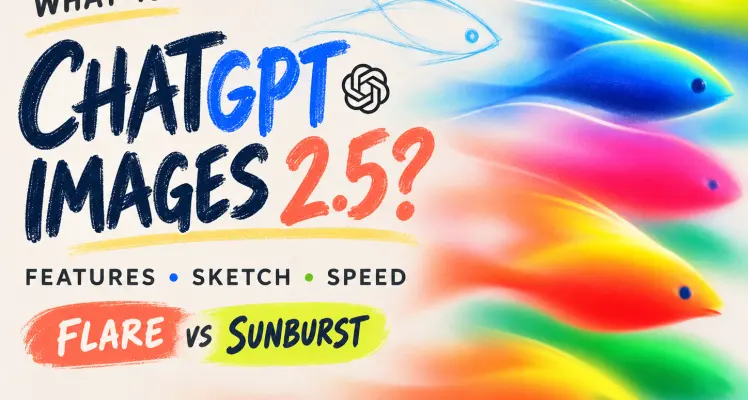
What Is ChatGPT Images 2.5? Features, Sketch, Speed, and Flare vs Sunburst

What Is ChatGPT Images 2.5? Features, Sketch, Speed, and Flare vs Sunburst

What is ChatGPT Images 2.5? Explore Sketch, faster generation, editing upgrades, pricing, examples, and Flare vs Sunburst and Nano Banana Pro comparisons.

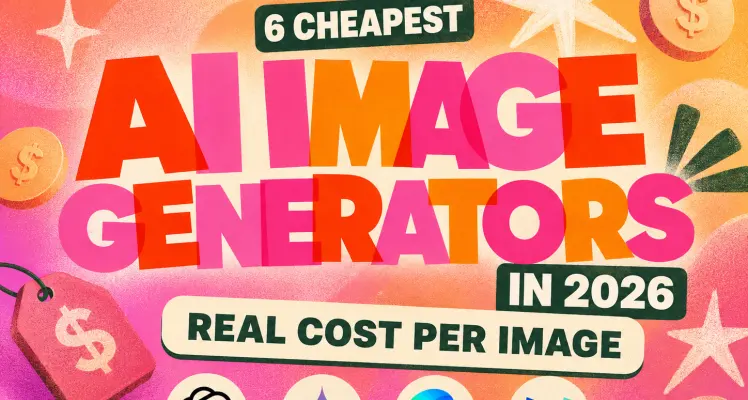
6 Cheapest AI Image Generators in 2026: Real Cost per Image

6 Cheapest AI Image Generators in 2026: Real Cost per Image

Compare 6 cheapest AI image generators in 2026, from about $0.0035 per image. See batch costs, hidden fees, and the best API for startups.

How to Make an AI Story Video for Kids with GPT Image 2 and Seedance 2.5

How to Make an AI Story Video for Kids with GPT Image 2 and Seedance 2.5

Learn how to make an AI story video for kids with GPT Image 2 and Seedance 2.5, including the full prompt, captions, sound, editing, and a real test.

Generate Multiple Images at Once in ChatGPT

Generate Multiple Images at Once in ChatGPT

Learn how to generate product images in bulk with GPT Image 2 API using Python, CSV files, safe concurrency, retries, Base64 decoding, and cost controls.
GPT Proto

글로벌 규모와 안정성으로 추진하는 AI 혁신:

대표 제품인 GPT Proto를 통해 세계 최고의 AI 제공업체 API에 접근하고 이를 결합할 수 있는 통합 인터페이스를 제공해요. 텍스트, 비전, 음성 등 다양한 분야를 아우르며, 개발자와 기업이 통합을 간소화하고 제약 없이 혁신을 가속화할 수 있도록 지원해요.

글로벌 인프라, 현지 규정 준수:

기업 수준의 안정성과 규정 준수를 보장하기 위해, Talent Tech Global Limited가 글로벌 결제 및 계약 법인으로 운영돼요. 또한 핵심 기술 인프라와 R&D 팀은 실리콘밸리, 싱가포르, 홍콩 등 글로벌 혁신 허브에 전략적으로 분산되어 있어요.

확장을 위한 설계:

안정성이 가장 중요하다는 것을 잘 알고 있어요. 저희 플랫폼은 동적 자동 확장(Auto-scaling)을 지원하는 강력한 분산 아키텍처를 기반으로 구축되었어요. 파일럿을 실행하든 수백만 건의 동시 요청을 처리하든, 시스템은 수요에 맞춰 즉시 확장되므로 비즈니스가 인프라의 한계에 부딪히는 일이 없어요.

탐색

  • 대시보드
  • 모델
  • 이미지 만들기
  • AI 이미지 업스케일
  • AI 배경 제거
  • 영상 만들기
  • 캔버스에서 편집
  • 채팅
  • 기능
  • 요금제
  • AI 문서
  • AI 블로그
  • AI 인사이트
  • AI 스킬

기능

  • AI 영상 테스트
  • AI 패키징 디자인 생성기
  • 애니메이션 AI 아트 생성기
  • AI 객체 제거기
  • AI 이미지 편집기
  • AI 모션 트랜스퍼
  • AI 워터마크 제거기
  • 온라인 AI 이미지 향상 도구
  • 온라인 배경 제거 도구
  • AI Face Swap Image
  • AI 여권 사진 메이커
  • MS Paint AI 생성기
  • AI Clothes Remover
  • 무제한 AI 이미지 생성기
  • AI 프렌치 키스 생성기
  • AI 영화 포스터 생성기
  • Artlist IO 스튜디오
  • 온라인 매직 지우개
  • Luma Dream Machine
  • 얼굴 평가
Explore all features >

LLM

  • Hy4 Preview
  • GLM 5.3
  • Claude Fable 5
  • DeepSeek v4 Pro
  • Gemini 3.7 Flash
  • Grok 4.6
  • GPT 6 Astra
  • Gemini 3.8 Flash
  • Claude Fable 5.1
  • Qwen3.8 Max 0902
  • GLM 5.3 Flash
  • DeepSeek v4 Flash Vision Exp
  • Qwen3.8 Max
  • Claude Opus 5
  • Gemini 3.6 Flash
  • Gemini 3.5 Flash Lite
  • Kimi K3
  • GPT 5.6 Luna
  • GPT 5.6 Terra
  • GPT 5.6 Sol
모든 모델 둘러보기 >

이미지

  • GPT Image 2.5 Sunburst
  • GPT Image 2
  • Nano Banana Pro (Gemini 3 Pro Image)
  • Nano Banana 2 (Gemini 3.1 Flash Image)
  • Midjourney
  • GPT Image 2.5 Flare
  • Grok Imagine Image 2.0
  • Seedream 5.0 Pro (Build 260628)
  • Nano Banana 2 Lite (Gemini 3.1 Flash-Lite Image)
  • Nano Banana 2 (Gemini 3.1 Flash Image)
  • Seedream 5.0 (Build 260128)
  • Doubao Seedream 5.0 (Build 260128)
  • Vidu Q2
  • Grok Imagine Image
  • Kling Image o1
  • GPT Image 1.5
  • Seedream 4.5 (Build 251128)
  • Doubao Seedream 4.5 (Build 251128)
  • Grok Imagine 0.9
  • Qwen Image LoRA
모든 모델 둘러보기 >

영상

  • Wan 3.0
  • Seedance 2.5 (Build 260628)
  • Seedance 2.0 (Build 260128)
  • Seedance 2.0 Mini (Build 260615)
  • Kling v3.0 4K
  • Vidu Q3 Turbo
  • Kling v3 Omni 4K
  • Seedance 2.0 Fast (Build 260128)
  • Vidu 2.0
  • Doubao Seedance 2.0 (Build 260128)
  • Doubao Seedance 2.0 Fast (Build 260128)
  • Kling v3 Omni Pro
  • Kling v3 Omni Std
  • Kling v3.0 Pro
  • Kling v3.0 Std
  • Vidu Q3 Pro
  • Kling v2.6 Std
  • Vidu Q2 Pro
  • Vidu Q2 Turbo
  • Vidu Q2 Pro Fast
모든 모델 둘러보기 >

문의하기

질문이나 피드백이 있으신가요? 아래 채널을 통해 문의해 주세요.

TelegramWhatsApp

© 2026 Talent Tech Global Limited (홍콩) / Talent Tech Global LLC (미국). 모든 권리 보유.

등록 주소: Unit 1022a, Beverley Commercial Centre, 87-105 Chatham Road South, Tsim Sha Tsui, Hong KongCertificate No.: 79462435-000-12-25-0
  • 회사 소개
  • 개인정보 처리방침
  • 서비스 이용약관
  • 사이트맵
제휴 사이트logoto.videotopostudio.cc

입력

출력

Preview image
다음: