Quick Answer: Which Image Editing AI Model Is Best?
| Rank |
Model |
Best for |
Main strength |
Main trade-off |
| 1 |
GPT Image 2 |
Difficult multi-step editing |
Follows detailed constraints and accepts multiple references |
Premium quality settings can make large jobs expensive |
| 2 |
Seedream 5.0 Pro |
Ecommerce and product-photo editing |
Strong layout, product presentation, and native 2K output |
Less suitable when exact local pixel preservation is the only priority |
| 3 |
Nano Banana Pro |
Posters, packaging, and text-heavy edits |
Handles dense instructions, typography, and multi-element layouts well |
More expensive than the Flash option for routine variants |
| 4 |
Nano Banana 2 |
Fast iteration and batch variants |
Lower-cost route for repeated edits and experimentation |
Hard edits may need more retries than a premium model |
| 5 |
FLUX.2 Max |
Premium professional image editing |
High editing consistency, prompt adherence, and reference control |
Not currently listed as a GPT Proto route |
My practical recommendation: start with GPT Image 2 when one failed edit is expensive. Start with Nano Banana 2 when the workflow will generate many cheap candidates and automatically reject failures. For a small brand preparing product listings, Seedream 5.0 Pro is the most balanced first test.
Pricing and available routes change. The GPT Proto links above show the live request options and current rates. Last checked: August 13, 2026.
How I Compared the Models
A model should not win an editing comparison merely because its output looks polished. I would evaluate each candidate on six questions:
Instruction accuracy: Did it perform every requested change without inventing extras?
Preservation: Did it keep the subject, logo, label, proportions, and untouched regions stable?
Reference handling: Can multiple product, character, or style references guide one result?
Text rendering: Are packaging labels, prices, and poster copy readable and correctly placed?
Repeatability: Does the model remain useful across 20 or 200 assets, rather than producing one lucky result?
API fit: Are the input format, response handling, cost, and latency suitable for the product being built?
Those criteria expose a gap in many search results for “best AI image editor.” Tool roundups compare interfaces, subscriptions, and template libraries. A developer choosing the best image editing AI model API has a different question: what happens after the upload button is connected to production traffic?
Fact 1: “Best” Depends on the Cost of a Failed Edit
Here is the first original insight: model choice should follow failure cost, not average visual quality.
For a social post, a strange shadow costs almost nothing; the user regenerates. For a marketplace catalog, changing the cap color or moving a certification mark can make the asset unusable. For a character application, small changes to the eyes or face shape break identity. For a localization pipeline, one incorrect word defeats the entire edit.
This creates two sensible strategies:
That is why GPT Image 2 can be the best overall model while Nano Banana 2 can still be the better business choice for a batch workflow.
1. GPT Image 2 — Best Overall Image Editing AI Model
GPT Image 2 is the strongest default when an edit contains several instructions that must all survive the same request. It can combine subject preservation, background replacement, relighting, composition changes, and text requirements without forcing the developer to split the job into a long chain.
Its more important advantage is reference capacity. The current GPT Proto documentation supports image-editing requests with image URLs or base64-encoded images, and the model page describes workflows using up to 16 references. That makes it useful for product families, recurring characters, and brand assets where one source image is not enough context.
The cost is not merely financial. More references create more opportunities for contradictory signals. A good production request should tell the model what each image represents: product identity, camera angle, background style, or packaging text. Dumping 16 unlabeled images into a request is not a consistency strategy.
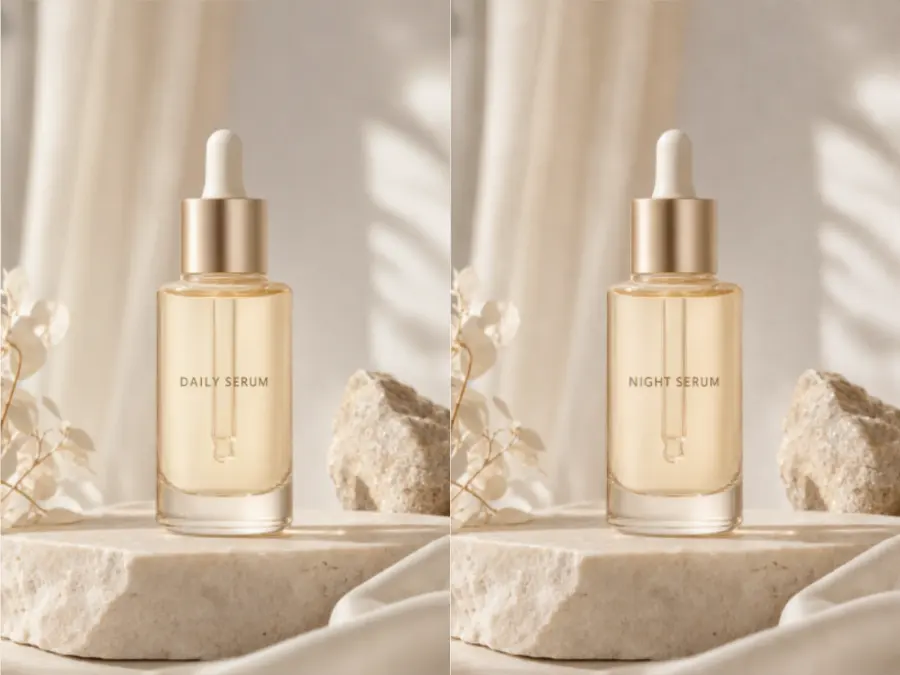
Best for: complex edits, reference-heavy product campaigns, packaging, text replacement, and high-value assets.
Avoid as the default when: the job is a simple background variation repeated thousands of times and a cheaper model meets the acceptance threshold.
Fact 2: Product Preservation Matters More Than a Prettier Background
The second original insight is specific to ecommerce: the best AI model for product photo editing is the one that changes the scene while changing the product least.
A useful product test should lock the brand name, label text, dimensions, material, cap, color, and camera angle, then request only a background and lighting change. Compare the original product against every output at full size. Do not judge from a small grid alone; small typography errors disappear in thumbnails.
This is where GPT Image 2 and Seedream 5.0 Pro deserve the first trial. GPT Image 2 is the safer choice for a long list of “do not change” constraints. Seedream 5.0 Pro is especially attractive when the desired output is a polished 1K or 2K product presentation and cost per generated image needs to stay predictable.
2. Seedream 5.0 Pro — Best AI Model for Product Photo Editing
Seedream 5.0 Pro is my ecommerce pick because it combines image input, layout reasoning, native 2K output, and per-image pricing. The current model page lists $0.0405 for a 1K image and $0.081 for 2K, before extra-reference costs.
It fits jobs such as turning a plain product cutout into a studio listing image, placing a packaged item into a lifestyle scene, generating coordinated campaign variants, or adapting one composition to several placements.
Its trade-off is familiar: a model optimized to produce a finished visual may “help” too much. Product teams should define protected elements in the prompt and run visual or OCR checks before publishing. If a SKU must remain legally and visually exact, no generative model should be the final approval layer.
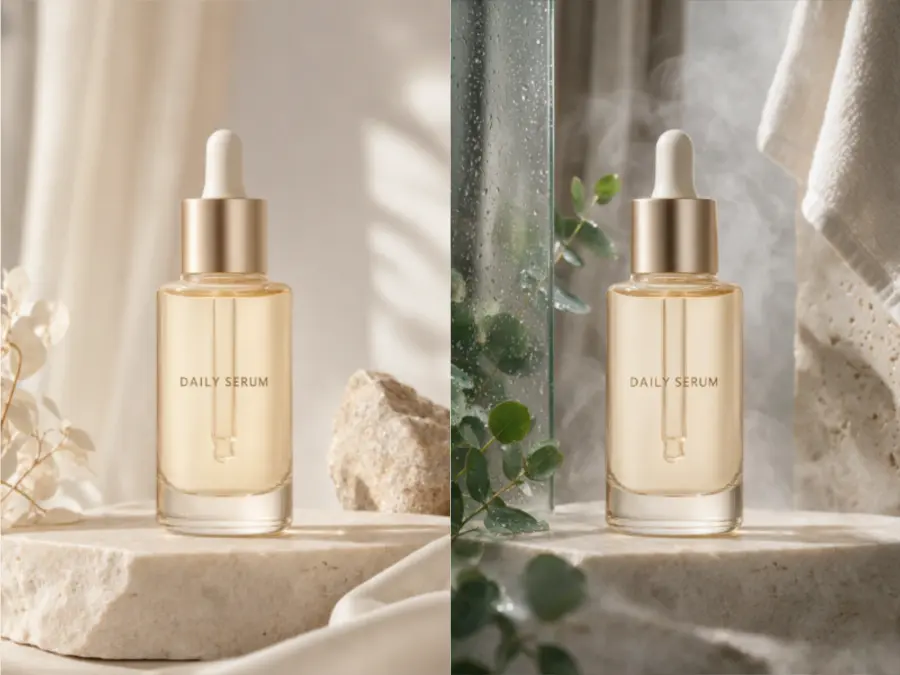
Best for: ecommerce hero images, small-brand catalog refreshes, product lifestyle scenes, and coordinated campaign assets.
Why a small brand may prefer it: the team gets a polished product-oriented model without making the highest-cost route the default for every asset.
Fact 3: Text Editing Is a Better Stress Test Than General Photorealism
The third original insight: packaging text exposes weak editing models faster than a portrait or landscape does.
Ask a model to replace one short line on a label while preserving every other word, the logo, hierarchy, curvature, print texture, and lighting. A weak result often looks convincing for two seconds, then fails under inspection: one unchanged word mutates, letter spacing drifts, or the model redraws the whole package.
Nano Banana Pro and GPT Image 2 belong at the top of this test. Nano Banana Pro is a strong candidate for posters, menus, promotional graphics, packaging concepts, and infographics because it handles language and layout as part of the composition rather than treating text as decoration.
3. Nano Banana Pro — Best Professional Image Edit AI Model for Text and Layout
Nano Banana Pro is the model I would test first for a professional image edit involving dense copy, a poster grid, packaging text, or several related objects. Its strength is not just drawing letters. It is keeping the requested hierarchy understandable while following a long natural-language brief.
That makes it useful for localized campaigns, product mockups, menus, social posters, and advertising layouts. It is also a good escalation model: route routine jobs to a cheaper model, then send text-heavy or repeatedly rejected requests to Pro.
The downside is economic. Using a premium route for every background swap wastes budget. The model makes more sense when typography, composition, or instruction density is the reason the asset is difficult.
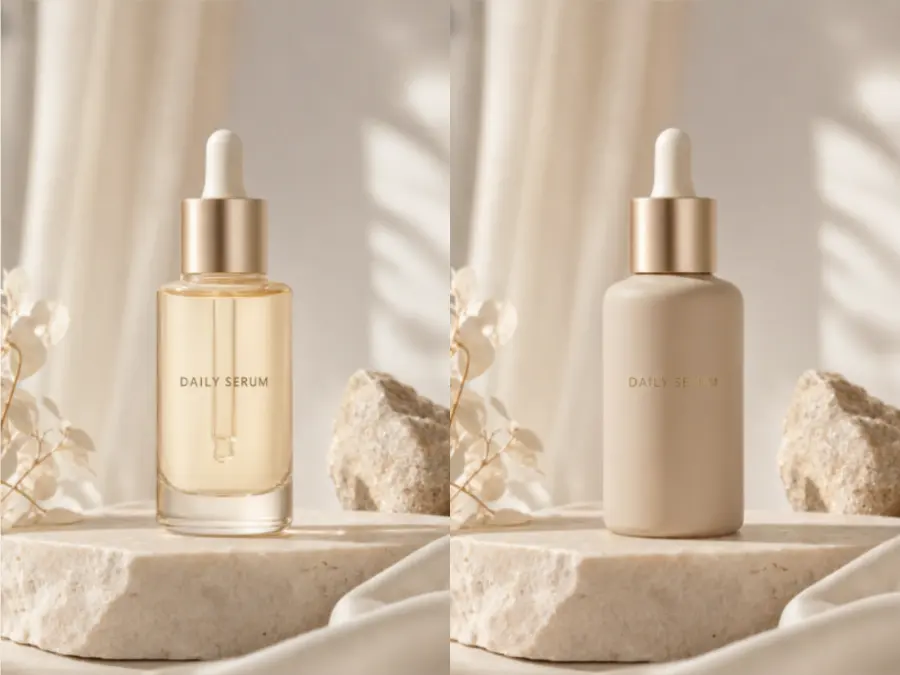
Best for: marketing layouts, localized graphics, posters, packaging concepts, and complex multi-element edits.
Not my first choice for: simple, high-volume variations that do not contain important text.
Fact 4: Reference Images Need Assigned Roles
The fourth original insight is operational: more references improve consistency only when each reference has a job.
For example, one image can define the product, a second the side view, a third the logo at readable resolution, and a fourth the lighting style. The prompt should say which is which. Otherwise, the model must guess what to preserve and what to borrow.
This applies to faces too. A reference-guided edit can keep a character recognizable while changing clothing, pose, or location, but identity should be checked across a set—not from one flattering output. The professional question is not “Can it reproduce this face once?” It is “Can the workflow produce an acceptable sequence without identity drift?”
4. Nano Banana 2 — Best Image Editing AI Model for Batch Editing
Nano Banana 2 is the practical choice when speed, price, and retry tolerance matter more than squeezing the highest quality from the first request. That makes it suitable for thumbnail variants, background alternatives, social crops, catalog experiments, and automated creative testing.
For batch work, the correct metric is not “best image in the set.” Measure accepted outputs per dollar and per minute. If a cheaper model needs occasional retries but still produces more approved assets within the same budget, it may be the better production model.
The trade-off is that difficult preservation or typography requests can erase those savings through retries. A sensible router starts Nano Banana 2 on routine jobs and escalates failed or high-risk edits to GPT Image 2 or Nano Banana Pro.

Best for: high-volume variants, rapid creative testing, thumbnails, and routine catalog edits.
Best Image Editing AI Model for a small brand? Choose Nano Banana 2 when budget and volume dominate. Choose Seedream 5.0 Pro when the catalog needs more polished product presentation. Choose GPT Image 2 when protecting packaging details is the main concern.
Fact 5: Batch Quality Is a Distribution, Not a Hero Image
The fifth original insight: a batch model should be judged by its worst common failure, not its best sample.
Generate at least a small set with the same constraints, then count failures by type: logo drift, changed product color, unreadable copy, added objects, identity drift, or inconsistent framing. A comparison containing one selected output per model hides this information.
For a real ecommerce image editing API workflow, the useful number is acceptance rate after automatic checks and human review. This also changes the model ranking. Nano Banana 2 may win a routine background batch; GPT Image 2 may win a packaging batch where every rejected image wastes review time.
5. FLUX.2 [max] — Best Premium Reference for Editing Consistency
Black Forest Labs positions FLUX.2 Max as the highest-quality member of the FLUX.2 family, with editing consistency, prompt adherence, character control, product imagery, and multi-reference work as central use cases. It is a serious professional image edit model when quality matters more than using the cheapest route.
There is one important inventory note: FLUX.2 [max] is not currently listed among the GPT Proto routes. GPT Proto presently lists FLUX Kontext Max and Kontext Pro for instruction-based image editing. I would therefore treat FLUX.2 [max] as an external quality reference in this comparison, not imply that the exact model can be called through GPT Proto today.
That caveat is useful rather than inconvenient. A credible ranking should identify a strong model even when it is not the product being sold. For teams that want one GPT Proto balance, the available FLUX Kontext routes remain relevant alternatives, while GPT Image 2, Seedream 5.0 Pro, Nano Banana Pro, and Nano Banana 2 can be tested directly from their model pages.
Best for: premium product marketing, reference-heavy professional edits, character consistency, and final-stage visual refinement.
Main limitation here: no current GPT Proto FLUX.2 [max] route.
Which AI Model Image Editor Feature Is Better for Each Task?
| Editing task |
First model to test |
Why |
Backup strategy |
| Preserve a product while changing its scene |
GPT Image 2 |
Strong fit for long preservation constraints |
Try Seedream 5.0 Pro for polished catalog presentation |
| Create ecommerce hero images |
Seedream 5.0 Pro |
Product-oriented output and predictable per-image pricing |
Escalate detail-sensitive SKUs to GPT Image 2 |
| Replace or localize text |
Nano Banana Pro |
Strong text-and-layout fit |
Use GPT Image 2 for more complex multi-step edits |
| Generate many routine variants |
Nano Banana 2 |
Better fit for cost-sensitive iteration |
Retry or escalate rejected outputs |
| Maintain a character across scenes |
GPT Image 2 or FLUX.2 [max] |
Multi-reference and consistency are central strengths |
Assign every reference a role |
| Build a small-brand editing workflow |
Seedream 5.0 Pro |
Good balance of product quality and cost |
Use Nano Banana 2 for low-risk volume |
No table can replace a test set made from your own assets. Five product categories, three prompt types, and a simple pass/fail sheet will tell you more than a gallery of unrelated showcase images.
How to Edit Batch Product Images with the GPT Image 2 API
The current GPT Proto model page uses the GPT Proto-format image-edit endpoint:
POST https://gptproto.com/api/v3/openai/gpt-image-2/image-edit
Authentication uses your GPT Proto key as a Bearer token. Keep the key in an environment variable rather than pasting it into the script:
export GPTPROTO_API_KEY="your-gptproto-key"
Install the only external dependency:
pip install requests
Place source images in an input_images folder. The following Python script converts each local file to a data URI, sends one edit request per image, waits for completion when necessary, and downloads the first returned output into edited_images.
import base64
import mimetypes
import os
import time
from pathlib import Path

import requests

API_KEY = os.environ["GPTPROTO_API_KEY"]
EDIT_ENDPOINT = "https://gptproto.com/api/v3/openai/gpt-image-2/image-edit"
RESULT_ENDPOINT = "https://gptproto.com/api/v3/predictions/{result_id}/result"

INPUT_DIR = Path("input_images")
OUTPUT_DIR = Path("edited_images")
OUTPUT_DIR.mkdir(exist_ok=True)

PROMPT = (
    "Create a clean ecommerce product photo on a warm light-gray studio "
    "background. Preserve the exact product shape, logo, label text, colors, "
    "materials, proportions, and camera angle. Add one natural soft shadow. "
    "Do not add props or redesign the packaging."
)

HEADERS = {
    "Authorization": f"Bearer {API_KEY}",
    "Content-Type": "application/json",
}

def to_data_uri(image_path: Path) -> str:
    mime_type = mimetypes.guess_type(image_path.name)[0] or "image/png"
    encoded = base64.b64encode(image_path.read_bytes()).decode("utf-8")
    return f"data:{mime_type};base64,{encoded}"

def response_data(payload: dict) -> dict:
    data = payload.get("data", payload)
    return data if isinstance(data, dict) else {}

def wait_for_result(result_id: str, timeout_seconds: int = 300) -> dict:
    deadline = time.time() + timeout_seconds
    url = RESULT_ENDPOINT.format(result_id=result_id)

    while time.time() < deadline:
        response = requests.get(url, headers=HEADERS, timeout=60)
        response.raise_for_status()
        payload = response.json()
        data = response_data(payload)
        status = str(data.get("status", "")).lower()

        if status == "completed":
            return payload
        if status in {"failed", "canceled", "cancelled"}:
            raise RuntimeError(data.get("error") or f"Job ended with {status}")

        time.sleep(3)

    raise TimeoutError(f"Image edit {result_id} did not finish in time")

def extract_output_urls(payload: dict) -> list[str]:
    data = response_data(payload)
    outputs = data.get("outputs") or data.get("output") or []

    if isinstance(outputs, str):
        return [outputs]
    if isinstance(outputs, list):
        return [item for item in outputs if isinstance(item, str)]
    return []

def edit_image(image_path: Path) -> Path:
    response = requests.post(
        EDIT_ENDPOINT,
        headers=HEADERS,
        json={
            "base64_images": [to_data_uri(image_path)],
            "prompt": PROMPT,
            "n": 1,
            "quality": "high",
            "size": "2048x2048",
            "enable_sync_mode": True,
            "response_format": "url",
        },
        timeout=300,
    )
    response.raise_for_status()
    payload = response.json()
    data = response_data(payload)

    if not extract_output_urls(payload):
        result_id = data.get("id")
        if not result_id:
            raise RuntimeError(f"No output URL or result ID returned: {payload}")
        payload = wait_for_result(result_id)

    output_urls = extract_output_urls(payload)
    if not output_urls:
        raise RuntimeError(f"Completed request contains no output URL: {payload}")

    output_path = OUTPUT_DIR / f"{image_path.stem}-edited.png"
    image_response = requests.get(output_urls[0], timeout=120)
    image_response.raise_for_status()
    output_path.write_bytes(image_response.content)
    return output_path

supported_extensions = {".png", ".jpg", ".jpeg", ".webp"}

for image_path in sorted(INPUT_DIR.iterdir()):
    if image_path.suffix.lower() not in supported_extensions:
        continue

    try:
        saved_path = edit_image(image_path)
        print(f"Saved: {saved_path}")
    except Exception as error:
        print(f"Failed: {image_path.name} — {error}")
This is a folder-level batch runner: it submits one API request for each file. That is usually easier to retry and audit than placing unrelated products into one multi-reference request. Use multiple images in one request only when they jointly describe the same product, character, or style.
If you already host source images, replace base64_images with an images array containing their public URLs. The current GPT Image 2 documentation accepts either form.
A Better Production Architecture Than One Fixed Model
The best ecommerce system is often a small router rather than one permanent winner:
Classify the job as routine, text-heavy, reference-heavy, or high-risk.
Send routine variants to Nano Banana 2.
Send product-presentation jobs to Seedream 5.0 Pro.
Send typography-heavy jobs to Nano Banana Pro.
Send complex constraints and rejected edits to GPT Image 2.
Run OCR, logo, color, and similarity checks before human approval.
This approach protects budget without pretending every task has the same failure cost. It also lets a small brand begin with one affordable route and add premium escalation only after real rejection data shows where it is needed.
GPT Proto lets teams test the available models through one account and balance. If API integration is more work than the project needs, the AI Image Editor provides the shorter path. If the starting point is a prompt rather than an existing photo, use the AI image generator.
Final Verdict
GPT Image 2 is the best image editing AI model overall because it is the strongest default for detailed instructions, multiple references, typography, and edits where preservation failures are expensive.
Seedream 5.0 Pro is the best AI model for ecommerce product photo editing, particularly for small brands that need polished catalog and campaign assets without using the premium route for every request.
Nano Banana Pro is the professional choice for text-heavy and layout-heavy edits. Nano Banana 2 is the best batch-editing choice when cost, speed, and retries matter. FLUX.2 [max] remains a premium consistency benchmark, but it is not currently a GPT Proto route.
The honest answer to “which AI model image editor feature is better?” is therefore task-specific. Pick the model whose most common failure is cheapest for your workflow—not the model with the prettiest selected demo.