Introduction
Search for a guide to the Suno AI API and you will find plenty of code. The problem is that much of it does not call an API published by Suno.
Suno itself is easy to understand as a creative product: enter a genre, mood, idea, or set of lyrics and its text-to-song AI generates a composition with vocals, instrumentation, and production. The developer situation is less straightforward. There is no public Suno developer portal where anyone can create an official API key, read an API reference, and pay per generation.
That has created an awkward market. “Suno API” may refer to Suno’s future developer product, an independent service that exposes similar music-generation features, or an unofficial wrapper that automates the consumer website. Those are not interchangeable.
This updated guide explains what the Suno AI API actually means in 2026, what Suno v5.5 and Suno Studio can do, how to evaluate unofficial access, what Suno API pricing does and does not cover, and when an official alternative such as MiniMax Music 3.0 makes more sense.
What Is Suno AI API?
A Suno API would allow an application to send a prompt, lyrics, audio settings, or reference material to Suno and receive a generated song programmatically. A developer could then build features such as:
- Personalized soundtracks for videos or games
- Automatic theme songs for podcasts
- Music generation inside a mobile application
- Batch production of short background tracks
- Lyric-to-song tools
- Instrumental music for user-generated content
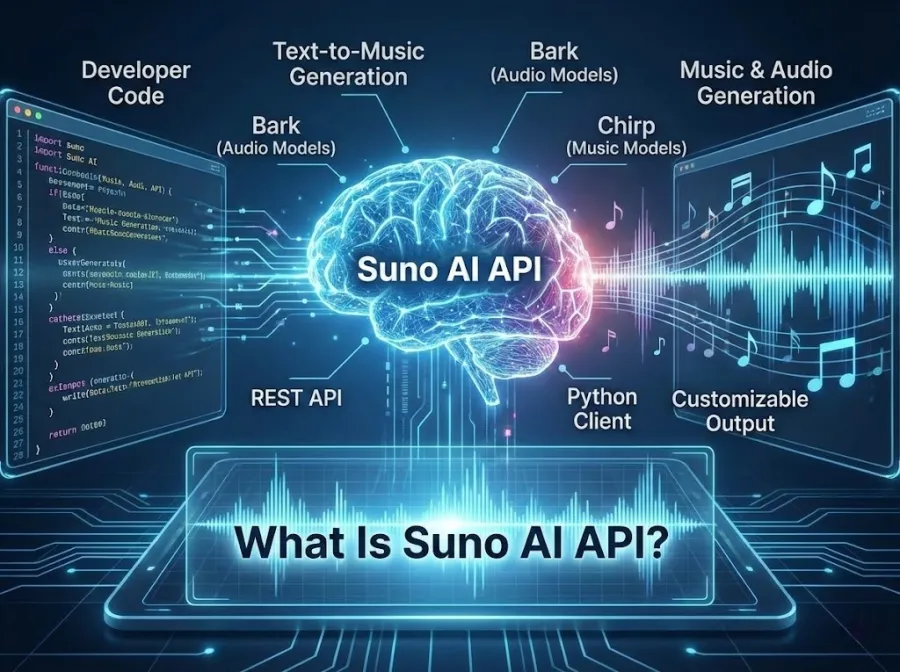
Suno already performs most of these creative tasks through its website and apps. Its current product can turn a text description or uploaded audio into a complete song, refine or extend that result, separate stems, and export material for further production. According to Suno’s official product information, the platform can generate songs containing vocals, lyrics, and full instrumentation from a simple prompt.
But a product having those capabilities does not mean the same capabilities are available through an official API.
As of July 2026, Suno has not released self-serve developer access or public API documentation. Therefore, there is no official Suno endpoint, model string, request schema, rate limit, or per-call price that developers can safely treat as a public standard.
Understanding the Suno API Landscape: Official vs. Unofficial
The clearest way to understand the current market is to separate three different types of access.
| Access route |
Current status |
What it provides |
| Suno Web, Mobile, and Studio |
Official and publicly available |
Hands-on song generation and editing through Suno’s interfaces |
| Suno developer API |
Being explored with selected partners |
Potential future programmatic access; no public endpoints or general launch date |
| Third-party “Suno APIs” |
Available from independent services |
Provider-specific endpoints that are not Suno’s public API |
Suno Is Exploring an Official Developer API
There has been a meaningful change since the beginning of 2026.
On July 1, Suno Chief Product Officer Jack Brody said the company was exploring a developer API and planned to begin with a curated group of partners. An intake form was opened for developers to express interest, but Suno did not announce a public launch date, pricing model, or self-serve developer portal. Music Business Worldwide reported the announcement and current access status.
In plain language: an official API may be coming, but joining an early partner conversation is not the same as signing up for a public API key.
What Are Third-Party Suno APIs?
An independent provider can create its own endpoint and sell access to music-generation functions associated with Suno. The exact implementation varies. It might involve a private commercial arrangement, provider-managed accounts, browser automation, or other infrastructure that is not visible to the customer.
That does not automatically make every third-party service unusable. It does mean developers should not assume that an API carrying the Suno name is operated, licensed, or supported by Suno.
Before using one in production, ask:
- Is the provider an authorized Suno partner?
- Does it document how model access is obtained?
- Which Suno version is actually returned?
- What happens if Suno changes its website or account rules?
- Are generated tracks covered for commercial use?
- Who stores the prompts, lyrics, and uploaded audio?
- Are failed generations charged?
- What uptime, concurrency, and support commitments are included?
- Can the provider revoke or change the endpoint without migration support?
- Does its agreement allow you to offer generated music to your own users?
If those answers are vague, the risk is not limited to an occasional failed request. Your application could lose its music-generation feature entirely after an upstream change.
Suno v5 and v5.5: Current Model Capabilities
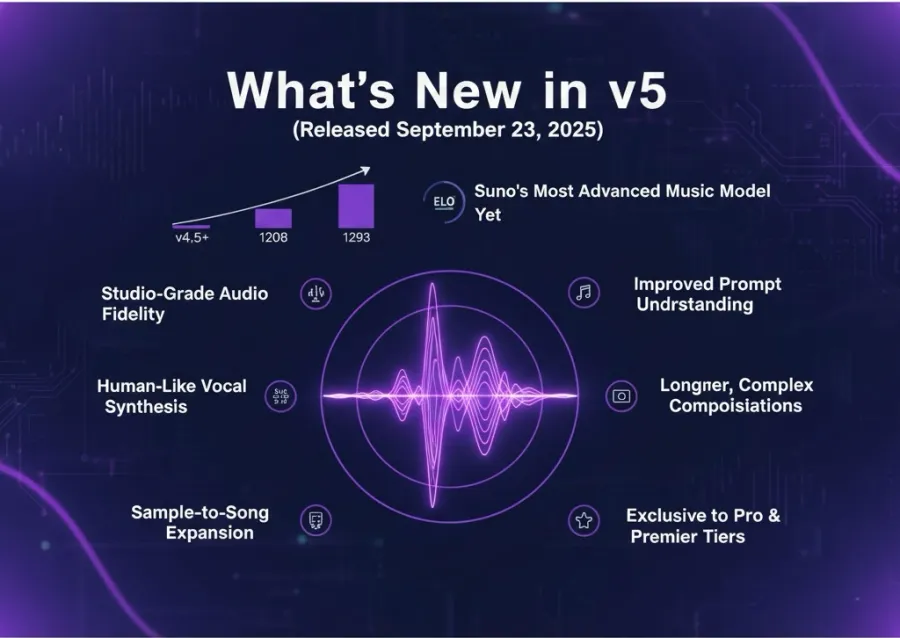
Suno v5 improved the platform’s handling of vocals, arrangements, prompt interpretation, and overall mix quality. The current paid product has moved on to v5.5, which adds more personalized controls rather than merely trying to make every output sound cleaner.
According to Suno’s current pricing and feature page, v5.5 is available on the Pro and Premier plans. Paid users can:
- Record or upload their own voice
- Create customized versions of v5.5 from their audio
- Use Personas and advanced editing
- Add vocals or instrumentals to existing tracks
- Upload as much as 30 minutes of source audio
- Separate generated music into stems
- Run up to ten songs at once in the priority queue
The Free plan currently uses v4.5-all, not v5.5.
This matters when reading a Suno AI API generate guide. A third-party endpoint that accepts a model value such as suno-v5 does not prove that it provides the same version or feature set shown in Suno’s current paid product. Model names, audio controls, stem separation, Voices, and Custom Models all need to be verified with the individual provider.
It is also worth separating generation quality from production control. Suno can produce a convincing first draft quickly. That does not guarantee clean stems, a balanced master, predictable song structure, or exact compliance with every production instruction. The closer a project gets to commercial release, the more likely it is to require selection, editing, and regeneration.
Step-by-Step Guide to Integrating the Suno API
Because Suno has not published a public API, there is no honest universal sequence of “create an official key, call this endpoint, and receive a song.” Any integration guide claiming otherwise is describing a particular third-party service.
Developers can still prepare for music generation without tying the entire application to an undocumented implementation.
Step 1: Choose Between Waiting, Applying, and Using an Alternative
You currently have three reasonable options:
- Express interest in Suno’s curated developer program and wait for further information.
- Evaluate an independent provider after reviewing its access and licensing terms.
- Use a music model with an official public API.
A hobby prototype can tolerate more uncertainty than a paid product. If music generation is central to your application, undocumented access is a substantial dependency.
Step 2: Do Not Confuse a Suno Subscription With API Access
A Suno Pro or Premier subscription gives you credits for creating music through Suno’s products. It does not currently provide a public developer key.
You cannot calculate backend costs by dividing the monthly subscription price by the approximate number of songs and calling the result an official API rate. The subscription includes product features, queues, editing tools, uploads, and commercial-use terms. API infrastructure would need its own limits and billing rules.
Step 3: Design a Provider-Neutral Music Layer
Your application should store its own internal fields instead of exposing a provider’s request format throughout the codebase. Useful fields include:
promptlyricsinstrumentaldurationaudio_formatsample_rategeneration_statusprovider_job_idaudio_urlerror_code
This makes it easier to switch providers later. The alternative is allowing one undocumented request schema to spread across your database, UI, billing logic, and job system.
Step 4: Expect Music Generation to Be Asynchronous
Full-song generation is heavier than returning a text response. Your backend should be able to:
- Accept the user’s request.
- Create an internal job record.
- Send the generation request.
- Track pending, completed, and failed states.
- Retry only failures that are safe to retry.
- Save the output before a temporary URL expires.
- Record the model, provider, prompt, and license terms attached to the result.
Avoid keeping a browser request open until an entire song is finished. A job queue and status endpoint will produce a more reliable user experience.
Step 5: Test Failure Behavior, Not Just the Best Song
A Suno AI API generate song example normally shows one successful prompt and one playable track. Production testing needs more.
Run a small evaluation set covering:
- Vocal and instrumental generations
- Short and long lyrics
- Multiple genres and languages
- Explicit verse, chorus, bridge, and outro tags
- Unsupported or rejected prompts
- Concurrent requests
- Network timeouts
- Malformed audio responses
- Duplicate jobs after retries
- Provider outages
- Moderation and rights-related rejection messages
Keep the prompt set fixed while comparing providers. Otherwise, you are comparing different creative directions instead of different systems.
Step 6: Review Rights Before Showing a Download Button
Confirm whether your users may monetize, distribute, edit, sublicense, or resell the output. Check whether rights differ between free trials and paid calls.
Do this before launch. Adding a generic “you own everything” sentence to your own terms cannot grant rights that the upstream service never gave you.
Advanced Features: Suno Studio, Personas, and Multi-Track Generation
Suno’s advanced features are now closer to a browser-based production environment than a simple text box.
Suno Studio
Suno Studio is a web-based generative audio workstation available with the Premier plan. Its multitrack interface allows users to layer, arrange, record, edit, separate stems, and adjust tempo.
A creator can bring a Suno song into the timeline, insert its stems, generate an additional instrument, audition alternative takes, and combine selected sections through comping. Studio also accepts uploaded and directly recorded audio.
Its export options include:
- A complete mix
- A selected part of the timeline
- Individual multitrack stems
- Individual WAV clips
- MIDI extracted from stems
Suno’s Studio export documentation states that extracting MIDI from a stem costs ten credits. Studio 1.2 has also added Remove FX, editable time signatures, warp markers for timing correction, and an updated system for comparing alternate takes.
These are useful creative features. They should not, however, be described as Suno API endpoints unless Suno publishes them as part of a developer product.
Voices and Custom Models
Paid plans allow creators to record or upload their voice and tune custom versions of v5.5 from their own audio. This moves Suno toward repeatable vocal and stylistic identity across multiple songs.
The benefit is consistency. The cost is a more sensitive data and rights problem. Any application that eventually exposes voice customization will need explicit consent, secure audio storage, deletion controls, and safeguards against impersonation.
A Real Suno Workflow: “Semiramis’ Dream”
One of the more convincing Suno-assisted songs did not come from a single prompt.
For “Semiramis’ Dream,” artist 1010Benja wrote and performed his own material, worked with a collaborator on the beat, passed those elements through Suno, edited the result in Ableton, added more layers, and sent it back through Suno again. He estimated that the cycle was repeated several hundred times.
The finished track combines clearly human lead vocals, jungle production, and an AI-assisted choir. Its significance is not that Suno replaced the artist. It is that generation became one stage inside a much longer production loop. The Verge’s report on the song also notes that the AI involvement was disclosed rather than hidden.
For developers, the takeaway is practical: generating an audio file may be fast, but producing a track someone wants to publish can require repeated generation, selection, editing, and human performance. A useful music application should support that loop rather than treating the first output as the finished product.
Suno API Pricing and Commercial Rights
Suno Subscription Pricing
The following prices cover Suno’s creator products. They are not official Suno API prices.
| Plan |
Displayed price |
Included credits |
Current access |
| Free |
$0 |
50 credits renewed daily |
v4.5-all, standard features, non-commercial use |
| Pro |
From $8/month with annual billing |
2,500 per month |
v5.5, commercial use, advanced editing, voice and custom-model features |
| Premier |
From $24/month with annual billing |
10,000 per month |
Everything in Pro plus Suno Studio |
Annual billing is displayed at a 20% discount, and taxes may be added at checkout. Credits included with a subscription do not roll over. Verify the current amount on the official Suno pricing page before purchasing.
What Is the Official Suno API Price?
There is no published official Suno API pricing as of July 2026.
Suno has not announced:
- A price per song
- A price per generated minute
- API credit conversion rates
- Free developer quotas
- Concurrency tiers
- Enterprise API plans
- Charges for stems, extensions, or editing endpoints
Prices advertised by independent providers belong to those providers. They should not be presented as Suno’s official rate.
Commercial Use Is Not the Same as Copyright Protection
Songs made on Suno’s Free plan are intended for personal, non-commercial use. Suno allows them to be shared through a Suno link or used in projects that are not monetized. Suno’s free-plan rights guide explains these restrictions.
Songs created while a Pro or Premier subscription is active receive commercial-use rights. Suno says paid users may monetize and distribute those songs, use them in film, television, or games, and sell them independently. Suno does not claim part of the resulting earnings. Suno’s paid-plan rights guide provides the current terms.
There is still an important limit: commercial-use permission does not guarantee that the complete AI-generated song qualifies for copyright protection.
Suno itself notes that copyright decisions are made by the relevant country or regional authority. In the United States, independently written lyrics may qualify on their own, while protection for a larger AI-assisted work can depend on whether it contains sufficient human contribution. Suno therefore does not guarantee that a copyright office will register a generated song. Its copyright registration guidance recommends checking the rules that apply in your region.
Third-party access adds another layer. A Suno subscription held by an API provider does not automatically tell you what rights are passed to the provider’s customers or their end users. Obtain that answer in writing before commercial deployment.
The Suno AI API has democratized music creation for developers and creators alike. With v5's dramatic quality improvements, the professional-grade audio barrier has dropped. Suno Studio hints at even deeper creative control ahead. While no official API exists today, third-party providers offer stable, affordable access to Suno's capabilities.
As AI music tech evolves, tools like Suno’s API or platforms like GPT Proto AI API will become more powerful and accessible. Now is the time to experiment and explore how AI-generated music can enhance your projects. Whether for personalized soundtracks or dynamic app features, the Suno AI API makes music creation faster, easier, and more innovative. Try it today and amplify your creativity.
Ready to add AI-powered music to your app? Start with a third-party provider's free tier, build a prototype, and scale thoughtfully.
An Alternative to Suno AI API: MiniMax Music 3.0
If your requirement is “I need to generate music through a documented API now,” MiniMax Music 3.0 is easier to evaluate because MiniMax publishes its own endpoint and reference.
This is not a claim that MiniMax Music 3.0 always produces better songs than Suno. A credible quality comparison would need matched prompts, lyrics, genres, and listening tests. The immediate difference is access.
| Developer consideration |
Suno |
MiniMax Music 3.0 |
| Official self-serve API |
Not currently available |
Available |
| Public API documentation |
Not currently available |
Available |
| Main access route |
Web, mobile, and Studio |
REST API and MiniMax Audio |
| Current model |
v5.5 for paid creators |
music-3.0 |
| Free API option |
No official API tier |
music-3.0-free, 3 RPM |
| Paid API limit |
Not announced |
120 RPM by default |
| Published API price |
Not announced |
$0.15 for up to five minutes of music |
| Structured lyrics |
Supported in Suno’s product |
Supported through the API |
| Instrumental generation |
Supported |
Supported |
| Automatic lyric creation |
Available through Suno’s product |
lyrics_optimizer parameter |
| Best fit today |
Hands-on creators and producers |
Developers who need documented programmatic access |
MiniMax lists music-3.0-free as a free API model with a limit of three requests per minute. The paid music-3.0 model has a default limit of 120 requests per minute. Its official API pricing is $0.15 for a generation of up to five minutes, while lyrics generation is priced separately at $0.01 per song.
At the time of this update, GPT Proto does not offer Suno or MiniMax Music 3.0. The following example calls MiniMax directly and requires a MINIMAX_API_KEY obtained from MiniMax.
MiniMax Music 3.0 Python Example
The request below is adapted from the official MiniMax Music Generation API reference. It uses the free model, sends structured lyrics, requests an MP3, and saves the returned hexadecimal audio data locally.
import os
import requests

api_key = os.environ["MINIMAX_API_KEY"]
url = "https://api.minimax.io/v1/music_generation"

headers = {
    "Authorization": f"Bearer {api_key}",
    "Content-Type": "application/json",
}

payload = {
    "model": "music-3.0-free",
    "prompt": (
        "Indie folk, melancholic and introspective, "
        "a solitary walk toward a late-night coffee shop"
    ),
    "lyrics": """[Verse]
Streetlights blur beneath the rain
I take the long way home again

[Chorus]
Leave one light beside the window
So I know I'm not alone""",
    "audio_setting": {
        "sample_rate": 44100,
        "bitrate": 256000,
        "format": "mp3",
    },
    "output_format": "hex",
}

response = requests.post(
    url,
    headers=headers,
    json=payload,
    timeout=180,
)
response.raise_for_status()

result = response.json()
base_response = result.get("base_resp", {})

if base_response.get("status_code") != 0:
    raise RuntimeError(base_response.get("status_msg", "Music generation failed"))

audio_hex = result["data"]["audio"]

with open("minimax_music_3_demo.mp3", "wb") as audio_file:
    audio_file.write(bytes.fromhex(audio_hex))

duration_ms = result.get("extra_info", {}).get("music_duration")
print(f"Saved minimax_music_3_demo.mp3 ({duration_ms} ms)")
The response example published in MiniMax’s documentation contains a trace_id for debugging and metadata for duration, sample rate, channels, bitrate, and file size. Its documented example returned an approximately 25.4-second stereo MP3 at 44.1 kHz and 256 kbps.
That metadata is a small but important developer advantage. It gives your backend concrete information to validate before storing or serving the audio.
Conclusion
Suno remains one of the most recognizable text-to-song AI products, and v5.5 plus Suno Studio gives creators substantially more control than a one-prompt generator. For an individual musician, video creator, or producer working directly in the browser, its product experience may be more important than API access.
For developers, the answer is different.
There is no self-serve official Suno API, no official API key workflow, and no published Suno API pricing as of July 2026. Suno is now exploring a developer API with selected partners, which makes the future more promising but does not make today’s third-party endpoints official.
If you need to ship a music feature now, evaluate documented alternatives and design your application so the music provider can be replaced. MiniMax Music 3.0 is one example of a model with an official endpoint and public pricing, though it is not currently available through GPT Proto.
For the text, image, and video components surrounding a broader creative application, you can explore GPT Proto or browse its collection of 200+ AI models. Suno and MiniMax Music 3.0 are not included in that collection at the time of this update.