Key Takeaways
Muse Wonder is most useful when research requires several connected decisions, not when you only need a short summary.
A good workflow labels every source and requires the model to attach source IDs to facts, conflicts, and recommendations.
Missing information should remain null or be listed as an open question. The model should not invent an owner, deadline, price, or conclusion.
At GPT Proto's current displayed rates, a 100,000-input-token and 5,000-output-token run would cost about $0.40 before retries or additional turns.
Use a cheaper model for stable extraction and classification. Reserve Muse Wonder for synthesis, contradiction handling, and difficult decisions.
A person should approve conclusions and any action that changes a live system, account, contract, or public page.
What This Muse Wonder API Application Produces
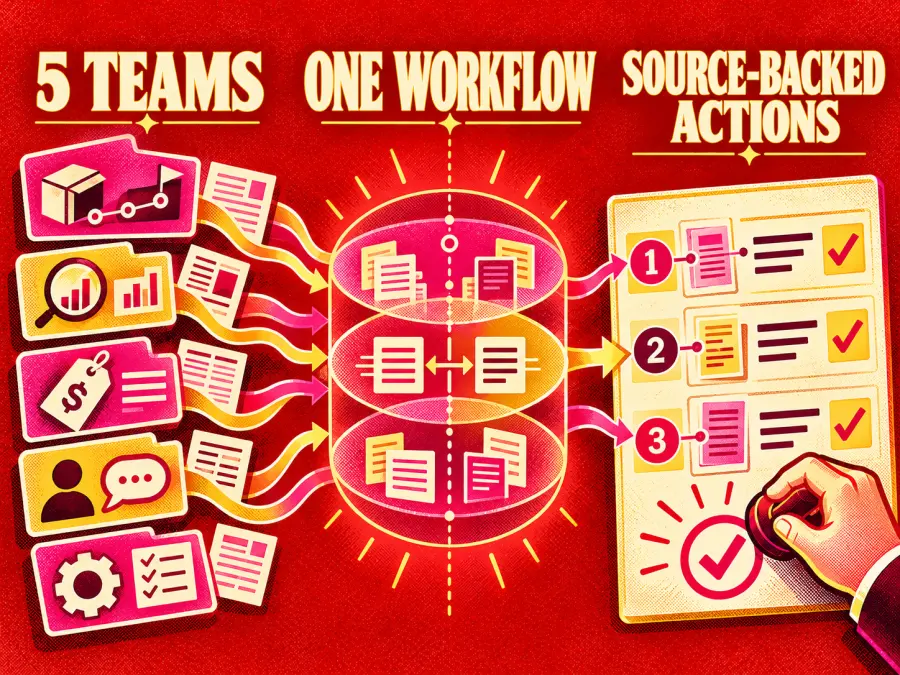
The workflow has one job: convert scattered evidence into a reviewable action plan.
| Stage |
Example input or output |
| Source pack |
Product documentation, research notes, customer interviews, pricing tables, or an existing webpage |
| Research task |
Decide what changed, what conflicts, what is missing, and what needs an update |
| Muse Wonder work |
Compare sources, preserve constraints, identify disagreements, and draft actions |
| Structured result |
Confirmed facts, source IDs, confidence, conflicts, unknowns, and prioritized tasks |
| Human checkpoint |
Verify evidence, reject unsupported claims, approve the final decision |
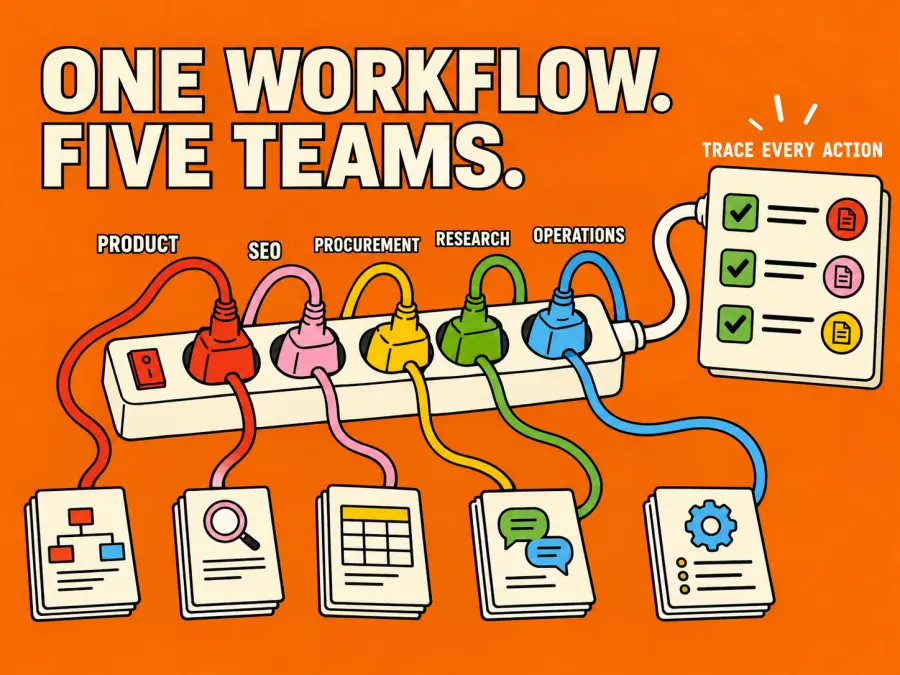
The same pattern can support several teams:
Product teams: compare a launch brief, technical documentation, customer feedback, and the current roadmap.
Marketing and SEO teams: identify outdated claims, missing search questions, weak evidence, and pages that require updates.
Procurement teams: compare vendor requirements, proposals, pricing, and unresolved contract questions.
Customer research teams: group recurring objections without losing the interview or ticket that supports each finding.
Operations teams: turn incident notes, logs, and policy documents into evidence-backed follow-up tasks.
The output is not “the model read everything.” The useful result is that every proposed action can be reviewed against its source.
Is Research Work a Real Muse Wonder Use Case?
There is stronger evidence for this use case than a generic claim about long context.
In an October 2026 Meta research project, medical researchers used an internal coding system powered by Muse Wonder and Muse Spark 1.3. The system had access to public data and a licensed database containing five million de-identified electronic health records. Over four weeks, the researchers used it to develop hypotheses, write and execute code, and collaborate on manuscripts. Meta published ten resulting research manuscripts after peer feedback, biostatistical review, and external expert review.
That example does not prove that one API request can complete scientific research. It proves something more useful: Muse models can participate across multiple research stages when experts remain responsible for the methods and conclusions.
Meta also positions Muse Wonder for professional agents, memory, sustained focus, and coding. The official Muse Wonder announcement describes work involving legal, financial, and health information, while its demonstrations include planning across constraints and applications. Those are vendor demonstrations, so they should guide a test rather than replace one.
Why Use Muse Wonder Instead of a Cheaper Model?
Muse Wonder is not the correct default for every document task.
The official model documentation lists a 1,048,576-token context window, text and multimodal inputs, structured output, reasoning, and tool calling. Those capabilities fit work where information is spread across files and the next step depends on what the model finds.
But capability has a cost. Artificial Analysis measured Muse Wonder at 52 on its Intelligence Index and $4.52 per evaluation task at Meta's list price. Muse Spark 1.3 cost $1.60 on the same evaluation. The test is not a forecast for your workload, but it shows why Wonder should be reserved for the stages that benefit from deeper reasoning.
| Task |
Better starting choice |
Why |
| Extract the same five fields from standard forms |
Smaller model |
The task is stable and easy to validate |
| Classify support tickets into fixed categories |
Smaller model |
Throughput and cost matter more than long reasoning |
| Summarize one short document |
Smaller model |
There is little cross-source reasoning to perform |
| Reconcile conflicting product documents |
Muse Wonder |
The model must compare evidence and preserve uncertainty |
| Turn research into a prioritized plan |
Muse Wonder |
Several judgments depend on earlier findings |
| Investigate a question using tools and revise after new evidence |
Muse Wonder |
Sustained execution and tool use matter |
My rule is simple: use Wonder when an incomplete conclusion would create more work than the extra model cost. If a cheaper model produces the same accepted result, use the cheaper model.
Example: Turn Model Research Into a Content Update Plan
Consider a practical research task for an AI product team.
The team has:
a new model announcement;
official API documentation;
a current pricing page;
an independent benchmark report;
an existing model landing page;
notes from users asking about cost and agent support.
The objective is not to summarize all six sources. It is to decide which statements on the existing page are outdated, which new questions deserve coverage, and which claims still lack evidence.
Step 1: Define the Decision Before Supplying Sources
A vague request such as “research this model” produces a vague report. Begin with a decision:
Decision:
What should be corrected, added, or removed from the existing model page before it is republished?

Acceptance checks:


- Every factual change cites at least one supplied source ID.


- Conflicting sources are shown instead of silently reconciled.


- Missing owners and deadlines remain null.


- Recommendations are ranked by user impact and factual risk.


- No claim is presented as tested unless the source pack contains test evidence.
This gives Muse Wonder a finish line and gives the reviewer a way to reject a polished but unsupported answer.
Step 2: Build a Labeled Source Pack
Assign a short ID to every source:
[S1] Official announcement — 2026-10-12
URL: https://example.com/official-announcement
Relevant text:
...

[S2] Official API documentation — accessed 2026-10-15
URL: https://example.com/api-docs
Relevant text:
...

[S3] Current product page
URL: https://example.com/current-page
Relevant text:
...
Use primary sources for product availability, model IDs, limits, and pricing. Use independent evaluations for comparative performance. Community comments can reveal questions or failure modes, but they should not override official product facts.
Do not send an entire archive merely because the context window is large. Remove duplicated navigation, unrelated comments, and stale versions. Better evidence beats more tokens.
Step 3: Use This Research-to-Action Prompt
Paste the decision, source pack, and prompt below into the GPT Proto Playground:
You are a research-to-action analyst.

GOAL
Use only the supplied source pack to decide what must be corrected, added,
removed, or verified on the current page.

EVIDENCE RULES


- Treat each [S#] label as a separate source.


- Cite one or more source IDs for every factual claim.


- Do not use prior knowledge as evidence.


- If sources disagree, show the disagreement and do not choose a winner
  unless one source is clearly newer or primary.


- Use null for an owner, deadline, price, benchmark, or capability that the
  sources do not establish.


- Separate confirmed facts, analysis, and recommendations.

RETURN VALID JSON
{
  "executive_summary": "",
  "confirmed_changes": [
    {
      "claim": "",
      "source_ids": ["S1"],
      "confidence": "high | medium | low"
    }
  ],
  "source_conflicts": [
    {
      "issue": "",
      "source_ids": ["S1", "S2"],
      "resolution": null,
      "next_check": ""
    }
  ],
  "page_actions": [
    {
      "priority": "P0 | P1 | P2",
      "section": "",
      "action": "correct | add | remove | verify",
      "reason": "",
      "source_ids": ["S1"],
      "draft_replacement": null
    }
  ],
  "unanswered_questions": [],
  "claims_requiring_manual_test": []
}

FINAL CHECK
Before returning the JSON, remove any unsupported fact and confirm that every
non-null factual field has at least one source ID.
The source restriction matters. Without it, a model may blend current evidence with older knowledge and make the result harder to audit.
Step 4: Validate the Output Before Acting on It
Do not approve the result because the JSON parses. Review it in this order:
Open the cited source for every P0 action.
Confirm that the source supports the exact wording, not merely the general topic.
Check whether newer sources should override older ones.
Inspect every number, model ID, availability statement, and price.
Move unsupported conclusions into unanswered_questions.
Require a separate approval before publishing, emailing, purchasing, or changing production data.
For higher-stakes research, add a second reviewer who did not prepare the original source pack.
What Would This Workflow Cost on GPT Proto?
The GPT Proto Muse Wonder 1.0 page currently displays $3.20 per million input tokens and $16.00 per million output tokens.
| Example run |
Token assumption |
Estimated token charge |
| Small research brief |
30,000 input + 2,000 output |
About $0.13 |
| Medium source pack |
100,000 input + 5,000 output |
About $0.40 |
| Multi-turn review |
300,000 cumulative input + 15,000 output |
About $1.20 |
These are calculations, not promised task sizes. Tool calls, repeated context, retries, reasoning, and additional review turns can increase the total.
Cost per accepted result is more useful than cost per request. A $0.40 run that removes two hours of manual comparison may be economical. A $0.13 summary that still requires reading every source may not be.
How to Test Whether Muse Wonder Is Worth the Premium
Run the same five to ten source packs through Muse Wonder and one cheaper model. Do not compare writing style. Compare the work product.
| Metric |
How to score it |
| Factual precision |
Supported factual claims / all factual claims |
| Evidence coverage |
Important source facts included / important facts available |
| Conflict detection |
Real source conflicts found / conflicts planted or known |
| Unsupported claims |
Count; lower is better |
| Action quality |
Tasks accepted without rewriting / all proposed tasks |
| Review time |
Minutes required before approval |
| Accepted-result cost |
Total model spend / accepted outputs |
Muse Wonder earns its place if it finds material conflicts, produces better actions, or reduces review time enough to offset the higher spend. If both models pass the same acceptance checks, route this workflow to the cheaper one.
How to Put the Workflow Into an Application
You do not need to turn the first experiment into a software project.
Test one source pack in the GPT Proto Playground.
Save the prompt only after it passes the acceptance checks.
Use the complete Muse Wonder API setup guide for the endpoint, API key, cURL, Python, and troubleshooting steps.
Ask your coding agent to add the prompt and JSON schema to your application.
Keep source collection and final approval outside the model until the workflow is reliable.
You can hand an AI coding assistant this implementation brief:
Add a research-to-action workflow using the current GPT Proto Muse Wonder API
Usage example as the integration source of truth.

Requirements:


- Read the API key from GPTPROTO_API_KEY and never expose it in client code.


- Accept labeled sources with source_id, title, date, URL, and relevant_text.


- Request the JSON structure supplied in this article.


- Reject invalid JSON instead of silently accepting partial output.


- Log token usage, elapsed time, source IDs, and validation failures.


- Add maximum input, output, retry, and total-spend limits.


- Require human approval before any downstream write action.


- Show me the proposed file changes before editing.
For a larger workflow that assigns different stages to different models, see GPT Proto's LLM API for AI agents. A cheaper model can extract or classify sources while Muse Wonder handles conflict resolution and the final action plan.
Where This Workflow Can Fail
A Citation Can Look Correct and Still Be Wrong
Requiring [S1] does not prove the source supports the claim. The model may attach the closest source rather than the correct one. Spot-check every important citation.
A Large Context Window Is Not a Retrieval Strategy
More documents can introduce duplicates, outdated versions, and irrelevant evidence. Retrieve and label the smallest source set that can answer the decision.
The API Does Not Automatically Know What Changed Today
Fresh research requires current sources or a search tool. The model cannot cite a page that your application never supplied or retrieved.
Structured Output Can Hide Weak Reasoning
Valid JSON only proves that the format passed. It does not prove that the recommendation is accurate, complete, or safe.
Private Documents Need Explicit Controls
Remove unnecessary personal information, apply appropriate retention rules, and restrict who can view prompts, outputs, and logs. Do not use a general research workflow as an unsupervised decision-maker for medical, legal, financial, employment, or customer-account actions.
The Practical Starting Point
Choose one real decision that currently requires reading several sources. Prepare a small source pack, paste the research-to-action prompt into the Muse Wonder 1.0 Playground, and review whether every important conclusion is traceable to evidence.
Do not begin by building a fully autonomous research agent. First prove that the model produces a better accepted result than a cheaper alternative. If it does, automate source ingestion and validation one step at a time. The value of Muse Wonder is not that it can read a large context window. It is whether it can turn that context into fewer missed facts, clearer decisions, and less review work.