


1M Token Kontext Max Recall
Flux achieves 99.8% recall in needle-in-a-haystack tests. Pass your entire documentation set through Flux Kontext Max AI without manual chunking.

Start from the cost of a single sample and pick a testing budget. GPTProto rates are 20% below list price.
$0.064 / image

| Model | Resolution | Input → Output | ||
|---|---|---|---|---|
| $0.06 per time | — | Input: TextInput: Image Output: Image | |
| $7.60 / $28.50 per 1M | — | Input: TextInput: Image Output: Image | ||
| $7.60 / $28.50 per 1M | — | Input: TextInput: Image Output: Image | ||
| — | $0.04 per time | 1K · 2K · more | Input: TextInput: Image Output: Image | |
| $0.04 per time | 1K · 2K | Input: TextInput: Image Output: Image | ||
| $0.02 per time | 1K | Input: TextInput: Image Output: Image | ||
| $0.04 per time | 1K · 2K · 4K | Input: TextInput: Image Output: Image | ||
| $6.40 / $24.00 per 1M | — | Input: TextInput: Image Output: Image | ||
| $0.04 per time | 1K · 2K · 4K | Input: TextInput: Image Output: Image | ||
| $0.03 per time | — | Input: TextInput: Image Output: Image | ||
| $0.03 per time | — | Input: TextInput: Image Output: Image | ||
| $0.01 per time | — | Input: TextInput: Image Output: Image | ||
| $0.02 per time | — | Input: TextInput: Image Output: Image | ||
| — | $0.14 per time | — | Input: Text Output: Image | |
| — | $0.01 per time | — | Input: Image Output: Image | |
| — | $0.02 per time | — | Input: Image Output: Image | |
| $0.03 per time | — | Input: Text Output: Image | ||
| $0.03 per time | — | Input: TextInput: Image Output: Image | ||
| $0.05 per time | — | Input: Image Output: Image | ||
| $0.05 per time | — | Input: Image Output: Image | ||
| $0.05 per time | — | Input: Text Output: Image | ||
| $0.06 per time | — | Input: TextInput: Image Output: Image |
The technical highlights of the Flux Kontext Max AI architecture, focusing on multimodal reasoning and 1M token stability.
Flux achieves 99.8% recall in needle-in-a-haystack tests. Pass your entire documentation set through Flux Kontext Max AI without manual chunking.
Flux uses dynamic tiling for high-res images up to 2000px. Analyze blueprints alongside text in a single Flux session for deep multimodal reasoning.
Flux extracts data from unstructured financial files with 94% accuracy. Convert nested tables into clean JSON formats directly within the Flux environment.
Reduce complexity by passing full datasets as context. Flux Kontext Max AI serves as a prefix-cached engine, lowering costs for repeated long queries.
Common questions about using Flux Kontext Max AI for long-context tasks, multimodal vision, and pricing parity at GPTProto.com.
Guides, comparisons, and updates related to this model.
All Articles
Discover Flux API, the powerful text-to-image AI solution. Explain models, pricing and competitors. Learn how to integrate Flux API with our complete guide.
Discover Krea AI - real-time AI image and video generation with features, pricing, and workflow benefits.

Discover how Flux Pro 1.1 is redefining photorealistic AI imagery through its professional-grade API. Learn how to optimize your creative workflow today.
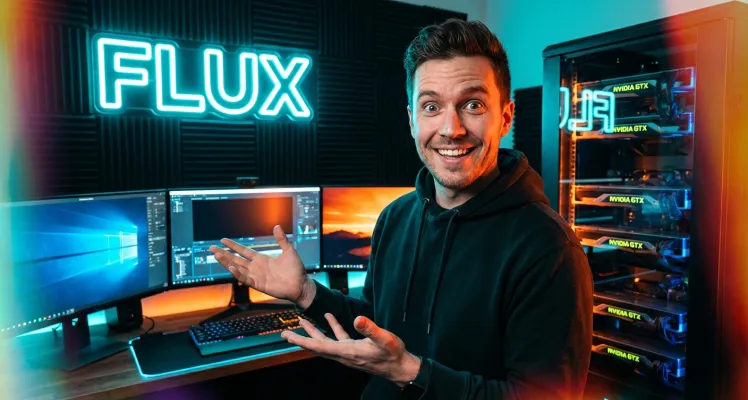
Discover how Flux Kontext is revolutionizing digital creativity. This comprehensive guide covers precision editing, hardware optimization for ComfyUI, and platform comparisons to help you master professional AI image generation and selective retouching with ease.