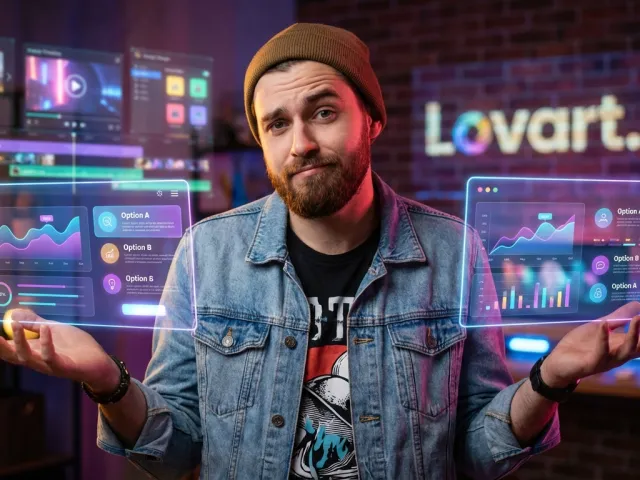
What This Lovart AI Tool Does for Modern Designers
Most of the tools we see today are just simple prompt-to-image boxes. You type something, you get a picture, and you hope for the best. But lovart ai tries to do something different by acting as a genuine design agent.
Instead of just generating a single static image, the goal of lovart ai is to function as a collaborative partner. It understands the context of a design project rather than just treating every prompt as an isolated request.
The Agent Model Behind Lovart AI
The term "agent" gets thrown around a lot lately, but in the context of lovart ai, it actually means something specific. It implies that the system can handle multi-step tasks that usually require a human to jump between different software programs.
When you use lovart ai, you aren't just looking for a cool graphic. You are looking for a system that can understand your brand's voice and aesthetic and maintain that consistency across different types of media, from logos to videos.
This is where the platform separates itself from the generic models. While many tools struggle with consistency, lovart ai uses its agent-based architecture to remember what you are building. It’s about the workflow, not just the output.
And let’s be honest, we’ve all been frustrated by tools that forget the style you liked five minutes ago. The promise of lovart ai is that it sticks with you throughout the creative process, acting more like a junior designer than a search engine.
How to Get Started With Lovart AI and Invite Codes
Getting into the platform isn't always as simple as clicking a "sign up" button and going to work. Because lovart ai is still evolving, the developers often use an invite-only system to manage the load on their servers.
If you try to sign up normally, you might find yourself stuck at a gate. That’s where the community comes in. Users on platforms like Reddit frequently share codes like KPxxTKA or WA4KKpC to help others bypass the waitlist.
Navigating the Lovart AI Sign-Up Steps
First, head over to the main site. You’ll need a valid email, but the real key is that invite code. Without it, your progress with lovart ai might stall before you even see the dashboard.
Once you are in, you’ll notice the interface is built around natural language. You don't need to be a prompt engineering expert to talk to lovart ai. You can just tell it what you want to build in plain English.
But here is a tip: don't burn all your credits immediately. New users used to get 100 free daily credits, but reports suggest that has dropped to 30. You have to be strategic with how you test lovart ai.
If you find that the credit limits are too tight for your workflow, you might want to manage your API billing more effectively by looking at alternative ways to access high-end models without the "walled garden" restrictions.
Pro Tip: Always check the official subreddits like r/LovartAIOfficial before signing up. People post fresh invite codes daily, and you can see the latest updates on credit changes there.
Key Features Walkthrough of Lovart AI Capabilities
The core of the experience is the chat-based design interface. It feels like you are talking to a person who has Photoshop open on their screen. This makes lovart ai feel much more intuitive than traditional sliders and complex menus.
One of the standout features is the video generation. While many platforms are still struggling to make a five-second clip that doesn't look like a fever dream, lovart ai is surprisingly stable in its video output.
Generating High-Quality Video With Lovart AI
Video is notoriously difficult for any AI to handle. You usually get weird morphing or "hallucinations" where limbs disappear. However, the lovart ai agent model seems to have a better grasp of temporal consistency than its competitors.
When you ask lovart ai to create a video, it doesn't just animate a still image. It considers the movement and the physics of the scene. This is why many creators are flocking to it for social media content.
It’s not perfect—no video AI is yet—but it’s a massive step up from the basic tools we had last year. If you’re a content creator, testing the video side of lovart ai should be your first priority.
To really see how these models compare to the heavy hitters, you can explore all available AI models on platforms that aggregate different vendors. This gives you a baseline for what lovart ai is actually achieving.
| Feature |
Lovart AI Performance |
Best For |
| Static Design |
High Consistency |
Logos & Mockups |
| Video Motion |
Above Average |
Social Media Clips |
| Brand Identity |
Agent-Led |
Startups & Small Biz |
| User Interface |
Chat-Based |
Non-Technical Users |
Real-World Use Cases for Lovart AI Practitioners
Who is actually using this thing? It’s not just people making "cool art" for fun. We are seeing professional designers use lovart ai to speed up the brainstorming phase of their projects.
Imagine you have a client who wants a new brand identity but doesn't know what they want. You can sit down with lovart ai and iterate through twenty different concepts in the time it would take to sketch one by hand.
Building a Complete Brand Identity With Lovart AI
This is where the "agent" part really shines. You can tell lovart ai, "I’m building a brand for a high-end coffee shop," and it won't just give you a logo. It will suggest color palettes and typography.
You can then ask lovart ai to apply that logo to merchandise. It can generate mockups for shirts, hats, and even shop signage. This kind of end-to-end workflow is why people are calling it a "full-on design agent."
For designers who are tired of manual repetitive tasks, lovart ai offers a way to automate the boring stuff. It allows you to focus on the creative direction while the AI handles the pixel-pushing.
And if you are a developer looking to integrate these kinds of capabilities into your own app, you should check out the full API documentation for model aggregation to see how you can scale these features.
The beauty of lovart ai is that it bridges the gap between a tool and a teammate. It’s not just a utility; it’s a creative partner that helps you explore ideas you might not have considered on your own.
Limitations and Honest Critiques of Lovart AI
No tool is perfect, and if I told you lovart ai was a flawless experience, I’d be lying. There are some real "human" problems here that you need to be aware of before you hand over your credit card information.
The biggest red flag right now involves the subscription model and customer support. Several users have reported that once you subscribe to a pro plan, it’s surprisingly difficult to cancel or even get a response from the team.
Managing Credits and Subscriptions in Lovart AI
Here is the reality: lovart ai recently slashed their free daily credits from 100 down to 30. This happened without much warning, which naturally upset the community. It makes it harder to truly test the tool for free.
More importantly, some users have complained about being ignored by support when trying to delete their accounts. This is a common pain point in the early-stage AI startup world, but it's something you must consider.
My advice? If you decide to buy a pro plan for lovart ai, use a virtual credit card or a "burner" card. This way, if you can't find the cancel button or the support team goes dark, you can just lock the card from your bank's app.
It’s also worth looking at the latest AI industry updates to see if these types of credit-slashing moves are becoming a trend. Often, startups do this when their compute costs spiral out of control.
- The credit drop from 100 to 30 is a significant hurdle for heavy users.
- Email support for account deletion has been reported as unresponsive by some.
- The "Design Agent" concept is great, but the backend infrastructure still feels a bit experimental.
- User interface bugs can occasionally stall the chat process.
Is It Worth It to Invest in Lovart AI?
So, should you actually use lovart ai? The answer depends entirely on your tolerance for "startup friction." If you want a polished, corporate experience like Adobe, you might be disappointed by the rough edges.
But if you are a creative who wants to be on the edge of what's possible with AI agents, lovart ai is doing things that very few other platforms are even attempting yet.
The Final Verdict on Lovart AI for Creatives
In my opinion, lovart ai is absolutely worth testing—especially if you can get in with a free invite code. The video generation alone makes it worth an afternoon of your time to see what it can do for your workflow.
However, I would be very cautious about committing to a long-term expensive subscription until the developers fix their support and cancellation issues. Use it as a powerful creative tool, but keep your guard up regarding the billing side.
For those who need the power of these models but want more control over the costs, working with a unified API might be a better long-term play. You can often get the same underlying performance without the overhead of a specific tool's interface.
At the end of the day, lovart ai is a glimpse into the future of design. It’s a future where we don't "use" software so much as we "collaborate" with it. It’s messy, it’s exciting, and despite the flaws, it’s a lot of fun to work with.

If you're looking for a way to slash your overall AI costs while still getting access to top-tier models, GPT Proto is a strong alternative. They offer up to 70% off mainstream AI APIs and provide a unified interface that simplifies the whole process. It’s a smart move if you want to build your own agents without the credit-limit headaches found elsewhere.
Written by: GPT Proto
"Unlock the world's leading AI models with GPT Proto's unified API platform."