curl --request POST "https://gptproto.com/api/v3/google/gemini-2.5-flash-image-hd/text-to-image" \
    --header "Authorization: Bearer $GPTPROTO_API_KEY" \
    --header "Content-Type: application/json" \
    --data '{
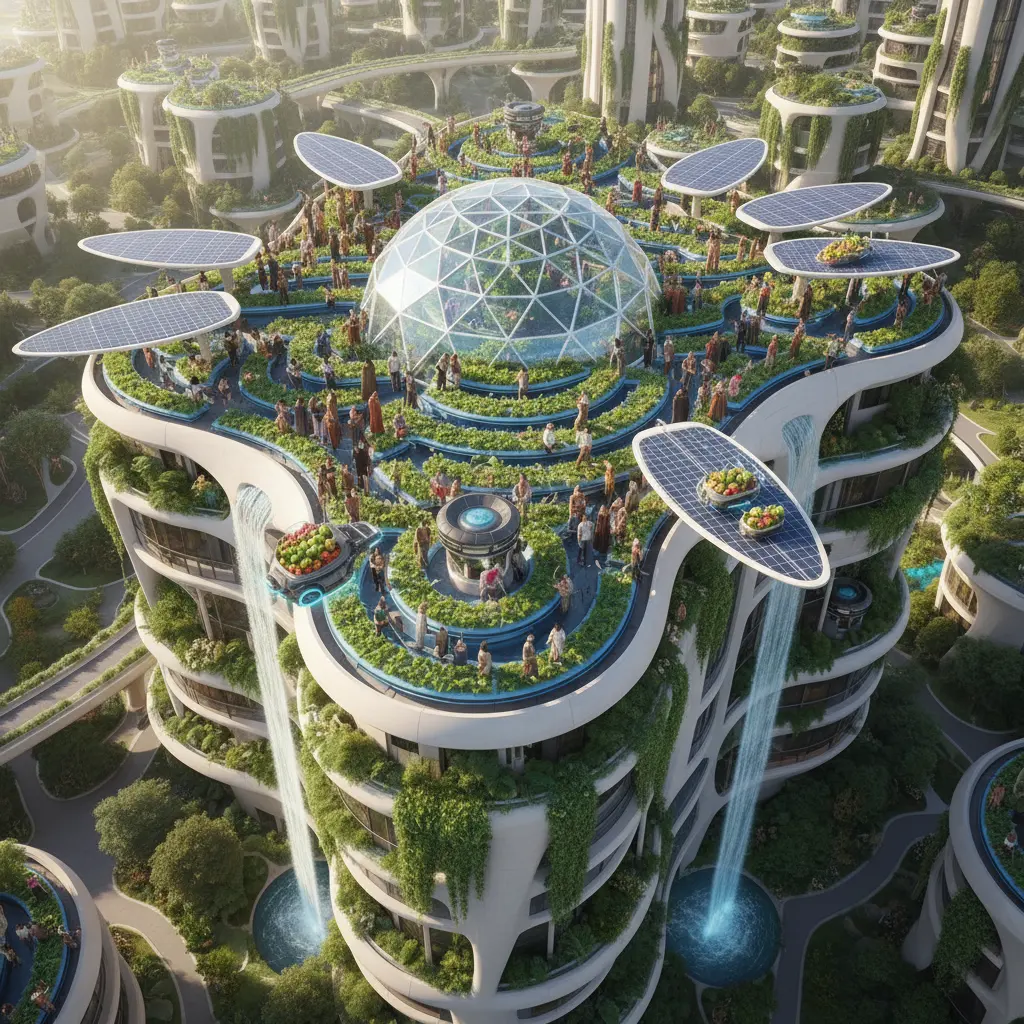
        "prompt": "A tiny origami fox sailing a teacup across a moonlit puddle",
        "aspect_ratio": "1:1",
        "output_format": "png",
        "enable_sync_mode": false,
        "enable_base64_output": false
}'Start from the cost of a single sample and pick a testing budget. GPTProto rates are 40% below list price.
| Scenario | Google list | OpenRouter | GPTProto | You save / mo |
|---|---|---|---|---|
| Quick tests & prototypes100 images / mo | $5.00 | $5.27 | $3.00 | −$2.00≈ $24.00 / yr |
| Product & e-commerce photos1,000 images / mo | $50.00 | $52.75 | $30.00 | −$20.00≈ $240.00 / yr |
| Ad / marketing creatives2,500 images / mo | $125.00 | $131.88 | $75.00 | −$50.00≈ $600.00 / yr |
| Social media content10,000 images / mo | $500.00 | $527.50 | $300.00 | −$200.00≈ $2400.00 / yr |

Google · $0.03 per time


Gemini-2.5-flash-image-hd: Precision High-Definition Image Generation
Welcome to the future of visual storytelling with the Gemini-2.5-flash-image-hd API on GPT Proto. This high-definition iteration of Google's flagship multimodal suite is engineered for creators who demand the lightning-fast speed of the "Flash" architecture without sacrificing the intricate details required for professional-grade assets. Whether you are building a new application or scaling a marketing campaign, you can explore this and other cutting-edge models by visiting our comprehensive directory at https://gptproto.com/model to find the perfect fit for your project.
Achieve Superior Visual Fidelity With The Gemini-2.5-flash-image-hd Model
The Gemini-2.5-flash-image-hd model represents a massive leap forward in the text-to-image landscape, specifically optimized for high-volume tasks that require a "High Definition" (HD) output. By utilizing advanced neural architecture, this model understands complex, multi-layered prompts with a level of nuance previously reserved only for much larger, slower models. On GPT Proto, we provide the infrastructure necessary to harness this power, ensuring that every request results in sharp textures, accurate lighting, and realistic anatomy. This model solves the classic "speed versus quality" dilemma by offering a streamlined inference process that delivers rich, 1024px and higher equivalent resolution visuals in a fraction of the time, making it the ideal choice for real-time applications and dynamic content generation.
Generating Photorealistic Marketing Assets With Unmatched Detail Consistency
In the world of digital advertising, visual quality is the primary driver of engagement, and the Gemini-2.5-flash-image-hd excels at creating "commercial-ready" imagery. Users can leverage this model to generate everything from studio-lit product mockups to lifestyle photography that feels authentic and high-end. Because the HD variant focuses on fine-grained detail, elements like skin texture, fabric weaves, and environmental reflections are rendered with stunning accuracy. When you integrate this API on GPT Proto, you gain the ability to produce hundreds of variations for A/B testing in minutes, ensuring your brand always has the freshest and most compelling visuals available for any platform or audience segment.
Creating Legible And Stylized Text Overlays Within AI-Generated Visuals
One of the most significant challenges in generative AI has been the rendering of legible text, but the Gemini-2.5-flash-image-hd model tackles this head-on with superior reasoning capabilities. It can follow specific instructions to include brand names, slogans, or labels directly within an image—perfect for creating social media posts, posters, and infographic base layers. By describing the font style, color, and placement in your prompt, you can generate assets that require minimal post-processing. This capability, combined with the low-latency response times provided on GPT Proto, allows developers to build tools where users can see their ideas come to life with professional typography integrated seamlessly into the artistic composition.
"The Gemini-2.5-flash-image-hd on GPT Proto bridges the gap between creative imagination and professional production, delivering high-velocity HD results."
Seamless Enterprise Integration And Stability Built Directly On GPT Proto
Integrating high-performance AI models into your production environment requires more than just a raw API; it requires a stable, secure, and scalable ecosystem. GPT Proto offers an enterprise-grade gateway to the Gemini-2.5-flash-image-hd model, featuring robust uptime, simplified authentication, and comprehensive developer support. We handle the complexities of load balancing and regional availability so you can focus on building your product. To get started with your first implementation, we recommend reviewing our extensive technical documentation at https://docs.gptproto.com/introduction, where you will find code samples in Python, JavaScript, and other popular languages to accelerate your deployment timeline.
| Feature Comparison | Standard Generative Models | Gemini-2.5-flash-image-hd on GPT Proto |
|---|---|---|
| Generation Speed | Medium to Slow (15s+) | Ultra-Fast (3s - 8s) |
| Image Resolution | Standard Definition / Blurry | Crystal Clear HD Fidelity |
| Text Rendering | Inconsistent / Garbled | High Accuracy & Stylization |
| API Latency | Variable | Optimized for Production |
Transparent Billing And Real-Time Usage Tracking For Your AI Projects
At GPT Proto, we believe in a transparent, pay-as-you-go philosophy that eliminates the need for complex subscriptions or hidden fees. Instead of confusing credits, you simply Add Funds or Top-up Balance in direct currency amounts, giving you full control over your budget. You can easily manage your financial settings and add a Recharge Amount at any time by visiting the Billing Center at https://gptproto.com/dashboard/billing-center. This flexibility is essential for startups and established enterprises alike, allowing you to scale your image generation usage up or down based on your actual demand without being locked into a rigid tier.
Monitoring your performance is just as simple as managing your funds. Our centralized platform provides a detailed overview of your API calls, success rates, and remaining balance. You can view your real-time analytics and project history on your personal Dashboard at https://gptproto.com/dashboard. This data-driven approach allows you to optimize your prompts and resource allocation, ensuring that you get the most value out of every Top-up Balance. To stay updated on the latest model releases, prompt engineering strategies, and industry trends, be sure to follow our official blog at https://gptproto.com/blog, where we regularly share insights to help you stay ahead of the curve in the rapidly evolving world of artificial intelligence.
Frequently Asked Questions
Key questions and answers about gemini-2.5-flash-image-hd/text-to-image for developers and technical users.
What is gemini-2.5-flash-image-hd/text-to-image?
What can gemini-2.5-flash-image-hd/text-to-image do?
Who developed gemini-2.5-flash-image-hd/text-to-image?
How does gemini-2.5-flash-image-hd/text-to-image differ from GPT, Claude, or other Gemini models?
What are the main application scenarios for gemini-2.5-flash-image-hd/text-to-image?
Which industries or roles are best suited for gemini-2.5-flash-image-hd/text-to-image?
Does gemini-2.5-flash-image-hd/text-to-image deliver high-quality, creative, and code-friendly outputs?
How do I access gemini-2.5-flash-image-hd/text-to-image via API?
What is the pricing structure for gemini-2.5-flash-image-hd/text-to-image?
How does payment work for gemini-2.5-flash-image-hd/text-to-image on the GPT Proto platform?
Does gemini-2.5-flash-image-hd/text-to-image support multi-modal input?
Are there copyright risks with content generated by gemini-2.5-flash-image-hd/text-to-image?
Related Articles
Guides, comparisons, and updates related to this model.
All Articles
Create and Edit Images Instantly with Gemini 2.5 Flash Image
Explore Google's latest AI tool - Gemini 2.5 Flash Image. Learn how to edit and create images, and maintain character consistency with this powerful AI tool.
What is Nano-Banana? The Mysterious New AI Model Explained
Heard whispers about the Nano-Banana AI? Discover what we know about this new image model, why it's turning heads, and what it means for the future of AI.

Gemini 3 Pro Image Preview: Full Review
Explore the capabilities of the Gemini 3 Pro Image Preview in our detailed performance analysis of its multimodal logic. Discover how it works today!