Kling 3.0 Motion Control animates a static character image with the movement from a reference video. You give it two inputs — a picture of your character and a video of someone moving — and it returns a new clip where your character performs that exact choreography while keeping their own face, outfit, and look.
This is motion transfer, not text-to-motion. Instead of describing an action in a prompt and hoping the model interprets it, you show it the action frame by frame. That makes it far more reliable for repeatable character animation, dance, and gesture work.
This guide covers both paths: the Kling web app for one-off clips, and the GPTProto API for wiring Motion Control into a pipeline. We'll cover inputs and limits, the `pro` vs `std` tiers, prompt technique, full runnable code, pricing, and the failure modes worth knowing before you spend credits.
So verwenden Sie Kling 3.0 Motion Control: Ein Entwicklerleitfaden (Web + API)
Ein Entwicklerleitfaden zu Kling 3.0 Motion Control – pro vs. std, Eingabelimits, Prompt-Tipps und ausführbarer API-Code (Python + cURL) über GPTProto.
What Is Kling 3.0 Motion Control
Motion Control takes one character image and one driving (reference) video, then generates a video in which the character matches the reference's movements, facial expressions, and — optionally — camera orientation. The visual identity comes from your image; the motion comes from your video.
| Spec | Detail |
|---|---|
| Task type | Image-to-video only (a character image is required; no text-to-video Motion Control) |
| Inputs | 1 character image + 1 driving video (+ optional prompt / negative prompt) |
| Reference video length | 3–30 seconds; output length aligns to the reference |
| Min extractable motion | 3 seconds of continuous action |
| Image resolution | Short edge ≥ 340px, long edge ≤ 3850px |
| Multi-character video | The character occupying the largest frame area drives the motion |
| Tiers | std (720p) and pro (1080p) |
| Orientation modes | image (max 10s output) or video (max 30s output) |
What changed from 2.6 to 3.0
If you used Motion Control on Kling 2.6, the 3.0 upgrade is about consistency and physics rather than a new interface:
- Better identity preservation — less face drift across the clip.
- Grounded physics — feet stay anchored instead of "sliding on ice."
- Element consistency — multi-angle face and outfit detail hold up better through turns.
- Longer outputs — up to 30 seconds when orientation follows the video.
- Faster inference — materially quicker turnaround per generation.
One behavior to keep in mind: 3.0 Motion Control transfers movement only. It does not blend scene elements from the driving video into your character — the output sticks to the character image you supplied.
Kling 3.0 pro Motion Control vs Kling 3.0 std Motion Control
The two tiers run the same model with different output quality. Use std while you iterate on the reference video and prompt, then switch to pro for the final render.
| Kling 3.0 std Motion Control | Kling 3.0 pro Motion Control | |
|---|---|---|
| Output resolution | 720p | 1080p |
| Best for | Iteration, drafts, high-volume runs | Final delivery, client work |
| Speed | Faster | Slightly slower |
| Price (Per Time) | $0.3024 (20% off, market $0.378) | $0.4032 (20% off, market $0.504) |
| API model slug | kling-v3.0-std |
kling-v3.0-pro |
"Per Time" means the final cost scales with the generation you run; the model page's playground shows the live total before you submit.
Input Requirements (Read This First — It Saves Credits)
Most failed generations come from bad inputs, not the model. The single biggest predictor of a clean result is the quality of frame 1 and the driving video.
Character image
- One person, clean half-body or full-body framing.
- Face clearly visible and reasonably large in the frame — small faces force the model to invent detail, and likeness drifts.
- Match the framing roughly to your reference video (don't pair a head-and-shoulders portrait with a full-body dance video).
Driving (reference) video - 3–30 seconds, single continuous shot, no cuts or hard camera moves — cuts can truncate the output.
- One subject, full body and head visible and unobstructed.
- Steady, moderate motion. Very fast or complex action may make the output shorter than the input, because only valid continuous segments are extracted.
- Keep hands visible if you need good hands in the result.
If less than 3 seconds of usable continuous motion can be extracted, the generation can fail and — per Kling's terms — those credits are not refunded. Validate your reference clip before submitting at scale.
How to Use Kling 3.0 Motion Control in the Web App
For one-off clips, the Kling web UI is the fastest route:
- Open Kling, select the 3.0 model, then click Motion Control.
- Upload your driving video into the "character actions to mimic" box.
- Upload your character image into the box on the right.
- (Optional) Add a prompt describing the scene — lighting, environment, camera. Do not describe the action; that comes from the video.
- Set character orientation: follow the video (up to 30s) or the image (up to 10s).
- Choose std (720p) or pro (1080p) and click Generate.
That's enough for manual work. The rest of this guide is for automating it.
How to Use the Kling 3.0 Motion Control API
This is the part most teams come for: a guide to the Kling 3.0 Motion Control API you can run end to end. GPT Proto exposes Kling through a unified, OpenAI-compatible account with a single key, and the video tasks follow a create-then-poll pattern.
Step 1 — Get an API key
Sign up at gptproto.com/dashboard and generate a key. One key works across every model on the platform. Export it so the examples pick it up:
export GPTPROTO_API_KEY="your_key_here"
Step 2 — Create a Motion Control task
You submit the character image, the driving video, the tier, and an optional prompt. The API returns a task id you'll poll for the result.
Note: GPT Proto authenticates Kling with a
Bearertoken in theAuthorizationheader. The Motion Control task takesimage(character),video(driving clip),prompt,negative_prompt,character_orientation, andkeep_original_sound.
cURL
curl -X POST "https://gptproto.com/api/v3/kling/kling-v3.0-pro/motion-control" \
  -H "Authorization: Bearer $GPTPROTO_API_KEY" \
  -H "Content-Type: application/json" \
  -d '{
    "image": "https://example.com/character.jpg",
    "video": "https://example.com/driving-motion.mp4",
    "prompt": "studio lighting, plain grey background, static camera",
    "negative_prompt": "warped background, extra fingers, motion blur",
    "character_orientation": "video",
    "keep_original_sound": false
  }'
Swap kling-v3.0-pro for kling-v3.0-std to run the 720p tier.
Step 3 — Poll for the result
Video generation is asynchronous. Take the id from the create response and poll the predictions endpoint until status is finished, then read the output URL.
Python (end to end)
import os
import time
import requests

BASE = "https://gptproto.com/api/v3"
API_KEY = os.environ["GPTPROTO_API_KEY"]
HEADERS = {"Authorization": f"Bearer {API_KEY}", "Content-Type": "application/json"}

def create_motion_control(image_url, video_url, prompt="", negative_prompt="",
                          tier="pro", orientation="video"):
    url = f"{BASE}/kling/kling-v3.0-{tier}/motion-control"
    payload = {
        "image": image_url,                       # character identity
        "video": video_url,                       # driving motion (3-30s, single shot)
        "prompt": prompt,                         # describe the SCENE, not the action
        "negative_prompt": negative_prompt,       # artifacts to suppress
        "character_orientation": orientation,     # "video" (<=30s) or "image" (<=10s)
        "keep_original_sound": False,
    }
    r = requests.post(url, json=payload, headers=HEADERS, timeout=60)
    r.raise_for_status()
    return r.json()["data"]["id"]

def wait_for_result(task_id, interval=5, timeout=600):
    deadline = time.time() + timeout
    while time.time() < deadline:
        r = requests.get(f"{BASE}/predictions/{task_id}/result", headers=HEADERS, timeout=60)
        r.raise_for_status()
        data = r.json()["data"]
        status = data.get("status")
        if status in ("succeeded", "completed"):
            return data["outputs"]          # list of output video URLs
        if status in ("failed", "error"):
            raise RuntimeError(data.get("error") or "generation failed")
        time.sleep(interval)
    raise TimeoutError(f"task {task_id} did not finish within {timeout}s")

if __name__ == "__main__":
    task_id = create_motion_control(
        image_url="https://example.com/character.jpg",
        video_url="https://example.com/driving-motion.mp4",
        prompt="studio lighting, plain grey background, static camera",
        tier="pro",
        orientation="video",
    )
    print("task:", task_id)
    outputs = wait_for_result(task_id)
    print("video:", outputs)
Confirm the exact
statusstrings against the live response — the image-to-video docs exposedata.status,data.outputs, anddata.error, which is what the poller reads here.
Writing a Good Kling 3.0 Motion Control Prompt
The prompt in Motion Control is not where the action lives — the driving video handles that. A Kling 3.0 Motion Control prompt should describe everything except movement: the setting, lighting, wardrobe details, mood, and camera behavior.
Do describe:
- Environment and background ("neon-lit alley at night", "plain white studio cyclorama")
- Lighting ("soft key light from the left", "hard rim light")
- Camera intent ("static camera", "locked-off tripod shot")
- Style notes ("cinematic, shallow depth of field")
Don't describe: - The action itself ("waving", "dancing", "turning around") — that comes from the reference video and a conflicting prompt can fight it.
A reliable starting template:
[scene/background], [lighting], [camera behavior], [style]
Example: plain grey studio background, soft even lighting, static camera, cinematic
Use the negative prompt to suppress recurring artifacts: warped background, extra fingers, motion blur, duplicate limbs.
Orientation and Duration
character_orientation does double duty — it controls how the character is posed and caps the output length:
| Setting | Behavior | Max output |
|---|---|---|
video |
Character follows the reference video's orientation and camera | 30s |
image |
Character keeps the image's orientation | 10s |
Rule of thumb: if identity drifts, try image; if motion feels stiff or under-transferred, try video. The output length tracks the reference video, so a 12-second result needs a ~12-second driving clip and the video orientation.
Common Problems and Fixes
| Symptom | Likely cause | Fix |
|---|---|---|
| Warped / wobbling background | Camera moving too aggressively | Add static background / static camera to the prompt; add warped background to negative prompt |
| Face likeness drifts | Face too small in the source image | Use an image where the face fills more of the frame; try character_orientation: image |
| Output shorter than the reference | Fast/complex motion; only continuous segments extracted | Slow the action; use a single clean continuous take |
| Bad / mangled hands | Hands hidden in the reference video | Use a reference where hands stay visible |
| Generation truncated | Cuts or camera moves in the reference | Use one continuous shot, no edits |
Pricing
GPT Proto bills per task, pay-as-you-go — no subscription floor. Pricing is "Per Time," so the final cost scales with the generation you run; the model page's playground shows the live total before you submit.
| Model | Tier | Motion Control Per Time rate |
|---|---|---|
kling-v3.0-pro |
pro (1080p) | $0.4032 (20% off, market $0.504) |
kling-v3.0-std |
std (720p) | $0.3024 (20% off, market $0.378) |
Live rates are on each model page.
Next Steps
- Try the model: Kling 3.0 Pro on GPT Proto
- Standard tier: Kling 3.0 Std on GPT Proto
- Compare costs across video models: Browse GPT Proto models
- Get a key and ship: GPT Proto Dashboard
Creative Studio
Erstelle Bilder, Videos und mehr mit APIs für den Produktionseinsatz.
Mit dem Erstellen beginnen


Häufig gestellte Fragen
Kann ich Motion Control ohne ein Charakterbild verwenden?
Wie lang kann die Ausgabe sein?
Was ist der Unterschied zwischen std und pro?
Was passiert, wenn mein Referenzvideo zwei Personen enthält?
Wird der Ton aus meinem Referenzvideo übernommen?
Verwandte Artikel
Weitere Blogbeiträge
So erstellst du ein KI-Filmplakat, das den Titel korrekt rendert (2026)
Der schwierige Teil eines KI-Filmplakats ist nicht das Bild. Jedes Bildmodell liefert dir in etwa zwanzig Sekunden eine stimmungsvolle Heldenaufnahme. Die Herausforderung liegt in allem, was dafür sorgt, dass es wie ein Plakat wirkt: ein Titel, der nicht zu unsinnigem Zeichensalat zerflossen ist, ein Slogan, den man tatsächlich lesen kann, ein Abspannblock am unteren Rand und ein Format, das wie ein echtes One-Sheet statt wie ein Quadrat aussieht. Ich habe ein Wochenende damit verbracht, Plakate in fünf Genres zu erstellen, und fast jeder Fehler ließ sich auf eines von drei Problemen zurückführen – falsche Proportionen, kein freier Platz für Text oder die Aufforderung an das Modell, im selben Durchgang wie das Artwork einen ganzen Absatz Typografie zu malen. Dieser Leitfaden behebt alle drei Probleme. Du bekommst Copy-and-paste-Prompts nach Genre, eine Reihe von Prompts, die dein eigenes Foto in ein Plakat verwandeln, einen zweistufigen Trick für einen gestochen scharfen Titel und – falls du lieber fünfzig statt fünf solcher Plakate erstellen möchtest – ausführbare API-Aufrufe. Zwei Modelle übernehmen die Arbeit: gpt-image-2 für präzisen, mehrsprachigen Text und Gemini 3 Pro Image (das viele Leute Nano Banana Pro nennen) für Stil und 4K-Ausgabe. Beide laufen über GPTProto, sodass der Wechsel zwischen ihnen nur eine einzeilige Änderung erfordert.
Schuyler Stacy | 2026-06-16
Ist Seedance 2.5 bereits verfügbar? Veröffentlichungsdatum und was wir tatsächlich wissen (2026)
Ich habe diese Woche die Seed-Seite von ByteDance öfter aktualisiert, als ich zugeben möchte, und darauf gewartet, dass Seedance 2.5 auftaucht. Bisher: nichts. Keine Modellseite, kein Datenblatt, kein Datum. Genau deshalb gibt es diesen Beitrag: Überall kursieren derzeit selbstsichere Aussagen zu Seedance 2.5, und die meisten stellen Vermutungen als Fakten dar. Ich möchte beides sauber voneinander trennen und dir anschließend zeigen, was du heute tatsächlich ausführen kannst.
Tiffany Layne | 2026-06-23
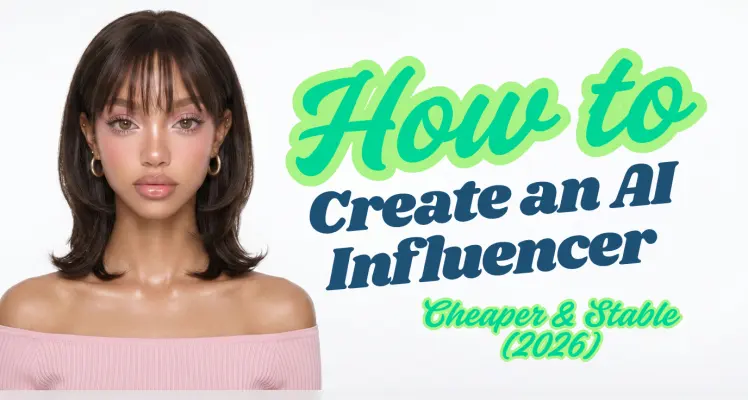
So erstellst du einen KI-generierten Influencer per API (und was der Betrieb tatsächlich kostet)
Der erste KI-Influencer der meisten Menschen scheitert beim zweiten Bild. Das erste Rendering sieht großartig aus — ein glaubwürdiges Gesicht, anständige Beleuchtung. Dann erstellen sie Beitrag Nummer zwei, und die Wangenknochen haben sich verschoben, die Nase ist breiter, die Augen haben eine andere Farbe. Es ist eine andere Person. Beitrag Nummer drei zeigt eine dritte Person. Was sie haben, ist kein Influencer, sondern ein Ordner voller Fremder, die zufällig dieselbe Haarfarbe haben. Die No-Code-Tools, die bei dieser Suche weit oben stehen, verstecken das Problem hinter einem Button. Foto hochladen, auf „Generieren“ klicken, Ergebnis erhalten. Das ist in Ordnung, bis du skalieren, den Look ändern oder hundert Beiträge nach einem Zeitplan erstellen möchtest — dann bist du an ein Modell, einen Stil und ein Abonnement gebunden, das normalerweise zwischen 19 und 99 US-Dollar pro Monat kostet, egal ob du 5 oder 500 Bilder generierst. Dieser Leitfaden nimmt den anderen Weg: die API. Das bedeutet mehr Einrichtung als das Klicken auf einen SaaS-Button — du schreibst ein paar Zeilen Code und verwaltest einen API-Schlüssel. Im Gegenzug bestimmst du, welches Modell jede Aufnahme rendert, zahlst pro Bild statt pro Monat und kannst die gesamte Pipeline automatisieren. Am Ende hast du eine festgelegte Identität, eine Serie konsistenter Beiträge, optional ein vertikales Reel und — der Teil, den jeder andere Leitfaden überspringt — die tatsächlichen Kosten pro Beitrag. Zur Einordnung, warum sich das überhaupt jemand antut: Aitana López, das von der Agentur The Clueless aus Barcelona entwickelte KI-Model, verdient bis zu €10.000 im Monat und durchschnittlich etwa €3.000, laut ihren Entwicklern , wie von Euronews berichtet . Merke dir diese Zahl. Wir kommen darauf zurück, sobald wir wissen, was die Produktion tatsächlich kostet, denn die Differenz zwischen diesen beiden Zahlen ist das gesamte Geschäftsmodell.
Schuyler Stacy | 2026-06-17