OpenRouter Alternatives at a Glance
| Platform |
Product Type |
Published Pricing Model |
Modality Coverage |
Self-Hosted |
Best For |
Main Trade-Off |
| OpenRouter |
Managed model gateway |
Provider rates plus a 5.5% credit-purchase fee |
Text, image, video, audio, PDFs |
No |
Broad provider choice and detailed routing controls |
Credit-purchase fee; no self-hosted option |
| GPT Proto |
Managed all-in-one AI API |
Pay as you go; selected models discounted |
Text, image, video, audio |
No |
Affordable multimodal access with one key and balance |
Smaller public model and provider catalog than OpenRouter |
| Requesty |
Managed AI gateway |
Free models or provider price plus 5% markup |
Varies by model |
No |
Managed routing, budgets, and EU data residency |
5% markup on paid model usage |
| Portkey |
Gateway and observability platform |
Free developer plan; Production from $49/month |
Provider-dependent |
Available |
Logs, traces, guardrails, and team governance |
Adds a management layer rather than discounted model access |
| LiteLLM |
Open-source SDK and proxy |
Open-source software; infrastructure and provider usage separate |
Provider-dependent |
Yes |
Teams that want infrastructure control |
You operate the gateway and manage provider accounts |
| Vercel AI Gateway |
Managed AI gateway |
Provider list prices with zero token markup |
Text, image, video, audio |
No |
Vercel and AI SDK projects |
Less differentiated outside its core ecosystem |
| Bifrost |
Open-source AI gateway |
Open-source software; infrastructure and provider usage separate |
Text, image, audio, streaming |
Yes |
Self-hosted routing and gateway control |
Requires deployment and ongoing operations |
| Eden AI |
Managed multi-service AI API |
Provider prices plus a 5.5% platform fee at checkout |
Generative AI, OCR, speech, translation, vision |
Private deployments on custom plans |
Broader enterprise AI services |
Platform fee and a wider, more complex product scope |
The table exposes a problem with many alternative lists: these products are not interchangeable. GPT Proto and OpenRouter sell managed access to models. Portkey adds control and observability around production traffic. LiteLLM and Bifrost are software you operate. Eden AI reaches beyond generative models into services such as OCR and translation. Comparing them without naming those categories creates a neat table but a poor decision.
Why Look for an OpenRouter Alternative?
OpenRouter currently lists more than 400 models from more than 70 providers. It also lets developers set provider order, restrict allowed providers, require parameter support, and turn fallback off. Its multimodal documentation covers image generation, an asynchronous video endpoint, speech generation, transcription, PDFs, image understanding, and video understanding.
Those are facts. So an honest alternatives article should not pretend OpenRouter lacks multimodal support or provider controls.
There are still valid reasons to look elsewhere.
The first is billing. OpenRouter passes through underlying inference prices without a markup, but it charges 5.5% when users purchase credits, with a $0.80 minimum fee. Another platform may use a per-request markup, a monthly software fee, a discounted model rate, or no gateway fee at all. The cheapest answer therefore depends on both the selected model and the platform’s charging mechanism.
The second is deployment. A managed gateway removes infrastructure work, but some teams cannot send traffic through a third-party service. LiteLLM and Bifrost address that requirement by letting the team run its own gateway. The cost moves rather than disappears: the software may be open source, but servers, upgrades, monitoring, and incident response still belong to the team.
The third is product emphasis. One team needs provider-level routing. Another needs audit logs and guardrails. A small studio may care more about sharing one balance across text, image, video, and audio generation. A creator who does not write code may want to test an idea in a browser before automating it through an API.
That is the real dividing line. Not “Which platform has AI models?” They all do. The question is what sits around those models.
How We Chose These Alternatives
I evaluated the platforms across six practical dimensions:
How the platform charges: model discounts, credit-purchase fees, usage markups, subscriptions, or self-hosting costs.
Whether it covers text only or extends to image, video, and audio tasks.
Whether one account, API key, and balance can cover multiple providers or modalities.
The level of routing, fallback, budget, logging, and governance control.
Whether the platform is managed or self-hosted.
Who carries the operational burden when something fails.
I did not rank these platforms by vendor-published latency claims. Those numbers are rarely measured under the same workload, region, model, concurrency, or failure conditions. A claim that one gateway adds a few microseconds tells you little about the end-to-end time of a model request that may take several seconds.
The ordering is therefore editorial, not a synthetic benchmark score. Each product is ranked for a defined use case, and each recommendation includes its cost.
1. GPT Proto — Best Affordable All-in-One AI API
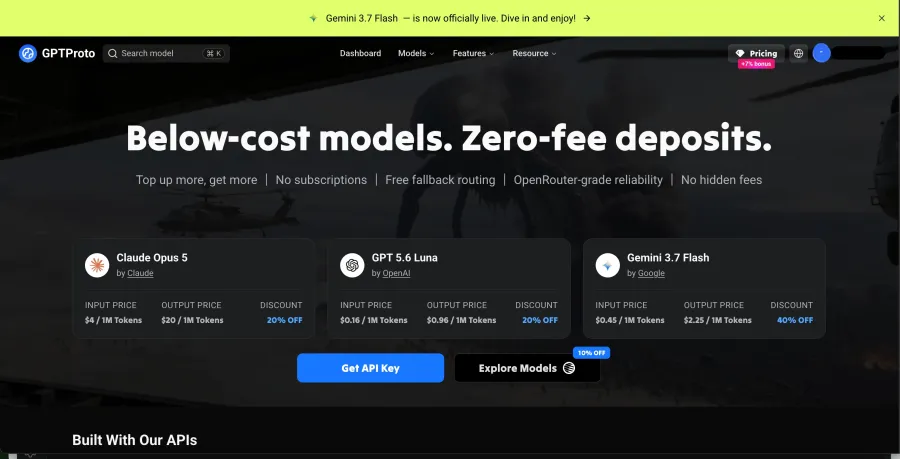
GPT Proto is the best OpenRouter alternative in this list for users who want one prepaid balance and one API key across text, image, video, and audio models. Its current AI model gallery lists more than 200 models, including LLMs, image generators, video generators, multimodal models, and speech models.
The main difference is economic rather than architectural. GPT Proto publishes discounted rates for selected models instead of applying the same rule to every listing. As of August 17, 2026, for example, its GLM-5.2 API was listed at $1.26 per 1 million input tokens and $3.96 per 1 million output tokens, 10% below the referenced Z.ai rates of $1.40 and $4.40. Other catalog listings carried different discounts. That wording matters: some models are cheaper, but “every model is always the cheapest” would be an unsupported promise.
GPT Proto also allows separate API keys to carry an amount limit, a limit period, and a model allowlist. A freelancer can isolate one client’s usage. A small team can stop an experimental app from consuming the entire account balance. Failed requests return the charged balance immediately, which protects the budget, although a refund should not be confused with automatic provider fallback.
The API remains the primary product. The creator layer comes second, but it is useful. Someone can generate an image in the browser-based image workspace, try a video concept in the video workspace, or continue editing in Canvas before turning the process into an API workflow. The prompt and feature galleries offer starting points when the problem is not integration but the blank page.
That bridge is especially relevant to non-developers, marketers, and small studios. They can validate what a model produces before paying someone to automate it. Developers still get the unified API; creators get a visible way into the same model ecosystem.
The trade-off is catalog and routing depth. GPT Proto publishes a smaller model collection than OpenRouter, and it does not publicly document the same level of provider ordering and fallback control. I would choose GPT Proto when shared multimodal access, discounted listings, and simple project budgets matter more than maximum provider-level configuration. I would not choose it solely to obtain more routing controls than OpenRouter. To compare other unified API gateways with similar catalog and migration trade-offs, review these CometAPI alternatives.
Best for: developers, small teams, studios, and non-developer builders who want affordable multimodal model access without separate provider accounts or subscriptions.
2. Requesty — Best for Managed Routing and Budget Policies
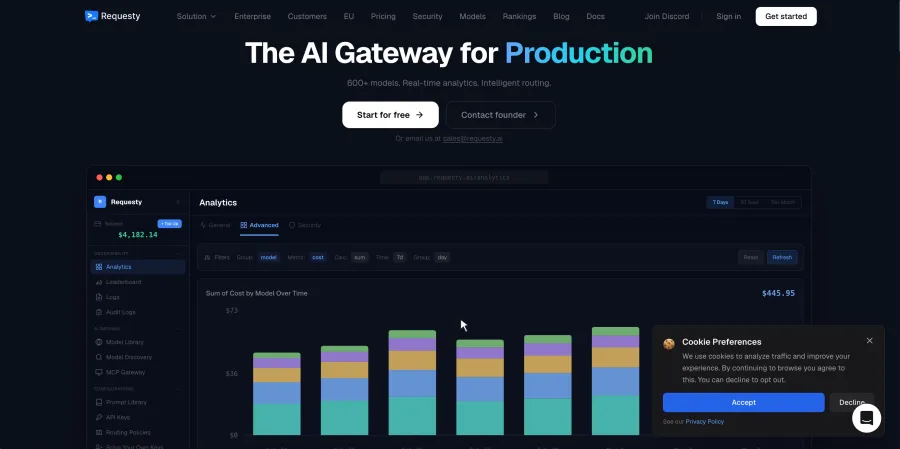
Requesty is closer to OpenRouter’s gateway role than most products on this list. Its pay-as-you-go plan advertises more than 600 models across more than 20 providers, along with bring-your-own-key support, routing policies, automatic fallback, load balancing, prompt caching, spend limits, and observability.
Its pricing is easy to calculate. Requesty adds a 5% markup to the base model cost. If a provider charges $10 for a defined amount of usage, Requesty’s example price is $10.50. There is no subscription, seat fee, or minimum spend on that plan. The free tier provides up to 200 requests per day on free models, with no credit card required.
This structure suits a team that wants managed routing and budget rules without operating LiteLLM or Bifrost. EU data residency is also included across its published plans, while enterprise customers can add SSO, RBAC, audit logs, approved-model policies, and custom SLAs.
The cost is the markup. Five percent looks small on a prototype and becomes visible at scale. Requesty may still save engineering time, but that is a different claim from being the least expensive way to buy inference.
Best for: teams that want a managed gateway with explicit routing policies, budget caps, and European data residency.
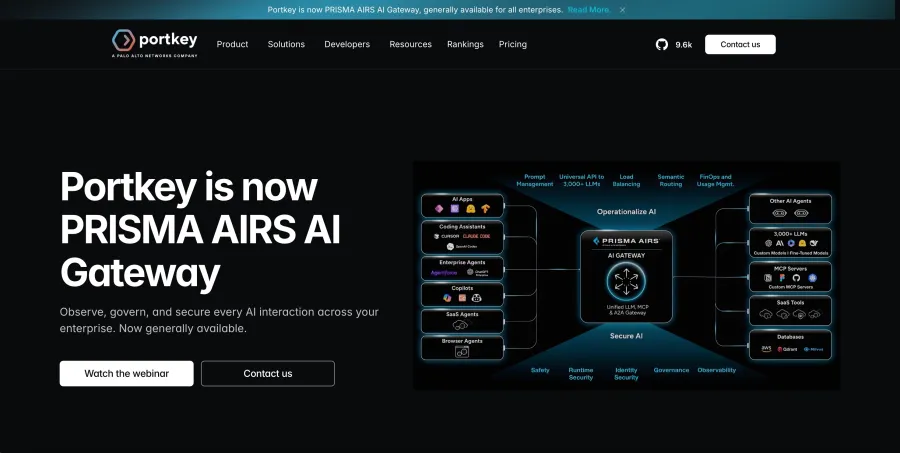
3. Portkey — Best for Production Observability
Portkey is less about finding a cheaper model and more about understanding what happens after an application starts sending real traffic. Its gateway includes fallbacks, load balancing, retries, caching, and a universal API. Its observability layer adds logs, traces, feedback, metadata, filters, and alerts. Guardrails and prompt versioning sit in the same control plane.
The free Developer plan includes 10,000 recorded logs per month with three-day log retention and 30-day metric retention. The published Production plan costs $49 per month, includes 100,000 recorded logs, and charges $9 for each additional 100,000 up to its stated limit. Production log retention rises to 30 days, while metrics remain available for 90 days.
That pricing makes sense when debugging time and auditability have a dollar value. If a support bot silently switches models, a prompt change causes failures, or one customer drives an unexpected cost spike, traces and metadata help answer why. A cheap inference rate cannot replace that evidence.
The trade-off is scope. Portkey adds an operational layer; it is not primarily a discounted, shared-balance model marketplace. A small user who only wants to call two models may be paying for controls they do not yet need. To find a better match for that scope, compare alternatives to Portkey rather than paying for operational controls your application does not need.
Best for: production AI teams that need logs, traces, prompt management, guardrails, and role-based controls.
4. LiteLLM — Best Open-Source Alternative
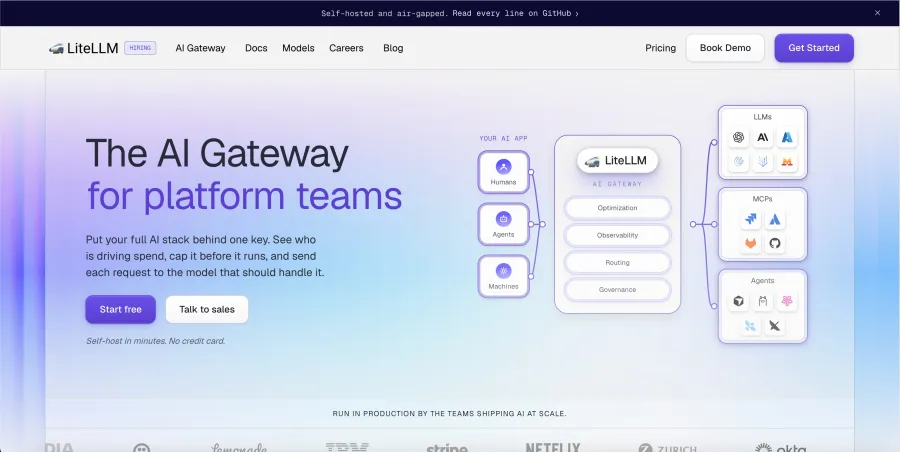
LiteLLM is an open-source AI gateway and Python SDK that exposes a unified interface for more than 100 LLM providers. Teams can import the SDK directly into an application or deploy the proxy as a central gateway. It supports OpenAI-style requests alongside cost tracking, virtual keys, load balancing, logging, and guardrails.
The appeal is control. Provider keys stay within infrastructure the team manages. Internal services can call one gateway instead of carrying separate integrations for OpenAI, Anthropic, Bedrock, Vertex AI, and other providers. Policies and budgets can be managed centrally.
But “open source” is not a synonym for “free AI.” The model providers still bill for inference. The proxy needs somewhere to run. Someone must configure secrets, upgrade versions, watch logs, patch security issues, and respond when a provider changes an endpoint. That may be a reasonable trade for a platform team and a poor trade for a solo creator.
LiteLLM also differs from GPT Proto in a fundamental way. GPT Proto gives the user a managed balance and model access. LiteLLM gives the user software for connecting provider accounts they already control. They solve adjacent problems, not identical ones.
Best for: engineering teams that want a self-managed gateway and already have the resources to operate it.
5. Vercel AI Gateway — Best for Vercel and AI SDK Users
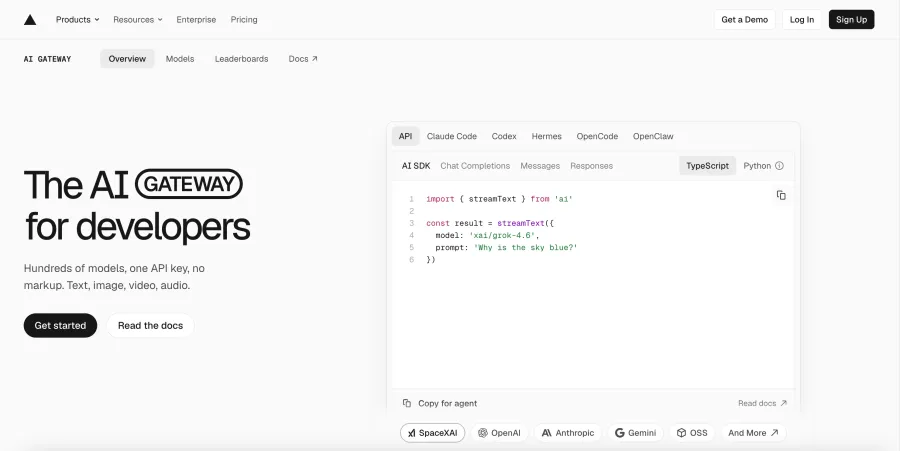
Vercel AI Gateway combines routing, billing, and observability behind one API key. Its published catalog covers text, image, video, and audio models, and existing OpenAI-compatible integrations can generally move by changing the base URL and credentials. Automatic fallback is included for provider outages.
Pricing is a strong part of the offer. Vercel says it applies zero token markup, including when customers bring their own provider keys. Every Vercel team can receive $5 in monthly AI Gateway credits on the free tier. Once the team purchases paid credits, it moves to pay-as-you-go and no longer receives that recurring $5 allowance. Payment-processing charges may still apply.
For a Next.js application already using the AI SDK, this reduces integration friction. Model calls, spend tracking, and deployment live close to the rest of the application stack. The advantage is concrete inside that ecosystem.
Outside it, the decision is less automatic. The gateway still works with OpenAI-compatible clients, but the surrounding Vercel integration is a smaller benefit to a team deploying elsewhere. Zero markup is attractive; it is not, by itself, a reason to move an established non-Vercel stack.
Best for: teams building with Vercel, Next.js, or the AI SDK that want unified billing and fallback without a token markup.
6. Bifrost — Best Self-Hosted Gateway for Greater Control
Bifrost is an Apache 2.0 open-source gateway that connects more than 23 providers through one OpenAI-compatible interface. Its documented features include automatic fallback, load balancing across providers and keys, semantic caching, MCP support, and multimodal handling for text, images, audio, and streaming.
Like LiteLLM, Bifrost is most relevant when the team wants to operate its own gateway. It can sit inside the company’s environment, use existing provider accounts, and centralize model access without buying inference credits from another marketplace.
Bifrost publishes aggressive performance claims. I would treat those as vendor benchmarks until they are reproduced under the same traffic pattern, hardware, configuration, and logging settings as the intended application. Gateway overhead is only one part of request time; the upstream model normally dominates the experience.
The practical trade-off is operational ownership. Installation may be quick, but production maintenance does not end after the first command succeeds. The team owns capacity planning, availability, secrets, observability, and upgrades.
Best for: teams that want an open-source, self-hosted gateway with routing, caching, and multimodal support.
7. Eden AI — Best for Broader Enterprise AI Services
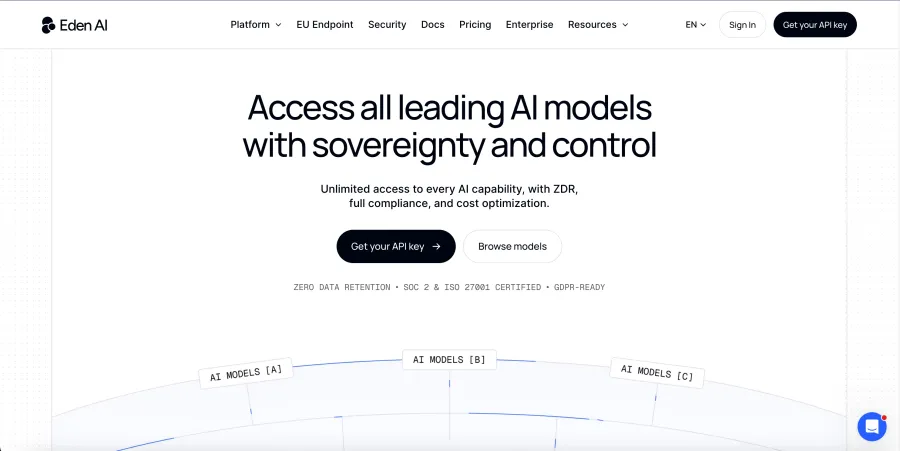
Eden AI is wider than a generative-model router. Its catalog covers more than 500 models and services spanning language models, OCR, speech, translation, computer vision, and other AI tasks. Users can create multiple API keys, compare providers, and monitor costs and performance from one platform.
The self-service AI API Gateway applies a 5.5% platform fee when credits are purchased. Eden AI states that the model prices in its catalog reflect provider prices rather than an added inference markup. Advanced plans add custom pricing, higher rate limits, private deployments, compliance arrangements, dedicated support, and SLAs.
That breadth is useful when an application must extract text from invoices, translate it, classify the content, and then send part of it to an LLM. A narrow model router may cover the final step but not the whole sequence.
Breadth also adds complexity. If the job is simply “call three chat models through one key,” an enterprise-oriented multi-service platform may be more product than the project needs. The 5.5% fee should also be included in any cost comparison. When that broader service scope is unnecessary, use this Eden AI alternatives comparison to evaluate a narrower fit.
Best for: organizations combining generative AI with OCR, speech, translation, vision, and enterprise deployment requirements.
Where OpenRouter Is Still Better
An alternative list becomes advertising when it refuses to say where the original product wins. OpenRouter still has several clear advantages.
First, its public catalog is larger than GPT Proto’s current catalog: more than 400 models and more than 70 providers versus GPT Proto’s 200-plus models. Counts change, but the difference is large enough to matter to developers who routinely compare multiple providers for the same model.
Second, OpenRouter documents provider routing in detail. A request can include an ordered provider list, restrict the permitted providers, require full parameter support, target a specific endpoint, or disable fallback. GPT Proto users can choose models and apply key-level budgets, but the publicly documented provider-control surface is not as extensive.
Third, OpenRouter has mature public controls around activity, exports, budgets, data policies, and zero-data-retention routing. It does not log prompts and completions by default, although the selected upstream provider’s policy still matters.
My judgment is straightforward: stay with OpenRouter if provider breadth and fine-grained routing are the priority. Consider GPT Proto when a smaller but still broad catalog, discounted model listings, shared multimodal billing, and creator-facing tools fit the actual workflow better.
GPT Proto is not a universal upgrade from OpenRouter. It is a different fit.
Which OpenRouter Alternative Should You Choose?
| If You Need... |
Choose |
| Affordable text, image, video, and audio models sharing one balance |
GPT Proto |
| Managed routing policies, budget caps, and a larger catalog |
Requesty |
| Production logs, traces, prompt management, and guardrails |
Portkey |
| A Python-based open-source gateway you control |
LiteLLM |
| Native Vercel and AI SDK integration with zero token markup |
Vercel AI Gateway |
| An open-source gateway focused on self-hosted routing and caching |
Bifrost |
| OCR, translation, speech, vision, and enterprise AI services |
Eden AI |
| Maximum public provider choice and provider-order control |
OpenRouter |
For a solo builder or small studio, I would start with the billing model rather than the longest feature list. If one balance needs to cover a chatbot, product images, voice output, and short videos, GPT Proto removes several separate accounts. If the application is already in production and the problem is debugging rather than model access, Portkey is the more relevant answer. If organizational policy requires self-hosting, the managed services are no longer the real candidates; compare LiteLLM with Bifrost.
How to Switch from OpenRouter to GPT Proto
The safest migration is one model and one non-critical workflow at a time. Do not change every model ID on Friday afternoon and call that a rollout plan.
1. Find the Equivalent Model
Search the GPT Proto model gallery for the model currently used through OpenRouter. Check the live model page for supported input and output modalities. Upstream model capability and the route exposed by an API platform are not always identical.
For example, the GPT Proto GLM-5.2 page currently lists text, image, and document input with text output. Its API model string is glm-5.2.
2. Create a Separate API Key
Create a key for the migration rather than reusing a general account key. Apply an amount limit, select a limit period, and restrict the permitted models when the project only needs a small subset. This reduces the cost of a configuration mistake.
3. Change the Endpoint, Key, and Model ID
GPT Proto’s current GLM-5.2 documentation uses the following request:
curl --request POST "https://gptproto.com/v1/chat/completions" \
  --header "Authorization: Bearer $GPTPROTO_API_KEY" \
  --header "Content-Type: application/json" \
  --data '{
    "model": "glm-5.2",
    "messages": [
      {
        "role": "user",
        "content": "Summarize the three main risks in this deployment plan."
      }
    ]
  }'
This is a documentation-based integration example, not a claim that every OpenRouter request body can be copied unchanged. Tool calling, structured output, provider-specific parameters, and multimodal content should be checked against the selected GPT Proto model page.
4. Treat Media Generation as an Asynchronous Workflow
Text chat often returns a response in the original request. Image and video generation may use task creation, status polling, and a final asset URL instead. GPT Proto supports asynchronous image and video tasks, polling, and webhooks, but the exact endpoint and payload depend on the model.
Do not force a video workflow through a text-chat example merely because both products use one key.
5. Verify the Bill Before Increasing Traffic
Run a small controlled batch and record:
model ID;
task type;
input and output size;
returned status;
number of failed requests;
balance before and after the batch;
refund behavior for failed requests;
whether the output format matches the application’s parser.
This article does not present those values as a benchmark because we did not run that workload. The checklist is here so the reader can validate the parts that depend on their own application.
Final Verdict
Choose GPT Proto when the priority is affordable all-in-one access to text, image, video, and audio models. One key, one balance, selected model discounts, key-level limits, and creator-facing workspaces make it a practical bridge between experimentation and API use.
Choose Requesty when managed routing and budget policies matter more than avoiding a markup. Choose Portkey when the application already has traffic and needs better evidence about failures, costs, and prompts. Choose LiteLLM or Bifrost when the gateway must run inside infrastructure you control. Choose Vercel AI Gateway for a Vercel-centered application, and Eden AI when the workflow extends into OCR, speech, translation, and computer vision.
Stay with OpenRouter when its provider breadth and routing controls match the problem. Switching platforms is not the goal. Removing the wrong constraint is.
Explore 200+ AI models with one GPT Proto API key.