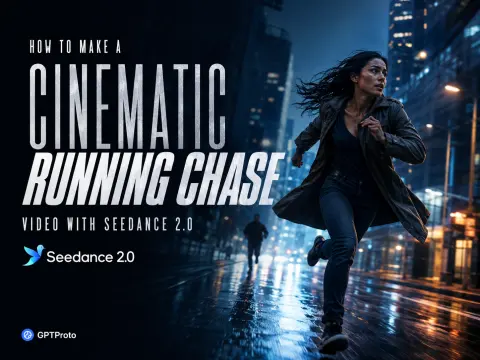
Most weak AI chase clips fail before generation starts. The prompt says that someone runs “cinematically,” but never tells the model how the runner’s weight shifts, what the camera notices, or where the movement should end. The result may contain fast motion, yet it rarely feels like a chase.
The target here is specific: a 15-second, one-take street pursuit with a handheld camera tracking a woman, briefly revealing two pursuers, losing focus for a moment, and then finding her again. The camera error is intentional. It makes the shot feel filmed rather than simulated.
This cinematic running chase video guide turns the scene into a physical timeline. You can copy the finished Seedance 2.0 prompt, generate the shot in GPT Proto, and use the API example to place the same workflow inside an application.
Choose the Seedance 2.0 Model and Settings
GPT Proto lists both the standard and Fast routes. My suggested workflow is to test prompt structure with Fast, then compare the selected prompt on the standard model before choosing the final take. That is a workflow recommendation, not a claim that one route always produces a better image; the quality gap should be judged on your own source material.
| Route |
Model ID |
Listed starting price |
Suggested role |
| Standard |
dreamina-seedance-2-0-260128 |
$0.2957/run |
Final comparison render |
| Fast |
dreamina-seedance-2-0-fast-260128 |
$0.2365/run |
Prompt iteration |
For this example, open the Seedance 2.0 model page and use:
| Setting |
Value |
Reason |
| Duration |
15 seconds |
Enough time to establish, reveal, and recapture |
| Resolution |
720p |
A practical draft resolution for motion review |
| Aspect ratio |
16:9 |
Preserves lateral distance between runner and pursuers |
| Generate audio |
true |
Creates footsteps, breathing, and street ambience |
| Camera fixed |
false |
Allows the handheld tracking movement |
| Seed |
-1 |
Produces a fresh variation; use a fixed seed for controlled comparisons |
At the time of writing, the model page lists a 15-second, 720p, 16:9 run at $2.4948. Pricing changes with duration, resolution, and ratio, so check the live table before starting a larger batch.
Step 1 — Define the Chase’s Narrative Goal
Start with the reason the camera moves.
The camera should not follow the runner merely because she is the main character. It follows her to establish speed and urgency. It turns toward the pursuers to reveal the threat. It then has to find the runner again, which tells the viewer how much distance separates them.
Lock the subjects before describing movement:
- The runner: a woman in a dark denim jacket and black jeans, carrying a heavy tan canvas travel bag in her right hand.
- The pursuers: two men in dark casual clothing, always behind the runner.
- The destination: the entrance to a pedestrian street at the far end of the shot.
Use the same labels throughout the prompt. “The runner” should not become “the woman,” “the girl,” and “the character” in later paragraphs. Consistent names reduce identity drift when several people share a frame.
Step 2 — Build a Physical Stage
A chase needs depth. Without it, the model can make legs move quickly while every other object behaves like flat scenery.
| Spatial layer |
Content |
What it contributes |
| Subject plane |
Runner and weighted travel bag |
Speed, urgency, and body mechanics |
| Midground |
Café tables, chairs, pedestrians, pursuers |
Obstacles and the advancing threat |
| Background |
Pedestrian-street entrance |
A destination that gives the shot direction |
Keep those relationships stable. The pursuers remain behind the runner. The destination remains ahead. Pedestrians react by stepping aside rather than appearing to predict her route before she arrives.
That last detail matters. An AI realistic running chase video feels artificial when every bystander clears the path too early.
Step 3 — Write Ordered Beats, Not Exact Timestamps
BytePlus’s official Seedance 2.0 prompt guide recommends ordered descriptions for complex video, but warns that precise timing such as “0–3 seconds” can be unstable. Use narrative beats instead.
Because this is one continuous take, label them Beat 1, Beat 2, and Beat 3 rather than “Shot 1” and “Shot 2.” The latter can encourage an edit.
Beat 1 — establish the runner. The camera tracks laterally beside her. Her feet strike and push off the pavement, her arms counter-swing, and the bag responds a fraction later because it has weight.
Beat 2 — reveal the pursuers. Still moving forward, the camera reorients briefly toward the two men. It hesitates and almost loses the runner. This moment creates the geography of the chase.
Beat 3 — recapture and finish. Focus lands on the runner farther ahead. The camera returns to lateral tracking while she dodges a chair and continues toward the pedestrian-street entrance.
The sequence is chronological, but it does not micromanage each second. Seedance receives a clear order while retaining room to pace the motion.
Step 4 — Separate Body Motion, Camera Motion, and Focus
The official guide recommends describing body parts, speed, force, and transitions between actions. “She runs fast” is too abstract. Write the mechanics:
- feet make visible contact and push off the ground;
- knees lift and arms counter-swing;
- the torso leans slightly forward under acceleration;
- the travel bag lags behind each stride, then swings forward;
- after avoiding the chair, the runner regains her stride through visible momentum.
Now describe the camera separately. Use one dominant movement: imperfect handheld lateral tracking. The brief turn toward the pursuers is a reorientation of that tracking movement, not a new dolly, crane, orbit, and zoom stacked into the same instruction.
Focus has its own narrative job. It moves from a pursuer’s face, drifts past him, reaches the runner in the distance, and then locks onto her again. A short focus hunt reads as operator correction. Permanent blur reads as failure.
Step 5 — Add Spatial Audio and Negative Constraints
Set generate_audio to true, then tell the model how the sound perspective changes.
While the camera follows the runner, her footfalls, breathing, moving clothes, and bag hardware occupy the center of the mix. When the camera turns backward, those sounds recede and the pursuers’ steps move forward. When the camera finds her again, her breathing and footfalls return to the foreground.
The ambient layer stays continuous: café chatter, chair scrapes, shoes on pavement, and street reflections. No music is needed. The moving sound field already carries the tension.
Finish with boundaries. For this scene, prohibit cuts, time jumps, teleporting, foot sliding, impossible camera movement, fused limbs, duplicated people, a weightless bag, frozen bystanders, text, logos, and watermarks.
Copy-Paste Cinematic Running Chase Video Prompt
Paste this prompt into Seedance 2.0 with the settings above:
Core Direction
Create a 15-second photorealistic running chase in one continuous take. Do not cut away from the action.
Subjects and Continuity
- Runner: A woman in a dark denim jacket and black jeans, carrying a heavy tan canvas travel bag in her right hand.
- Bag physics: The bag has visible weight. It pulls on her arm and swings with delayed inertia.
- Pursuers: Two men in dark clothing follow from behind.
- Continuity: Keep all three identities, outfits, and relative positions consistent throughout the video.
Location and Spatial Layout
- Set the chase on a busy pedestrian street in daylight.
- Keep the runner in the subject plane.
- Place café tables, chairs, pedestrians, and the pursuers in the midground.
- Keep a pedestrian-street entrance visible ahead as the destination.
Action Timeline
Beat 1 — Establish the Runner
An imperfect handheld camera tracks laterally beside the runner as she sprints from left to right.
- Her feet strike and push off the pavement naturally.
- Her knees lift, arms counter-swing, and torso leans forward.
- Her hair and clothing react to speed.
- The heavy bag lags behind each stride.
- Pedestrians notice her first, then step aside naturally.
Beat 2 — Reveal the Pursuers
Without cutting, the same tracking camera briefly reorients backward while continuing to move forward.
- Reveal the pursuers weaving past café furniture.
- Let the operator nearly lose the runner.
- Shift focus to one pursuer, drift past him, and land on the runner farther ahead.
Beat 3 — Recapture and Finish
The camera finds the runner again and resumes lateral tracking.
- She avoids a chair without teleporting.
- She regains her stride through visible momentum.
- She reaches the pedestrian-street entrance.
- End with her still running while the pursuers remain behind on the same spatial axis.
Camera and Focus
- Use one dominant movement: documentary-style handheld lateral tracking.
- Add natural operator bounce and moderate motion blur.
- Avoid an unnaturally smooth gimbal look.
- Include brief focus hunting followed by fast recovery.
- Use realistic depth of field, a 35 mm lens, eye-level framing, and natural daylight.
- Keep all movement physically accurate.
Sound Design
Generate native synchronized audio with a changing sound perspective:
- While following the runner, center her footfalls, breathing, bag hardware, and moving clothes.
- During the backward reorientation, let those sounds recede while the pursuers’ footsteps and gasps move forward.
- When the camera finds the runner again, return her breathing and footsteps to the foreground.
- Keep café chatter, chair scrapes, and street reverberation continuous.
Constraints
Maintain one continuous take. Do not generate:
- cuts, montage, or time jumps;
- teleporting, snap zooms, or impossible camera movement;
- foot sliding or floating bodies;
- duplicated people, fused limbs, or distorted hands;
- identity drift or bodies passing through furniture;
- a weightless bag or frozen pedestrians;
- subtitles, text, logos, watermarks, narration, or background music.
The prompt works because each block controls a different system: identity, space, chronological action, camera response, focus, sound, and failure boundaries. If you want other starting points, browse the finished videos in the Seedance 2.0 prompt gallery, open an example, and remix its subject or setting without discarding this timeline structure.
Generate the Chase via the Seedance 2.0 API
GPT Proto exposes the text-to-video route at:
POST /api/v3/doubao/dreamina-seedance-2-0-260128/text-to-video
The v3 documentation sends the API key directly in the Authorization header. Do not add Bearer to the following examples.
Submit a test with cURL
export GPTPROTO_API_KEY="your-api-key"

curl --request POST \
  "https://gptproto.com/api/v3/doubao/dreamina-seedance-2-0-260128/text-to-video" \
  --header "Authorization: $GPTPROTO_API_KEY" \
  --header "Content-Type: application/json" \
  --data '{
    "prompt": "One continuous 15-second handheld lateral tracking shot of a woman sprinting through a crowded pedestrian street while two men chase her; realistic foot strikes, weighted travel bag inertia, brief focus hunt, synchronized footsteps and breathing, no cuts or foot sliding.",
    "aspect_ratio": "16:9",
    "duration": 15,
    "resolution": "720p",
    "generate_audio": true,
    "camera_fixed": false,
    "seed": -1
  }'
The response contains the prediction ID at data.id. Query it at /api/v3/predictions/{id}/result until data.status reports success.
Submit and poll with Python
Install the only dependency:
pip install requests
Then run:
import json
import os
import time

import requests

API_KEY = os.environ["GPTPROTO_API_KEY"]
SUBMIT_URL = (
    "https://gptproto.com/api/v3/doubao/"
    "dreamina-seedance-2-0-260128/text-to-video"
)

PROMPT = """One continuous 15-second photorealistic running chase.
A handheld camera tracks laterally beside a woman sprinting through a crowded
pedestrian street while two men pursue her. Her feet strike and push off the
ground naturally; a heavy canvas bag swings with delayed inertia. The camera
briefly reorients toward the pursuers, hunts focus, then recaptures the runner
as she avoids a café chair and reaches the pedestrian-street entrance.
Synchronized footsteps, breathing, bag hardware, chair scrapes, and street
ambience change perspective with the camera. No cuts, time jumps, teleporting,
foot sliding, fused limbs, duplicated people, text, logos, or watermark."""

headers = {
    "Authorization": API_KEY,
    "Content-Type": "application/json",
}
payload = {
    "prompt": PROMPT,
    "aspect_ratio": "16:9",
    "duration": 15,
    "resolution": "720p",
    "generate_audio": True,
    "camera_fixed": False,
    "seed": -1,
}

submitted = requests.post(
    SUBMIT_URL,
    headers=headers,
    json=payload,
    timeout=60,
)
submitted.raise_for_status()
submission = submitted.json()
prediction_id = submission["data"]["id"]

result_url = (
    f"https://gptproto.com/api/v3/predictions/{prediction_id}/result"
)

while True:
    response = requests.get(result_url, headers=headers, timeout=60)
    response.raise_for_status()
    result = response.json()
    data = result.get("data", {})
    status = str(data.get("status", "")).lower()

    if status in {"succeed", "success", "completed"}:
        print(json.dumps(data.get("outputs", []), indent=2))
        break

    if status in {"failed", "error", "canceled", "cancelled"}:
        raise RuntimeError(data.get("error") or result)

    print(f"Status: {status or 'pending'}")
    time.sleep(5)
This code submits a real asynchronous job and prints the output entries when generation succeeds. Keep the polling interval in production; repeatedly querying without a delay adds needless traffic.
Fix Common Running Chase Failures
| Problem |
Likely cause |
Prompt correction |
| The runner slides |
“Runs fast” lacks body mechanics |
Add foot strike, push-off, knee lift, and momentum |
| The bag floats |
Its weight is undefined |
Add delayed swing, downward pull, and arm response |
| The camera loses the runner permanently |
No recovery event |
Tell focus where to land and when tracking resumes |
| The video cuts |
The prompt reads like separate shots |
Use ordered beats and repeat “one continuous take” |
| Limbs merge |
Too many simultaneous actions |
Remove secondary gestures and reduce crowd contact |
| Bystanders move too early |
Their reactions are not causal |
State that they notice the runner, then step aside |
| The chase feels slow |
Style words replace motion |
Specify stride mechanics, obstacles, and camera distance |
Change one layer at a time. First fix subject motion. Then camera behavior. Then focus and sound. Rewriting the entire prompt after each result makes it difficult to identify what improved the video.
Create Three Variations Without Rebuilding the Prompt
For a nighttime chase, replace daylight with wet pavement, shop lighting, and restrained neon reflections. Keep the same subjects, spatial axis, and beats.
For a vertical social clip, change the aspect ratio to 9:16, bring the camera closer, and reduce the lateral distance between the runner and pursuers. Do not merely crop a 16:9 composition after generation.
For a more documentary look, remove the 35 mm lens instruction and request a shoulder-mounted news-camera feel with stronger operator correction. Preserve the single dominant tracking movement.
The reusable part is not the wardrobe or street. It is the causal chain.
Build the Chase as a Timeline, Not a Mood
A believable chase needs more than speed. It needs weight, obstacles, camera judgment, focus recovery, and a destination. Once those pieces form a causal timeline, Seedance 2.0 has something it can execute.
Copy the prompt above, inspect more Seedance 2.0 prompt examples, or call the Seedance 2.0 API from your own workflow.