GPT Proto

GPTProto

  • Dashboard
  • LLM

    • claude
      Claude Opus 5New
    • google
      Gemini 3.6 Flash
    • google
      Gemini 3.5 Flash Lite
    • moonshotai
      Kimi K3
    • openai
      GPT 5.6 Luna

    Image

    • bytedance
      Dola Seedream 5.0 Pro 260628New
    • google
      Gemini 3.1 Flash Lite Image
    • google
      Gemini 3.1 Flash Image
    • openai
      GPT Image 2
    • google
      Gemini 3.1 Flash Image Preview

    Video

    • kling
      Kling v3.0 4kNew
    • bytedance
      Dreamina Seedance 2.0 Mini 260615
    • kling
      Kling v3 Omni 4k
    • bytedance
      Dreamina Seedance 2.0 Fast 260128
    • bytedance
      Dreamina Seedance 2.0 260128
    Explore 214+ Models >
  • Generator

    • Create Image
    • Create Video
    • Edit in Canvas

    Features

    • Anime to Real Life AINew
    • Anime AI Art Generator
    • AI Object Remover
    • AI Image Editor
    • Unrestricted AI Image Generator
    • AI Motion Transfer
    • AI Clothes Remover
    • AI Watermark Remover
    • AI Image Enhancer Online
    • Online Background Remover Tool
    Explore All >

    Prompts

    • Seedance 2.0 PromptsNew
    • GPT Image 2 Prompts
    • Nano Banana Pro Prompts
    • Seedream 5.0 Pro Prompts
  • AI Blog

    • GLM 5.2 vs MiniMax M3: Which Is Better for Coding and Frontend Work?
    • How to Create Your Own AI Character With an API—No Coding Required
    • Kimi K3 vs Claude Opus 5: Which Is Better for Coding and AI Agents?
    • 20 Free Seedream 5.0 Pro Packaging Design Prompts for Products and E-commerce
    • GLM-5.2 vs Kimi K3 for Coding: Which Is Better for Developers in 2026?
    Explore All >

    AI Insight

    • What Is Emochi AI—and Why Is It Growing So Fast? (2026)
    • What Is Kimi K3—and Is It Really Close to GPT-5.6 and Fable 5?
    • 12 Best AI Video Generation Tools in 2026 for YouTube, TikTok, Text and Images
    • What Is Qwen 3.8 Max? Release Date, 2.4T Preview, Pricing, and Early Benchmarks
    • Gemini 3.6 Flash and Gemini 3.5 Flash-Lite Explained: Which One Should You Use?
    Explore All >

    AI Docs

    • gpt-image-2
    • gpt-5.4
    • kimi-k2.5
    • claude-opus-4-6
    • kling-v3.0-pro
    Explore All >

    AI Skills

    • browser-use
    • claude-to-im
    • competitive-ads-extractor
    • content-creator
    • data-storytelling
    Explore All >
Pricing
English繁體中文한국어日本語EspañolРусский
Get Started Now
  1. Home
  2. /Model
  3. /Tripo3d
  4. /tripo3d-v2.5
Tripo3d
tripo3d-v2.5
Documentation
Documentation
Tripo3D v2.5 is an advanced AI-powered 3D modeling tool that generates high-quality 3D assets from single images and text prompts. It features improved geometric precision with sharper edges, enhanced PBR rendering for realistic materials, and seamless integration with tools like Blender and ComfyUI. It supports customizable styles, quad mesh topology, and efficient workflows for designers and game developers.

$ 0.3

image

video

$ 0.3

image

video

Related Models
All Models
Claude
Claude
claude-opus-5
$ 20
$ 25
Google
Google
gemini-3.6-flash
$ 4.5
$ 7.5
MoonshotAI
MoonshotAI
kimi-k3
$ 13.5
$ 15
OpenAI
OpenAI
gpt-5.6-luna
$ 0.96
$ 1.2
Bytedance
Bytedance
dola-seedream-5-0-pro-260628
$ 0.0405
$ 0.045
Grok
Grok
grok-4.5
$ 3.6
$ 6

Tripo3D v2.5 API — Image-to-3D on GPTProto

The Tripo3D v2.5 API turns a single image into a textured 3D mesh in seconds. On  GPTProto you call the same tripo3d-v2.5 model through one dollar-based balance and one API key that also covers 200+ text, image, and video models — no separate 3D credit account, no regional sign-up hurdles. This page covers what Tripo3D v2.5 does, its image-to-3D parameters, what a generation costs, and how to switch over if you already call Tripo3D directly.

What Is Tripo3D v2.5?

Tripo3D v2.5 is an AI image-to-3D model from Tripo AI. It reads depth, occlusion, and surface cues from one 2D input and reconstructs a 3D mesh with PBR (physically based rendering) materials. Against earlier versions it produces cleaner geometry, sharper edges, and more consistent textures. Outputs are standard mesh files (GLB) that import into Blender, Unity, and Unreal, so a concept image becomes an editable asset instead of a flat render. If you have searched what is Tripo3D AI or looked for an image to 3D API, this is the model behind that workflow — exposed on GPTProto as the tripo3d-v2.5 string.

Game Asset Use Case: Concept Art to Editable Mesh

A common Tripo3D AI use case is turning concept art or a character portrait into a base mesh for a game engine. Set a face_limit to cap the polygon budget, enable quad topology when the asset needs to rig and deform, and keep PBR on for materials that read correctly in Unity or Unreal. The mesh returns structured — organized edge flow rather than a single fused blob — so it is ready to refine in Blender or Maya rather than rebuild from scratch.

Transforming Product Photography into Interactive 3D Models Easily

E-commerce and marketing industries are shifting toward interactive 3D viewers and augmented reality (AR) experiences to increase customer engagement. Tripo3d-v2.5 excels at taking standard product photography and generating digital twins that can be viewed from any angle. By utilizing Tripo3d-v2.5 on GPT Proto, businesses can automate the creation of their digital catalogs, ensuring that every product—from footwear to furniture—is represented with accurate proportions and lifelike textures. This capability democratizes 3D content creation, allowing small business owners to provide the same immersive shopping experience as global brands without needing a specialized 3D department. The flexibility of the API means you can scale your 3D asset production instantly as your inventory grows.

"Tripo3D v2.5 reconstructs a 3D mesh from a single image, with configurable texture quality, polygon budget (face_limit), and optional quad topology for animation-ready output."

Switching from the Tripo3D Direct API

If you already call Tripo3D directly, the model is the same — what changes is billing and access. Tripo's own API runs on a credit system (1 credit = $0.01) billed separately from its consumer plans, so you top up and track a standalone 3D account.

On GPTProto you use one dollar-based balance and one API key that also covers your text, image, and video models — no second key to rotate, no per-service credit ledger to reconcile. The request pattern is the async submit-then-poll flow used by generation models on the platform: submit a task, then poll for status or use a callback to fetch the finished mesh. Exact endpoint and field names are in the tripo3d-v2.5 documentation.

How Tripo3D v2.5 API Pricing Works on GPTProto

Tripo3D v2.5 API pricing on GPTProto is per generation, drawn from your dollar balance — no credit-to-dollar conversion and no monthly seat. You pay for the generations you actually run and can track spend in the usage dashboard. Because the balance is shared across every model on the platform, the same funds cover your image-to-3D calls and any other model you use. For the exact per-generation rate and what each texture tier includes, see the pricing panel above.

Tripo3D v2.5 Image-to-3D: Specs at a Glance

Attribute Value
Model string tripo3d-v2.5
Task Image-to-3D (single image → textured mesh)
Input One image (image URL). Whether the same string also serves text-to-3D on GPTProto 
Output Textured 3D mesh (GLB) + rendered preview. Additional export formats (OBJ/FBX/USD/STL) on GPTProto 
Topology Tri-mesh (default) or quad mesh (option)
Materials PBR — standard or HD textures (HD up to ~2K)
Geometry control face_limit (polygon budget; defaults to 10,000 when quad is on)
Extras style, auto_size (real-world scale in meters), texture_seed / seed
Generation time Seconds. 
Price $0.3 per generation (see pricing panel)

Tripo3D v2.5 supports both textured and geometry-only output. Turning textures off returns a bare mesh for fast shape iteration; standard or HD textures add PBR surfaces once the geometry is right.

Generation Options and What They Control

These are the controls that shape a Tripo3D v2.5 image-to-3D result. If you have compared tripo ai api pricing image to 3d across providers, note that Tripo's own billing charges more for heavier options (HD textures, quad, and style each add cost on the model's native rate sheet):

Option What it does Notes
texture no / standard / HD Geometry-only, standard PBR, or HD (up to ~2K)
pbr PBR materials on/off On by default; off returns untextured geometry
quad Quad topology Enable for rigging/animation; tri-mesh is fine for static props
face_limit Polygon budget Cap density for mobile/web; higher for hero assets
style Stylization Artistic style options
auto_size Scale to meters Real-world proportions for AR/product viewers
seed / texture_seed Reproducibility Same seed → same result

On GPTProto the per-generation price is shown in the panel above.  Whether $0.3 is a flat all-in rate (covering HD/quad/style) or the standard-texture tier is TBC — confirm before publishing any "flat-rate" phrasing.

Input Image Tips for Tripo3D AI

Tripo3D v2.5 is image-driven, so output quality tracks input quality. Unlike text-to-3D, there is no text prompt to tune — the input image is your prompt. Practical recipes:

  • Center a single subject on a plain, uncluttered background.
  • Use even, diffuse lighting; avoid harsh shadows and blown highlights.
  • Crop close so the object fills the frame — small subjects yield softer meshes.
  • Start with texture off to lock geometry fast, then rerun with standard or HD textures.
  • Enable quad only when the asset will rig or deform; keep tri-mesh for static props.

How to Get a tripo3d-v2.5 API Key

Getting a tripo3d-v2.5 API key takes four steps and a few minutes. Create a free GPTProto account, add credits, generate your key, and make your first call — at $0.3 it's a cheaper tripo3d-v2.5 API key than going direct, and one key works across every model on the platform. Full tripo3d-v2.5 Documentation is in the docs.

Sign up

Sign up

Create your free GPT Proto account to begin. You can set up an organization for your team at any time.

Top up

Top up

Your balance can be used across all models on the platform, including tripo3d-v2.5, giving you the flexibility to experiment and scale as needed.

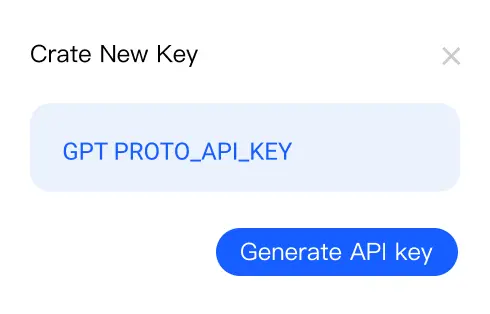
Generate your API key

Generate your API key

In your dashboard, create an API key — you'll need it to authenticate when making requests to tripo3d-v2.5.

Make your first API call

Make your first API call

Use your API key with our sample code to send a request to tripo3d-v2.5 via GPT Proto and see instant AI-powered results.

Get API Key

Frequently Asked Questions

Answers to common questions about tripo3d-v2.5/image-to-3d for developers and technical users.

What is Tripo3D v2.5?

tripo3d-v2.5/image-to-3d is an advanced AI model specialized in converting 2D images into comprehensive 3D representations. Developed as part of the tripo3d-v2.5 series, it uses cutting-edge neural rendering and computer vision algorithms to automate the reconstruction of 3D meshes from photos or drawings. This model offers scalable processing, supports single and batch image workflows, and is suitable for industry applications needing rapid and accurate 3D generation, including gaming, design, AR/VR, and digital asset creation.

What does the Tripo3D v2.5 API do?

It takes one image and returns an editable 3D mesh — the image to 3D API workflow — with controls for texture quality, polygon budget, and quad topology.

How much does the Tripo3D v2.5 API cost?

It is billed per generation from your GPTProto dollar balance at the rate shown in the pricing panel ($0.3 per generation). There is no credit system and no monthly seat.

How do I get a Tripo3D API key?

Create a free GPTProto account, add funds, and generate a key from the dashboard — the same key works across every model on the platform. See the steps above.

What are the main application scenarios for Tripo3D v2.5?

tripo3d-v2.5/image-to-3d is used in fields like architecture (3D building visualization from sketches), game development (rapid creation of environment assets), e-commerce (product 3D previews), AR/VR (immersive content generation), online education (interactive models), and digital art (creative mesh generation). It supports designers, developers, and technical artists seeking fast, high-quality 3D generation from imagery, reducing reliance on manual modeling and accelerating asset pipelines.

Which industries or roles benefit most from Tripo3D v2.5 ?

Industries such as gaming, architecture, e-commerce, and AR/VR benefit significantly from tripo3d-v2.5/image-to-3d. Game developers utilize the model for rapid environment and character prototyping. Architects leverage it to visualize concepts and present detailed 3D layouts to clients. Retailers use it to create interactive product previews for online platforms, enhancing customer engagement. Content creators and technical artists value the streamlined workflow for creating digital assets. Researchers in computer vision or graphics use tripo3d-v2.5/image-to-3d as a baseline for testing new algorithms. Overall, roles involving design, visualization, or asset production find this model improves efficiency and creative output.

What's the difference between standard textures, HD textures, and quad mesh?

Standard and HD set PBR texture resolution (HD up to ~2K); quad switches from triangle topology to clean quad topology suited to rigging and animation.

How can I integrate tripo3d-v2.5/image-to-3d into my workflow or call its API?

Developers can access tripo3d-v2.5/image-to-3d through a RESTful API or Python SDK, depending on the service provider. Integration is straightforward: upload 2D source images, specify output formats (such as OBJ, GLTF, or FBX), and retrieve generated 3D assets. Batch processing is supported for scalable asset pipelines. Detailed technical documentation and sample code are available, allowing fast prototyping within existing frameworks such as Unity, Unreal Engine, or Blender. For enterprise settings, custom endpoints and data privacy features can be configured.

Does tripo3d-v2.5/image-to-3d support multimodal input, such as images or audio?

tripo3d-v2.5/image-to-3d mainly supports image-to-3D conversion, focusing on 2D visual inputs. Audio and text are not processed for reconstruction tasks. The model excels in handling photography, sketches, and diagrams, offering flexible output geometries. For multimodal applications involving image and text prompts or voice-guided workflows, integration with companion tools or pipelines may be required. Developers seeking combined modalities should explore supported plugins or complementary models for richer experiences.

Is there any copyright risk when using Tripo3D v2.5 outputs?

When using tripo3d-v2.5/image-to-3d, copyright compliance depends on the source images provided by users. If uploaded images are original or properly licensed, the generated 3D assets are typically clear of copyright issues. However, using proprietary or unlicensed images may cause legal conflicts. tripo3d-v2.5/image-to-3d does not claim ownership of your outputs. Developers are responsible for verifying input image rights and adhering to platform terms of service or relevant local copyright laws when commercializing resulting 3D content.

More GPTProto AI Tools

AI French Kissing Generator

Upload a photo of two people and turn it into a short, romantic kiss video. Our AI French kissing generator animates a natural lean-in and a gentle kiss in seconds — no editing skills needed.

Create Your AI Influencer

Create Your AI Influencer

Upload one reference photo and generate a consistent, photoreal virtual influencer you can place in any scene, outfit, or brand campaign — image-first, powered by 200+ models on a single balance.

Cute Wallpapers

Cute Wallpapers

Cute Wallpaper for Every Mood and Style

Anime to Real Life AI

Anime to Real Life AI

Upload an anime character and convert it into a realistic photo. This anime to real life converter keeps the original pose, expression, outfit, and colors — so your character still looks like itself, just rendered as a real person. Works on your own OC, manga panels, game characters, and non-human designs.

Related Articles

More Blogs
AI Convergence in Software Development

AI Convergence in Software Development

Explore how AI Convergence is transforming video game development, cloud infrastructure, and user creativity. Discover the future of gaming today!

MiniMax M3 vs DeepSeek V4 Pro: Price, Benchmarks, and Which One to Actually Use

MiniMax M3 vs DeepSeek V4 Pro: Price, Benchmarks, and Which One to Actually Use

MiniMax M3 vs DeepSeek V4 Pro compared on price, benchmarks, and multimodality. Which Chinese open-weight model to actually use — and the SWE-bench trap most guides get wrong.

Seedance 2.0 Mini vs Seedance 2.0: Price, Quality, and Which One to Actually Use

Seedance 2.0 Mini vs Seedance 2.0: Price, Quality, and Which One to Actually Use

Seedance 2.0 Mini isn't "half price"—on the API it's ~20% cheaper. The big saving comes from 720p drafting. Real pricing, runnable code, which tier to ship.

How to Use Kling 3.0 Motion Control: A Developer's Guide (Web + API)

How to Use Kling 3.0 Motion Control: A Developer's Guide (Web + API)

A developer's guide to Kling 3.0 Motion Control — pro vs std, input limits, prompt tips, and runnable API code (Python + cURL) via GPTProto.

GPT Proto

Empowering AI Innovation with Global Scale and Stability:

With our flagship product GPT Proto, we offer a unified interface to access and combine APIs from the world's leading AI providers—spanning text, vision, speech, and beyond. We empower developers and enterprises to simplify integration and accelerate innovation without limits.

Global Infrastructure, Local Compliance:

To ensure enterprise-grade reliability and compliance, Talent Tech Global Limited operates specifically as our global Billing and Contracting Entity. Meanwhile, our core technical infrastructure and R&D teams are strategically distributed across global innovation hubs, including Silicon Valley, Singapore, and Hong Kong.

Built to Scale:

We understand that stability is paramount. Our platform is built on a robust, decentralized architecture supporting dynamic Auto-scaling. Whether you are running a pilot or handling millions of concurrent requests, our system expands instantly to meet demand—guaranteeing that your business never outgrows our infrastructure.

Navigation

  • Dashboard
  • Models
  • Create Image
  • AI Image Upscale
  • AI Background Remover
  • Create Video
  • Edit in Canvas
  • Features
  • Pricing
  • AI Docs
  • AI Blog
  • AI Insight
  • AI Skills

Features

  • Anime to Real Life AI
  • Anime AI Art Generator
  • AI Object Remover
  • AI Image Editor
  • Unrestricted AI Image Generator
  • AI Motion Transfer
  • AI Clothes Remover
  • AI Watermark Remover
  • AI Image Enhancer Online
  • Online Background Remover Tool
  • AI Face Swap Image
  • AI Passport Photo Maker
  • MS Paint AI Generator
Explore all features >

LLM

  • Claude Opus 5
  • Gemini 3.6 Flash
  • Gemini 3.5 Flash Lite
  • Kimi K3
  • GPT 5.6 Luna
  • GPT 5.6 Terra
  • GPT 5.6 Sol
  • Grok 4.5
  • Claude Sonnet 5
  • Minimax M3
  • GLM 5.2
  • GPT 5.1 Chat Latest
  • Claude Fable 5
  • Qwen3.7 Max
  • Claude Opus 4.8 Thinking
  • Claude Opus 4.8
  • Gemini 3.5 Flash
  • DeepSeek v4 Flash
  • DeepSeek v4 Pro
  • Grok 4.3
Explore all models >

Image

  • Dola Seedream 5.0 Pro 260628
  • Gemini 3.1 Flash Lite Image
  • Gemini 3.1 Flash Image
  • GPT Image 2
  • Gemini 3.1 Flash Image Preview
  • Seedream 5.0 260128
  • Doubao Seedream 5.0 260128
  • Vidu Q2
  • Grok Imagine Image
  • Kling Image O1
  • GPT Image 1.5
  • Seedream 4.5 251128
  • Doubao Seedream 4.5 251128
  • Grok Imagine 0.9
  • Gemini 3 Pro Image Preview
  • Qwen Image Lora
  • Qwen Image Plus Lora
  • Qwen Image Plus
  • Grok 4 Image
  • GPT Image 1 Mini
Explore all models >

Video

  • Kling v3.0 4k
  • Dreamina Seedance 2.0 Mini 260615
  • Kling v3 Omni 4k
  • Dreamina Seedance 2.0 Fast 260128
  • Dreamina Seedance 2.0 260128
  • Vidu 2.0
  • Doubao Seedance 2.0 260128
  • Doubao Seedance 2.0 Fast 260128
  • Kling v3 Omni Pro
  • Kling v3 Omni Std
  • Vidu Q3 Turbo
  • Kling v3.0 Pro
  • Kling v3.0 Std
  • Vidu Q3 Pro
  • Kling v2.6 Std
  • Vidu Q2 Pro
  • Vidu Q2 Turbo
  • Vidu Q2 Pro Fast
  • Vidu Q2
  • Kling Video O1 Pro
Explore all models >

© 2026 Talent Tech Global Limited (Hong Kong) / Talent Tech Global LLC (US). All rights reserved.

  • About Us
  • Privacy Policy
  • Terms of Service
  • Sitemap