Kling 3.0 Motion Control animates a static character image with the movement from a reference video. You give it two inputs — a picture of your character and a video of someone moving — and it returns a new clip where your character performs that exact choreography while keeping their own face, outfit, and look.
This is motion transfer, not text-to-motion. Instead of describing an action in a prompt and hoping the model interprets it, you show it the action frame by frame. That makes it far more reliable for repeatable character animation, dance, and gesture work.
This guide covers both paths: the Kling web app for one-off clips, and the GPTProto API for wiring Motion Control into a pipeline. We'll cover inputs and limits, the `pro` vs `std` tiers, prompt technique, full runnable code, pricing, and the failure modes worth knowing before you spend credits.
How to Use Kling 3.0 Motion Control: A Developer's Guide (Web + API)
A developer's guide to Kling 3.0 Motion Control — pro vs std, input limits, prompt tips, and runnable API code (Python + cURL) via GPTProto.
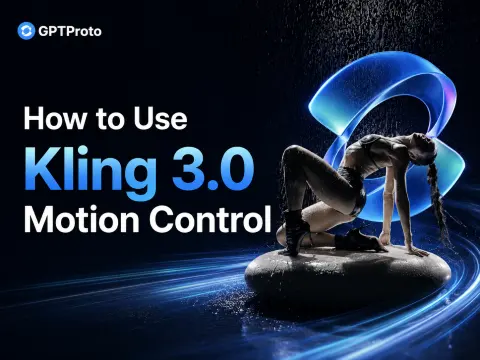
What Is Kling 3.0 Motion Control
Motion Control takes one character image and one driving (reference) video, then generates a video in which the character matches the reference's movements, facial expressions, and — optionally — camera orientation. The visual identity comes from your image; the motion comes from your video.
| Spec | Detail |
|---|---|
| Task type | Image-to-video only (a character image is required; no text-to-video Motion Control) |
| Inputs | 1 character image + 1 driving video (+ optional prompt / negative prompt) |
| Reference video length | 3–30 seconds; output length aligns to the reference |
| Min extractable motion | 3 seconds of continuous action |
| Image resolution | Short edge ≥ 340px, long edge ≤ 3850px |
| Multi-character video | The character occupying the largest frame area drives the motion |
| Tiers | std (720p) and pro (1080p) |
| Orientation modes | image (max 10s output) or video (max 30s output) |
What changed from 2.6 to 3.0
If you used Motion Control on Kling 2.6, the 3.0 upgrade is about consistency and physics rather than a new interface:
- Better identity preservation — less face drift across the clip.
- Grounded physics — feet stay anchored instead of "sliding on ice."
- Element consistency — multi-angle face and outfit detail hold up better through turns.
- Longer outputs — up to 30 seconds when orientation follows the video.
- Faster inference — materially quicker turnaround per generation.
One behavior to keep in mind: 3.0 Motion Control transfers movement only. It does not blend scene elements from the driving video into your character — the output sticks to the character image you supplied.
Kling 3.0 pro Motion Control vs Kling 3.0 std Motion Control
The two tiers run the same model with different output quality. Use std while you iterate on the reference video and prompt, then switch to pro for the final render.
| Kling 3.0 std Motion Control | Kling 3.0 pro Motion Control | |
|---|---|---|
| Output resolution | 720p | 1080p |
| Best for | Iteration, drafts, high-volume runs | Final delivery, client work |
| Speed | Faster | Slightly slower |
| Price (Per Time) | $0.3024 (20% off, market $0.378) | $0.4032 (20% off, market $0.504) |
| API model slug | kling-v3.0-std |
kling-v3.0-pro |
"Per Time" means the final cost scales with the generation you run; the model page's playground shows the live total before you submit.
Input Requirements (Read This First — It Saves Credits)
Most failed generations come from bad inputs, not the model. The single biggest predictor of a clean result is the quality of frame 1 and the driving video.
Character image
- One person, clean half-body or full-body framing.
- Face clearly visible and reasonably large in the frame — small faces force the model to invent detail, and likeness drifts.
- Match the framing roughly to your reference video (don't pair a head-and-shoulders portrait with a full-body dance video).
Driving (reference) video - 3–30 seconds, single continuous shot, no cuts or hard camera moves — cuts can truncate the output.
- One subject, full body and head visible and unobstructed.
- Steady, moderate motion. Very fast or complex action may make the output shorter than the input, because only valid continuous segments are extracted.
- Keep hands visible if you need good hands in the result.
If less than 3 seconds of usable continuous motion can be extracted, the generation can fail and — per Kling's terms — those credits are not refunded. Validate your reference clip before submitting at scale.
How to Use Kling 3.0 Motion Control in the Web App
For one-off clips, the Kling web UI is the fastest route:
- Open Kling, select the 3.0 model, then click Motion Control.
- Upload your driving video into the "character actions to mimic" box.
- Upload your character image into the box on the right.
- (Optional) Add a prompt describing the scene — lighting, environment, camera. Do not describe the action; that comes from the video.
- Set character orientation: follow the video (up to 30s) or the image (up to 10s).
- Choose std (720p) or pro (1080p) and click Generate.
That's enough for manual work. The rest of this guide is for automating it.
How to Use the Kling 3.0 Motion Control API
This is the part most teams come for: a guide to the Kling 3.0 Motion Control API you can run end to end. GPT Proto exposes Kling through a unified, OpenAI-compatible account with a single key, and the video tasks follow a create-then-poll pattern.
Step 1 — Get an API key
Sign up at gptproto.com/dashboard and generate a key. One key works across every model on the platform. Export it so the examples pick it up:
export GPTPROTO_API_KEY="your_key_here"
Step 2 — Create a Motion Control task
You submit the character image, the driving video, the tier, and an optional prompt. The API returns a task id you'll poll for the result.
Note: GPT Proto authenticates Kling with a
Bearertoken in theAuthorizationheader. The Motion Control task takesimage(character),video(driving clip),prompt,negative_prompt,character_orientation, andkeep_original_sound.
cURL
curl -X POST "https://gptproto.com/api/v3/kling/kling-v3.0-pro/motion-control" \
  -H "Authorization: Bearer $GPTPROTO_API_KEY" \
  -H "Content-Type: application/json" \
  -d '{
    "image": "https://example.com/character.jpg",
    "video": "https://example.com/driving-motion.mp4",
    "prompt": "studio lighting, plain grey background, static camera",
    "negative_prompt": "warped background, extra fingers, motion blur",
    "character_orientation": "video",
    "keep_original_sound": false
  }'
Swap kling-v3.0-pro for kling-v3.0-std to run the 720p tier.
Step 3 — Poll for the result
Video generation is asynchronous. Take the id from the create response and poll the predictions endpoint until status is finished, then read the output URL.
Python (end to end)
import os
import time
import requests

BASE = "https://gptproto.com/api/v3"
API_KEY = os.environ["GPTPROTO_API_KEY"]
HEADERS = {"Authorization": f"Bearer {API_KEY}", "Content-Type": "application/json"}

def create_motion_control(image_url, video_url, prompt="", negative_prompt="",
                          tier="pro", orientation="video"):
    url = f"{BASE}/kling/kling-v3.0-{tier}/motion-control"
    payload = {
        "image": image_url,                       # character identity
        "video": video_url,                       # driving motion (3-30s, single shot)
        "prompt": prompt,                         # describe the SCENE, not the action
        "negative_prompt": negative_prompt,       # artifacts to suppress
        "character_orientation": orientation,     # "video" (<=30s) or "image" (<=10s)
        "keep_original_sound": False,
    }
    r = requests.post(url, json=payload, headers=HEADERS, timeout=60)
    r.raise_for_status()
    return r.json()["data"]["id"]

def wait_for_result(task_id, interval=5, timeout=600):
    deadline = time.time() + timeout
    while time.time() < deadline:
        r = requests.get(f"{BASE}/predictions/{task_id}/result", headers=HEADERS, timeout=60)
        r.raise_for_status()
        data = r.json()["data"]
        status = data.get("status")
        if status in ("succeeded", "completed"):
            return data["outputs"]          # list of output video URLs
        if status in ("failed", "error"):
            raise RuntimeError(data.get("error") or "generation failed")
        time.sleep(interval)
    raise TimeoutError(f"task {task_id} did not finish within {timeout}s")

if __name__ == "__main__":
    task_id = create_motion_control(
        image_url="https://example.com/character.jpg",
        video_url="https://example.com/driving-motion.mp4",
        prompt="studio lighting, plain grey background, static camera",
        tier="pro",
        orientation="video",
    )
    print("task:", task_id)
    outputs = wait_for_result(task_id)
    print("video:", outputs)
Confirm the exact
statusstrings against the live response — the image-to-video docs exposedata.status,data.outputs, anddata.error, which is what the poller reads here.
Writing a Good Kling 3.0 Motion Control Prompt
The prompt in Motion Control is not where the action lives — the driving video handles that. A Kling 3.0 Motion Control prompt should describe everything except movement: the setting, lighting, wardrobe details, mood, and camera behavior.
Do describe:
- Environment and background ("neon-lit alley at night", "plain white studio cyclorama")
- Lighting ("soft key light from the left", "hard rim light")
- Camera intent ("static camera", "locked-off tripod shot")
- Style notes ("cinematic, shallow depth of field")
Don't describe: - The action itself ("waving", "dancing", "turning around") — that comes from the reference video and a conflicting prompt can fight it.
A reliable starting template:
[scene/background], [lighting], [camera behavior], [style]
Example: plain grey studio background, soft even lighting, static camera, cinematic
Use the negative prompt to suppress recurring artifacts: warped background, extra fingers, motion blur, duplicate limbs.
Orientation and Duration
character_orientation does double duty — it controls how the character is posed and caps the output length:
| Setting | Behavior | Max output |
|---|---|---|
video |
Character follows the reference video's orientation and camera | 30s |
image |
Character keeps the image's orientation | 10s |
Rule of thumb: if identity drifts, try image; if motion feels stiff or under-transferred, try video. The output length tracks the reference video, so a 12-second result needs a ~12-second driving clip and the video orientation.
Common Problems and Fixes
| Symptom | Likely cause | Fix |
|---|---|---|
| Warped / wobbling background | Camera moving too aggressively | Add static background / static camera to the prompt; add warped background to negative prompt |
| Face likeness drifts | Face too small in the source image | Use an image where the face fills more of the frame; try character_orientation: image |
| Output shorter than the reference | Fast/complex motion; only continuous segments extracted | Slow the action; use a single clean continuous take |
| Bad / mangled hands | Hands hidden in the reference video | Use a reference where hands stay visible |
| Generation truncated | Cuts or camera moves in the reference | Use one continuous shot, no edits |
Pricing
GPT Proto bills per task, pay-as-you-go — no subscription floor. Pricing is "Per Time," so the final cost scales with the generation you run; the model page's playground shows the live total before you submit.
| Model | Tier | Motion Control Per Time rate |
|---|---|---|
kling-v3.0-pro |
pro (1080p) | $0.4032 (20% off, market $0.504) |
kling-v3.0-std |
std (720p) | $0.3024 (20% off, market $0.378) |
Live rates are on each model page.
Next Steps
- Try the model: Kling 3.0 Pro on GPT Proto
- Standard tier: Kling 3.0 Std on GPT Proto
- Compare costs across video models: Browse GPT Proto models
- Get a key and ship: GPT Proto Dashboard



FAQs
Can I use Motion Control without a character image?
How long can the output be?
What's the difference between std and pro?
What happens if my reference video has two people?
Does it keep the audio from my reference video?
Related Articles
More Blogs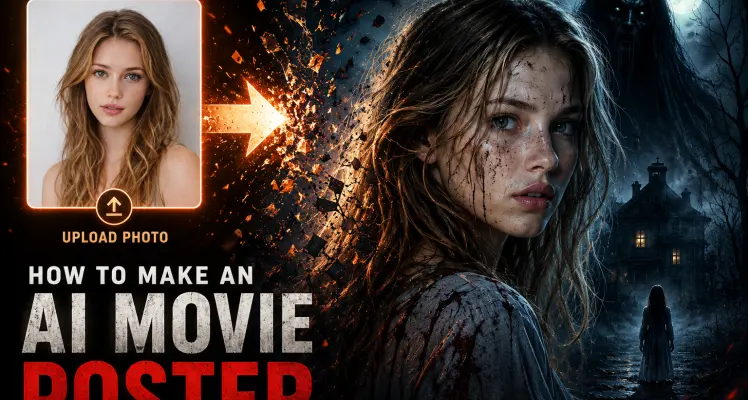
How to Make an AI Movie Poster That Renders the Title (2026)
The hard part of an AI movie poster isn’t the picture. Any image model will hand you a moody hero shot in about twenty seconds. The hard part is everything that makes it read as a poster: a title that hasn’t melted into nonsense, a tagline you can actually read, a credits block along the bottom, and a frame shaped like a one-sheet instead of a square. I spent a weekend generating posters across five genres, and almost every failure traced back to one of three things — wrong proportions, no room left for text, or asking the model to paint a paragraph of typography in the same pass as the artwork. This guide fixes those three. You’ll get copy-paste prompts by genre, a set of prompts that turn your own photo into a poster, a two-step trick for getting the title sharp, and — if you’d rather make fifty of these than five — runnable API calls. Two models do the work: gpt-image-2 for precise, multilingual text, and Gemini 3 Pro Image (the one a lot of people call Nano Banana Pro) for style and 4K output. Both run through GPTProto, so switching between them is a one-line change.
Schuyler Stacy | 2026-06-16
Is Seedance 2.5 Out Yet? Release Date and What We Actually Know (2026)
I've refreshed ByteDance's Seed page more times than I'd like to admit this week, waiting for Seedance 2.5 to show up. So far, nothing. No model page, no spec sheet, no date. That gap is exactly why this post exists: there's a lot of confident writing about Seedance 2.5 floating around right now, and most of it presents guesses as facts. I want to separate the two cleanly, then point you at what you can actually run today.
Tiffany Layne | 2026-06-23
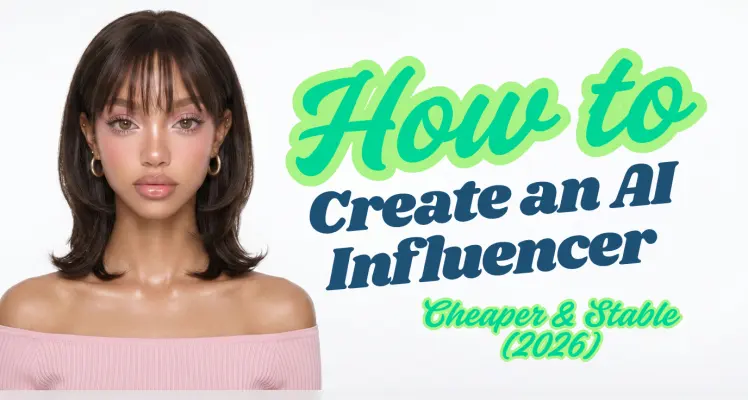
How to Create an AI-Generated Influencer with an API (and What It Actually Costs to Run)
Most people's first AI influencer fails in the second image. The first render looks great — a believable face, decent lighting. Then they generate post number two and the cheekbones have moved, the nose is wider, the eyes are a different color. It's a different person. Post number three is a third person. What they have isn't an influencer; it's a folder of strangers who happen to share a hair color. The no-code tools that rank for this search hide that problem behind a button. Upload a photo, click generate, get a result. That's fine until you want to scale, switch the look, or run a hundred posts on a schedule — at which point you're locked into one model, one style, and a subscription that usually sits between $19 and $99 a month whether you generate 5 images or 500. This guide takes the other path: the API. It's more setup than clicking a SaaS button — you'll write a few lines of code and manage an API key. In exchange you control which model renders each shot, you pay per image instead of per month, and you can automate the whole pipeline. By the end you'll have one locked identity, a batch of consistent posts, an optional vertical reel, and — the part every other guide skips — the real per-post cost. For context on why anyone bothers: Aitana López, the AI model built by Barcelona agency The Clueless, earns up to €10,000 a month and around €3,000 on average, according to her creators as reported by Euronews . Hold onto that number. We'll come back to it once we know what the production actually costs, because the gap between those two figures is the whole business.
Schuyler Stacy | 2026-06-17
How to Make an AI Factory Video: 3 Easy Steps for Beginners
A factory video can show more than machines moving. In ten seconds, it can introduce a worker, show the material changing, and end on the product that gives those movements a purpose. The hard part is keeping the production sequence believable while making the shots feel like one film. This guide uses Morrow Cocoa Works , a fictional dark-chocolate manufacturer, as a working example. You will plan a 3 × 3 storyboard, write a video prompt with nine timed shots, and finish the brand text in an editor. The prompts are ready to adapt; the fictional chocolate film has not been rendered or tested for this article. If you are making a video for a real company, substitute its approved product photographs, facility details, and production steps before generating anything. The short version of the workflow is: verify the process, make a storyboard sheet, generate video from approved references, then inspect and edit the result. A storyboard is a visual plan, not nine automatically editable video clips. Create AI Factory Video
Tiffany Layne | 2026-09-20