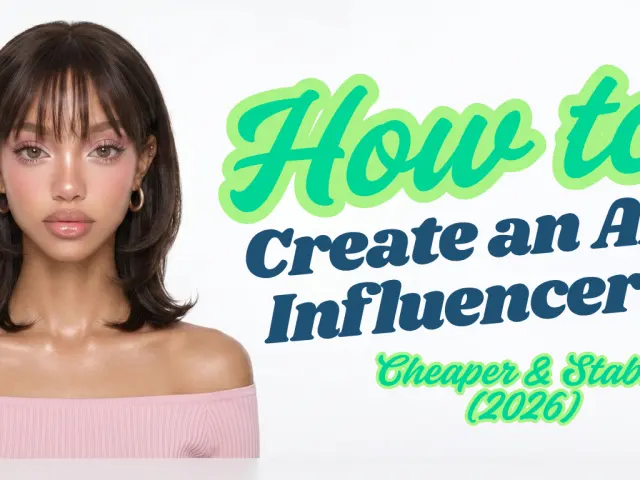
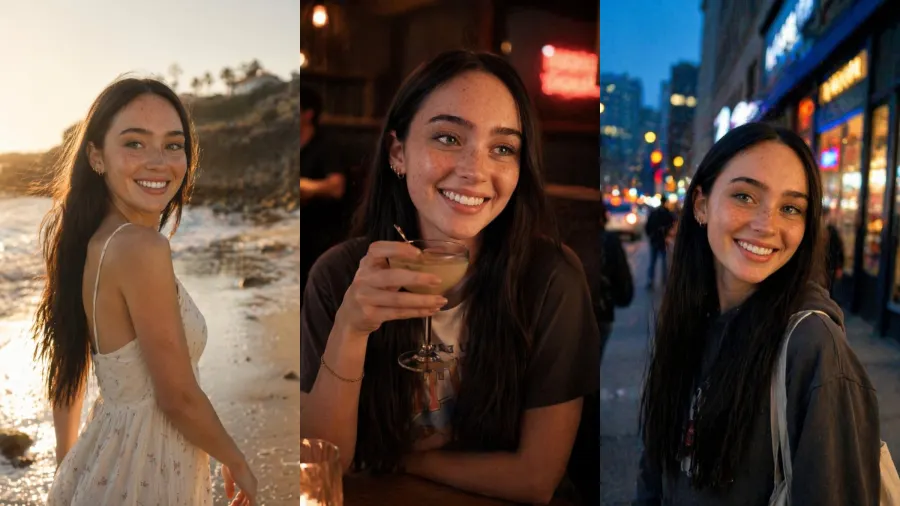
Most people's first AI influencer fails in the second image. The first render looks great — a believable face, decent lighting. Then they generate post number two and the cheekbones have moved, the nose is wider, the eyes are a different color. It's a different person. Post number three is a third person. What they have isn't an influencer; it's a folder of strangers who happen to share a hair color.
The no-code tools that rank for this search hide that problem behind a button. Upload a photo, click generate, get a result. That's fine until you want to scale, switch the look, or run a hundred posts on a schedule — at which point you're locked into one model, one style, and a subscription that usually sits between $19 and $99 a month whether you generate 5 images or 500.
This guide takes the other path: the API. It's more setup than clicking a SaaS button — you'll write a few lines of code and manage an API key. In exchange you control which model renders each shot, you pay per image instead of per month, and you can automate the whole pipeline. By the end you'll have one locked identity, a batch of consistent posts, an optional vertical reel, and — the part every other guide skips — the real per-post cost.
For context on why anyone bothers: Aitana López, the AI model built by Barcelona agency The Clueless, earns up to €10,000 a month and around €3,000 on average, according to her creators as reported by Euronews. Hold onto that number. We'll come back to it once we know what the production actually costs, because the gap between those two figures is the whole business.
The two things that actually decide whether this works
Strip away the marketing and an AI influencer comes down to two technical problems.
The first is identity consistency — the same face, body, and proportions in every post. An audience recognizes a creator the way it recognizes a human: by the face. If the face drifts, there's no brand to follow. This is the problem the no-code tools quietly fail at and the one we'll spend the most code on.
The second is realism — dodging the "AI look." Plastic skin, six-fingered hands, the dead-eyed uncanny stare. These read as fake instantly, and on a platform that increasingly flags synthetic content, looking obviously generated is a liability, not a style.
Everything below is in service of those two. If a step doesn't improve consistency or realism, it's noise.
Prerequisites
You need three things: a GPT Proto account, a balance, and an API key (create the account, top up, then generate a key in the dashboard). GPT Proto runs on prepaid credits — there's no free tier, so you pay per generation. The upside is that one balance works across every model, so switching image engines mid-project costs nothing extra. Each model's per-generation rate is listed on its own model page.
You also need one reference image: either a photo you own the rights to, or a single base character you generate once and then reuse as the anchor for everything else.
One trap before you write any code. GPT Proto authenticates with your raw API key — there is no Bearer prefix. That catches out anyone used to OpenAI-style headers, where the key rides behind Bearer. Here it's the key on its own:
Authorization: GPTPROTO_API_KEY
The same format works for all three models — gpt-image-2, Seedream, and Seedance. Add a Bearer out of reflex and you'll spend an afternoon debugging 401s that have nothing to do with your code. I'll keep the headers right at each step.
Step 1 — Lock your character's identity
Consistency starts with an anchor. Instead of describing a new face every time (which produces a new face every time), you fix one reference image and edit from it. That's the difference between text-to-image, which invents, and image-edit, which preserves.
Generate or choose your base character once. Then every subsequent post is an image-edit call that carries that identity forward. Here's the core request to gpt-image-2, which GPT Proto's own model page calls out for character consistency across angles. Note the raw key — no Bearer:
import os
import requests

API_KEY = os.environ["GPTPROTO_API_KEY"]

resp = requests.post(
    "https://gptproto.com/api/v3/openai/gpt-image-2/image-edit",
    headers={
        "Authorization": API_KEY,           # gpt-image-2: raw key, NO "Bearer"
        "Content-Type": "application/json",
    },
    json={
        "images": ["https://your-cdn.com/character-reference.png"],
        "prompt": (
            "the same woman, sitting in a sunlit Lisbon cafe, "
            "candid 35mm photo, soft window light, natural skin texture"
        ),
        "size": "1024x1536",                # 2:3 vertical, good for feed
        "quality": "high",
        "enable_sync_mode": False,
        "response_format": "url",
    },
)
prediction = resp.json()["data"]
print(prediction["id"])
gpt-image-2 accepts arbitrary resolutions as long as the longest edge stays at or below 3840px, both sides are multiples of 16, the aspect ratio is 3:1 or tighter, and the total pixel count lands between 655,360 and 8,294,400. For social posts you'll rarely leave the 1024–1536 range.
With enable_sync_mode set to false, the call returns an id instead of the finished image. You poll for the result:
import time

def wait_for_result(prediction_id):
    url = f"https://gptproto.com/api/v3/predictions/{prediction_id}/result"
    while True:
        r = requests.get(url, headers={"Authorization": API_KEY}).json()
        status = r["data"]["status"]
        if status == "completed":
            return r["data"]["outputs"]
        if status == "failed" or r["data"]["error"]:
            raise RuntimeError(r["data"]["error"])
        time.sleep(2)

images = wait_for_result(prediction["id"])
print(images)
The takeaway: one reference in, the same person out. That single change — editing from an anchor rather than prompting fresh — is most of the consistency battle.
Step 2 — Generate a batch of consistent posts
Now you repeat Step 1 with different scene prompts, reusing the same reference image each time. Café, gym, street, studio — same face, different setting. This is where the influencer actually becomes a feed.
Two things make these reads as photos instead of renders. First, write prompts with real camera language — a lens, a light source, a skin note — rather than stacking adjectives like "ultra realistic," which models largely ignore. "85mm portrait, overcast afternoon light, visible skin pores" does more than "hyperrealistic 8K masterpiece." Second, lean on the model's defaults for lighting and let the scene description carry the work.
There's an honest limit here, and it's worth knowing before you commit to one engine. GPT Proto's own gpt-image-2 documentation admits the model "struggles with image-to-image overlays, often leaving artifacts from the reference," and that text inside images can come out inconsistent. In practice that means: gpt-image-2 is excellent at holding a face it generated, but when you push hard image-to-image edits off a real photo, you can get smearing or leftover bits of the source. That's your cue to test a different engine for the edit step — which is the next section.
When a generation comes back, check the has_nsfw_contents field in the response before you publish anything programmatically. The pipeline returns it on every result; ignoring it is how unwanted output slips into a scheduled queue.
Step 3 — Choose your image engine: consistency vs. cost
This is the lever the no-code tools take away from you. They pick one model and hide it. On an API you switch per shot and pay per image, so the choice is yours to optimize. Three image engines are worth comparing for influencer work:
| Model |
GPT Proto price |
Billing |
Best for |
gpt-image-2 |
$6.4 / 1M input tokens, $24 / 1M output tokens |
per token (scales with resolution/quality) |
designing the base character; sharp in-image text |
gemini-3.1-flash-image-preview |
$0.0402 / image |
flat per image |
fast iteration, cheap variations |
seedream-5.0 |
$0.0298 / image |
flat per image |
clean image-to-image edits off a reference |
The structural point matters more than any single number. gpt-image-2 is billed by tokens, so a large, high-quality render costs more than a small one — its per-image cost is variable and, for big outputs, the highest of the three. The two ByteDance-lineage models charge a flat rate regardless of how the prompt is shaped, which makes them predictable when you're generating in bulk.
My read: use gpt-image-2 to design and lock the original face, where its consistency and detail earn the premium, then move to seedream-5.0 at $0.0298 a shot for the dozens of routine posts. Here's the same kind of edit call against Seedream — same raw key, and note the provider in the URL is bytedance, not doubao:
resp = requests.post(
    "https://gptproto.com/api/v3/bytedance/doubao-seedream-5-0-260128/image-edit",
    headers={
        "Authorization": API_KEY,                # Seedream: same raw key, NO "Bearer"
        "Content-Type": "application/json",
    },
    json={
        "prompt": "the same woman, golden-hour rooftop, candid phone photo",
        "images": ["https://your-cdn.com/character-reference.png"],
        "size": "2048x2048",
        "enable_base64_output": False,
        "enable_sync_mode": False,
    },
)
print(resp.json()["data"]["id"])     # poll with the same wait_for_result()
The result is queried the same way as Step 1. You can route every post through whichever engine renders your specific character best — and you only find that out by testing two or three, which is exactly what a single-model SaaS won't let you do.
Step 4 — Turn a post into a reel (optional)
A feed needs motion. Once you have an image you're happy with, hand it to an image-to-video model. Dreamina Seedance 2.0 animates a still while keeping the framing, and it supports vertical 9:16 output, which is what Reels and Shorts want:
resp = requests.post(
    "https://gptproto.com/api/v3/bytedance/dreamina-seedance-2-0-260128/image-to-video",
    headers={
        "Authorization": API_KEY,                # Seedance: same raw key, NO "Bearer"
        "Content-Type": "application/json",
    },
    json={
        "prompt": "she turns to the camera and smiles, subtle hair movement",
        "image": "https://your-cdn.com/locked-post.png",   # single URL, not an array
        "last_image": "",
        "aspect_ratio": "9:16",
        "duration": 5,
        "resolution": "720p",
        "is_upload_media": "true",
        "generate_audio": True,
        "camera_fixed": False,
        "seed": -1,
    },
)
print(resp.json()["data"]["id"])     # poll with wait_for_result()
A 5-second 9:16 clip at 720p costs $0.8316; drop to 480p and it's $0.3867; push to 1080p and it's $1.8711. The cheapest 480p square clip starts at $0.2957.
The honest caveat: GPT Proto's model page notes Seedance 2.0 runs strict face-detection filters and that character consistency can drift over longer durations, sometimes needing tricks like grid overlays to behave. Translation for influencer use: keep clips short, lock the seed when you find a good one, and don't expect a 15-second clip to hold the face as tightly as a 5-second one. Motion is the part of this workflow that's still genuinely hard.
What it actually costs to run — and whether "passive income" is real
Here's the math every other guide leaves out. Using the documented flat rates, a month of one post a day on Seedream is 30 × $0.0298 = about $0.89. Add four short 720p reels at $0.8316 each — another $3.33. Your raw generation cost for a month of daily posts plus weekly video lands near $4.20. That's the whole production line, against the $19–99/month that subscription tools charge before you've made a single image.
Now put that next to the income side. Aitana's roughly €3,000 average month, per her creators via Euronews, sits on top of a generation cost measured in single-digit dollars. That spread is why agencies are building virtual models.
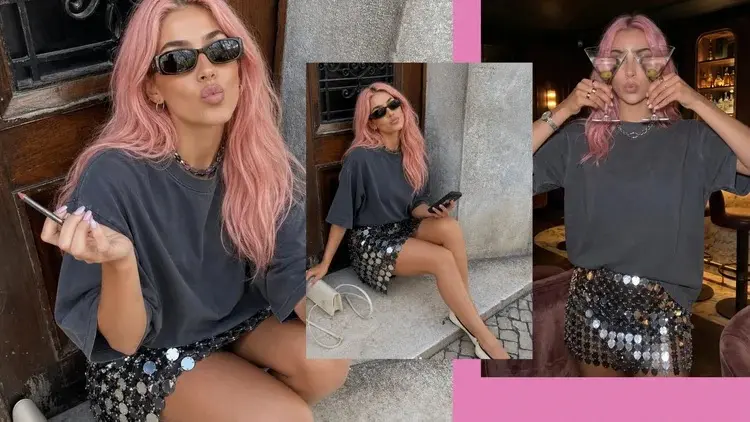
But "passive" is the wrong word, and anyone selling it as passive is selling a dream. The reality, from the same reporting: Aitana is run by a team of around eleven people, and they meet weekly to script what she "does" — where she travels, what she posts, how she replies. Euronews quotes her designers saying people follow lives, not images; the consistent face is necessary but not sufficient. The labor moved from a photoshoot to a writers' room. You're not escaping work; you're trading lighting rigs for prompt engineering, narrative, and a posting cadence. The cheap part is the pixels. The expensive part is still attention.
Staying compliant (and not getting your account wiped)
Two risks can erase the whole project, so handle them before you grow an audience, not after.
Disclosure is the first. Meta has labeled AI content as "AI Info" since May 2024, per its own Transparency Center, detecting it through embedded provenance signals or creator disclosure. In 2026 Instagram added an optional account-level label stating that a profile posts AI-generated or AI-modified content. For organic posts the labeling is largely automatic or voluntary; for paid and sponsored content the requirements are stricter and tightening — as of 2026 the reporting points to mandatory AI disclosure on ads, though the exact rules shift, so verify the current terms against each platform's official policy before you run campaigns. My take: disclose proactively. A visible "made with AI" doesn't kill engagement the way creators fear, and it removes the single biggest reason a successful account gets flagged.
The second risk is whose face you generate. Keep the character fully synthetic. Generating a real, identifiable person — a celebrity, an acquaintance, anyone who didn't consent — is where the genuine legal and platform exposure lives, and no amount of disclosure fixes it. A consistent, fictional persona is the brand-safe version of this entire playbook.
Common errors and fixes
- 401 Unauthorized: nine times out of ten you added a
Bearer prefix out of habit. GPT Proto wants the raw key for every model — gpt-image-2, Seedream, and Seedance alike. Strip the Bearer and check the key itself before anything else.
- 403 Forbidden: usually an insufficient balance rather than a permissions problem. Top up.
- 429 Too Many Requests: you've hit the rate limit; back off and retry with a delay.
- Content policy (returned as 400, labeled 503): the prompt or output tripped a safety filter. Rework the prompt.
- Face drifting between posts: reuse the same reference image, reuse a known-good seed, and tighten the scene prompt so the model spends its freedom on the background, not the face.
Ready to build one? Start with the AI Influencer generator to see the consistency workflow, then open the gpt-image-2 model page for the full API reference and its rates. Compare per-image prices across every model before you scale.