Seedance 2.5 Example: A 30-Second Flamenco Performance
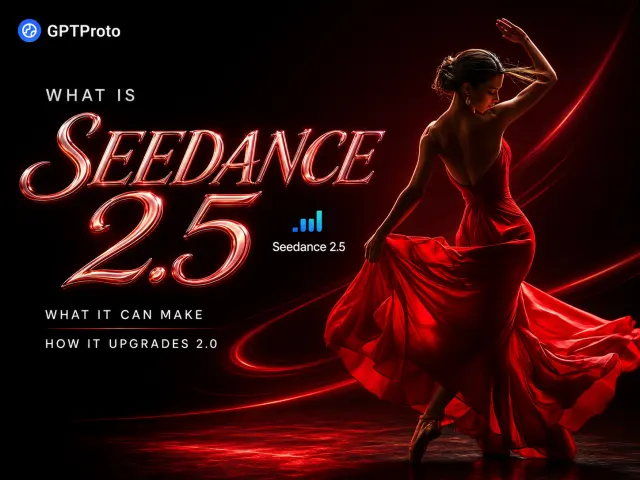
This performance scene is a useful Seedance 2.5 test because it asks the model to handle more than visual style. The dancer’s identity and clothing must remain stable while her footwork, arms, dress, fire, camera position, and sound all change over 30 seconds.
A continuous 30-second cinematic performance in 16:9.

0–6s: Medium-wide shot of a female flamenco dancer in a flowing fiery-red dress, with a red rose in her hair, standing inside a circular ring of fire on a dark theater stage. She begins an intense flamenco sequence as the camera slowly pushes forward.

6–12s: The camera drops into a low close-up following her rapid footwork. Sparks rise around her shoes while the fabric of the dress moves naturally with each step.

12–21s: Transition smoothly into a top-down bird’s-eye view as she spins in the center of the fire ring. Her skirt forms a dramatic red spiral while the flames react naturally to the movement.

21–27s: Sweep back to a medium tracking shot. She performs a final sequence of sharp turns, controlled arm movements, and strong heel stamps.

27–30s: Pull out to a wide shot as she finishes in a firm final pose inside the burning circle.

Pitch-black background, warm high-contrast fire lighting, realistic fabric physics, natural human motion, synchronized heel-stamping and fire sounds, intense dramatic atmosphere, cinematic realism, highly detailed.
The timestamps give the model an explicit shot plan rather than asking it to interpret “include a close-up and a top-down view” somewhere in the sequence. The result should be judged on five things: whether the dancer stays recognizable, whether the dress follows her motion, whether the footwork looks physically plausible, whether the fire reacts consistently, and whether the camera changes occur at the requested times.
If the video succeeds only as a set of beautiful frames but the feet slide, the skirt clips through the body, or the transitions arrive late, it has not fully passed the test. Seedance 2.5’s own team acknowledges that complex physical motion remains an area for improvement.
What Is Seedance 2.5?
Seedance 2.5 is ByteDance’s new-generation joint audio-video model for generation, reference-guided creation, and video editing. It builds on the unified multimodal architecture of Seedance 2.0, which already accepts text, images, audio, and video as inputs.
In plain language, Seedance 2.0 established the multimodal foundation. Seedance 2.5 gives that foundation more time, more reference material, and more precise production controls.
According to the official Seedance 2.5 launch announcement, the model focuses on three upgrades:
-
Longer storytelling through 30-second generations and extensions.
-
More detailed multimodal reference control.
-
More precise generation and editing at specific timestamps.
That framing matters because a 30-second result is not automatically a story. The model must understand when to establish a scene, develop an action, change the camera, introduce a turn, and land on an ending. ByteDance’s official examples show multi-shot sequences with setup, development, and resolution rather than one action stretched across a longer timeline.
Is Seedance 2.5 Out?
Yes. ByteDance officially launched Seedance 2.5 on July 31, 2026, and began rolling it out through Jimeng AI, Doubao Pro, and other products.
The API situation is different. ByteDance says access through BytePlus ModelArk is coming soon, and Seedance 2.5 has not yet been added to GPT Proto. If you are tracking rollout dates rather than evaluating the model’s capabilities, see the separate Seedance 2.5 release-status page.
What Is Actually New in Seedance 2.5?
1. Up to 30 Seconds in One Generation
Seedance 2.5 doubles the previous single-pass limit from 15 to 30 seconds. The obvious benefit is fewer clips to generate and join. The more useful benefit is narrative continuity.
Thirty seconds is enough room for a compact structure: an opening image, a developing action, a camera or scene change, and a clear ending. ByteDance demonstrates this with a singer moving from a dressing room, through a backstage corridor, and onto a concert stage while interacting with staff and dancers along the way.
That is a harder problem than generating a 30-second loop. The character, location, sound, performance, and camera language must remain connected as the environment changes.
Longer output does not remove the need for editing. It simply moves more of the sequence into one generation, reducing the number of joins where character appearance, color, pacing, or audio can drift.
2. Multi-Round Video Extension
Seedance 2.5 can continue an existing result while preserving the main subject, environment, visual style, sound, and narrative pace. ByteDance says this can support multi-minute work without forcing creators to rebuild every segment from scratch.
There is one practical detail to watch. The Seedance 2.5 model page currently describes an option to extend twice, while the longer launch article refers more broadly to multi-round extensions. The exact number available may therefore depend on the product surface or rollout stage. Check the interface or API documentation you are actually using before planning a fixed runtime.
3. Up to 50 Multimodal References
A single generation can accept up to:
-
30 images
-
10 video clips
-
10 audio clips
That is a maximum of 50 reference assets. The images can anchor characters, locations, props, products, costumes, and visual style. Video can guide choreography, camera movement, blocking, or pacing. Audio can guide voice, rhythm, music, or sound design.
The value is not the number by itself. It is the ability to assign different creative jobs to different references. A product campaign, for example, might use several product-angle images, a model reference, a location board, a lighting reference, a camera-motion clip, and a music track in the same generation.
More references can also create more opportunities for conflict. If two images disagree about a character’s clothes or two videos imply different camera rhythms, the model still has to decide which instruction wins. A smaller, clearly labeled reference pack will often be easier to control than 50 loosely related files.
4. Timestamp-Level Generation and Editing
Seedance 2.5 lets creators attach instructions to defined time ranges. You can specify what should happen from 0–5 seconds, change the shot from 6–10 seconds, and revise an action inside a later section without describing the entire video again.
This is useful during both generation and revision. A creator can control when an action begins, when the camera changes perspective, or which part of a clip needs a targeted correction. The surrounding footage should remain coherent before and after the edited range.
The flamenco prompt above uses this structure. Each time block has one main camera and movement goal, giving the model less room to place every requested event in the wrong order.
5. Clay-Render and Production Controls
Seedance 2.5 can use a textureless 3D scene, sometimes called a clay render or white model, to guide spatial structure. The rough 3D layout can define camera position, character poses, motion paths, blocking, and scene geometry. Image references can then supply character design, materials, lighting, and style.
This is closer to a previsualization workflow than ordinary text-to-video. A director or design team can establish where objects and people should be before asking the model to render the finished look.
The cost is preparation. Clay-render control is most useful when someone has already built or arranged the 3D scene. It is not the fastest route for a casual prompt, but it can reduce ambiguity in shots where spatial layout matters.
6. Better Green-Screen, Camera, and Reference-Based Editing
Seedance 2.5 strengthens green-screen replacement, camera-perspective editing, and editing guided by reference assets. In ByteDance’s examples, a subject recorded against green screen can be placed into a new environment while the model adjusts clothing, hair, gait, shadows, and lighting to fit the replacement scene.
Camera motion can also be revised while the characters, actions, and visual style remain unchanged. This separates “what happens” from “how the scene is filmed,” which is valuable when the performance is acceptable but the original camera plan is not.
Again, the real test is preservation. An edit is only efficient if it changes the requested element without damaging everything else.
7. More Natural Visual and Audio Detail
ByteDance says Seedance 2.5 improves object texture, skin, eyes, lighting, color saturation, motion, audio, and transitions. It also aims to reduce unwanted subtitles and uncontrolled background music.
These are official launch claims, not yet a substitute for broad independent comparisons. Still, they target recognizable failure modes: waxy faces, oversaturated scenes, random on-screen text, misplaced music, and camera changes that feel like separate clips.
One correction is worth making: joint audio-video generation is not a brand-new Seedance 2.5 feature. Seedance 2.0 already used a unified multimodal audio-video architecture. Version 2.5 improves the length, control, reference capacity, and reliability of that workflow.
What Kind of Videos Can Seedance 2.5 Make?
| Use case |
Why Seedance 2.5 fits |
What still needs checking |
| Narrative shorts and one-take scenes |
Thirty-second generation gives a scene room for setup, development, and an ending |
Character and environment continuity across scene changes |
| Dance and music videos |
Timestamp control, motion references, native audio, and camera planning can coordinate performance and cuts |
Fast footwork, hands, fabric physics, and beat alignment |
| Product ads and e-commerce campaigns |
Multiple product angles, brand references, talent, locations, and audio can guide one output |
Logo, label, product geometry, and exact text preservation |
| Multi-character brand videos |
Large reference packs can anchor several people, voices, props, and environments |
Identity drift and interactions between subjects |
| Green-screen transformations |
The model can preserve a performance while replacing the setting and adapting lighting or physical response |
Edge quality, contact shadows, hair, and clothing movement |
| Previsualization and shot planning |
Clay renders can define blocking, camera paths, and composition before final styling |
Requires a prepared 3D layout |
| Educational demonstrations |
Longer sequences can visualize historical scenes, scientific processes, or lesson narratives |
Factual details still require human review |
| Industrial and simulation video |
Spatial references can guide assembly, training, equipment, or synthetic-data scenarios |
Generated footage must not be treated as verified engineering data |
For most creators, the strongest near-term use cases are likely to be performance videos, compact ads, short narrative scenes, and reference-led visual development. Education and industrial simulation are plausible, and ByteDance highlights both, but they carry a higher accuracy burden. A convincing video is not automatically a correct one.
Seedance 2.5 vs Seedance 2.0
| |
|
|
| Area |
Seedance 2.0 |
Seedance 2.5 |
| Core architecture |
Unified multimodal audio-video generation |
Builds on the same joint-generation foundation |
| Maximum single generation |
Up to 15 seconds |
Up to 30 seconds |
| Long-form workflow |
Designed primarily around shorter generated clips |
Adds stronger long-form storytelling and multi-round extension |
| Input types |
Text, image, video, and audio |
Text, image, video, and audio |
| Published reference capacity |
Multimodal references supported |
Up to 30 images, 10 videos, and 10 audio clips |
| Generation control |
Prompt and reference control over performance, lighting, shadows, and camera motion |
Adds more precise timestamp-based narrative, movement, camera, and pacing control |
| Editing |
Multimodal and reference-guided editing |
More targeted timestamp, green-screen, perspective, and reference-based editing |
| Production planning |
Camera and performance control |
Adds clay-render structure, motion paths, blocking, and more detailed scene control |
| Best fit |
API-based generation, short clips, multimodal video, and current production access |
Longer structured pieces, larger reference packs, targeted revisions, and complex production planning |
| GPT Proto status |
Available now |
Not yet available; planned after external API access opens |
The largest upgrade is not native audio, because Seedance 2.0 already has it. It is the combination of a longer generation window, a much larger reference set, and editing that can address specific moments without throwing away the full sequence.
Is Seedance 2.5 Worth the Upgrade?
Choose Seedance 2.5 when a 15-second ceiling forces you to split a complete idea into too many parts, or when the job depends on many characters, products, locations, motion examples, and audio references. It is also the better target for shot plans written around timestamps, green-screen transformation, or clay-render previsualization.
Seedance 2.0 remains the practical choice when you need API access now, your output fits within 15 seconds, or you are building a workflow that cannot wait for Seedance 2.5 documentation and availability to settle. It already supports multimodal input and joint audiovisual generation; it did not become obsolete on July 31.
Developers can call the current Seedance 2.0 model on GPT Proto, create through the AI video generator, or compare it with other options in the AI model gallery.
Where Can You Use Seedance 2.5?
At launch, ByteDance said Seedance 2.5 was rolling out through:
BytePlus ModelArk API access is coming soon. Seedance 2.5 is not yet available through GPT Proto, and no GPT Proto price or API identifier should be assumed before the integration is live.
If you want to test multimodal video generation today, use Seedance 2.0 on GPT Proto. A GPT Proto account also provides access to the broader model collection rather than locking your balance to one video model.
What Seedance 2.5 Still Struggles With
ByteDance directly acknowledges two remaining weaknesses: the physical plausibility of complex motion and the stability of interactions involving multiple subjects.
Those weaknesses matter in exactly the scenes that make the new model interesting. Dance, combat, group performance, crowded ads, and physical demonstrations put pressure on hands, feet, contact, momentum, occlusion, and identity consistency at the same time.
A longer clip also creates more opportunities for a small mistake to accumulate. One inaccurate hand position at second six can affect a prop interaction at second eight and the character’s pose in the next shot. Thirty seconds is more useful than 15, but it is also a harder consistency test.
There are three other practical limits:
-
Access is still rolling out, and external API availability is pending.
-
Product-specific limits may differ even when they use the same underlying model.
-
Launch examples are selected first-party demonstrations. Independent quality, speed, failure-rate, and cost comparisons need time.
My read is that Seedance 2.5 is a meaningful workflow upgrade, not a promise of finished footage without review. It should reduce stitching, reference drift, and unnecessary regeneration. It will not remove the need to inspect anatomy, physics, product details, timing, sound, and brand accuracy before publishing.