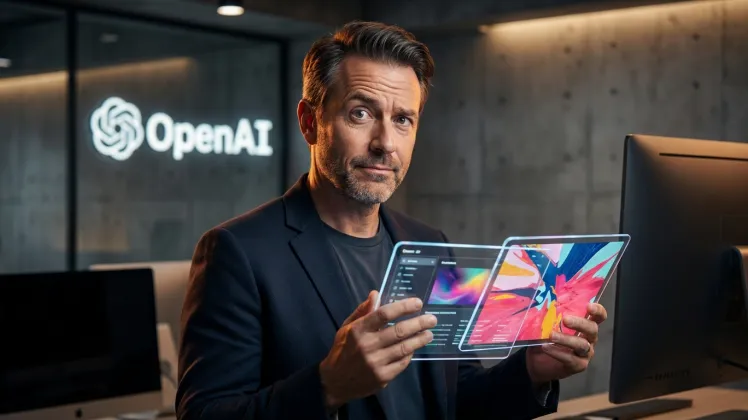
GPT Image 2 is an advanced AI image generator that turns text descriptions into high-resolution 2K and 4K visuals in seconds, completely without watermarks.
Can I edit existing photos with GPT Image 2?
Yes, GPT Image 2 allows you to upload photos and make natural language edits. Just describe the color tweaks or object removals you want the AI to perform.
How does the character lock feature work?
You can lock a face or object from a reference photo. When you change the setting or pose, the AI keeps the identity consistent across all new edits.
Does it support text rendering in images?
Absolutely. This AI tool handles typography and signage with high spelling accuracy, making it perfect for logos, posters, and branded marketing visuals.
Do I need to write complex prompts?
No complex prompting is required. With plain-language control, you can type your ideas or edits into the AI image generator exactly the way you speak.
Can I blend different aesthetic styles together?
Yes, our AI style fusion lets you blend multiple references. GPT Image 2 applies the new aesthetic while preserving the structure and detail of the original.
Are GPT Image 2 outputs ready for commercial use?
Definitely. It provides crisp, design-ready visuals, including optional 4K upscaling for print-ready campaigns, storyboards, and product catalogs.
Does it use masks for background replacement?
Our AI photo editor supports inpainting and background replacement directly through text commands, keeping you in one simple workflow without manual layers.
Testimonials
S
Sarah Jenkins
Marketing Manager
GPT Image 2 is incredibly fast. I typed a rough concept for a marketing campaign, and the AI gave me stunning 2K outputs in seconds.
D
David Chen
Graphic Designer
The character lock feature is a lifesaver. I created a mascot and placed it in five different scenes without losing its exact face!
E
Elena Rostova
Art Director
Finally, an AI image generator that actually spells words right. I used it for a poster mockup and the AI typography was flawless.
M
Marcus Thorne
Photographer
I love how easy the natural language edits are. I just told GPT Image 2 to change a daytime shot to noir, and it blended perfectly.
C
Chloe Bennett
Freelance Illustrator
Good quality outputs, though I wish 4K was the default instead of an upscale option. Still creates the best design-ready visuals.
J
James Wilson
Content Creator
Plain-language control means no prompt engineering. I just talk to the AI photo editor and it completely understands my lighting tweaks.
A
Anita Patel
Creative Lead
The style fusion is pure magic. I merged a portrait with a landscape, and the lighting stayed cohesive. A top-tier AI photo editor!
T
Tom Gallagher
Film Director
I use GPT Image 2 for storyboards. Keeping the main actor's face consistent across 20 different cinematic AI shots was surprisingly easy.
M
Maria Lopez
Social Media Manager
The AI background replacement works well without messing up the main subject. Inpainting is smart, though it occasionally struggles with complex hands.
K
Kevin Park
E-commerce Owner
No watermarks and instant results! GPT Image 2 handles all my ecommerce product backgrounds. Upload, describe the change, and the AI is done.