Introduction
If you have ever tried to generate a product banner, a social media post, or a screenshot mockup using an AI image tool, you already know the frustration. Text comes out garbled. Colors look off. The layout feels almost right, but not quite enough to use. GPT Image 2 is OpenAI's answer to those pain points, and early test results suggest it actually delivers.
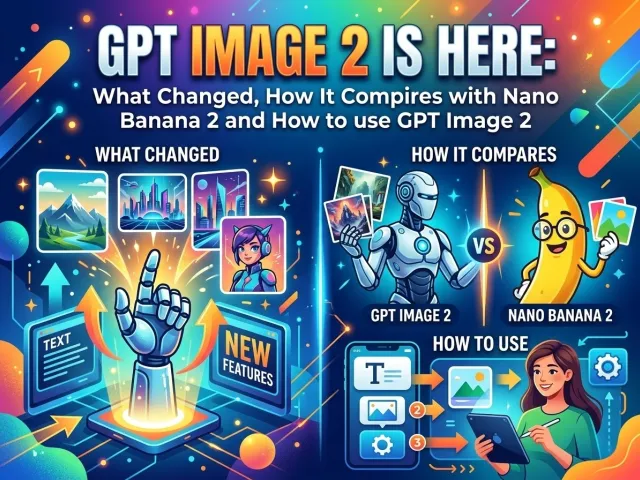
OpenAI quietly began rolling out GPT Image 2 to select users in April 2026. Screenshots flooded social media almost immediately, showing generated images that looked indistinguishable from real screenshots, textbook pages, and brand posters. This article covers what GPT Image 2 actually improves, how it stacks up against Nano Banana 2 (Google's competing image model), and how developers and creators can start using it today through GPT Proto.
GPT Image 2 Release Date and Rollout
GPT Image 2 did not arrive with a formal press release. Instead, it showed up quietly inside ChatGPT for a small group of users starting in early April 2026. Around April 4, eagle-eyed users on LM Arena noticed three anonymous models — code-named maskingtape-alpha, gaffertape-alpha, and packingtape-alpha — shooting up the image generation leaderboard. Those models briefly outperformed Nano Banana Pro in several categories before being pulled offline. Community analysis later confirmed they were early builds of GPT Image 2.
As of mid-April 2026, GPT Image 2 is still in limited gray-area testing. OpenAI has not made a public announcement. Some users report seeing it in their ChatGPT interface, while others do not. A full public release date has not been confirmed, but the pace of the rollout suggests broad availability is close.
What GPT Image 2 Actually Improves
GPT Image 2 is not a single-feature upgrade. Several longstanding problems with OpenAI's image generation have been addressed at the same time, which is part of why early reactions have been so strong.
Better Text Rendering in GPT Image 2
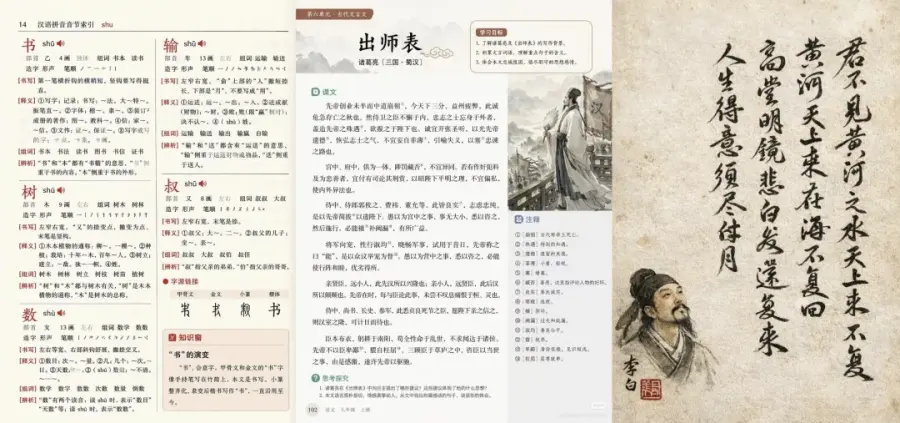
The most talked-about improvement is how the model handles text inside images. Previous versions of GPT Image frequently produced garbled characters, especially in non-Latin scripts like Chinese, Korean, and Japanese. GPT Image 2 renders full paragraphs of Chinese text accurately, including complex layouts like textbook pages, dictionary entries, and exam papers. Test prompts generated images of a classical Chinese essay with proper layout columns, commentary notes, and ink-brush illustrations alongside the text — all correctly rendered.
Accurate Colors and No More Yellow Cast
A common complaint about earlier GPT image models was a warm, yellowish tint that made images look slightly washed out. GPT Image 2 corrects this. Colors now match what a real camera would capture, with accurate white balance and exposure. Product photos, street scenes, and UI screenshots all look noticeably cleaner as a result.
Layout Logic and UI Fidelity
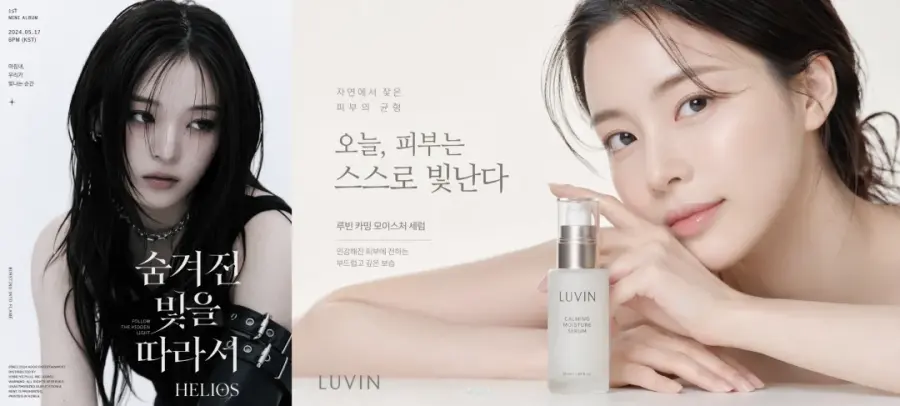
One of the more impressive capabilities in GPT Image 2 is what researchers are calling layout logic. Rather than copying the visual appearance of an interface, the model seems to understand why a UI is structured the way it is. Generated screenshots of e-commerce pages, music players, and social media profiles match the actual design conventions of those platforms, including font choices, spacing, icon placement, and information hierarchy.
Photorealism and Scene Authenticity
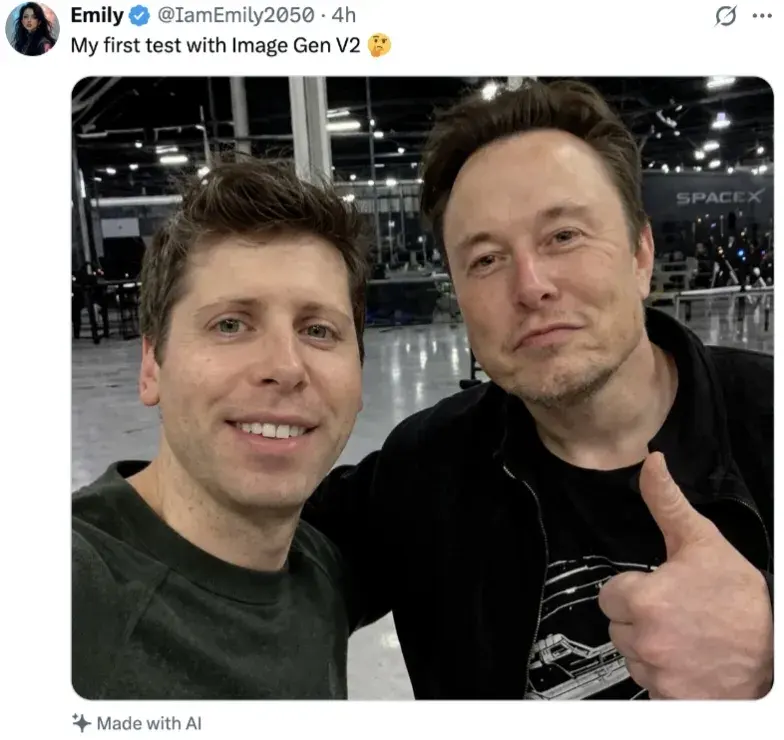
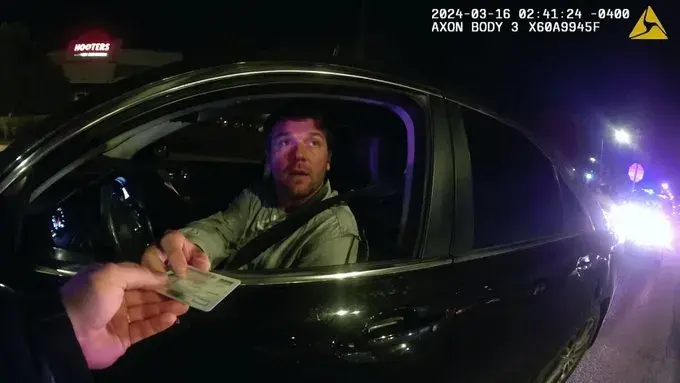
Test images of everyday scenes, such as a convenience store at night or a police dashcam during a traffic stop, now carry a quality that testers describe as "in-the-moment." Earlier models tended to produce images that looked posed or slightly artificial. GPT Image 2 captures the messiness of real life, including lens distortion, mixed lighting, and natural human expressions, in a way that makes brief visual inspection insufficient to spot the AI origin.
Tips:Some of the images featured in this article were sourced from the internet; if you have any concerns, please contact us to request their removal.
GPT Image 2 vs Nano Banana 2 and Earlier Versions
When GPT Image 2 appeared on LM Arena's blind image leaderboard, it went head-to-head with Nano Banana 2 across thousands of user votes. The comparison below also includes GPT Image 2 Plus, which is now live on GPT Proto alongside the standard variant.
|
Feature
|
GPT Image 1.5
|
GPT Image 2
|
GPT Image 2 Plus
|
Nano Banana 2
|
|
Multi-lang Text Accuracy
|
Poor
|
Excellent
|
Excellent
|
Good
|
|
UI Layout Fidelity
|
Moderate
|
High
|
High
|
High
|
|
Photorealism
|
Good
|
Near-Photo
|
Near-Photo
|
Near-Photo
|
|
Color Accuracy
|
Warm bias
|
Neutral/True
|
Neutral/True
|
Neutral
|
|
Complex Infographic
|
Errors common
|
Stable
|
Superior
|
Stable
|
|
Self-Review Loop
|
No
|
Yes
|
Yes (enhanced)
|
No
|
|
Image Editing (API)
|
Yes
|
Yes
|
Yes
|
Limited
|
|
Price on GPT Proto
|
$5.6/1M tok
|
$5.6/1M tok
|
$0.015/image
|
See platform
|
Both GPT Image 2 and Nano Banana 2 now operate at a level where most people cannot tell a generated image from a real one at a glance. The practical difference usually comes down to the specific task. GPT Image 2 has an edge in complex text-heavy layouts and multi-language content. GPT Image 2 Plus adds further depth for infographics and large grid compositions. Nano Banana 2 remains competitive in photorealistic portraits and certain artistic illustration styles.
Real-World Uses That GPT Image 2 Unlocks
The improvements in GPT Image 2 are not just technically interesting. They translate directly into things that save real time for content creators, marketers, and developers. Here are some of the most practical applications early testers have demonstrated.
-
Ecommerce product banners with accurate pricing, discount labels, and Chinese or Korean product descriptions
-
Social media mockups showing how content will look inside a real platform UI
-
Textbook and educational material visualization, including diagrams, charts, and annotated text
-
Prototype UI screenshots for apps before any code is written
-
Marketing localization assets where text in multiple languages needs to appear correctly inside the image
-
Brand campaign posters combining multiple visual elements and licensing attribution text
The ability to generate accurate multi-language text inside images is particularly valuable for teams working across Asian markets, where previous AI image tools required manual corrections or a designer to fix text after generation.
How to Use GPT Image 2 Today via GPT Proto
GPT Proto now supports GPT Image 2 fully. This includes the standard text-to-image endpoint, the image editing endpoint, the GPT Image 2 Plus text-to-image endpoint, and the GPT Image 2 Plus image editing endpoint. Developers can access all four through a single API key with no additional setup required.
GPT Proto is a unified AI API platform that aggregates top-tier models from OpenAI, Google, Anthropic, and others into one endpoint. You integrate once, access every model by changing a single parameter, and get transparent pay-as-you-go pricing without managing multiple API keys and accounts.
Learn more at https://gptproto.com/blog/how-to-use-gpt-image-2
GPT Image 2: Text-to-Image and Image Editing
The GPT Image 2 text-to-image model on GPT Proto is priced at $5.6 per 1M input tokens and $21 per 1M output tokens, a 30% discount from the standard OpenAI rate. This variant is suited for high-detail generation tasks where token-based billing matches your usage pattern, such as batch asset creation or varied prompt workflows.
For teams that need to modify existing images rather than generate from scratch, the GPT Image 2 image editing endpoint is also live. It accepts an input image alongside a text instruction and returns a refined version, making it useful for background replacement, object insertion, and localization edits on existing assets.
GPT Image 2 Plus: High-Fidelity Generation and Editing
GPT Image 2 Plus is the more powerful variant of the model family. The GPT Image 2 Plus text-to-image endpoint is priced at a flat $0.015 per image on GPT Proto, which makes cost predictable at scale. It is specifically optimized for complex compositions, including dense prompts, multi-element infographics, large grid layouts, and scenes where spatial consistency across the full image is critical.
The GPT Image 2 Plus image editing endpoint brings that same level of fidelity to image modification tasks. For use cases like editing product photography at scale, revising complex branded materials, or making precise adjustments to generated scenes, this endpoint delivers results that hold up under close inspection.
All Four GPT Image 2 Variants at a Glance
The table below summarizes the four GPT Image 2 endpoints now available on GPT Proto and the best use case for each.
|
Model
|
Best For
|
Price on GPT Proto
|
Image Editing
|
|
GPT Image 2
|
High-detail text-to-image
|
$5.6/1M input tokens (30% off)
|
Yes
|
|
GPT Image 2 (Edit)
|
Editing existing images via API
|
$5.6/1M input tokens (30% off)
|
Primary use
|
|
GPT Image 2 Plus
|
Complex prompts, infographics, grids
|
$0.015 per image
|
Yes
|
|
GPT Image 2 Plus (Edit)
|
High-fidelity image editing at scale
|
$0.015 per image
|
Primary use
|
GPT Image 1 and GPT Image 1.5 Remain Available
GPT Proto also continues to support GPT Image 1 and GPT Image 1.5. Teams with existing workflows built around these models can continue using them without changes, or migrate to GPT Image 2 with a single parameter update in their existing code.
Why GPT Proto Is the Right Place to Access GPT Image 2
When a major model update ships, developers who depend on that model face real operational risks. Pricing can shift. Access tiers change. Features that worked one way in an earlier version may behave differently after an update. Managing those changes across multiple providers gets expensive in both engineering time and API costs.
GPT Proto handles provider-level changes, routes requests intelligently for cost and speed, and automatically fails over to a backup if a provider experiences downtime. Pricing across all GPT Image 2 variants is 30% below standard OpenAI rates, and billing is pay-as-you-go with no credit system or monthly minimums.
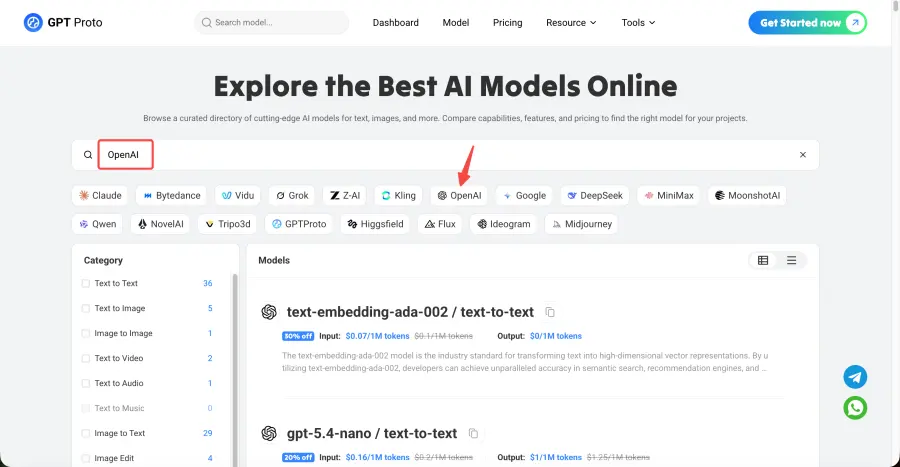
You can browse the full model catalog, including all GPT Image 2 variants and hundreds of other models, at gptproto.com/model.
A Note on What GPT Image 2 Means Beyond Technology
The images circulating from GPT Image 2 testing are impressive. They are also a reminder that the bar for visually convincing fake images has dropped significantly. A generated screenshot of a public figure in a branded live-stream, complete with correct UI elements and scrolling comments, is now within reach of a single text prompt.
This does not mean AI image generation should be avoided. It means that treating any image as automatically trustworthy, especially those that appear to show public figures, real events, or official documents, requires more skepticism than before. GPT Image 2 is a tool. The outcome depends on who uses it and how.
Frequently Asked Questions About GPT Image 2
What is the GPT Image 2 release date?
There is no official public release date yet. GPT Image 2 began limited gray testing inside ChatGPT in early April 2026. OpenAI has not made a formal announcement. A broad rollout is expected soon given the pace of the current testing phase.
How does GPT Image 2 compare to Nano Banana 2?
In blind leaderboard testing, GPT Image 2 matched or outperformed Nano Banana 2 in several categories, especially complex text-heavy layouts and non-Latin language rendering. Nano Banana 2 remains competitive in photorealistic portraits and certain artistic styles. The two models are now close enough that the best choice depends on the specific task.
How do I use GPT Image 2 if I do not have direct access?
If you do not have GPT Image 2 enabled in your ChatGPT account, the most practical path for developers is to use GPT Proto. GPT Proto currently supports GPT Image 1 and GPT Image 1.5 via API, with GPT Image 2 integration planned as soon as OpenAI makes it available through their API. You can sign up at gptproto.com and access image models with pay-as-you-go pricing and no credit limits.
Will GPT Image 2 be available through an API?
OpenAI has not released official API documentation for GPT Image 2 yet. Based on the pattern of previous model releases, API access typically follows the consumer product rollout by a few weeks. GPT Proto plans to add GPT Image 2 support as soon as it is accessible via the OpenAI API.
Conclusion
GPT Image 2 represents a meaningful shift in what AI image generation can do. The improvements in text rendering, color accuracy, layout logic, and scene realism are all visible and practical for everyday production workflows. It competes directly with Nano Banana 2, and in specific use cases it surpasses it.
GPT Proto now supports all four GPT Image 2 endpoints: standard text-to-image, standard image editing, Plus text-to-image, and Plus image editing. All are live today at 30% below standard OpenAI pricing, with no credit minimums and no monthly commitments. For developers and teams who want reliable, production-ready access to the best image generation models, this is the practical place to start.
Get started at gptproto.com and begin building with GPT Image 2 today.