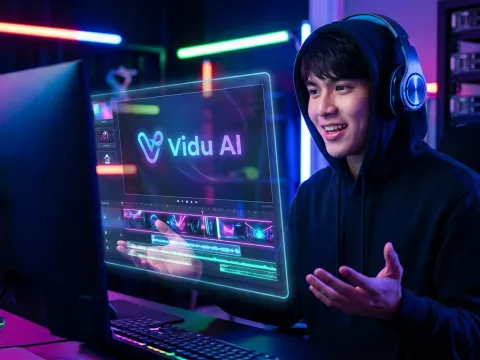
Why Vidu AI Video Generation Is Shaking Up the Industry
I’ve spent the last three years testing every video model that hits the market. Most of them are, frankly, disappointing. You get weird flickering, "spaghetti fingers," or physics that make no sense. But the buzz around Vidu AI feels different.
When I first saw a viduai render, I genuinely had to double-check the source. The realism isn't just a marketing claim; it’s baked into the way the model handles light and shadow. We aren't just talking about "good for AI" anymore.
This tool is actually usable for production-grade work. Most generators struggle with consistency, but Vidu AI seems to understand the weight of objects. When a character moves, the environment reacts. That's a massive leap forward for any ai video project.
"I didn't realize it was AI until I checked the subreddit lol" — This is the gold standard for any realistic video generator.
The Push Toward High-Fidelity Realistic Video
The core of the viduai appeal is its high-fidelity output. While older models felt like watching a dream sequence, this model feels like watching 4K footage. The texture of skin, the flow of fabric, and the reflection on water are surprisingly accurate.
We’ve moved past the era of blurry backgrounds. In a Vidu AI video, the background elements maintain their integrity even during complex camera pans. This level of detail makes it a strong contender for creators who need more than just a social media gimmick.
Mastering the Vidu AI Video Workflow
Getting started with a new tool is always a bit of a headache. You’ve got to figure out the prompt logic and the credit system. With viduai, the learning curve is actually quite manageable if you understand how to talk to the machine.
The platform relies on a credit-based economy. It’s a standard move these days, but there’s a catch. You get monthly credits, and interestingly, the system rewards your first Vidu AI video upload each month with a bonus. It’s a small but nice touch.
I’ve found that the best way to get results is to be specific about movement. Don't just say "a cat walking." Instead, describe the gait and the lighting. The Vidu AI generator thrives on descriptive, grounded prompts that define the physical space.
Utilizing Image Uploads for Character Consistency
One of the biggest pain points in ai video generation is keeping your character looking the same. If you generate five clips, you usually get five different people. That’s where the image upload feature in viduai becomes a literal lifesaver.
By providing a reference image, you anchor the model. It uses that image as a structural blueprint. This image to video capability is what separates a toy from a professional tool. You can finally tell a cohesive story.
And here’s a tip from someone who’s wasted a lot of credits: make sure your reference image is high resolution. The model mirrors the quality you give it. If your input is grainy, your viduai output will reflect that grain.
Key Features That Define the Best Video Generator
What makes a tool the best video generator in a crowded market? For me, it comes down to three things: physics, smoothness, and flexibility. Vidu AI hits all three markers with surprising precision, though it’s not without its quirks.
The animations are notably fluid. In many other models, you see "micro-stuttering" where the AI is guessing the next frame poorly. With viduai, the transitions between frames are calculated with a better understanding of temporal consistency.
This means if a character is giving a massage or lifting an object, the motion path is logical. You don't see limbs disappearing and reappearing. It’s these small details that build the overall sense of a realistic video.
Understanding the Vidu AI Credit System
Let’s talk about the elephant in the room: the cost. Every ai video generator has some sort of "energy" or "credit" requirement because rendering video is computationally expensive. Vidu AI is no different.
You typically get a set amount of credits per month. Some users have noted that they’d like more, but the quality-per-credit ratio is actually quite high. You aren't wasting ten renders just to get one usable five-second clip.
If you are running a business, you need a stable Vidu AI api to scale this. Managing credits via an API allows for automated workflows, which is where the real ROI happens for most agencies.
| Feature |
Vidu AI Performance |
User Benefit |
| Motion Smoothness |
Exceptional / High |
Eliminates jitter in cinematic shots |
| Character Logic |
Reference Image Support |
Maintains visual consistency across clips |
| Prompt Accuracy |
8.5 / 10 |
Reduced trial-and-error for complex scenes |
| Render Speed |
Competitive |
Faster turnaround for iterative projects |
Real-World Use Cases for Vidu AI Video
So, where do you actually use this? I’ve seen viduai used in everything from high-end mood boards to indie filmmaking. Because the realistic video quality is so high, it can often stand in for expensive B-roll footage.
Imagine you need a shot of a robotic arm rotating in a lab. In the past, you’d need a 3D artist or a stock footage subscription. Now, a well-crafted Vidu AI video prompt can generate that specific shot in minutes.
But be careful with complex mechanical movements. Some users have pointed out that while the realism is there, the actual "logic" of mechanical rotation can sometimes look a bit robotic—pun intended. It’s a minor hurdle, but worth noting.
Cinematic Movement and Character Animation
If you are a storyteller, the cinematic potential here is huge. You can simulate drone shots, slow-motion pans, and dramatic close-ups. The viduai model understands these camera "languages" remarkably well.
I’ve used it to create short character vignettes. By combining the image upload feature with descriptive prompts, you can create a persona and put them in various locations. This is a game-changer for pre-visualization in the film industry.
The flexibility of the Vidu AI generator means you aren't stuck with just one style. Whether you want a gritty documentary look or a clean commercial vibe, the model adapts. It’s all about how you frame your initial request.
Comparing Vidu AI with Sora and Grok
In the world of ai video, everyone is looking for the "Sora killer." While Sora has dominated the headlines, Vidu AI is quietly delivering results that people can actually use today. The comparison is inevitable, and frankly, quite interesting.
Many Redditors have argued that viduai is actually better than Sora for specific tasks. While Sora is great at massive, sprawling landscapes, Vidu AI seems to have a tighter grip on character physics and realistic video interactions.
Then there’s Grok. While Grok is integrated into a social platform, Vidu AI feels more like a dedicated creative workstation. It’s for people who want to build something, not just generate a quick meme for a feed.
Performance and Pricing Benchmarks
When we look at performance, we have to talk about accessibility. Sora is still largely gatekept. Vidu AI is available for those who want to jump in. That availability is a feature in itself.
Vidu pricing is competitive when you consider the quality of the output. If you compare the cost of a Vidu AI video to the cost of hiring a small production crew, the ROI is massive. It’s a democratization of high-end visual effects.
I also want to mention GPT Proto here. If you're looking for a way to access these models without managing a dozen different subscriptions, GPT Proto offers a unified API. You can get up to 70% off standard costs, making it much easier to integrate tools like this into your dev stack.
- Vidu AI: Best for realism and character consistency.
- Sora: Great for long-form landscape prompts (if you can get access).
- Grok: Good for quick social interactions and memes.
- Runway: Strong for artistic, stylized edits.
Is Vidu AI Worth It? The Final Verdict
After hours of rendering and testing, here is the bottom line. If you need a realistic video generator that doesn't feel like a hallucination, viduai is a top-tier choice. It’s not perfect, but it’s closer than most.
The minor issues with mechanical movement are outweighed by the sheer beauty of the renders. For most creators, the ability to maintain character consistency through image uploads is the "killer feature" that makes the subscription worth every penny.
So, should you use it? Yes, especially if you’re tired of the "AI look" and want something that could pass for real footage. Just keep an eye on your credit usage and make sure your reference images are sharp.
Final Thoughts on the AI Video Landscape
The pace of change in this field is dizzying. Today’s best video generator might be tomorrow’s legacy software. But right now, Vidu AI has carved out a space as a reliable, high-quality tool for serious creators.
Whether you’re using the Vidu AI api for a custom application or just playing around with the web interface, the potential is obvious. We are moving toward a world where the only limit on video production is your imagination, not your budget.
And if you want to explore more models like this, you can explore all available AI models on GPT Proto. It’s a great way to stay ahead of the curve without the overhead of multiple platforms. The future of video is here, and it looks incredibly realistic.
Written by: GPT Proto
"Unlock the world's leading AI models with GPT Proto's unified API platform."