GPT Proto

GPTProto

  • Dashboard
  • LLM

    • claude
      Claude Opus 5New
    • google
      Gemini 3.6 Flash
    • google
      Gemini 3.5 Flash Lite
    • moonshotai
      Kimi K3
    • openai
      GPT 5.6 Luna

    Image

    • bytedance
      Dola Seedream 5.0 Pro 260628New
    • google
      Gemini 3.1 Flash Lite Image
    • google
      Gemini 3.1 Flash Image
    • openai
      GPT Image 2
    • google
      Gemini 3.1 Flash Image Preview

    Video

    • kling
      Kling v3.0 4kNew
    • bytedance
      Dreamina Seedance 2.0 Mini 260615
    • kling
      Kling v3 Omni 4k
    • bytedance
      Dreamina Seedance 2.0 Fast 260128
    • bytedance
      Dreamina Seedance 2.0 260128
    Explore 214+ Models >
  • Generator

    • Create Image
    • Create Video
    • Edit in Canvas

    Features

    • Anime to Real Life AINew
    • Anime AI Art Generator
    • AI Object Remover
    • AI Image Editor
    • Unrestricted AI Image Generator
    • AI Motion Transfer
    • AI Clothes Remover
    • AI Watermark Remover
    • AI Image Enhancer Online
    • Online Background Remover Tool
    Explore All >

    Prompts

    • Seedance 2.0 PromptsNew
    • GPT Image 2 Prompts
    • Nano Banana Pro Prompts
    • Seedream 5.0 Pro Prompts
  • AI Blog

    • GLM 5.2 vs MiniMax M3: Which Is Better for Coding and Frontend Work?
    • How to Create Your Own AI Character With an API—No Coding Required
    • Kimi K3 vs Claude Opus 5: Which Is Better for Coding and AI Agents?
    • 20 Free Seedream 5.0 Pro Packaging Design Prompts for Products and E-commerce
    • GLM-5.2 vs Kimi K3 for Coding: Which Is Better for Developers in 2026?
    Explore All >

    AI Insight

    • What Is Emochi AI—and Why Is It Growing So Fast? (2026)
    • What Is Kimi K3—and Is It Really Close to GPT-5.6 and Fable 5?
    • 12 Best AI Video Generation Tools in 2026 for YouTube, TikTok, Text and Images
    • What Is Qwen 3.8 Max? Release Date, 2.4T Preview, Pricing, and Early Benchmarks
    • Gemini 3.6 Flash and Gemini 3.5 Flash-Lite Explained: Which One Should You Use?
    Explore All >

    AI Docs

    • gpt-image-2
    • gpt-5.4
    • kimi-k2.5
    • claude-opus-4-6
    • kling-v3.0-pro
    Explore All >

    AI Skills

    • browser-use
    • claude-to-im
    • competitive-ads-extractor
    • content-creator
    • data-storytelling
    Explore All >
Pricing
English繁體中文한국어日本語EspañolРусский
Get Started Now
  1. Home
  2. /Model
  3. /OpenAI
  4. /gpt-5.1-chat-latest / web-search
OpenAI
gpt-5.1-chat-latest / web-search
ChatDocumentation
Documentation
The gpt 5.1 chat api is OpenAI’s flagship frontier model. It combines high-velocity gpt conversation with deep reasoning. Use this api for multi-step planning, native video ingestion, and complex 5.1 coding tasks across 256k context tokens.

$ 1
$ 1.25

$ 8
$ 10

text

text

$ 1
$ 1.25

text

$ 8
$ 10

text

Related Models
All Models
Claude
Claude
claude-opus-5
$ 20
$ 25
Google
Google
gemini-3.6-flash
$ 4.5
$ 7.5
MoonshotAI
MoonshotAI
kimi-k3
$ 13.5
$ 15
OpenAI
OpenAI
gpt-5.6-luna
$ 0.96
$ 1.2
MiniMax
MiniMax
MiniMax-M3
$ 0.96
$ 1.2
Z-AI
Z-AI
glm-5.2
$ 3.96
$ 4.4

gpt 5.1 chat api Features

Core technical advantages of the 5.1 gpt chat api.

Native Multimodal api

This api handles native image, audio, and 5-minute video files directly. Use the gpt 5.1 chat api to perform motion tracking and scene description without complex preprocessing.

gpt 5.1 multimodal

Agentic Loop Stability

Optimized for autonomous workflows, the gpt 5.1 chat api maintains state consistency over 50+ tool-calling turns, ensuring stable gpt performance for complex agentic operations.

gpt 5.1 agents

api Codebase Refactoring

Leverage the gpt 5.1 chat api for repository-scale coding. This gpt model understands deep inheritance and cross-file dependencies across massive 200k token source code blocks.

gpt 5.1 coding

gpt 5.1 reasoning logic

The gpt 5.1 chat api introduces System 2 reasoning, allowing the gpt model to verify steps internally before responding, reducing logical errors in math and physics via the api.

gpt 5.1 reasoning

How to Get a gpt-5.1-chat-latest API Key

Getting a gpt-5.1-chat-latest API key takes four steps and a few minutes. Create a free GPTProto account, add credits, generate your key, and make your first call — at $1 / $8 it's a cheaper gpt-5.1-chat-latest API key than going direct, and one key works across every model on the platform. Full gpt-5.1-chat-latest Documentation is in the docs.

Sign up
Sign up

Create your free GPT Proto account to begin. You can set up an organization for your team at any time.

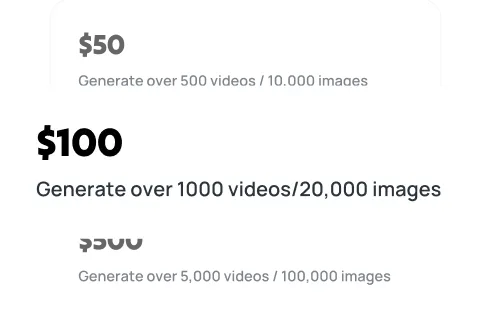
Top up

Top up

Your balance can be used across all models on the platform, including gpt-5.1-chat-latest, giving you the flexibility to experiment and scale as needed.

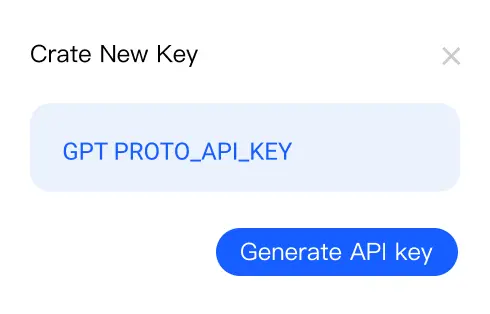
Generate your API key

Generate your API key

In your dashboard, create an API key — you'll need it to authenticate when making requests to gpt-5.1-chat-latest.

Make your first API call

Make your first API call

Use your API key with our sample code to send a request to gpt-5.1-chat-latest via GPT Proto and see instant AI-powered results.

Get API Key

gpt 5.1 chat api Common Questions

Find answers regarding gpt performance, api costs, and 5.1 chat capabilities.

How does the gpt 5.1 chat api differ from gpt-4o?

The gpt 5.1 chat api introduces native System 2 reasoning, significantly reducing logical fallacies in complex tasks. While gpt-4o is excellent for fast chat, the 5.1 api excels in multi-step planning and architectural coding. Additionally, the 5.1 gpt version supports a massive 256k context window and native video ingestion, features not fully realized in previous gpt models available through our unified api.

What is the reasoning_effort parameter in this api?

Specific to the gpt 5.1 chat api, reasoning_effort (low, medium, high) controls how much compute the gpt model spends on internal Chain of Thought verification. A higher setting improves accuracy for math and code but increases api latency and cost. This allows developers to tune the gpt performance based on the specific needs of their chat or automation application using our 5.1 endpoints.

Is data sent to the gpt 5.1 chat api used for training?

No. Use of the gpt 5.1 chat api on our platform is governed by strict privacy standards. Neither GPTProto nor OpenAI uses data submitted via this api to train foundation models. This ensures that your proprietary gpt prompts and sensitive business data remain confidential while using the latest 5.1 gpt chat capabilities for your professional projects.

How do I migrate my existing app to the 5.1 api?

Migrating to the gpt 5.1 chat api is straightforward. You simply update your model string to gpt-5.1-chat-latest within your api request. Most parameters remain backward compatible with previous gpt versions, though we recommend testing your chat prompts with the new reasoning_effort setting to find the optimal balance for your 5.1 api implementation and budget.

What are the rate limits for the gpt 5.1 chat api?

The gpt 5.1 chat api starts with a default limit of 5,000 RPM and 2M TPM. For enterprise scale, we can scale your gpt access up to 50M TPM. Our api also includes a unique Queue header to automatically handle 429 errors, ensuring your gpt chat applications maintain high availability even during peak usage of the 5.1 model reasoning engines.

Can I use structured JSON with the gpt 5.1 chat api?

Yes, the gpt 5.1 chat api features an enhanced JSON mode. By setting the response_format to json_object, the gpt model guarantees that outputs strictly follow your provided schema. This api capability is essential for developers building automated gpt workflows that require reliable data parsing from complex chat interactions or deep document analysis using 5.1 logic.

GPT Proto

Empowering AI Innovation with Global Scale and Stability:

With our flagship product GPT Proto, we offer a unified interface to access and combine APIs from the world's leading AI providers—spanning text, vision, speech, and beyond. We empower developers and enterprises to simplify integration and accelerate innovation without limits.

Global Infrastructure, Local Compliance:

To ensure enterprise-grade reliability and compliance, Talent Tech Global Limited operates specifically as our global Billing and Contracting Entity. Meanwhile, our core technical infrastructure and R&D teams are strategically distributed across global innovation hubs, including Silicon Valley, Singapore, and Hong Kong.

Built to Scale:

We understand that stability is paramount. Our platform is built on a robust, decentralized architecture supporting dynamic Auto-scaling. Whether you are running a pilot or handling millions of concurrent requests, our system expands instantly to meet demand—guaranteeing that your business never outgrows our infrastructure.

Navigation

  • Dashboard
  • Models
  • Create Image
  • AI Image Upscale
  • AI Background Remover
  • Create Video
  • Edit in Canvas
  • Features
  • Pricing
  • AI Docs
  • AI Blog
  • AI Insight
  • AI Skills

Features

  • Anime to Real Life AI
  • Anime AI Art Generator
  • AI Object Remover
  • AI Image Editor
  • Unrestricted AI Image Generator
  • AI Motion Transfer
  • AI Clothes Remover
  • AI Watermark Remover
  • AI Image Enhancer Online
  • Online Background Remover Tool
  • AI Face Swap Image
  • AI Passport Photo Maker
  • MS Paint AI Generator
Explore all features >

LLM

  • Claude Opus 5
  • Gemini 3.6 Flash
  • Gemini 3.5 Flash Lite
  • Kimi K3
  • GPT 5.6 Luna
  • GPT 5.6 Terra
  • GPT 5.6 Sol
  • Grok 4.5
  • Claude Sonnet 5
  • Minimax M3
  • GLM 5.2
  • GPT 5.1 Chat Latest
  • Claude Fable 5
  • Qwen3.7 Max
  • Claude Opus 4.8 Thinking
  • Claude Opus 4.8
  • Gemini 3.5 Flash
  • DeepSeek v4 Flash
  • DeepSeek v4 Pro
  • Grok 4.3
Explore all models >

Image

  • Dola Seedream 5.0 Pro 260628
  • Gemini 3.1 Flash Lite Image
  • Gemini 3.1 Flash Image
  • GPT Image 2
  • Gemini 3.1 Flash Image Preview
  • Seedream 5.0 260128
  • Doubao Seedream 5.0 260128
  • Vidu Q2
  • Grok Imagine Image
  • Kling Image O1
  • GPT Image 1.5
  • Seedream 4.5 251128
  • Doubao Seedream 4.5 251128
  • Grok Imagine 0.9
  • Gemini 3 Pro Image Preview
  • Qwen Image Lora
  • Qwen Image Plus Lora
  • Qwen Image Plus
  • Grok 4 Image
  • GPT Image 1 Mini
Explore all models >

Video

  • Kling v3.0 4k
  • Dreamina Seedance 2.0 Mini 260615
  • Kling v3 Omni 4k
  • Dreamina Seedance 2.0 Fast 260128
  • Dreamina Seedance 2.0 260128
  • Vidu 2.0
  • Doubao Seedance 2.0 260128
  • Doubao Seedance 2.0 Fast 260128
  • Kling v3 Omni Pro
  • Kling v3 Omni Std
  • Vidu Q3 Turbo
  • Kling v3.0 Pro
  • Kling v3.0 Std
  • Vidu Q3 Pro
  • Kling v2.6 Std
  • Vidu Q2 Pro
  • Vidu Q2 Turbo
  • Vidu Q2 Pro Fast
  • Vidu Q2
  • Kling Video O1 Pro
Explore all models >

© 2026 Talent Tech Global Limited (Hong Kong) / Talent Tech Global LLC (US). All rights reserved.

  • About Us
  • Privacy Policy
  • Terms of Service
  • Sitemap