GPT Proto

GPTProto

  • Dashboard
  • LLM

    • claude
      Claude Opus 5New
    • google
      Gemini 3.6 Flash
    • google
      Gemini 3.5 Flash Lite
    • moonshotai
      Kimi K3
    • openai
      GPT 5.6 Luna

    Image

    • bytedance
      Dola Seedream 5.0 Pro 260628New
    • google
      Gemini 3.1 Flash Lite Image
    • google
      Gemini 3.1 Flash Image
    • openai
      GPT Image 2
    • google
      Gemini 3.1 Flash Image Preview

    Video

    • kling
      Kling v3.0 4kNew
    • bytedance
      Dreamina Seedance 2.0 Mini 260615
    • kling
      Kling v3 Omni 4k
    • bytedance
      Dreamina Seedance 2.0 Fast 260128
    • bytedance
      Dreamina Seedance 2.0 260128
    Explore 214+ Models >
  • Generator

    • Create Image
    • Create Video
    • Edit in Canvas

    Features

    • Anime to Real Life AINew
    • Anime AI Art Generator
    • AI Object Remover
    • AI Image Editor
    • Unrestricted AI Image Generator
    • AI Motion Transfer
    • AI Clothes Remover
    • AI Watermark Remover
    • AI Image Enhancer Online
    • Online Background Remover Tool
    Explore All >

    Prompts

    • Seedance 2.0 PromptsNew
    • GPT Image 2 Prompts
    • Nano Banana Pro Prompts
    • Seedream 5.0 Pro Prompts
  • AI Blog

    • GLM 5.2 vs MiniMax M3: Which Is Better for Coding and Frontend Work?
    • How to Create Your Own AI Character With an API—No Coding Required
    • Kimi K3 vs Claude Opus 5: Which Is Better for Coding and AI Agents?
    • 20 Free Seedream 5.0 Pro Packaging Design Prompts for Products and E-commerce
    • GLM-5.2 vs Kimi K3 for Coding: Which Is Better for Developers in 2026?
    Explore All >

    AI Insight

    • What Is Emochi AI—and Why Is It Growing So Fast? (2026)
    • What Is Kimi K3—and Is It Really Close to GPT-5.6 and Fable 5?
    • 12 Best AI Video Generation Tools in 2026 for YouTube, TikTok, Text and Images
    • What Is Qwen 3.8 Max? Release Date, 2.4T Preview, Pricing, and Early Benchmarks
    • Gemini 3.6 Flash and Gemini 3.5 Flash-Lite Explained: Which One Should You Use?
    Explore All >

    AI Docs

    • gpt-image-2
    • gpt-5.4
    • kimi-k2.5
    • claude-opus-4-6
    • kling-v3.0-pro
    Explore All >

    AI Skills

    • browser-use
    • claude-to-im
    • competitive-ads-extractor
    • content-creator
    • data-storytelling
    Explore All >
Pricing
English繁體中文한국어日本語EspañolРусский
Get Started Now
  1. Home
  2. /Model
  3. /MoonshotAI
  4. /kimi-k2.6
MoonshotAI
kimi-k2.6
ChatDocumentation
Documentation
Kimi K2.6 represents a major shift in open-source AI performance, ranking #4 on the Artificial Analysis Intelligence Index. This multimodal model handles complex coding, vision tasks, and agentic workflows with high efficiency. For developers seeking a cost-effective alternative to proprietary models, Kimi K2.6 pricing offers roughly 5x savings compared to Sonnet 4.6 while matching roughly 85% of Opus 4.7 capabilities. GPTProto provides stable Kimi K2.6 api access, enabling rapid deployment for document audits, mass edits, and browser-based agent swarms without complex local hardware requirements or credit-based limitations.

$ 0.855
$ 0.95

$ 3.6
$ 4

text

text

$ 0.855
$ 0.95

text

$ 3.6
$ 4

text

Related Models
All Models
Claude
Claude
claude-opus-5
$ 20
$ 25
Google
Google
gemini-3.6-flash
$ 4.5
$ 7.5
MoonshotAI
MoonshotAI
kimi-k3
$ 13.5
$ 15
OpenAI
OpenAI
gpt-5.6-luna
$ 0.96
$ 1.2
Grok
Grok
grok-4.5
$ 3.6
$ 6
MiniMax
MiniMax
MiniMax-M3
$ 0.96
$ 1.2

Kimi K2.6 API for Coding, Vision, and Agent Workflows

Use the Kimi K2.6 API on GPTProto for long-context coding, image and video understanding, tool calls, and multi-step agent tasks. GPTProto lists access at 10% below the displayed market reference, with one API key and one balance shared across 200+ models. This gives developers an affordable Kimi K2.6 API route without maintaining a separate provider account or a dedicated Moonshot credit balance.

What Is Kimi K2.6?

Kimi K2.6 is Moonshot AI's open-source general model for coding, reasoning, multimodal understanding, and agent workflows. It accepts text, image, and video input, supports thinking and non-thinking modes, and can participate in multi-step tool loops. Its 262,144-token context window fits large repositories, long documents, extended conversations, and tasks that must retain substantial history.

Moonshot positions K2.6 as a long-horizon coding and agent model rather than a text-only chatbot. Its release covers Rust, Go, Python, front-end development, DevOps, and performance optimization. The company also demonstrates Agent Swarm deployments with up to 300 sub-agents and 4,000 coordinated steps. Those figures describe Moonshot's orchestration product, not an automatic behavior of every API request.

Kimi K2.6 API Specifications

Specification Verified value
Provider Moonshot AI
Model string kimi-k2.6
Context window 262,144 tokens
Input modalities Text, images, and video
Output modality Text
Reasoning modes Thinking enabled or disabled
Default `max_tokens` 32,768
Tool support Function calling, multi-step tool use, JSON Mode, and Partial Mode
API format OpenAI-compatible chat completions format
Open-source status Moonshot AI has released Kimi K2.6 as an open-source model

Long-Horizon Coding and Agent Tasks

Kimi K2.6 is most relevant when a task extends beyond a short code completion. The 256K window can hold more files, requirements, logs, and tool results in one working context, reducing repeated summarization. Typical Kimi K2.6 model API workloads include repository analysis, cross-file refactoring, test generation, incident investigation, document review, and agents that alternate between reasoning and tool execution.

Moonshot reports 58.6 on SWE-Bench Pro and 66.7 on Terminal-Bench 2.0 under its published settings. Use those results to shortlist the model, then test it with your own repository conventions, tools, response schema, latency target, and recovery cases.

Image and Video Understanding

The model accepts text, image, and video in one conversation. It can interpret interface screenshots, diagrams, charts, recordings, and clips before explaining or acting on them, which is useful for browser agents, visual QA, support, and coding tasks where important state exists outside source text.

Moonshot recommends images no larger than 4096 × 2160 and video no larger than 1920 × 1080. Higher resolutions add processing time without improving understanding. Remote image URLs are not supported in the documented vision flow; use base64 or file upload and keep the complete request body under 100 MB.

Supported Media and Request Limits


Item Documented behavior
Image formats PNG, JPEG, WebP, and GIF
Video formats MP4, MPEG, MOV, AVI, X-FLV, MPG, WebM, WMV, and 3GPP
Recommended image resolution Up to 4096 × 2160
Recommended video resolution Up to 1920 × 1080
Request body limit 100 MB
Remote image URL Not supported in the documented vision flow
Reused or large media File upload is recommended
Media billing Image and video content is converted into dynamically calculated tokens

Thinking Mode and Tool-Calling Constraints

Kimi K2.6 offers deeper reasoning and lower-overhead non-thinking responses, but its sampling parameters are not fully free-form. The documented temperature is `1.0` with thinking and `0.6` without it; `top_p` is fixed at `0.95`, while `n` and penalty values are also fixed. Unsupported values can return an error.

With thinking enabled, `tool_choice` supports `auto` or `none`. Retain the assistant message's `reasoning_content` during multi-step calls. Moonshot also warns that its built-in web-search tool is being updated and is not currently recommended; the documented search tool is not compatible with K2.6 thinking mode at the time of writing.

Integration detail Kimi K2.6 behavior
Enable thinking  `{"type":"enabled"}`
Disable thinking  `{"type":"disabled"}`
Temperature  `1.0` with thinking; `0.6` without thinking
`top_p` Fixed at `0.95` in the API guide
Tool choice with thinking  `auto` or `none`
`reasoning_content`  in assistant history 
Built-in web search Currently under revision; check the latest Moonshot documentation before use

Kimi K2.6 vs Kimi K3

The `kimi k2.6 vs kimi k3.0` query generally refers to Kimi K3, Moonshot AI's newer flagship. K3 leads in Moonshot's published table, while K2.6 remains relevant for open-source access, lower API cost, or compatibility with an existing integration. Choose based on the quality gain your workload receives relative to latency and token cost.

Official Moonshot benchmark Kimi K2.6 Kimi K3
Humanity's Last Exam 54.0 58.7
GPQA Diamond 88.4 91.2
AIME 2026 91.2 96.7
SWE-Bench Pro 58.6 63.4 
Terminal-Bench 2.0 66.7 71.8

These are official Moonshot results with published test settings. For a migration decision, run the same prompts, tools, and pass/fail criteria against both model IDs.

Kimi K2.6 vs Claude Opus 4.7 and GPT-5.5

The `kimi k2.6 vs opus 4.7` and `kimi k2.6 vs gpt 5.5` queries call for a workload decision, not a universal winner. GPTProto lists all three model families, allowing evaluation behind the same application interface.

Model Verified access fact What to compare in your evaluation
Kimi K2.6

Available on GPTProto; 256K context; text, image, and video input; open-source release

Long-horizon coding, multimodal input, tool-loop recovery, and total token cost
Kimi K3 Available on GPTProto; newer Moonshot flagship Quality gain over K2.6, latency, and cost per successful task
Claude Opus 4.7 Available on GPTProto Instruction fidelity, tool-call reliability, long-form output, and cost
GPT-5.5 Available on GPTProto Coding accuracy, reasoning quality, structured output, latency, and cost

Use one GPTProto key and balance for the comparison. Keep prompts, tools, files, reasoning settings, and the success rubric constant so the result reflects model behavior rather than different test conditions.

Managed API Access vs Self-Hosting

Moonshot AI's open-source release makes self-hosting possible, but it solves a different problem from managed access. Self-hosting gives teams control over the serving stack; its cost depends on quantization, concurrency, context length, hardware, observability, and the inference engine. A hosted endpoint avoids that infrastructure work and charges for usage.

Decision area GPTProto API access Self-hosted open-source deployment
Initial setup  Use the existing GPTProto account and key flow Provision hardware and an inference stack
Ongoing work

Monitor requests, tokens, and application behavior

Maintain drivers, runtimes, scaling, logs, and model updates
Model switching Use the same balance across 200+ models Deploy and operate each model separately
Cost model  Pay per token Hardware, hosting, engineering, and utilization costs
Best fit Fast evaluation, variable traffic, and multi-model applications Teams that require infrastructure control and can operate the serving layer

Kimi K2.6 API Access on GPTProto

GPTProto provides access through the model string `kimi-k2.6`. The page currently lists `$0.855` per 1M input tokens and `$3.60` per 1M output tokens, both 10% below the displayed market reference. The same key and balance can also be used for Kimi K3, GPT-5.5, Claude Opus 4.7, and other supported models, removing separate provider wallets from routing and A/B tests.
 

How to Get a kimi-k2.6 API Key

Getting a kimi-k2.6 API key takes four steps and a few minutes. Create a free GPTProto account, add credits, generate your key, and make your first call — at $0.855 / $3.6 it's a cheaper kimi-k2.6 API key than going direct, and one key works across every model on the platform. Full kimi-k2.6 Documentation is in the docs.

Sign up

Sign up

Create your free GPT Proto account to begin. You can set up an organization for your team at any time.

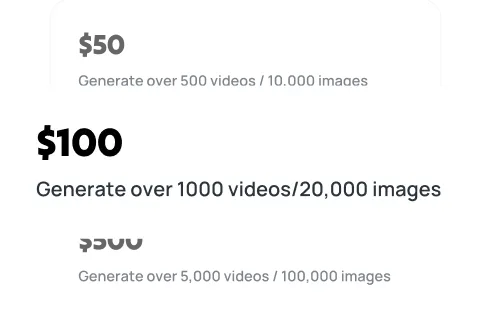
Top up

Top up

Your balance can be used across all models on the platform, including kimi-k2.6, giving you the flexibility to experiment and scale as needed.

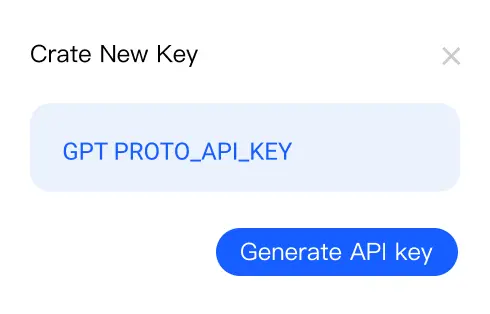
Generate your API key

Generate your API key

In your dashboard, create an API key — you'll need it to authenticate when making requests to kimi-k2.6.

Make your first API call

Make your first API call

Use your API key with our sample code to send a request to kimi-k2.6 via GPT Proto and see instant AI-powered results.

Get API Key

Kimi K2.6 API: Frequently Asked Questions

Expert answers regarding Kimi K2.6 performance, pricing, and technical integration.

Is Kimi K2.6 open source?

Yes. Moonshot AI released the model as open source. Running the weights requires your own serving infrastructure; GPTProto provides metered hosted access without local deployment.

What is the Kimi K2.6 context window?

It supports 262,144 tokens, commonly described as 256K. Code, documents, media-derived tokens, conversation history, and tool messages all count toward that limit.

Does Kimi K2.6 support images and video?

Yes. It accepts text, image, and video and returns text. Use a supported base64 payload or file upload rather than a remote image URL.

How does Kimi K2.6 thinking mode affect API parameters?

Thinking mode uses temperature `1.0`; non-thinking mode uses `0.6`. The guide fixes `top_p` at `0.95` and limits `tool_choice` to `auto` or `none` with thinking enabled.

How does Kimi K2.6 compare with Kimi K3?

Kimi K3 is the newer flagship and leads the official benchmark table. K2.6 remains relevant when open-source availability, integration continuity, or lower API cost matters more than the final quality increment.

Should I test Kimi K2.6 against Claude Opus 4.7 or GPT-5.5?

Yes. Test realistic candidates with identical prompts, tools, reasoning settings, and scoring rules. GPTProto supports them under one balance for side-by-side evaluation and fallback routing.

What does the Kimi K2.6 API cost on GPTProto?

The page currently lists `$0.855` per 1M input tokens and `$3.60` per 1M output tokens, 10% below its displayed market reference. Check the live panel before deployment.

How do I get a Kimi K2.6 API key on GPTProto?

Use the fixed GPTProto key flow shown below. The generated key can access other supported models through the same balance, so no separate Moonshot-specific wallet is required for GPTProto requests.

Is Kimi K2.6 compatible with the OpenAI API format?

Yes. Moonshot uses an OpenAI-compatible chat completions format. On GPTProto, use model `kimi-k2.6` and the base URL shown in the fixed Quick Start block.

Does Kimi K2.6 support web browsing capabilities?

When integrated with appropriate tools, the Kimi K2.6 model shows exceptional proficiency in browser-based tasks and UI navigation.

What language support does Kimi K2.6 offer?

Kimi K2.6 offers world-class support for both English and Chinese, along with high-level proficiency in various programming languages including Python, C++, and Rust.

Why choose GPTProto for Kimi K2.6 model access?

GPTProto provides a reliable Kimi K2.6 api with no credit-based expiration, pay-as-you-go pricing, and high-performance infrastructure that bypasses local hardware constraints.

Related Articles

More Blogs
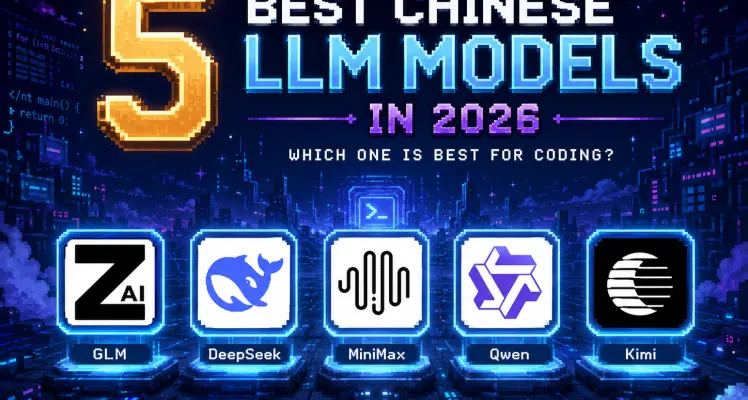
5 Best Chinese LLM Models in 2026: Which One Is Best for Coding?

5 Best Chinese LLM Models in 2026: Which One Is Best for Coding?

Compare Kimi K3, GLM 5.2, Qwen3.7 Max, MiniMax M3 and DeepSeek V4 Pro for coding, cost, speed, 1M context and open-weight access.

GLM-5.2 vs Kimi K3 for Coding: Which Is Better for Developers in 2026?

GLM-5.2 vs Kimi K3 for Coding: Which Is Better for Developers in 2026?

Compare GLM-5.2 vs Kimi K3 for coding, code review, game development, benchmarks, and API costs to find the better developer model in 2026.

What Is Kimi K3—and Is It Really Close to GPT-5.6 and Fable 5?

What Is Kimi K3—and Is It Really Close to GPT-5.6 and Fable 5?

Is Kimi K3 open source—and truly close to GPT-5.6 and Fable 5? Explore its 1M context, API pricing, independent benchmarks, and Reddit reaction.

Best AI API for Developers in 2026: 10 Platforms Compared

Best AI API for Developers in 2026: 10 Platforms Compared

Compare OpenAI, Claude, Gemini, OpenRouter, fal.ai, Replicate, and GPTProto on real pricing, model coverage, latency, SDKs, and production fit.

GPT Proto

Empowering AI Innovation with Global Scale and Stability:

With our flagship product GPT Proto, we offer a unified interface to access and combine APIs from the world's leading AI providers—spanning text, vision, speech, and beyond. We empower developers and enterprises to simplify integration and accelerate innovation without limits.

Global Infrastructure, Local Compliance:

To ensure enterprise-grade reliability and compliance, Talent Tech Global Limited operates specifically as our global Billing and Contracting Entity. Meanwhile, our core technical infrastructure and R&D teams are strategically distributed across global innovation hubs, including Silicon Valley, Singapore, and Hong Kong.

Built to Scale:

We understand that stability is paramount. Our platform is built on a robust, decentralized architecture supporting dynamic Auto-scaling. Whether you are running a pilot or handling millions of concurrent requests, our system expands instantly to meet demand—guaranteeing that your business never outgrows our infrastructure.

Navigation

  • Dashboard
  • Models
  • Create Image
  • AI Image Upscale
  • AI Background Remover
  • Create Video
  • Edit in Canvas
  • Features
  • Pricing
  • AI Docs
  • AI Blog
  • AI Insight
  • AI Skills

Features

  • Anime to Real Life AI
  • Anime AI Art Generator
  • AI Object Remover
  • AI Image Editor
  • Unrestricted AI Image Generator
  • AI Motion Transfer
  • AI Clothes Remover
  • AI Watermark Remover
  • AI Image Enhancer Online
  • Online Background Remover Tool
  • AI Face Swap Image
  • AI Passport Photo Maker
  • MS Paint AI Generator
Explore all features >

LLM

  • Claude Opus 5
  • Gemini 3.6 Flash
  • Gemini 3.5 Flash Lite
  • Kimi K3
  • GPT 5.6 Luna
  • GPT 5.6 Terra
  • GPT 5.6 Sol
  • Grok 4.5
  • Claude Sonnet 5
  • Minimax M3
  • GLM 5.2
  • GPT 5.1 Chat Latest
  • Claude Fable 5
  • Qwen3.7 Max
  • Claude Opus 4.8 Thinking
  • Claude Opus 4.8
  • Gemini 3.5 Flash
  • DeepSeek v4 Flash
  • DeepSeek v4 Pro
  • Grok 4.3
Explore all models >

Image

  • Dola Seedream 5.0 Pro 260628
  • Gemini 3.1 Flash Lite Image
  • Gemini 3.1 Flash Image
  • GPT Image 2
  • Gemini 3.1 Flash Image Preview
  • Seedream 5.0 260128
  • Doubao Seedream 5.0 260128
  • Vidu Q2
  • Grok Imagine Image
  • Kling Image O1
  • GPT Image 1.5
  • Seedream 4.5 251128
  • Doubao Seedream 4.5 251128
  • Grok Imagine 0.9
  • Gemini 3 Pro Image Preview
  • Qwen Image Lora
  • Qwen Image Plus Lora
  • Qwen Image Plus
  • Grok 4 Image
  • GPT Image 1 Mini
Explore all models >

Video

  • Kling v3.0 4k
  • Dreamina Seedance 2.0 Mini 260615
  • Kling v3 Omni 4k
  • Dreamina Seedance 2.0 Fast 260128
  • Dreamina Seedance 2.0 260128
  • Vidu 2.0
  • Doubao Seedance 2.0 260128
  • Doubao Seedance 2.0 Fast 260128
  • Kling v3 Omni Pro
  • Kling v3 Omni Std
  • Vidu Q3 Turbo
  • Kling v3.0 Pro
  • Kling v3.0 Std
  • Vidu Q3 Pro
  • Kling v2.6 Std
  • Vidu Q2 Pro
  • Vidu Q2 Turbo
  • Vidu Q2 Pro Fast
  • Vidu Q2
  • Kling Video O1 Pro
Explore all models >

© 2026 Talent Tech Global Limited (Hong Kong) / Talent Tech Global LLC (US). All rights reserved.

  • About Us
  • Privacy Policy
  • Terms of Service
  • Sitemap