Free AI Image Quality Enhancer for Sharper Photos

Instantly fix blurry pictures and upscale to high resolution with our advanced image quality enhancer. Just one click to make your visuals crisper and cleaner.
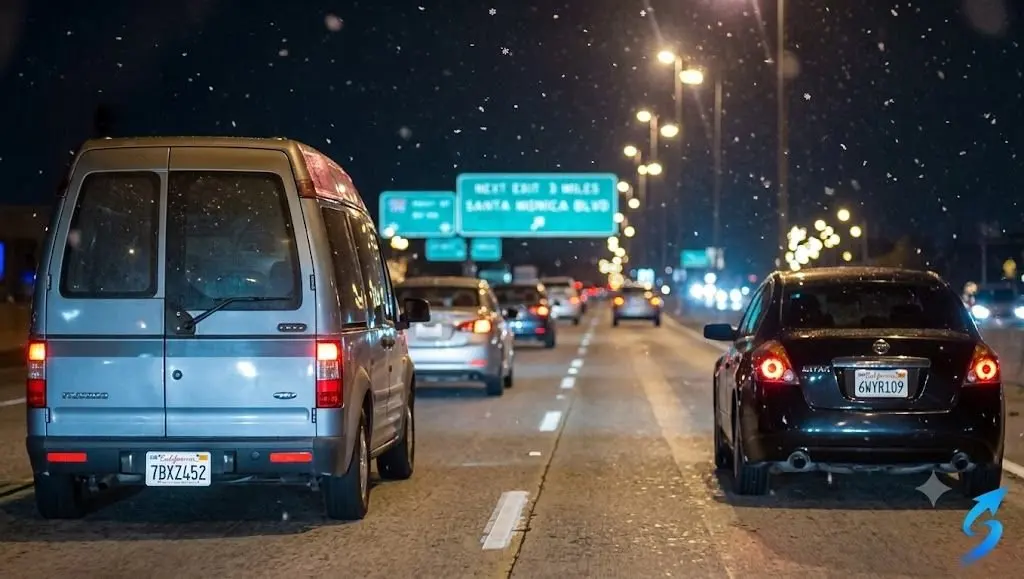
Preview image
History
Download

Frequently Asked Questions

How does this image quality enhancer work?

Our image quality enhancer uses advanced AI machine learning to add missing pixels, instantly increasing resolution and sharpness without losing natural detail.

Can I fix blurry old family portraits?

Yes! If you have found pixelated or blurry old photos, you can enhance them to keep memories alive. Our AI algorithm works exceptionally well on human faces.

Will the file size change after upscaling?

Yes, the resulting photo file size may increase. The AI adds more pixels and information to denoise the original picture, producing a high resolution image.

What types of pictures do not work well?

If your photo is already perfectly sharp, you won't see much change. For extremely poor-quality inputs, you might need to run the image quality enhancer twice.

Does this tool adjust color and lighting?

Our primary photo enhancer focuses on increasing resolution and sharpness. However, we offer built-in filters to separately adjust saturation, light, and contrast.

Can I use this photo enhancer on my mobile phone?

Absolutely. Our AI image upscaler is fully optimized for mobile web browsers, allowing you to fix blurry photos on the go from your iOS or Android device.

Is the upscaler free for personal use?

We offer free downloads for standard resolution results. You can also earn extra processing credits by referring friends to our AI platform.

Why should marketers use this tool?

Low-quality user-generated content hurts branding. Our image quality enhancer turns poor uploads into crisp, print-ready content for professional campaigns.

Testimonials

Sarah Jenkins

Realtor

The image quality enhancer completely saved my real estate listings. It fixes the lighting and makes the property look incredibly sharp.

Mark Torres

Historian

I had a bunch of pixelated old family photos. This AI photo enhancer unblurred them in seconds. The difference is night and day!

Emily Richards

Marketing Manager

As a social media manager, I often get terrible UGC. Running it through this image quality enhancer gives me high resolution images instantly.

Jason Lee

Photographer

Great tool for upscaling, though I wish it processed 4K files a bit faster. Still, this software is the best I've tried for portraits.

David Kim

Software Developer

I integrated the API into my own app. The machine learning model provides exceptional deblurring results for our users. Super easy to implement.

Rachel Woods

Graphic Designer

I was skeptical about AI upscaling, but this photo enhancer actually adds realistic detail instead of just smoothing things out. Highly recommend.

Chris Hayes

E-commerce Owner

Use this every day for my print-on-demand store. It turns low res graphics into crisp, print-ready content effortlessly. Amazing AI technology.

Jessica Miller

Travel Blogger

Works perfectly on my iPhone browser. I can snap a somewhat blurry picture, upload it, and get a perfectly sharp high resolution image right away.

Tom Baker

Freelance Editor

Sometimes extremely blurry scenery shots take two passes, but this AI tool is absolute magic on human faces and close-up portraits.

Amanda Peterson

Teacher

I love the free tier! Sharing the image quality enhancer with my family got me enough credits to upscale my entire wedding album.