The landscape of software engineering is undergoing a massive transformation, driven by autonomous AI agents. For modern developers, the terminal is no longer just a standard command-line interface; it is the vital command center for next-generation tools like Claude Code. If you are running Claude Code on a Windows machine, relying on legacy tools like CMD or basic PowerShell will severely bottleneck your daily workflow. You absolutely need high-performance, GPU-accelerated text rendering and deep UI customization to keep up with rapid AI-generated outputs. In this comprehensive guide, we explore why Windows Terminal is the absolute best environment for maximizing your Claude Code productivity. We will also uncover how integrating platforms like GPTProto can drastically scale your local AI development architecture at a fraction of the traditional cost.
Master Claude Code in Windows Terminal
Discover why Windows Terminal is the ideal environment for Claude Code. Learn about GPU-accelerated rendering, customization tips, and how GPTProto helps scale your AI development at lower costs.
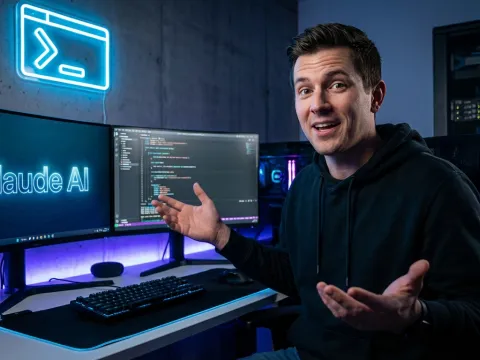
The New Paradigm of AI Development with Claude Code
The entire landscape of software engineering is fundamentally shifting beneath our feet. We are officially entering the age of the terminal-first AI agent, where intelligent tools operate autonomously alongside human engineers. Leading this formidable charge is a breakthrough utility that has actively captured the imagination of developers worldwide: Claude Code. This specific agent represents a massive change in exactly how we interface with our local codebases.
In the recent past, we manually wrote every single line of syntax by hand. Today, we simply describe our complex architectural intent, and Claude Code immediately executes the required logic. However, there remains a critical missing piece in this modern developer revolution that many engineers completely ignore. That critical piece is the primary interface where Claude Code natively lives and breathes—the terminal window itself.
Why Your Interface Defines Your Claude Code Experience
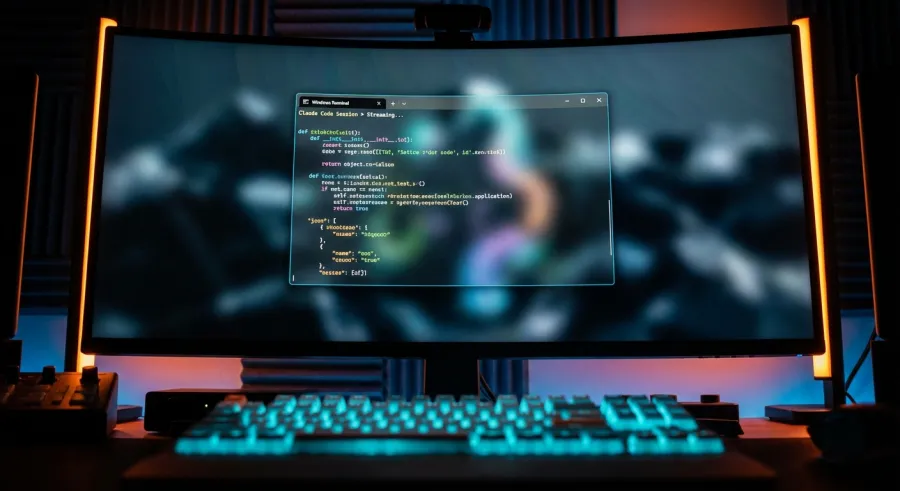
If you are a dedicated Windows developer, you have likely felt left behind during previous tooling revolutions. For years, macOS effectively held the monopoly on the sleekest development tools and the most beautiful terminal environments. However, the meteoric rise of Claude Code has completely changed the high-stakes game for every operating system. A laggy, unresponsive, or visually ugly terminal can instantly ruin the delicate flow of AI-assisted programming.
When you actively use Claude Code, you are physically watching a highly technical conversation unfold in real-time. The pure speed of text rendering and the visual clarity of your terminal font absolutely matter to your cognitive load. You desperately need a terminal application that can effortlessly keep up with the incredibly rapid output generation of Claude Code. This exact requirement is exactly where the choice of Windows Terminal becomes a highly strategic technical decision for your career.
Leaving Legacy Windows Tools Behind for Claude Code
For several decades, Windows developers were unhappily stuck with the default Command Prompt. Affectionately known as CMD, this tool was an inflexible relic of a long-bygone computing era. Attempting to use CMD to run a highly modern, reactive tool like Claude Code feels exactly like putting a jet engine on a wooden horse carriage. The severe technical limitations are immediately apparent the moment you try to scale your daily work.
CMD completely lacks the basic rendering features we now take for granted in the broader tech industry. It physically cannot handle complex ANSI escape sequences, deep colors, or modern font ligatures required by advanced CLIs. When Claude Code attempts to output syntax-highlighted code blocks, CMD predictably fails to render the data correctly. This legacy failure creates a frustrating visual mess that actively slows down your deep debugging process.
The Total Failure of CMD in the Claude Code Era
Take a moment to imagine trying to accurately read a massive 500-line git diff generated by Claude Code inside CMD. The dense text wraps incredibly poorly across the screen, and the visual contrast is virtually non-existent. It is a guaranteed recipe for severe eye strain and rapid developer burnout. Furthermore, CMD completely lacks support for the modern tabbed interfaces required for efficient multitasking.
If you need to successfully run Claude Code while simultaneously monitoring a local node server, you are forced to open multiple separate windows. Manually managing these disorganized floating boxes is a complete productivity nightmare in any modern engineering workflow. High-level software development requires a unified, cohesive space where Claude Code can genuinely thrive without friction. CMD simply cannot provide that essential space for the modern AI engineer.
Why Basic PowerShell Falls Short for Claude Code
Microsoft eventually introduced PowerShell, which was undeniably a massive technical leap forward at the time. It added incredibly powerful scripting capabilities and vastly better object-oriented handling for system administrators. Yet, functioning strictly as a visual terminal interface, the default PowerShell window still felt stuck in the previous decade. Its default blue background was highly iconic but eventually became physically tiring for the eyes during long coding sessions.
Fundamentally, PowerShell is an underlying shell environment, not a dedicated terminal emulator featuring high-performance graphical rendering. When Claude Code actively streams its deep reasoning process, the legacy PowerShell host can easily feel sluggish and unresponsive. The old underlying rendering engine is simply not optimized for the high-frame-rate text output that LLMs generate. This technical bottleneck creates a subtle but constant friction that wildly interrupts the flow state of your Claude Code session.
| Core Feature | CMD / Legacy Host | Claude Code Strict Requirements |
|---|---|---|
| Text Rendering | Legacy CPU-based (Extremely Slow) | DirectX GPU-accelerated (Lightning Fast) |
| Color Range Support | Severely Limited 16-color palette | TrueColor (Full 24-bit RGB) |
| Unicode & Font Ligatures | Broken or non-existent | Complete Native Support |
| Workspace Management | Single Window Only | Native Tabs and Split Panes |
The Evolution of Third-Party Terminals for Claude Code
Long before Windows Terminal properly matured, frustrated developers desperately looked elsewhere for functional help. Third-party tools like Cmder quickly became the go-to alternative solution for engineers wanting a functional Linux-like feel. It was certainly a massive step in the right direction for those actively wanting to run Claude Code effectively on Windows. By conveniently bundling multiple utilities together, it initially offered a much more coherent programming experience.
However, running Cmder was always heavily reliant on older, patched-together components behind the scenes. It heavily relied on ConEmu, which, while highly configurable, felt increasingly heavy and slow on modern machines. The mandatory startup times for Cmder painfully began to lag as local project directories grew larger and more complex. When you have a sudden idea and need Claude Code immediately, a five-second delay waiting for a terminal to launch is simply unacceptable.
Assessing Warp as a Viable Competitor for Claude Code
More recently, the highly anticipated Warp terminal officially arrived on the Windows operating system with a massive amount of hype. It aggressively markets itself specifically as the ultimate AI terminal, which initially sounds perfect for heavy Claude Code users. Warp undeniably possesses a beautiful, highly modern interface and incredibly snappy rust-based performance. However, there is a fundamental and massive conflict of interest for many dedicated AI engineers.
Warp inherently includes its own proprietary built-in AI chat features that heavily overlap with your workflow. If you are already deeply committed to utilizing Claude Code as your primary agent, you absolutely do not need another redundant AI layer forced into your UI. The mandatory account login and subscription model of Warp can also serve as a massive deterrent for privacy-conscious independent developers. Many professionals strictly prefer a clean, fast, unopinionated terminal application that entirely gets out of the way of Claude Code.
The Superior Stability of Windows Terminal for Claude Code
Windows Terminal successfully emerged as the ultimate pristine middle ground between legacy garbage and overly experimental startups. It safely offers the rock-solid stability you expect from a first-party, natively supported Microsoft product. Concurrently, it fully provides the extreme high-performance rendering fundamentally needed to handle massive Claude Code text outputs. Because the core project is entirely open-source, the passionate developer community has actively polished it into a flawless gem.
Exclusively using Windows Terminal directly allows you to intensely focus purely on your application logic rather than fighting your tools. It deeply supports every single modern text protocol and ANSI sequence that Claude Code might uniquely utilize. Whether you are deeply nested inside WSL2 or utilizing native PowerShell 7, the visual experience remains flawlessly consistent. That rigid consistency is absolutely key when you are iterating rapidly on complex logic with an AI agent like Claude Code.
The Deep Technical Superiority of Windows Terminal for Claude Code
What specifically makes Windows Terminal functionally better for high-speed AI tools like Claude Code? The factual answer lies deeply embedded in its vastly superior modern software architecture and graphical rendering pipeline. Unlike significantly older terminal emulators, Windows Terminal aggressively leverages DirectX hardware acceleration to handle text rendering. This simply means your dedicated GPU is actively handling the mathematical drawing of every single character on your screen.
When Claude Code rapidly outputs a massive, highly complex block of deeply nested JSON, the data appears instantly. There is absolutely no frustrating screen tearing or the classic scrolling stutter that you regularly find in older, CPU-bound terminal emulators. This seamless visual fluidity critically makes the AI feel much more like an incredibly responsive real-time engineering partner.
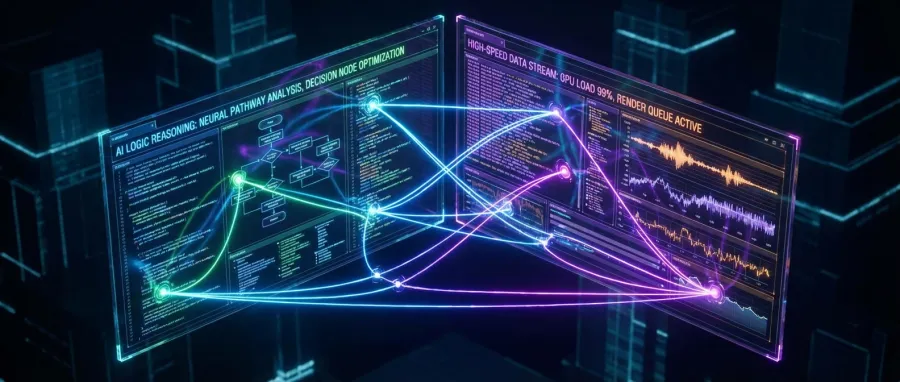
Most importantly, this GPU acceleration directly reduces the subconscious cognitive load of waiting for the screen to physically catch up. It ensures that your eyes can seamlessly scan the code while Claude Code is still actively streaming the final tokens.
Customizing the Perfect Visual Workspace for Claude Code
Top-tier developers today care incredibly deeply about the exact visual aesthetics of their digital workspace. Windows Terminal fully allows for extremely deep JSON-based customization that perfectly complements the modern vibe of Claude Code. You can easily configure custom background images with highly specific opacity levels and subtle transparency effects. This unique capability immediately creates a highly sophisticated digital environment where writing software feels much more like high art.
The native Acrylic blur effect built into Windows Terminal is particularly striking and visually pleasing. It elegantly blurs your underlying desktop wallpaper behind your terminal window, constantly adding a comfortable sense of physical depth. As Claude Code autonomously writes massive new functions, the illuminated text smoothly seems to float cleanly over your background. It truly is a premium, flagship-level experience that used to be completely exclusive to elite macOS engineers.
Optimizing Your Financial Costs with GPT Proto and Claude Code
Regularly running highly advanced local AI agents like Claude Code can rapidly become financially expensive over prolonged periods of time. Every single distinct interaction with the model naturally involves sending and receiving thousands of contextual data tokens. This unavoidable financial reality is exactly where smart, seasoned developers look for strategic architectural ways to drastically save money. GPT Proto uniquely provides a highly vital infrastructure service for those engineers looking at scaling their daily AI usage efficiently.
By intelligently integrating GPT Proto, you can immediately access top-tier foundational models at a mere fraction of the standard retail cost. They consistently offer up to a massive 60% off mainstream LLM API prices specifically designed for high-volume, professional users. This aggressive pricing model inherently makes the daily, long-term use of your Claude Code agent exponentially more financially sustainable. GPT Proto brilliantly also offers a highly reliable, unified endpoint interface for absolutely all your complex model routing needs.
- Massive API Savings: Instantly reduce your monthly AI operational overhead by 60% utilizing GPT Proto's highly optimized pricing structure.
- Unified Data Access: Seamlessly query OpenAI, Google, and Anthropic models directly through one fully standardized API endpoint interface.
- Enhanced Multi-Modal Support: Powerfully extend your baseline Claude Code functional capabilities by natively incorporating both image and audio processing.
- Dynamic Performance Scheduling: Intelligently switch back and forth between extreme high-speed processing and aggressive cost-saving modes effortlessly.
Building the Perfect Windows Terminal Configuration for Claude Code
Successfully extracting the absolute maximum value out of Claude Code requires a small bit of intentional terminal configuration. First and foremost, you must immediately install a highly specialized Nerd Font, such as Cascadia Code NF or Fira Code NF. These unique programming fonts natively include thousands of specific glyphs and icons that Claude Code can beautifully use in its command-line UI. It dramatically transforms the raw terminal environment to look and act exactly like a full-fledged IDE rather than a boring text box.
Next, you absolutely must master the native split-pane keyboard shortcut (typically Alt+Shift+D). This powerful built-in functionality gracefully allows you to keep Claude Code persistently open and active on one vertical half of your screen. On the direct opposite side, you can continuously run your live build logs, node servers, or automated unit test suites without overlap. This dual-pane command center layout is factually the most ruthlessly efficient way to operate a Claude Code workflow today.
Mastering Multiple Configuration Profiles for Claude Code
Windows Terminal brilliantly allows you to quickly establish highly specific configuration profiles dedicated strictly to different types of tasks. You should absolutely create an isolated profile specifically optimized strictly for your intense Claude Code engineering sessions. This highly specialized profile can purposefully have a much larger font size or a distinctly different, high-contrast background color. It serves as a powerful psychological trigger that actively helps your brain switch deeply into AI collaboration mode instantly.
You can seamlessly also configure this specific profile to automatically launch the Claude Code CLI utility immediately directly upon startup. This simple automation permanently removes any lingering friction between having a brilliant architectural idea and immediately starting the execution work. The raw speed of entry into your workflow is universally considered the biggest statistical predictor of actual developer productivity. Windows Terminal purposefully makes this critical entry process utterly seamless for any conceivable type of software project.
Unlocking Rapid Access with Quake Mode for Claude Code
One of the absolute best hidden premium features inside Windows Terminal is the native support for a specialized Quake Mode window. By simply pressing a configurable global hotkey, the entire terminal instantly drops down aggressively from the top edge of your main screen. This fast-action UI pattern is absolutely perfect for those specific moments when you suddenly need to ask Claude Code a rapid technical question. You never again have to manually hunt for your specific terminal window buried deep inside a crowded Windows taskbar.
The console safely stays entirely hidden in the system background until you desperately need the vast intelligent power of Claude Code again. This highly optimized workflow closely mimics exactly how beloved modern productivity applications like Apple Spotlight or Raycast traditionally operate. It effectively turns your entire core operating system into an always-available, highly reactive Claude Code digital playground. Once you actively force yourself to try Quake Mode for your AI tasks, you will never want to go back to standard windows.
"Windows Terminal is not merely a generic software application; it is the highly optimized graphical stage upon which Claude Code performs its most impressive and complex feats of software engineering."
The Critical Role of WSL2 in Your Claude Code Integration
The vast majority of professional developers heavily prefer the robust Linux software ecosystem purely for its vastly superior package management. Fortunately, Windows Terminal actively provides the absolute best technical bridge directly into WSL2 specifically for dedicated Claude Code users. Natively running your instance of Claude Code deep inside an Ubuntu WSL2 environment safely gives you the absolute best of both computing worlds. You seamlessly receive top-tier Linux filesystem execution performance while retaining the familiar visual comfort of a sleek Windows desktop.
Windows Terminal effortlessly handles the highly complex data handoff between the Windows host and the Linux subsystem perfectly every time. Crucial file path names and intricate executing permissions are properly managed and correctly interpreted by Claude Code in this hybrid setup. It fundamentally allows for a completely friction-free local development experience that practically feels like a truly native UNIX machine. This robust architectural synergy is exactly why the Windows operating system is rapidly becoming the deeply preferred OS for elite AI engineers.
Unlocking Advanced Customization for Claude Code Professionals
For those elite engineers who actively want to aggressively push the technical limits, direct raw JSON configuration file editing is fully available. You possess the power to meticulously tweak absolutely every underlying hex color code and UI pixel of your designated Claude Code environment. You can confidently even map incredibly custom, complex keybindings explicitly for triggering highly specific Claude Code internal commands. This extreme, granular level of user control is exactly what highly professional senior developers deeply crave in their daily tools.
Just briefly imagine pressing a single unified keyboard shortcut that automatically triggers a massive, codebase-wide Claude Code refactor routine instantly. Or realistically picturing a custom shell pipeline shortcut that cleanly funnels your current sprawling application error log directly into the agent's context window. This exact level of extreme automation is the true hidden power of running a highly configurable platform like Windows Terminal. It beautifully evolves and organically scales directly alongside your own growing skills and the ever-expanding functional capabilities of Claude Code.
Evaluating the Market: A Strategic View of Claude Code Terminals
When we objectively look at the broader current market for developer tools, the strategic choice immediately becomes crystal clear for Windows users. The vast majority of other competing terminals are either far too simplistic, wildly too expensive, or frustratingly unstable under heavy AI workloads. Windows Terminal safely provides the absolute perfect Goldilocks experience specifically tuned for heavy Claude Code integration. It is entirely free, blindingly fast, and heavily feature-rich enough to gracefully handle the absolute most demanding algorithmic tasks you throw at it.
| Terminal Application | General Ease of Use | Direct Claude Code Synergy | Rendering Performance |
|---|---|---|---|
| Windows Terminal | Extremely High | Absolutely Excellent | Extreme (GPU DirectX) |
| Cmder / ConEmu | Moderate / Medium | Generally Good | Decidedly Average (CPU) |
| Warp Terminal | Moderate | High (But Features Redundant AI) | Extreme (Rust GPU) |
| VS Code Integrated Terminal | Extremely High | Moderate (Often Cluttered) | Average (Electron-based) |
Embracing the Exciting Future of Terminal-Based AI with Claude Code
We are still only standing at the very beginning stages of this incredible autonomous AI agent engineering journey. Very soon, complex systems like Claude Code will likely be completely trusted to securely handle entire cloud deployments and massive end-to-end testing cycles autonomously. The local terminal window will absolutely remain the hyper-critical central communication hub for managing all of this vast technical automation. Proactively investing serious time and effort into perfecting your terminal setup today is essentially a massive, guaranteed future-proofing strategy for your career.
As the underlying AI models powering Claude Code naturally become significantly smarter, the tool will actively require vastly more interactive UI graphical elements. Microsoft's Windows Terminal is already being aggressively updated and patched specifically to natively support these incredibly demanding future data visualization needs. Its deeply modular, flexible software design effectively means it can seamlessly adapt to whatever complex form Claude Code ultimately takes in the next five years. You are actively building an incredibly robust technical foundation directly intended for a highly lucrative decade of intense AI-driven software work.
Enhancing Your Ultimate Claude Code Workflow with the GPT Proto API
For highly ambitious developers who are actively building their own custom, proprietary internal tools operating directly on top of Claude Code, reliable API access is absolutely vital. GPT Proto powerfully serves as the absolute perfect foundational backend infrastructure for facilitating these highly custom local technical innovations. It safely allows you to dynamically test vastly different foundational LLM models on the fly without ever fundamentally changing your core code structure. This extreme routing flexibility is absolutely essential for survival in a wildly fast-moving technological field like modern generative AI.
If your specific instance of Claude Code suddenly needs to accurately perform a complex computer vision task, GPT Proto can seamlessly provide that specific endpoint instantly. It intelligently aggregates the absolute best foundational models available in the world into a single, highly reliable, unified data stream. This vital architectural layer massively reduces the frustrating daily complexity of securely managing dozens of different API keys and overlapping enterprise billing accounts. You can aggressively focus entirely on writing your unique business logic, and confidently let GPT Proto securely handle all the heavy infrastructure.
Maintaining the Perfect Vibe while Deeply Using Claude Code
Consistent daily developer productivity is fundamentally as much about how an environment physically makes you feel as it is about raw computational function. A deeply beautiful, highly responsive terminal literally makes you genuinely want to spend significantly more time engaging dynamically with Claude Code. When your digital environment is visually pleasing and functionally frictionless, you actively enter the legendary deep work flow state much more easily. This exact psychological reality is genuinely the heavily guarded secret weapon of the world's absolute most productive senior software developers.
You absolutely must not systematically underestimate the raw transformative power of utilizing a beautiful, clean font combined with a buttery smooth scrolling experience. These seemingly small, isolated UI details rapidly accumulate over thousands of hours into a truly massive competitive advantage for your coding output. Your technical working relationship with Claude Code is going to be incredibly long, highly intimate, and extremely productive over the next several years. You must ensure the precise digital place where you meet every day is genuinely a place you deeply enjoy existing inside of.
Conclusion: Why Windows Terminal Absolutely Wins for Claude Code
In final summary, the modern developer terminal is absolutely no longer just a boring, static window to blindly type obscure UNIX commands into. It is actively the highly advanced digital cockpit of your deeply AI-augmented future software development career. Microsoft's Windows Terminal simply offers the absolute best raw graphical performance and deepest visual aesthetics available specifically for running Claude Code today. It flawlessly bridges the awkward historical gap beautifully between legacy Windows systems and the incredibly exciting future of high-speed Linux-based AI development.
By consciously choosing to deeply master Windows Terminal, you are strategically choosing unparalleled runtime stability, visual beauty, and execution speed. You are purposefully giving Claude Code the absolute best possible graphical stage to effectively help you build massive software systems. Furthermore, actively combining this perfect local setup with the incredible long-term cost-efficiency of GPT Proto gives you a massive professional edge over your peers. Stop lazily settling for vastly subpar, legacy developer tools and immediately upgrade your entire AI terminal experience today.
The rapidly approaching future of enterprise coding is undeniably conversational, highly visual, and incredibly fast-paced. Your primary workspace terminal absolutely should be intentionally designed to be precisely all of those things too. Take the time to get properly started tweaking Windows Terminal specifically for Claude Code right now to instantly see the massive difference in your daily output. Your highly productive future self will absolutely thank you profusely for confidently making the architectural switch today.
Original Article by GPT Proto
"We focus on discussing real problems with tech entrepreneurs, enabling some to enter the GenAI era first."



