GPT Proto

Preview image

Free AI Image Quality Enhancer for Sharper Photos

Instantly fix blurry pictures and upscale to high resolution with our advanced image quality enhancer. Just one click to make your visuals crisper and cleaner.
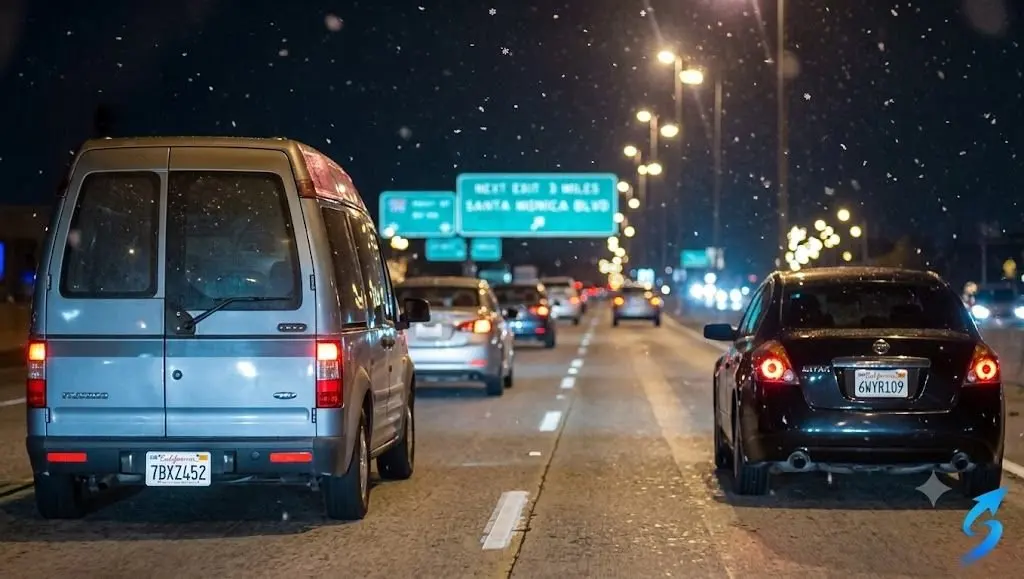
Fix Blurry Family Photos

Bring old memories back to life. Our image quality enhancer restores pixelated and low-quality portraits with precision.

Before · Fix Blurry Family Photos
Before
Fix Blurry Family Photos
After

Upscale for Social Media

Turn poor UGC into high-res, print-ready content. A flawless image quality enhancer for your digital marketing campaigns.

Before · Upscale for Social Media
Before
Upscale for Social Media
After

Developer AI Photo Enhancer

Integrate our AI upscaling model into your own apps via API. Deliver sharper, cleaner results for your users effortlessly.

Before · Developer AI Photo Enhancer
Before
Developer AI Photo Enhancer
After

Real Estate Image Quality Enhancer

Fix lighting, declutter, and enhance quality for property listings. Make every detail stand out with our AI image upscaler.

Before · Real Estate Image Quality Enhancer
Before
Real Estate Image Quality Enhancer
After

Frequently Asked Questions

How does this image quality enhancer work?

Our image quality enhancer uses advanced AI machine learning to add missing pixels, instantly increasing resolution and sharpness without losing natural detail.

Can I fix blurry old family portraits?

Yes! If you have found pixelated or blurry old photos, you can enhance them to keep memories alive. Our AI algorithm works exceptionally well on human faces.

Will the file size change after upscaling?

Yes, the resulting photo file size may increase. The AI adds more pixels and information to denoise the original picture, producing a high resolution image.

What types of pictures do not work well?

If your photo is already perfectly sharp, you won't see much change. For extremely poor-quality inputs, you might need to run the image quality enhancer twice.

Does this tool adjust color and lighting?

Our primary photo enhancer focuses on increasing resolution and sharpness. However, we offer built-in filters to separately adjust saturation, light, and contrast.

Can I use this photo enhancer on my mobile phone?

Absolutely. Our AI image upscaler is fully optimized for mobile web browsers, allowing you to fix blurry photos on the go from your iOS or Android device.

Is the upscaler free for personal use?

We offer free downloads for standard resolution results. You can also earn extra processing credits by referring friends to our AI platform.

Why should marketers use this tool?

Low-quality user-generated content hurts branding. Our image quality enhancer turns poor uploads into crisp, print-ready content for professional campaigns.

Testimonials

The image quality enhancer completely saved my real estate listings. It fixes the lighting and makes the property look incredibly sharp.

Sarah Jenkins

Realtor

I had a bunch of pixelated old family photos. This AI photo enhancer unblurred them in seconds. The difference is night and day!

Mark Torres

Historian

As a social media manager, I often get terrible UGC. Running it through this image quality enhancer gives me high resolution images instantly.

Emily Richards

Marketing Manager

Great tool for upscaling, though I wish it processed 4K files a bit faster. Still, this software is the best I've tried for portraits.

Jason Lee

Photographer

I integrated the API into my own app. The machine learning model provides exceptional deblurring results for our users. Super easy to implement.

David Kim

Software Developer

I was skeptical about AI upscaling, but this photo enhancer actually adds realistic detail instead of just smoothing things out. Highly recommend.

Rachel Woods

Graphic Designer

Use this every day for my print-on-demand store. It turns low res graphics into crisp, print-ready content effortlessly. Amazing AI technology.

Chris Hayes

E-commerce Owner

Works perfectly on my iPhone browser. I can snap a somewhat blurry picture, upload it, and get a perfectly sharp high resolution image right away.

Jessica Miller

Travel Blogger

Sometimes extremely blurry scenery shots take two passes, but this AI tool is absolute magic on human faces and close-up portraits.

Tom Baker

Freelance Editor

I love the free tier! Sharing the image quality enhancer with my family got me enough credits to upscale my entire wedding album.

Amanda Peterson

Teacher

The image quality enhancer completely saved my real estate listings. It fixes the lighting and makes the property look incredibly sharp.

Sarah Jenkins

Realtor

I had a bunch of pixelated old family photos. This AI photo enhancer unblurred them in seconds. The difference is night and day!

Mark Torres

Historian

As a social media manager, I often get terrible UGC. Running it through this image quality enhancer gives me high resolution images instantly.

Emily Richards

Marketing Manager

Great tool for upscaling, though I wish it processed 4K files a bit faster. Still, this software is the best I've tried for portraits.

Jason Lee

Photographer

I integrated the API into my own app. The machine learning model provides exceptional deblurring results for our users. Super easy to implement.

David Kim

Software Developer

I was skeptical about AI upscaling, but this photo enhancer actually adds realistic detail instead of just smoothing things out. Highly recommend.

Rachel Woods

Graphic Designer

Use this every day for my print-on-demand store. It turns low res graphics into crisp, print-ready content effortlessly. Amazing AI technology.

Chris Hayes

E-commerce Owner

Works perfectly on my iPhone browser. I can snap a somewhat blurry picture, upload it, and get a perfectly sharp high resolution image right away.

Jessica Miller

Travel Blogger

Sometimes extremely blurry scenery shots take two passes, but this AI tool is absolute magic on human faces and close-up portraits.

Tom Baker

Freelance Editor

I love the free tier! Sharing the image quality enhancer with my family got me enough credits to upscale my entire wedding album.

Amanda Peterson

Teacher

Ready to Use These AI Models in Your Workflow?