What Does MCP Stand For in AI?
MCP stands for Model Context Protocol.
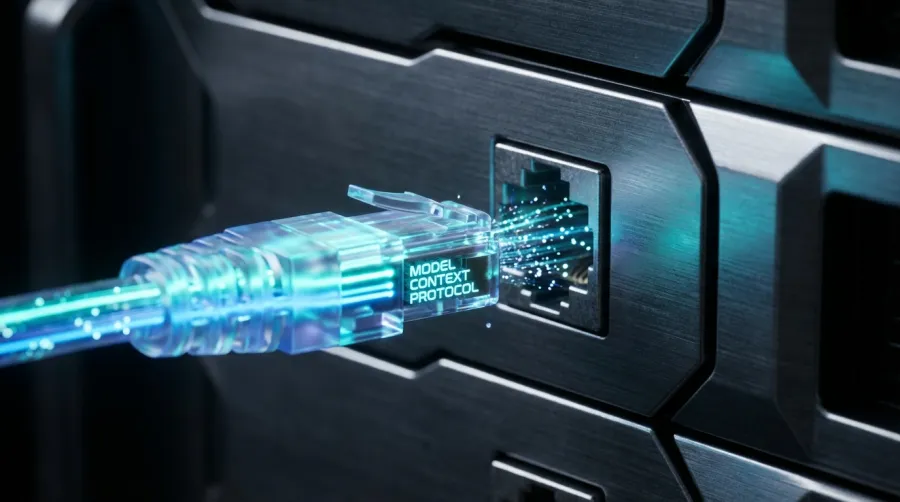
It is an open-source standard for connecting AI applications to external systems such as files, databases, search tools, calendars, code repositories, and business software. The official MCP documentation compares it to a USB-C port: different devices can use the same connection standard instead of requiring a new cable for every combination.
That comparison is useful, but it can also make MCP sound simpler than it is.
MCP is not an AI model, an application, or a replacement for an API. It is a communication standard used by compatible AI applications and servers. The application still needs a language model to understand the user’s request, while the connected services often still rely on their existing APIs underneath.
A more precise definition is:
MCP standardizes how an AI application discovers, connects to, and exchanges information with external tools and data sources.
The word context matters. A language model only knows what is included in its training data or supplied during the current interaction. MCP can give an AI application access to additional context—such as a current database record, a local file, or the result of a live API request—when that information is needed.
Why Was the Model Context Protocol Created?
Before MCP, developers usually built separate integrations for each combination of AI application and external service.
Imagine an AI assistant that needs to work with Google Calendar, GitHub, a customer database, and an internal billing system. Each integration may have its own API format, authentication process, function definitions, and error-handling rules.
Now imagine building the same connections again for another AI assistant.
MCP attempts to reduce that repeated integration work. A service can expose its capabilities through an MCP server, while compatible AI applications can connect through a shared protocol.
This does not mean developers can stop building integrations. Someone still has to implement the MCP server, connect it to the underlying service, manage credentials, validate requests, and maintain the system. The benefit is reuse: once a capability follows the protocol, it may be easier to connect it to multiple compatible AI hosts.
MCP is most valuable when the number of tools, data sources, and AI clients starts to grow. For one application connected to one stable service, a direct API integration may remain the simpler choice.
How MCP Works: Host, Client, and Server
MCP uses a client-server architecture, but the terminology can be confusing because three parts are involved.
MCP Host
The host is the AI application the user interacts with. It may be a chat assistant, coding environment, desktop application, or custom AI agent.
The host coordinates the conversation, communicates with the language model, manages permissions, and decides which MCP connections are available.
MCP Client
An MCP client is a component inside the host that maintains a connection to an MCP server.
According to the official MCP architecture, a host normally creates a separate client connection for each server. If an application connects to a filesystem server and a calendar server, it manages two MCP clients.
MCP Server
An MCP server is a program that makes specific capabilities available to MCP clients. It can run locally on the user’s device or remotely on another server.
An MCP server can expose three core types of capability:
- Tools: Executable functions, such as querying a database, creating a calendar event, or sending a message.
- Resources: Information the application can read, such as a file, database record, or API response.
- Prompts: Reusable templates that help structure a model interaction.
The host and server first negotiate which protocol features they both support. The client can then request a list of available capabilities. When the model decides that a tool is relevant, the host routes the structured request through the MCP client to the correct server.
The result returns to the AI application and becomes additional context for the model’s next response.

A Real MCP Example From Request to Tool Result
Suppose a developer asks an internal AI assistant:
“Check our API spending for this month. If it is more than 20% above budget, create an alert for the engineering team.”
A simplified MCP workflow could look like this:
- The AI application receives the request and sends it to its language model.
- Its MCP client discovers that a connected finance server offers
get_api_usage and get_budget_limit.
- The model selects those tools and supplies the required date range.
- The MCP server calls the company’s billing API and returns the current spending and budget.
- The model calculates whether spending is more than 20% above the limit.
- If an alert is needed, the application identifies a connected messaging tool such as
create_alert.
- Because this action changes an external system, the application can ask the user to confirm it.
- After approval, the messaging server calls the underlying messaging API.
- The model tells the user what it found and what action was taken.
MCP standardizes the middle of this process: discovering the tools, describing their input requirements, calling them, and returning structured results.
It does not perform the calculation by itself, supply the language model, or replace the billing and messaging APIs.
MCP vs API vs Function Calling vs RAG
These terms are often presented as competing technologies. In practice, they operate at different layers and frequently appear in the same application.
| Concept |
What it solves |
How it relates to MCP |
| API |
Lets one software system request data or actions from another |
An MCP server often calls existing APIs underneath |
| Function calling |
Lets a model produce a structured request for a predefined tool |
A host may convert MCP tool definitions into functions the model can select |
| RAG |
Retrieves relevant external information before a model answers |
An MCP server can expose retrieval tools or resources, but MCP itself is not RAG |
| MCP |
Standardizes how compatible AI applications connect to and interact with tools and data |
Acts as the connection and interoperability layer |
Does MCP Replace APIs?
No. MCP and APIs solve related but different problems.
An API defines how a particular service can be called. For example, a billing API might define an endpoint that returns account usage.
MCP defines how an AI application can discover and use a capability exposed by a compatible server. That server may call the billing API to obtain the actual data.
In other words:
An API connects software to a service. MCP helps an AI application work with many services through a common protocol.
A direct API integration can still be faster and easier when an application only needs one fixed function. MCP becomes more attractive when developers want to reuse tools across several AI clients or allow available capabilities to change dynamically.
Is MCP the Same as Function Calling?
No. Function calling is generally a model capability. Developers describe one or more functions, and the model produces structured arguments when it decides that a function should be used.
MCP operates around that process. It can help the application discover tool definitions from connected servers instead of requiring every tool to be hard-coded into the application.
The model may still rely on function or tool calling to select an MCP-provided tool.
Is MCP a Type of RAG?
No. Retrieval-augmented generation, or RAG, is a method for retrieving relevant information and adding it to a model’s context before it answers.
An MCP server could expose a document search tool that forms part of a RAG system. However, MCP does not decide how documents are indexed, how results are ranked, or how retrieved text is added to a prompt.
MCP can carry the request and result. The retrieval system does the searching.
What MCP Can and Cannot Do
MCP can make tools more reusable across compatible applications. It can also let an application discover available tools and their required inputs instead of relying entirely on hard-coded connections.
But several common claims go too far.
MCP does not:
- Make an application compatible if it has no MCP client support.
- Remove the need for underlying APIs or business logic.
- Automatically handle every authentication and permission requirement.
- Guarantee that a model will select the correct tool.
- Guarantee that a tool will return accurate data.
- Make third-party servers safe by default.
- Remove the need to monitor, update, and maintain integrations.
- Automatically share all data between connected systems.
It also does not give a model unrestricted access to every connected service. The host controls which servers are connected, while server capabilities and user permissions determine what can be read or changed.
When Should Developers Use MCP?
MCP is worth considering when an application must connect to several tools or data sources, especially if those capabilities may be reused across different AI hosts.
Typical situations include:
- An internal assistant that searches documents, databases, and support tickets.
- A coding agent that works with repositories, issue trackers, and monitoring systems.
- A research application that queries several live data sources.
- A business agent that reads records and performs approved actions in other software.
- A tool provider that wants its service to work with several MCP-compatible clients.
A direct API integration may be the better option when the application has one narrow workflow, only uses one service, or needs precise low-level control over every request. Adding an MCP server introduces another component to deploy, secure, test, and observe.
MCP reduces some integration repetition. It does not remove architectural trade-offs.
Is MCP Safe?
MCP is not automatically safe or unsafe. Security depends on the host, the server, its underlying services, the authentication flow, and the permissions granted to each action.
A connected server may receive sensitive information from the AI application. A tool with write access could also change files, send messages, create records, or trigger other external actions.
The official MCP security guidance covers risks including token passthrough, server-side request forgery, session hijacking, compromised local servers, and confused-deputy attacks. These are implementation risks, not theoretical advantages that disappear because a system uses a standard protocol.
Developers should apply several basic controls:
- Connect only to servers they trust and can verify.
- Give each server the minimum permissions required.
- Separate read-only tools from tools that change data.
- Require confirmation for sensitive or destructive actions.
- Validate tool inputs and outputs.
- Keep credentials out of prompts and tool descriptions.
- Log tool calls for investigation and auditing.
- Review what information may be sent to a remote server.
OpenAI similarly warns that custom MCP servers can receive data and perform external actions, and recommends connecting only to trusted servers. Its current implementation requires confirmation before write actions in ChatGPT conversations, but developers should not assume every MCP client applies the same policy. OpenAI’s MCP documentation
What Changed for MCP in 2026?
As of July 2026, the latest stable MCP specification remains the version released on November 25, 2025. The official project has stated that it has not published another specification version since then. The 2026 MCP roadmap describes planned work, not features that are already guaranteed in the stable protocol.
The current specification defines two standard transports:
stdio for communication with local processes.- Streamable HTTP for remote MCP servers.
Streamable HTTP replaced the older HTTP+SSE transport, although clients and servers can retain backward compatibility. The current transport specification also includes requirements and recommendations covering authentication, origin validation, local network binding, and session handling.
MCP’s governance has changed as well. In December 2025, the protocol became a founding project of the Linux Foundation’s Agentic AI Foundation. The foundation reported more than 10,000 published MCP servers and adoption across products including ChatGPT, Claude, Gemini, Microsoft Copilot, Cursor, and Visual Studio Code. Linux Foundation announcement
The 2026 roadmap concentrates on four areas: transport scalability, agent communication, governance, and enterprise readiness. Audit trails, SSO-integrated authentication, configuration portability, and gateway behavior are among the enterprise problems still being worked through.
That last point matters. MCP has moved beyond an experiment for local developer tools, but parts of its enterprise security and operational model are still maturing.
Where GPT Proto Fits in an MCP Application
GPT Proto and MCP belong to different layers of an AI application.
MCP connects the application to external tools and context. The application still needs a model to understand the request, choose an action, and generate the final response.
That model can be accessed through a model API provider. Developers using the GPT Proto model catalog can choose among text and reasoning models for this inference layer, while MCP servers handle connections to external systems.
A simplified setup might contain:
- An AI application acting as the MCP host.
- A language model accessed through GPT Proto for reasoning and generation.
- One or more MCP clients managed by the host.
- MCP servers exposing external tools and data.
- Existing APIs used by those servers underneath.
The two layers are complementary. A common model API can make it easier to test or change the model behind an application; MCP can reduce repeated work when connecting that application to multiple tools.