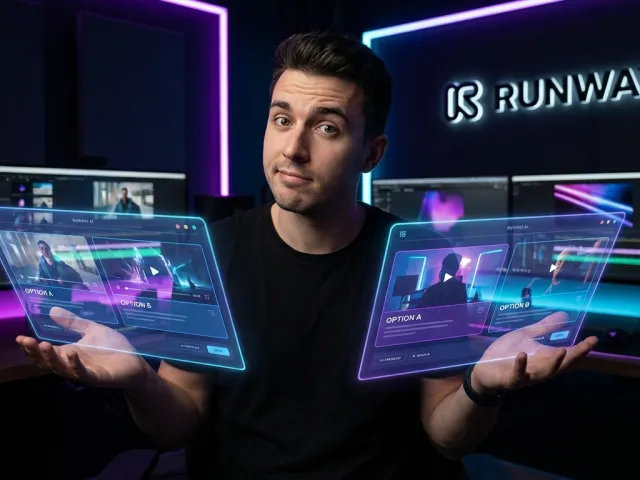
What Runway AI Video Generator Actually Does
If you've spent any time in creative circles lately, you've heard the buzz about the runway ai video generator. It’s not just another filter or a basic animation tool. We are talking about a serious engine that turns text or images into high-fidelity video clips.
Here’s the thing: most people treat it like a toy. But for practitioners, runway ai is a powerhouse for generating cinematic shots that used to require a full camera crew and a massive lighting budget. It’s built on models like Gen-2 and the newer Gen-3.

But what does it actually do on a technical level? It uses diffusion models to predict what the next frame in a sequence should look like based on your input. This allows runway ai to create movement that feels fluid, though it isn't always perfect.
The core appeal of runway ai lies in its flexibility. Whether you are a solo YouTuber or a marketing director, the ability to conjure up a specific visual texture without leaving your desk is a massive shift in how we approach production.
Cinematic Text-to-Video in Runway AI
The headline feature of runway ai is definitely text-to-video. You type a prompt, wait a few minutes, and get a clip. It sounds simple, but the quality of the output in runway ai depends heavily on how you talk to the machine.
Unlike some competitors, runway ai leans toward a cinematic aesthetic. It handles lighting, shadows, and depth of field with a level of sophistication that feels more like a movie frame than a generic AI generation. That’s why many professionals use it.
However, don't expect a feature film in one go. Every runway ai generation starts small. You are usually looking at short bursts of action. But for those 5-to-10 second "hero shots," runway ai is often the gold standard in the current market.
To get the most out of runway ai text-to-video, you need to describe the camera lens, the lighting conditions, and the specific movement. If you just type "a cat," runway ai will give you something boring. You have to be specific.
Advanced Generative Models Within Runway AI
The evolution from Gen-2 to Gen-3 in runway ai has been a significant leap. Gen-3 brings much higher temporal consistency, meaning objects don't morph or melt quite as much as they used to. It's a noticeable improvement for serious users.
When you use runway ai, you are tapping into a massive neural network trained on vast amounts of visual data. This expertise allows runway ai to understand concepts like "cinematic handheld" or "slow pan" better than most other tools available today.
If you're looking to explore all available AI models, you’ll see that runway ai sits at the top of the stack for realism. It’s designed for creators who prioritize the "look" of the video over everything else.
And let's be honest, the "vibe" of runway ai is its selling point. It produces images that feel heavy and grounded. It doesn't have that shiny, plastic look that plagues so many other generative platforms in the current space.
How to Get Started With Runway AI
Starting with runway ai is straightforward, but mastering it takes some grit. You sign up, get your credits, and you’re faced with a dashboard full of tools. It can be overwhelming if you don't have a plan for your project.
First, don't jump straight into the most complex settings. Start by uploading an image you like and using the image-to-video feature in runway ai. It’s generally more reliable than starting from pure text because you provide the structural "bones" for the video.
"The secret to runway ai isn't just the prompt; it's the starting frame. Give it a high-quality image, and the movement follows more naturally."
One thing you'll notice quickly is that runway ai consumes credits fast. Every click has a cost. This means you can't afford to just "spray and pray." You have to think like a director before you hit the generate button.
If you're integrating these tools into a professional workflow, you might want to read the full API documentation for similar generative services to see how automation can save you time. Runway ai is great, but efficiency is key.
Mastering the Runway AI Dashboard
The runway ai dashboard is your control center. It’s where you toggle between Gen-2 and Gen-3, adjust your motion sliders, and manage your assets. It’s clean, but there is a lot of hidden power in the settings menu.
In runway ai, you have specific sliders for "Motion." A higher value means more movement, but it also increases the risk of the video falling apart. Finding that "sweet spot" in runway ai is an art form you'll learn over time.
There is also a section for your previous generations. I recommend keeping everything. Sometimes a "failed" generation in runway ai has a specific glitch or texture that works perfectly as a background layer in a different project.
So, take your time to click through every menu. The runway ai interface is built for exploration. If you treat it like a static tool, you’ll miss the features that actually make your work stand out from the crowd.
Effective Prompting Techniques for Runway AI
Prompting in runway ai is different from prompting a chatbot. You aren't asking a question; you are describing a scene. I’ve found that using descriptive adjectives about the camera movement works best in runway ai environments.
- Use "Static camera, high detail" for portraits in runway ai.
- Try "Cinematic drone shot, fast motion" for landscapes in runway ai.
- Always specify lighting, like "Golden hour" or "Neon noir" in runway ai.
- Keep prompts under 20 words for better focus within runway ai models.
The AI can get confused if you give it too many conflicting instructions. If you tell runway ai to make a "fast-moving turtle in a slow-motion rainstorm," you’re going to get a mess. Keep your logic simple and your descriptions vivid.
And remember, runway ai rewards patience. You might need three or four tries to get the exact movement you want. That’s just part of the creative process when working with generative video tools like runway ai.
Key Features Walkthrough for Runway AI
Runway ai isn't just a video generator; it’s a suite of "magic tools." These features are designed to solve the annoying parts of video editing that usually take hours of manual labor in traditional software like After Effects.
One of the most impressive tools is object removal. In runway ai, you can paint over a person or an object in a video, and the AI will fill in the background. It’s not always perfect, but it’s shockingly good.
Then there is scene extension. If you have a shot that ends too soon, runway ai can try to "imagine" what happens next. This is a lifesaver when you’re trying to hit a specific beat in your edit.
To see how these features compare to other top-tier tools, you can learn more on the GPT Proto tech blog where we break down the latest in generative media and developer-focused AI trends.
Precision Control With Runway AI Motion Brush
The Motion Brush is arguably the best feature in runway ai right now. It allows you to pick a specific area of a still image—say, the clouds or a river—and tell runway ai to only move that part.
This solves the biggest problem with early AI video: everything moving at once. With the motion brush in runway ai, you get targeted animation. It makes the final output look intentional rather than accidental.
I’ve used this in runway ai to animate hair blowing in the wind while keeping the person’s face perfectly still. It’s the difference between a weird "breathing" image and a professional cinemagraph. It’s a game-changer for digital artists.
It’s also incredibly intuitive. You just rub the "brush" over the area and set the horizontal or vertical motion. Runway ai handles the rest. It’s the kind of feature that makes you realize how far we’ve come.
Runway AI Camera Control and Settings
Runway ai gives you more camera control than almost any other tool on the market. You can simulate pans, tilts, and zooms. This allows you to direct the runway ai output like a real cinematographer would.
Want a slow zoom-in to build tension? You can set that in the runway ai advanced settings. Need a pan to the right to reveal a character? You can do that too. It gives you a level of agency.
Here is a quick breakdown of what you can control in runway ai:
| Control Type |
Function in Runway AI |
Best Use Case |
| Horizontal |
Moves camera left/right |
Revealing landscapes |
| Vertical |
Moves camera up/down |
Following tall objects |
| Zoom |
Moves camera in/out |
Focusing on emotions |
| Roll |
Rotates the camera |
Stylized, trippy visuals |
Mastering these controls in runway ai prevents the "drifting" look that happens when the AI is left to its own devices. It makes the clips feel like they were shot on a real rig by a human operator.
Real-World Use Cases for Runway AI
So, who is actually using runway ai? It’s not just for making weird art on the internet. Businesses are starting to realize that runway ai can drastically lower the cost of high-end visual content for social media and advertising.
Take B-roll, for example. If you need a shot of "sunlight hitting a coffee cup" but don't have the time to set up a shoot, runway ai can generate that in seconds. It’s a massive time-saver for editors.
I’ve also seen creators use runway ai for "visual texture" on landing pages. Instead of a static hero image, they use a subtle, looping runway ai video. it grabs attention without being as distracting as a full YouTube video.
However, the cost can be a barrier. If you are doing high-volume work, you might want to flexible pay-as-you-go pricing models to keep your overhead under control. Runway ai credits can disappear in a blink.
Creating B-Roll and Textures With Runway AI
B-roll is the "filler" footage that makes a video feel professional. Using runway ai to generate this is a literal lifesaver. You can match the color grading of your main footage by using an image-to-video workflow in runway ai.
For instance, if your main video is shot in a forest, you can generate runway ai clips of leaves rustling or sunlight through trees. Because you control the prompt, you can ensure the "vibe" matches your original footage perfectly.
This is where runway ai excels. It fills the gaps in your timeline. Instead of hunting through stock footage sites for hours, you just describe what you need to runway ai and get a custom clip that no one else has.
And because the runway ai output is unique, you don't have to worry about seeing the same "stock person" in someone else's commercial. It gives your brand a bespoke look that is hard to achieve on a budget.
Runway AI for Short-Form Content Creators
Short-form creators on TikTok and Reels are obsessed with runway ai. Why? Because the "wow factor" of AI video is still high. A 5-second runway ai clip can stop someone from scrolling faster than a standard talking head.
You can use runway ai to create surreal backgrounds or to transform yourself into different characters using the "Video-to-Video" feature. It’s a playground for creativity that keeps the audience engaged in your story.
But there is a catch: character consistency. If you want the same person to appear in five different runway ai clips, you’re going to have a hard time. The AI tends to change faces slightly between every single generation.
Successful creators work around this in runway ai by using silhouettes, wide shots, or masks. They don't fight the limitations of runway ai; they work within them. That’s the mark of an experienced practitioner.
Limitations and Alternatives to Runway AI
Let’s be real: runway ai isn't perfect. If you go into it expecting a "make movie" button, you’re going to be disappointed. The biggest frustration for most users is the cost and the credit system within runway ai.
Another major pain point is the 8-second limit. For storytelling, 8 seconds is nothing. You end up having to stitch together dozens of runway ai clips, which can lead to a disjointed look if you aren't careful with your prompts.
Then there’s the "uncanny valley." Sometimes runway ai generates humans that look just a bit... off. Extra fingers, melting limbs, or eyes that don't blink right. It’s getting better, but runway ai still has its "nightmare fuel" moments.
Because of these issues, many users look for alternatives. While runway ai is the leader in "cinematic" looks, other tools might be better for specific tasks like character consistency or longer video durations.
When Kling or Pika Outperform Runway AI
If character consistency is your main goal, Kling AI is currently giving runway ai a run for its money. It seems to handle human anatomy and persistent characters a bit better in some scenarios, which is a huge deal for animators.
Pika Labs is another strong alternative. It’s often considered more user-friendly for quick social media clips. While it might not always hit the "cinematic" heights of runway ai, it’s fast and has a great community feel.
Here’s how they generally stack up against each other:
- Runway AI: Best for cinematic quality and professional camera control.
- Kling AI: Better for character consistency and longer 1080p clips.
- Pika Labs: Best for quick social media content and ease of use.
- Synthesia: Best for corporate presenters and AI avatars (not creative video).
Choosing between them depends on your specific project. I often use runway ai for the high-end visuals and then switch to other tools if I need a very specific character-driven scene. It's about using the right tool for the job.
Overcoming the Character Consistency Problem in Runway AI
As mentioned, runway ai struggles to keep a character looking the same. If you generate "a man in a red hat," every runway ai generation will give you a slightly different man and a slightly different red hat.
The workaround? Use the "Image-to-Video" feature. You can generate a consistent character in an image generator (like Midjourney), and then use runway ai to animate that specific image. It's the only way to stay consistent.
By providing the same starting image to runway ai every time, you anchor the AI's "imagination." It still might change things during the movement, but it’s much more stable than starting from a text prompt every time in runway ai.
This "stitching" method is what the pros do. They don't just prompt runway ai and hope for the best. They build a pipeline of different tools, using runway ai strictly for the motion phase of the production.
Is Runway AI Worth the Cost?
We need to talk about the elephant in the room: the price. Runway ai is expensive. If you are a hobbyist, the cost of credits in runway ai can feel "brutal." You can spend $50 in an hour just experimenting with different looks.
But for a professional studio, runway ai is a bargain. Comparing $100 in credits to the cost of a $5,000-per-day video shoot makes runway ai look like a steal. It all depends on your perspective and your output volume.
The credit-based system means every mistake costs money. This creates a high-pressure environment for beginners. In runway ai, you really need to learn the controls before you start burning through your monthly allowance.
So, is it worth it? If you are making money from your videos, yes. The cinematic quality of runway ai is currently unmatched for most creative use cases. But if you just want to play around, the price might bite.
The Final Verdict on Runway AI
Runway ai is currently the king of cinematic AI video. Its camera controls, motion brush, and Gen-3 model set it apart from the "fun but limited" tools. It’s a serious instrument for serious creators.
However, the learning curve and the cost are real hurdles. You shouldn't jump into runway ai without a clear plan. Treat it like a high-end camera: it’s powerful, but it won't make you a good filmmaker on its own.
But if you take the time to learn prompting and how to use the motion brush in runway ai, you will be able to produce visuals that were impossible for a single person to create just two years ago. That is the real magic.
The future of runway ai looks bright, especially as they refine character consistency and extend clip lengths. For now, it’s the best tool we have for that high-end, cinematic look we all crave in our video projects.
Expert Tips for Saving Credits in Runway AI
Since cost is the biggest "con," here are some expert tips for making your runway ai credits go further. First, always use the "preview" or low-res settings if they are available before committing to a full-res runway ai generation.
Second, don't generate 8 seconds if 4 seconds will do. You can always slow down the footage in your editing software later. Many runway ai users over-generate, wasting credits on frames they don't actually need for their final cut.
Finally, utilize external resources. If you are worried about the high cost of individual AI services, look into platforms that aggregate these models. Managing multiple subscriptions can be a nightmare for your budget.
For those managing large-scale AI operations, you can manage your API billing through unified platforms to get a clearer picture of your total spend across different generative AI tools.
Written by: GPT Proto
"Unlock the world's leading AI models with GPT Proto's unified API platform."