Why Leonardo AI Matters for Creators Now
Most people starting with image generation hit a wall early on. They either struggle with the chaotic nature of Discord-based tools or find web interfaces too restrictive. This is where leonardo ai steps in as a middle ground that actually works for professional workflows. It isn't just another generator; it's a creative suite.
Right now, the demand for high-quality visuals is peaking, but the time we have to make them is shrinking. Using leonardo ai allows for a level of speed that traditional digital painting can't touch. It bridges the gap between a vague idea and a production-ready asset within minutes.
The Browser-First Advantage of Leonardo AI
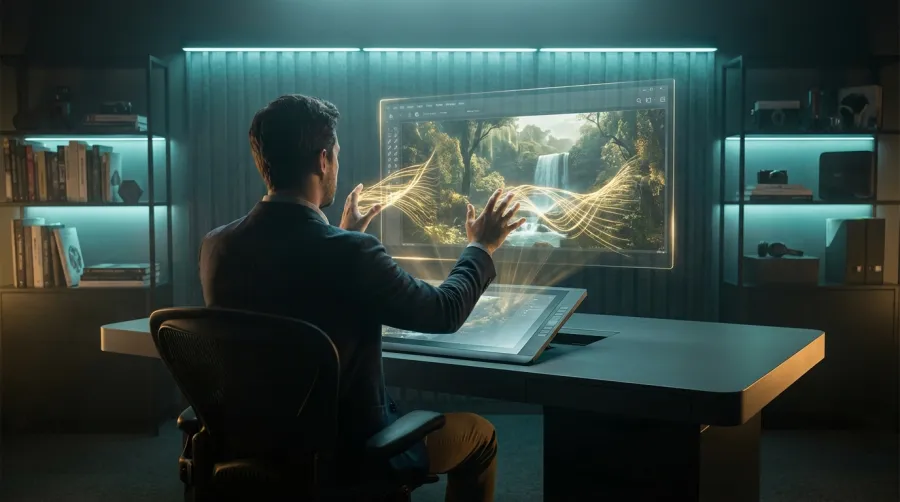
One of the best things about leonardo ai is that it doesn't force you into a chat app. You get a clean, dedicated dashboard that works just as well on your phone as it does on a desktop. This browser-first approach makes organizing your creative work much simpler than scrolling through endless threads.
The interface lets you see your history, your models, and your settings all at once. For anyone who has lost a great image in a sea of Discord messages, the leonardo ai layout is a breath of fresh air. It feels like a proper design tool rather than a experimental playground.
Why Game Developers Choose Leonardo AI
If you're building a game, consistency is your biggest challenge. Many developers swear by leonardo ai because it offers specialized models trained specifically for game assets. Whether you need isometric tiles, character sprites, or environmental textures, the platform delivers results that actually fit into a game engine.
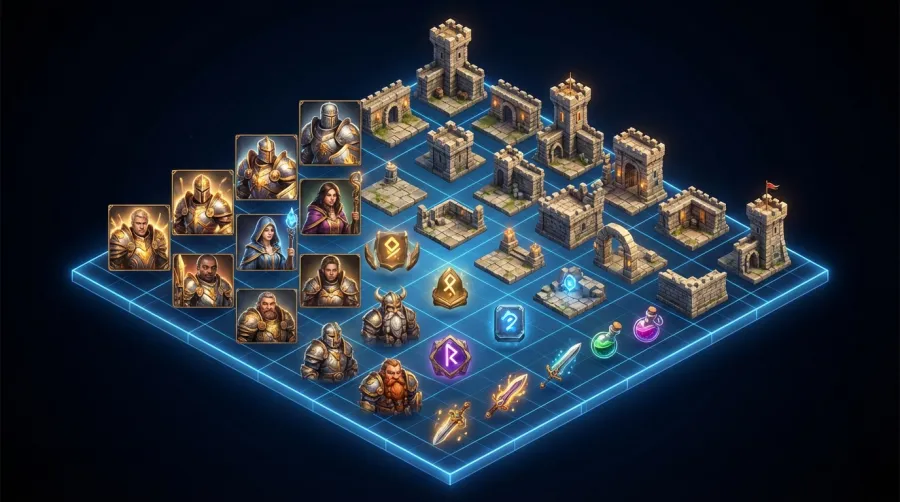
Compare this to other generic generators, and the difference is clear. Using leonardo ai gives you better control over style consistency across multiple assets. When you are making fifty different items for an inventory, having them look like they belong in the same universe is non-negotiable.
The specialized models in leonardo ai are a lifesaver for indie devs who can't afford a full art team but need professional-grade consistency.
Core Concepts of the Leonardo AI Ecosystem
Before you start burning through your credits, you need to understand how the leonardo ai engine actually thinks. It isn't just a black box where you dump text. It is a multi-layered system that combines base models, fine-tuned community models, and user-specific controls to get a specific look.
Understanding these layers is the difference between getting a random "cool" image and getting exactly what you envisioned. The platform gives you the keys to the car, but you still need to know how to drive. Let's look at the two main pillars of the leonardo ai workflow.
Understanding Prompt-to-Image in Leonardo AI
The basic flow in leonardo ai is straightforward: Prompt → Image → Download. But "straightforward" doesn't mean "shallow." You can use negative prompts to tell the system what you definitely don't want, like "extra fingers" or "blurry background." This level of negative control is central to the leonardo ai experience.
Then there is prompt styling. The system provides presets that help guide the AI toward a specific aesthetic without you needing to write a paragraph of descriptive text. It simplifies the learning curve for newcomers while keeping the power intact for the veterans who want to tweak every detail.
The Power of Custom Models in Leonardo AI
Here is where things get interesting. You aren't limited to the basic models. Inside leonardo ai, you have access to over 50 specialized models and thousands of community fine-tunes. These are models trained by other users on specific art styles, from vintage photography to 3D claymation.
But the real kicker is that you can train your own models. If you have a specific art style you've developed manually, you can upload those images to leonardo ai and teach the system to replicate it. This turns the AI into an extension of your own hand rather than a replacement for it.
- Base Models: The foundational logic for all generations.
- Community Models: Niche styles shared by the user base.
- User-Trained Models: Your unique aesthetic, automated.
- Fine-tuning: Tweaking parameters to hit the perfect visual note.
Practical Walkthrough of Leonardo AI Features
Let's get into the actual tools. If you only use leonardo ai for basic image generation, you are leaving about 70% of the value on the table. The platform includes several "Canvas" and "Motion" tools that turn static images into dynamic assets or larger compositions.
It's important to experiment with these tools early on. The more you play with the different features, the more you realize that the generation is just the starting point. The real magic happens when you start editing and extending your work within the leonardo ai environment.
Mastering the Leonardo AI Canvas Tools
The canvas in leonardo ai is where you go for inpainting and outpainting. Inpainting allows you to highlight a specific part of an image—say, a character's hat—and tell the AI to change just that part. Outpainting lets you expand the borders of an image, imagining what lies outside the original frame.
This is crucial for fixing those "almost perfect" shots. Maybe the face is great, but the hands are a mess. Instead of generating a whole new image, you use the leonardo ai canvas to paint over the hands and generate new ones until they look right. It saves hours of frustration.
Turning Images into Motion with Leonardo AI
One of the newer additions to the toolkit is the motion tool. This allows you to take any static image you've created and turn it into a short, cinematic video clip. It adds a "Motion Strength" slider that dictates how much movement happens in the frame of your leonardo ai creation.
This is great for social media content or game trailers. You don't need to be an animator to create a subtle hair breeze or a moving cloudscape. While it isn't a full video editor, the motion tool in leonardo ai provides enough life to make your static images stand out in a feed.
| Feature |
Primary Use Case |
Difficulty Level |
| Image Generation |
Initial creation from text prompts |
Easy |
| Inpainting |
Fixing or changing specific image parts |
Medium |
| Motion tool |
Creating short video clips from images |
Easy |
| Model Training |
Automating a specific art style |
Advanced |
Navigating the Recent Leonardo AI UI Changes
I have to be honest here: not everyone is happy with the way the platform has evolved recently. If you look at community forums, you will see a lot of people feeling "taken aback" by the UI updates. The team at leonardo ai has moved things around, and it can be a bit confusing at first.
Learning where your favorite tools have moved is part of the process now. While the new interface is arguably cleaner and more modern, it does require a bit of re-learning for those who were used to the old layout. It's a classic case of a growing platform trying to organize its expanding feature set.
Where Did Legacy Mode Go in Leonardo AI?
The removal of Legacy Mode has been a major point of contention. Some users felt that the older generation and upscaling tools were more predictable. However, leonardo ai has integrated these features into the newer pipeline to ensure the system can scale with more advanced AI technology.
If you're looking for an old feature that seems missing, it’s likely been rebranded or combined with a newer tool. Change is hard, especially in creative software, but the move away from legacy mode allows leonardo ai to introduce more complex features without keeping the codebase cluttered.
Managing Tokens and Credits in Leonardo AI
The token system is how you pay for your compute time. Every generation, upscale, or motion clip costs tokens. One common complaint is that the expiration time for daily credits isn't always clear. You might see that your credits expire on a Tuesday, but you don't know the exact hour.
To avoid losing your daily allowance, it's best to use your free credits for experimentation early in your day. If you're using the leonardo ai API for a business, you'll want to manage your API billing carefully to ensure your production pipeline doesn't suddenly stop because of a token oversight.
And speaking of APIs, if you find that managing multiple AI platforms is getting expensive or technically messy, you might want to look at a aggregator. For instance, GPT Proto offers access to various top-tier models with a single interface, which can help you cut costs by up to 70% while keeping your workflow unified.
Comparing Leonardo AI with Industry Alternatives
No tool exists in a vacuum. Most people are usually choosing between leonardo ai and two or three other major players. Depending on whether you prioritize raw creative "soul" or technical "control," your choice will vary. Let's look at how it stacks up against the big names.
The main takeaway is that there is no "best" tool, only the best tool for your specific project. Some people need a brush, and some people need a camera. Knowing which one leonardo ai is will save you a lot of wasted time and money.
Leonardo AI vs Midjourney: Control vs Style
Midjourney is famous for its "wow" factor. It produces images that feel incredibly creative and stylistic right out of the box. However, it often feels like the AI is in the driver's seat. In contrast, leonardo ai gives you the steering wheel. You have more buttons to push and sliders to pull.
If you want to be surprised by beauty, go with Midjourney. If you need an image to look exactly a certain way—with specific lighting, specific framing, and a specific model—then leonardo ai is the better choice. It is a tool for builders, whereas Midjourney is a tool for dreamers.
Leonardo AI vs Freepik for Asset Generation
Freepik has entered the AI space with some strong tools, but for specialized work like game assets, leonardo ai still holds the crown. The main reason is style consistency. Freepik is great for one-off blog images, but it struggles to produce ten different characters that all look like they were drawn by the same person.
Because leonardo ai allows you to select specific models and presets, you can maintain a visual theme throughout a project. This makes it a much more "professional" tool for those working on long-term creative projects rather than just social media posts. The control over the seed and the fine-tuning is simply on another level.
- Select your base model in the sidebar.
- Apply a prompt style preset for a starting vibe.
- Input your negative prompts to filter out junk.
- Adjust the guidance scale to tell the AI how strictly to follow your words.
- Review and iterate using the canvas tool.
Expert Tips for Getting the Most from Leonardo AI
After using the platform for a while, you start to see patterns. There are ways to stretch your credits and get better results that aren't immediately obvious in the tutorials. It is all about working with the system's logic rather than fighting against it.
Success with leonardo ai often comes down to the "batch and refine" strategy. Don't expect your first generation to be perfect. Instead, use your daily credits to cast a wide net and then focus your tokens on refining the best candidates from that batch. It's a more efficient way to work.
Maximizing the Leonardo AI Daily Free Credits
The fact that leonardo ai gives you free credits every day to experiment is one of its biggest draws. You should use these for "low stakes" work. Test out new prompt styles, try community models you've never used before, or practice your inpainting skills. Save your paid credits for the serious production work.
By using the daily reset as a sandbox, you build up your skill level without spending a dime. Then, when a client project comes in, you know exactly which settings will work. It’s essentially a free training program provided by the platform if you use it consistently every day.
Leveraging the Leonardo AI API for Scale
For those who need to generate hundreds or thousands of images, the leonardo ai API is the way to go. It allows you to integrate the generation power directly into your own apps or workflows. This is where game devs really find their rhythm, automating the creation of variants for their games.
To get started, you should read the full API documentation to see how the endpoints work. If you're scaling up, you might also want to explore all available AI models to see which ones offer the best performance-to-cost ratio for your specific application. Using an API helps remove the manual labor from the creative process.
If you're a developer building these kinds of tools, you can monitor your API usage in real time to ensure you aren't overspending. Keeping a close eye on your metrics is key when you start dealing with high-volume generation. It’s about being smart with your resources as much as it is about the art itself.
Written by: GPT Proto
"Unlock the world's leading AI models with GPT Proto's unified API platform."