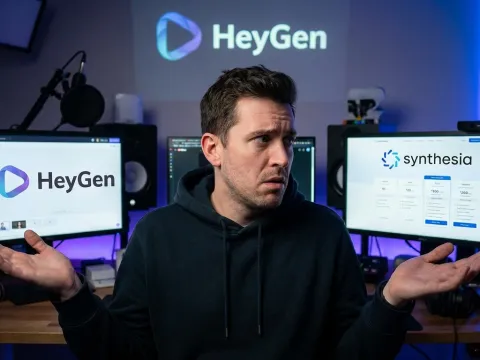
The Realities of HeyGen API Integration
HeyGen is currently dominating the talking-head video space. If you've scrolled through LinkedIn or watched a corporate training module recently, you've likely seen their work. But there's a big difference between using their web dashboard and building something on top of the heygen api.
Scaling video content requires more than just manual uploads. It requires a system that can handle script-to-video workflows at scale. That’s where the heygen api comes in. It promises the ability to generate realistic avatar video content without a human ever touching a mouse.
But here’s the thing: it’s not all sunshine and perfect lip-syncing. I've spent enough time in the developer docs and the community forums to know that while the output is top-tier, the technical journey can be a bit of a grind. Let’s look at what actually happens when you plug this into your stack.
Building Scalable Video Generation Workflows
The core promise of the heygen api is automation. Imagine a real estate company that needs to generate 500 personalized videos for new listings every morning. Doing that manually in a web UI is a nightmare. With the heygen api, you just feed the data in and get MP4s out.
This type of ai video generation changes the math for marketing teams. You aren't just making one video; you are making a video engine. The realism is usually high enough that your audience won't realize a bot made it. This is why everyone is chasing this specific integration.
Key Features of the HeyGen API Ecosystem
When you start digging into the endpoints, the first thing you notice is the quality of the realistic avatar options. HeyGen has invested heavily in their Avatar IV technology. This isn't the stiff, robotic movement we saw two years ago. It’s fluid and surprisingly natural.
Another win is the audio side. The heygen api doesn't force you into a subpar text-to-speech engine. It integrates with heavy hitters like ElevenLabs. If you want high-quality audio, you can get it. This combo of visual and auditory realism makes the output stand out.
The speed of iteration is also worth mentioning. Because it’s script-to-video, you can change a single line in your JSON payload and have a new render in minutes. This fast video creation cycle is why developers are flocking to the platform despite some of the friction points.
Realistic Avatar Video and Audio Quality
The realism of a realistic avatar video depends on how the mouth movements sync with the phonemes. HeyGen handles this better than most. While the "uncanny valley" effect is still a risk on massive 4K screens, for mobile and desktop ads, it passes the test easily.
The heygen api allows for reusable avatars that maintain consistency. If you create a custom brand representative, that representative stays the same every time you call the endpoint. This consistency is vital for building brand trust over long-term campaigns across social media platforms.
"The realism is top-tier, especially when you pair it with the right script. You can pump out 50+ videos a month without breaking a sweat, provided your logic is sound."
Managing Script to Video Throughput
Throughput is where things get interesting. The heygen api handles the heavy lifting of rendering in the cloud. You aren't taxing your own servers. You send a request, receive a webhook notification when it’s done, and download the final file from their storage.
This workflow is standard for modern ai video tools. However, you need to be smart about how you queue these requests. If you dump 1,000 requests at once, you might hit rate limits or see significant delays in render times during peak usage hours.
The Technical Friction and Credit Burn
Let's talk about the pain points. One of the most common complaints among developers is the heygen credits system. Credits are the currency of the platform, and they disappear fast. Sometimes, they even get burned on renders that fail due to internal platform errors.
It’s frustrating to see your budget evaporate because of a "clunky" backend. The platform has been described as "painful" to use at times due to performance issues. When you are building a production-grade heygen api integration, these glitches aren't just annoying—they are expensive.
Then there’s the support. If things go sideways with your heygen credits or a specific render, don't expect a fast fix. Users have reported that support can be slow to respond. This means you need to build robust error handling into your own code to mitigate these risks.
Understanding the HeyGen Credits System
Every second of video costs credits. The heygen api pricing is structured around these units. If you aren't careful with your script lengths, a single mistake in your looping logic can cost you hundreds of dollars in minutes. It is a high-stakes environment for automation.
You also need to account for "failed" renders. While some users have successfully argued for credit refunds, it isn't a guarantee. Your heygen api integration should include a validation layer to ensure scripts are clean before they ever hit the paid endpoint to save money.
Latency and Platform Performance Issues
Performance isn't always consistent. Some days the heygen api is lightning fast. Other days, it feels like the servers are struggling under the weight of thousands of users. This variability makes it hard to promise "instant" video generation to your end-users.
If you are building a tool where a user expects a video in under 60 seconds, you might be disappointed. You have to manage user expectations or build a "we'll email you when it's ready" workflow. This is a common hurdle in the current ai video landscape.
| Feature Component |
HeyGen API Strength |
HeyGen API Weakness |
| Visual Realism |
Industry-leading Avatar IV |
Uncanny valley on 4K screens |
| Integration Ease |
Clear JSON structures |
Platform can be clunky/slow |
| Pricing Model |
Predictable unit costs |
Credits burn on failed renders |
| Audio Options |
ElevenLabs integration |
Premium voices cost extra |
| Support |
Large community base |
Slow official ticket response |
Comparative Analysis of Video API Pricing
Budget is the biggest wall you'll hit. The heygen api pricing isn't cheap. It’s positioned as a premium tool for professional use cases. If you are a hobbyist, you might find the cost-per-minute prohibitive. For enterprise teams, the ROI usually justifies the spend.
When comparing heygen api costs to other tools, you have to look at the total package. Are you getting enough value from the realistic avatar to justify the premium? In many marketing contexts, a higher conversion rate on a realistic video makes up for the higher api cost.
However, if your use case is high-volume but low-stakes—like internal FAQs—you might look for cheaper alternatives. Some platforms offer lower quality for a fraction of the price. The heygen api is definitely for those who value the "wow" factor over the "lowest bid."
Analyzing HeyGen API Pricing Tiers
The pricing tiers usually scale with your credit needs. Higher tiers offer better support and faster rendering priority. If you are serious about heygen api integration, the starter plans probably won't cut it. You'll quickly find yourself needing the enterprise-level features and higher rate limits.
One way to manage these costs is to use a unified provider. For developers looking to optimize their stack, manage your API billing through platforms that offer broader access to multiple models can sometimes offer better oversight than juggling twenty different credit systems independently.
ROI and Content Scaling Strategies
To get the most out of your heygen credits, you need a strategy. Don't just generate videos for everything. Use the heygen api for high-impact touchpoints. A personalized welcome video for a high-value customer has a much higher ROI than a generic internal announcement about office snacks.
Scaling requires a mix of pre-rendered content and dynamic generation. You can use the heygen api to create the "variable" parts of a video and stitch them together with static assets. This hybrid approach can significantly lower your overall video generation costs while maintaining a personal feel.
Alternatives to the HeyGen API
HeyGen isn't the only player in town. Depending on your needs, you might find that other tools fit your workflow better. For example, Synthesia is the old guard in this space. It’s polished and professional, though some find it a bit rigid compared to HeyGen’s flexibility.
Then there’s Colossyan, which has carved out a niche in user-friendliness. Their marketing is all about making things simple and fast. If you don't need the absolute "deepest" feature set and just want something that works consistently, Colossyan might be the better choice for your team.
For those focused on ads, platforms like Creatify or Arcads are worth a look. They focus on UGC-style content—those "hand-held phone camera" looks that do so well on TikTok. The heygen api is more about the "talking head" studio look, so the choice depends on your creative direction.
Comparing Synthesia and Colossyan
Synthesia offers a very "corporate" look. Their avatars are extremely polished and perfect for e-learning. However, the heygen api often feels more "modern" and adaptable to creative social media trends. It’s a battle of stability versus innovation between these two giants.
Colossyan wins on the UI side for many users. If you have a team of non-developers who also need to use the platform alongside your heygen api integration, Colossyan’s dashboard is less intimidating. It’s a balance of technical depth and accessible design that every team has to weigh.
- Synthesia: Polished, professional, but can feel rigid.
- Colossyan: User-friendly with great custom avatar options.
- Deepbrain AI: Good for presentations and talking heads.
- Creatify: Built for fast, UGC-style product ads.
- Arcads: Specialized in social media ad content.
The Multi-Model Approach with GPT Proto
Many developers are moving away from being locked into a single provider. With the rapid changes in AI, what’s best today might be second-best tomorrow. This is where a unified platform like GPT Proto makes sense for a modern dev team.
Instead of managing individual API keys and credit systems for five different video and text models, you can read the full API documentation for a unified approach. This allows you to swap between models as pricing or quality shifts, keeping your application flexible and cost-effective.
Implementation Guide for Developers
If you've decided to pull the trigger on a heygen api integration, start small. Don't try to build a full automated studio on day one. Start by getting a simple "Hello World" video generated. Focus on understanding how the webhooks handle the asynchronous nature of video rendering.
You also need to think about your data pipeline. Where are your scripts coming from? If you are using an LLM to write them, you need to ensure the output is formatted correctly for the heygen api. Commas and periods matter—they tell the avatar when to breathe and pause.
Finally, monitor your usage. The last thing you want is a surprise bill at the end of the month because an automated script went rogue. Use the tools available to track your API calls and set up alerts if your credit usage spikes unexpectedly.
Best Practices for API Integration
Always use webhooks. Polling the heygen api to see if a video is done is inefficient and can lead to unnecessary rate-limiting. Set up a secure endpoint to receive the "completed" event. This keeps your application responsive and your code clean.
Another tip: cache your videos. If you are generating a video that might be viewed by multiple people, don't generate it twice. Save the final MP4 to your own S3 bucket. This preserves your heygen credits and ensures faster load times for your users.
Avoiding the Uncanny Valley
To keep your ai video looking human, pay attention to the lighting and background. The heygen api allows for custom backgrounds. A realistic, slightly blurred office background often looks better than a flat, solid color. It adds depth and helps the avatar blend in.
Also, keep your scripts natural. AI avatars struggle with overly technical jargon or extremely long, run-on sentences. Short, punchy sentences not only look better on camera but also result in better lip-syncing. It’s all about working with the strengths of the technology.
"The secret to a great AI video isn't just the tech—it's the script. If the words sound robotic, the avatar will look robotic. Keep it conversational."
Final Verdict: Should You Use the HeyGen API?
Is the heygen api the right choice for you? If you need the highest quality avatars currently available on the market and have the budget to support it, yes. It is the gold standard for talking-head videos right now. The results speak for themselves.
But you have to be ready for the friction. You have to handle the credit burn, the occasional platform lag, and the premium pricing. It’s not a "set it and forget it" tool. It requires active management and a smart developer to make it truly shine in a production environment.
If you're looking for a more streamlined way to access various AI tools, you might want to explore all available AI models to see if a multi-modal approach fits your business better. Sometimes, the best solution isn't one tool, but a combination of the best models for each specific task.
Who Benefits Most from HeyGen?
Marketing agencies and enterprise training departments are the biggest winners here. They have the volume to justify the setup and the budget to handle the heygen credits system. For them, the time saved by replacing traditional video shoots is worth every penny.
On the other hand, small startups might find the entry price a bit steep. If you're in that camp, start with the manual UI to prove the concept before investing the developer hours into a full heygen api integration. Test the waters before you dive into the deep end of the credit pool.
The Future of AI Video Generation
We are just at the beginning. The realism we see in the heygen api today will look primitive in two years. We'll likely see better emotional range, more natural body language, and even lower rendering costs as competition heats up in the ai video generation sector.
Staying flexible is key. Use the best tools available today, but build your infrastructure so you can adapt tomorrow. Whether you stick with HeyGen or move to a unified platform like GPT Proto, the goal remains the same: creating high-quality content that connects with your audience.
Written by: GPT Proto
"Unlock the world's leading AI models with GPT Proto's unified API platform."