


Physical Simulation Accuracy
The veo 3 model accurately simulates fluid dynamics, hair physics, and complex object collisions based on real-world gravity.
image
video
Reference To Video
curl --request POST "https://gptproto.com/api/v3/google/veo3/reference-to-video" \
  --header "Authorization: Bearer $GPTPROTO_API_KEY" \
  --header "Content-Type: application/json" \
  --data '{
    "prompt": "A young woman walks alone under a transparent umbrella in a quiet alley during light rain, soft city lights reflecting on the wet pavement. Her pace is calm and thoughtful. The camera follows slowly behind her, occasional droplets hitting the lens. Subtle piano music plays, evoking a melancholic but peaceful mood. Dreamy, cinematic, slightly slow motion.",
    "images": [
      "https://oss.gptproto.com/2025/11/12/d5c2f08479b9452aacbcf9963631ce21.jpeg"
    ],
    "aspect_ratio": "16:9",
    "enhance_prompt": true
  }'
Query Result
curl --request POST "https://gptproto.com/api/v3/predictions/{{id}}/result" \
  --header "Authorization: Bearer $GPTPROTO_API_KEY" \
--header "Content-Type: application/json"Explore the technical breakthroughs that drive the veo 3 video generation engine.
The veo 3 model accurately simulates fluid dynamics, hair physics, and complex object collisions based on real-world gravity.
Programmatically execute dolly zooms, pans, and tilts using specific prompt tokens or API parameters within veo 3.
Modify specific areas of a veo 3 video by defining a mask and prompt, such as changing a character's clothing.

Veo 3 maintains character identity and environmental detail with a visual drift rate of less than 2% over 120-second clips.

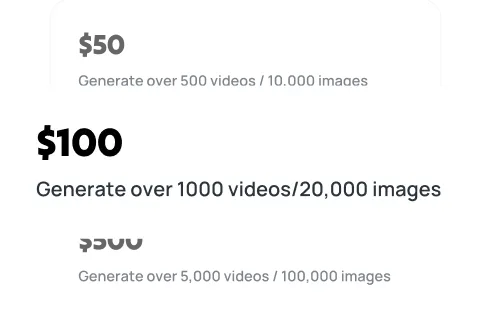
Getting a veo3 API key takes four steps and a few minutes. Create a free GPTProto account, add credits, generate your key, and make your first call — at $0.48 it's a cheaper veo3 API key than going direct, and one key works across every model on the platform. Full veo3 Documentation is in the docs.
Sign up
Top up
Generate your API key
Make your first API call
Expert answers regarding veo 3 video capabilities, pricing, and technical integration on GPTProto.com.
Explore Veo 3 and Veo 3.1 pricing options including Google AI Pro ($19.99/mo), Ultra ($249.99/mo), and API rates from $0.10-$0.40/second. Find the best plan for your video creation needs.
Create cinematic AI videos with Vidu Q2's natural expressions and smooth camera work. See how it compares to Sora 2 and turn images into video instantly.
While higgsfield ai offers fluid video motion, its steep credit costs and cluttered UI frustrate professionals. Discover if it fits your workflow.
Discover Kling O1, the world's first unified AI video model combining generation and editing. Learn features, use cases, and how this "video world's Nano Banana" is transforming content creation.