logo

veo3 / image-to-video

Veo 3 image-to-video is an AI capability that transforms a single still image into a dynamic, high-quality video clip with consistent motion and native audio. It allows users to guide the generated video’s motion, narrative, and sound by providing an initial image plus optional text prompts. Veo 3 and its faster variant, Veo 3 Fast, power this feature with realistic animation, seamless transitions, and synchronized sound effects, making it ideal for creative video production workflows.

PRICE

$ 0.48
60% off
$ 1.2

Per time

INPUT

image

OUTPUT

video

Input

Output

Play video
Your request will cost$0per run, for$100you can run this model approximately0times

Examples

A young woman walks alone under a transparent umbrella in a quiet alley during light rain, soft city lights reflecting on the wet pavement. Her pace is calm and thoughtful. The camera follows slowly behind her, occasional droplets hitting the lens. Subtle piano music plays, evoking a melancholic but peaceful mood. Dreamy, cinematic, slightly slow motion.
Natural light. Field reporter mid-action in an open field, looking directly at the camera, tornado in the background. A reporter, in a muted dark raincoat (gray or navy), stands firmly in a wide, grassy field. The wind pulls at his coat and hair, but he keeps his gaze steady, looking directly into the camera. Behind him, a tornado swirls menacingly under an overcast sky. He speaks clearly, lips synced to: "A tornado is coming, please be safe." Slight handheld movement, unsteady framing, and minor shakes typical of field news footage. Natural, flat daylight with no stylization.
News anchor mid-action, looking straight at the camera. A vintage 1950s black-and-white television broadcast. A serious female news presenter sits at a desk, facing directly toward the audience, with a large old-school microphone in front. She wears a crisp suit, narrow tie, side-parted hair, and wireframe glasses. The presenter moves naturally: leans slightly forward, gestures with one hand, and maintains eye contact with the camera. Her lips are synced to say, "Breaking news: Google Veo 3 is now available on WaveSpeedAI." Contrast, sharp shadows, authentic grainy texture, classic black-and-white 1950s broadcast aesthetic. Vintage TV atmosphere.

Veo3/image-to-video Use Cases

Explore real-world applications of Veo3/image-to-video in creative, technical, and business workflows.

Automated Storyboard Animation

Production studios can leverage Veo3/image-to-video to turn static storyboards into animated video previews. By feeding a sequence of storyboard panels, teams receive video outputs that capture scene transitions and preliminary motion, saving time on manual animation. Directors and artists use these previews to iterate on scene timing and story flow before final animation production. This method accelerates creative development and facilitates team collaboration.

Marketing Visuals Generation

Digital marketers create short, eye-catching promotional videos by converting product photos or infographics through Veo3/image-to-video. The model quickly animates static assets into engaging formats suitable for social media or ad campaigns. This helps agencies reduce reliance on external video editors, speeding up the production of branded visual content and allowing easy adaptation of imagery for different platforms and formats.

Educational Explainer Videos

Teachers or curriculum creators can use Veo3/image-to-video to animate educational diagrams and illustrations. By uploading labeled images, they generate concise video explanations for classroom or e-learning modules. This use case ensures information is conveyed in a dynamic and visually accessible way, improving student engagement and comprehension across diverse educational subjects.

Get API Key

Getting Started with Gptproto — Build with veo3 in Minutes

Follow these simple steps to set up your account, get credits, and start sending API requests to veo3 via Gptproto.

Sign up

Sign up

Create your free Gptproto account to begin. You can set up an organization for your team at any time.

Top up

Top up

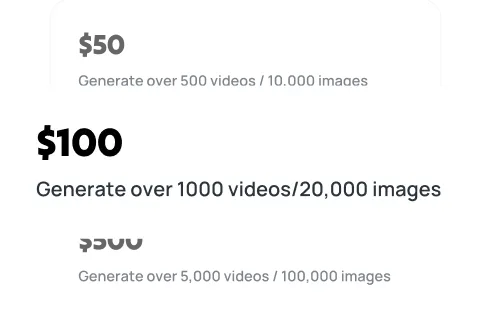
Your balance can be used across all models on the platform, including veo3, giving you the flexibility to experiment and scale as needed.

Generate your API key

Generate your API key

In your dashboard, create an API key — you’ll need it to authenticate when making requests to veo3.

Make your first API call

Make your first API call

Use your API key with our sample code to send a request to veo3 via Gptproto and see instant AI‑powered results.

Get API Key

Veo3/image-to-video FAQ

Veo3/image-to-video User Comments