


Native 4K Cinematic Rendering
Renders high-frequency textures directly without upscaling artifacts, preserving every fine detail.


curl --request POST "https://gptproto.com/api/v3/google/veo3.1-pro/image-to-video" \
  --header "Authorization: Bearer $GPTPROTO_API_KEY" \
  --header "Content-Type: application/json" \
  --data '{
    "prompt": "A tiny origami fox sailing a teacup across a moonlit puddle",
    "aspect_ratio": "16:9",
    "image": "",
    "last_image": "",
    "enhance_prompt": true
}'Start from the cost of a single sample and pick a testing budget.
$2.5 / image

| Model | Resolution | Input → Output | ||
|---|---|---|---|---|
| — | $2.50 per second | — | Input: TextInput: Image Output: Video |
| $0.22 per time | 2K · more | Input: TextInput: Image Output: Video | ||
| $0.09 per time | more | Input: TextInput: ImageInput: VideoInput: Audio Output: Video | ||
| — | $0.11 per second | 480p · 720p | Input: TextInput: ImageInput: VideoInput: Audio Output: Video | |
| $0.34 per second | 4k | Input: TextInput: Image Output: Video | ||
| — | $0.02 per second | 480p · 720p | Input: TextInput: ImageInput: VideoInput: Audio Output: Video | |
| $0.34 per second | 4k | Input: TextInput: ImageInput: VideoInput: Audio Output: Video | ||
| — | $0.04 per second | 480p · 720p | Input: TextInput: ImageInput: VideoInput: Audio Output: Video | |
| $0.02 per second | 720p · 1080p · more | Input: ImageInput: VideoInput: Audio Output: Video | ||
| $0.09 per second | — | Input: TextInput: ImageInput: VideoInput: Audio Output: Video | ||
| $0.03 per second | 540p · 720p · 1080p | Input: TextInput: Image Output: Video | ||
| $0.04 per second | 540p · 720p · 1080p | Input: TextInput: Image Output: Video | ||
| $0.09 per second | 720p · 1080p · 2k | Input: TextInput: ImageInput: VideoInput: Audio Output: Video | ||
| — | $0.05 per time | — | Input: Video Output: Video | |
| — | $1.20 per time | — | Input: TextInput: ImageInput: Video Output: Video | |
| — | $3.20 per time | — | Input: TextInput: ImageInput: Video Output: Video | |
| $0.03 per second | 1080p · more | Input: Image Output: Video | ||
| $0.44 per time | — | Input: TextInput: Image Output: Video | ||
| $0.09 per time | 1K · more | Input: TextInput: Image Output: Video | ||
| — | $0.50 per time | — | Input: TextInput: ImageInput: VideoInput: Audio Output: Video | |
| — | $0.50 per time | — | Input: TextInput: ImageInput: VideoInput: Audio Output: Video | |
| — | $0.30 per second | 720p · 1080p | Input: TextInput: Image Output: Video | |
| — | $0.10 per second | 720p | Input: TextInput: Image Output: Video | |
| $0.28 per time | — | Input: Image Output: Video | ||
| $0.09 per time | — | Input: Image Output: Video | ||
| $0.39 per time | — | Input: Image Output: Video | ||
| $1.28 per time | — | Input: TextInput: Image Output: Video | ||
| $0.48 per time | — | Input: TextInput: ImageInput: VideoInput: Audio Output: Video |
Four standout technical capabilities that define the veo 3.1 pro video generation experience.
Renders high-frequency textures directly without upscaling artifacts, preserving every fine detail.
Take control of the lens with API-driven pan, tilt, and zoom movements for precise cinematic shots.

Ensure character and environment stability across long clips with industry-leading temporal logic.

Achieve realistic fluid dynamics and light reflections with state-of-the-art physical modeling.

Get technical answers about veo 3.1 pro video. Learn about native 4K output, API implementation, and how our aggregation platform simplifies your production workflow.
Guides, comparisons, and updates related to this model.
All Articles
Explore Veo 3.1 for high-quality 4K AI video. Learn about the API, scene extension, and how to optimize costs for your projects. Get started today.

Google veo 2 delivers stunning physics for AI video, but steep cloud costs and API hurdles remain. Find out how to manage the expenses and get started.
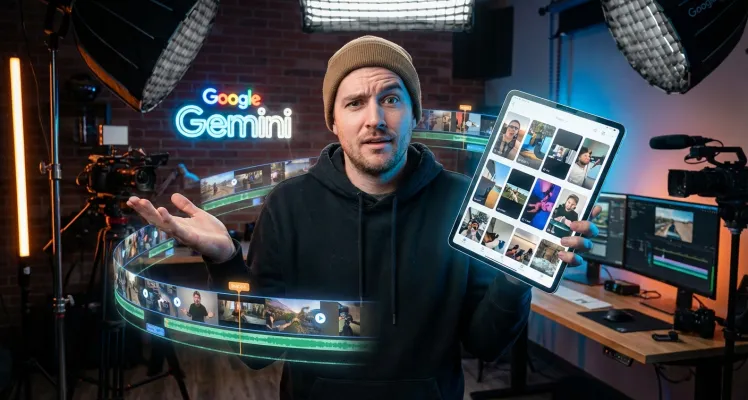
The gemini veo 3 limits you to 720p and 8-second clips, but its character consistency is unmatched. Learn how to optimize your storyboarding workflow now.

Explore Veo 3 and Veo 3.1 pricing options including Google AI Pro ($19.99/mo), Ultra ($249.99/mo), and API rates from $0.10-$0.40/second. Find the best plan for your video creation needs.
Input
Output