GPT Proto

GPTProto

  • Dashboard
  • LLM

    • claude
      Claude Opus 5New
    • google
      Gemini 3.6 Flash
    • google
      Gemini 3.5 Flash Lite
    • moonshotai
      Kimi K3
    • openai
      GPT 5.6 Luna

    Image

    • bytedance
      Dola Seedream 5.0 Pro 260628New
    • google
      Gemini 3.1 Flash Lite Image
    • google
      Gemini 3.1 Flash Image
    • openai
      GPT Image 2
    • google
      Gemini 3.1 Flash Image Preview

    Video

    • kling
      Kling v3.0 4kNew
    • bytedance
      Dreamina Seedance 2.0 Mini 260615
    • kling
      Kling v3 Omni 4k
    • bytedance
      Dreamina Seedance 2.0 Fast 260128
    • bytedance
      Dreamina Seedance 2.0 260128
    Explore 214+ Models >
  • Generator

    • Create Image
    • Create Video
    • Edit in Canvas

    Features

    • Anime to Real Life AINew
    • Anime AI Art Generator
    • AI Object Remover
    • AI Image Editor
    • Unrestricted AI Image Generator
    • AI Motion Transfer
    • AI Clothes Remover
    • AI Watermark Remover
    • AI Image Enhancer Online
    • Online Background Remover Tool
    Explore All >

    Prompts

    • Seedance 2.0 PromptsNew
    • GPT Image 2 Prompts
    • Nano Banana Pro Prompts
    • Seedream 5.0 Pro Prompts
  • AI Blog

    • GLM 5.2 vs MiniMax M3: Which Is Better for Coding and Frontend Work?
    • How to Create Your Own AI Character With an API—No Coding Required
    • Kimi K3 vs Claude Opus 5: Which Is Better for Coding and AI Agents?
    • 20 Free Seedream 5.0 Pro Packaging Design Prompts for Products and E-commerce
    • GLM-5.2 vs Kimi K3 for Coding: Which Is Better for Developers in 2026?
    Explore All >

    AI Insight

    • What Is Emochi AI—and Why Is It Growing So Fast? (2026)
    • What Is Kimi K3—and Is It Really Close to GPT-5.6 and Fable 5?
    • 12 Best AI Video Generation Tools in 2026 for YouTube, TikTok, Text and Images
    • What Is Qwen 3.8 Max? Release Date, 2.4T Preview, Pricing, and Early Benchmarks
    • Gemini 3.6 Flash and Gemini 3.5 Flash-Lite Explained: Which One Should You Use?
    Explore All >

    AI Docs

    • gpt-image-2
    • gpt-5.4
    • kimi-k2.5
    • claude-opus-4-6
    • kling-v3.0-pro
    Explore All >

    AI Skills

    • browser-use
    • claude-to-im
    • competitive-ads-extractor
    • content-creator
    • data-storytelling
    Explore All >
Pricing
English繁體中文한국어日本語EspañolРусский
Get Started Now
  1. Home
  2. /Model
  3. /Vidu
  4. /vidu2.0 / reference-to-video
Vidu
vidu2.0 / reference-to-video
Documentation
Documentation
Vidu 2.0 stands out in the crowded AI video generation market by prioritizing extreme visual clarity, often described as crispy by early adopters. While it offers high-quality animation potential that rivals professional anime shows, Vidu 2.0 isn't without its quirks. Users frequently note challenges with lip-sync consistency and strict prompt adherence compared to rivals like Seedance. However, for creators focused on aesthetic polish and cinematic texture, Vidu 2.0 remains a top-tier choice. By using the Vidu 2.0 API through GPTProto, developers can avoid restrictive credit systems and scale their creative production with a reliable, high-performance infrastructure.

$ 0.08
$ 0.1

image

video

$ 0.08
$ 0.1

image

video

Related Models
All Models
Bytedance
Bytedance
dreamina-seedance-2-0-mini-260615
$ 0.2365
Kling
Kling
kling-v3-omni-4k
$ 1.008
$ 1.26
Vidu
Vidu
viduq2
$ 0.024
$ 0.03
Qwen
Qwen
wan-2.6
$ 0.45
$ 0.5
Google
Google
veo3.1
$ 0.5
Bytedance
Bytedance
dreamina-seedance-2-0-fast-260128
$ 0.2365
Examples
A woman with flowers.
A woman eating cake.
A dog running with a woman.
the girl walks from the painting to the room, put the coffee cup on the table

Vidu 2.0 is the latest leap in cinematic video generation, offering a level of visual fidelity that has the creative community talking. If you are ready to browse Vidu 2.0 and other models, you will notice that this specific version focuses heavily on the 'crispy' aesthetic that modern creators crave. Unlike older models that often look muddy or over-smoothed, Vidu 2.0 maintains sharp edges and intricate textures even in complex scenes.

Vidu 2.0 API: Cinematic Video Generation With High-End Visual Fidelity

Vidu 2.0 Visual Quality: Why Redditors Call It Crispy

The first thing you notice when running Vidu 2.0 is the sheer clarity of the output. Early testers have been vocal about the visual density, with many noting that Vidu 2.0 handles light and shadow with a realism that was previously reserved for high-end rendering engines. This isn't just about resolution; it's about the 'crispy' nature of the details. Whether you are generating a close-up of a human face or a sweeping architectural shot, Vidu 2.0 preserves the fine grains and subtle movements that make AI video feel less artificial.

"The visual quality of Vidu 2.0 is honestly shocking. We've seen a lot of models lately, but Vidu 2.0 has a texture that looks like it was shot on a high-end cinema camera rather than generated by a prompt." — GPTProto Product Lead.

However, that visual excellence comes with a learning curve. Vidu 2.0 demands specific prompting to reach its full potential. If you don't provide enough context, the model can sometimes default to safer, less impressive motions. To truly see what Vidu 2.0 can do, you need to push the boundaries of its physics engine, which brings us to the comparative performance against other industry players.

Comparing Vidu 2.0 Performance Against Kling AI and Seedance

When choosing an AI video engine, context is everything. While Vidu 2.0 leads in pure visual sharpness, other models might offer better utility in specific niches. For instance, Seedance 2.0 often outperforms Vidu 2.0 when it comes to strict prompt adherence, especially for complex instructions like specific music genres or highly technical physics. Meanwhile, Kling AI is often cited as the budget-friendly workhorse, offering more generations for a lower price point, though it may lack the high-end cinematic 'sheen' that Vidu 2.0 provides.

Feature Vidu 2.0 Seedance 2.0 Kling AI
Visual Clarity Extreme (Crispy) High Balanced
Prompt Adherence Moderate Excellent High
Lip-Sync Accuracy Inconsistent Stable Stable
Anime Potential Very High Moderate High

As seen in the table above, Vidu 2.0 is your go-to for visual spectacle, but you might need to iterate more frequently to get the perfect movement. This is where you can manage your API billing efficiently on GPTProto. Instead of being locked into a rigid subscription with limited credits that might only give you ten 4-second videos a month, our platform allows you to scale your Vidu 2.0 usage based on your actual needs.

How to Get the Best Results From Vidu 2.0's API

To maximize your output with the Vidu 2.0 API, focus on descriptive lighting and texture keywords. Since the model is optimized for 'crispy' visuals, using words like '8k cinematography,' 'tactile textures,' and 'dynamic lighting' helps Vidu 2.0 lean into its strengths. One common pain point reported by beta testers is the lip-sync quality. When characters start moving rapidly, Vidu 2.0 can struggle to keep the mouth movements synchronized with the rest of the facial anatomy. To mitigate this, keep character dialogue minimal during high-action sequences.

Developers looking to integrate this into their apps should read the full API documentation for Vidu 2.0. Understanding the request parameters is vital because Vidu 2.0 performs differently depending on whether you are doing text-to-video or single-image-to-video. In fact, many users have noted that Vidu 2.0's image-to-video capabilities require very specific framing to avoid 'drifting' where the AI ignores the original image's intent.

Why Developers Are Switching to GPTProto for Vidu 2.0

The official Vidu 2.0 subscription models can be frustratingly limited. Imagine paying for a full year only to realize you are capped at a handful of videos per month. That's why many are coming to GPTProto. You can monitor your API usage in real time and ensure you aren't wasting resources on failed generations. Plus, you can easily swap between Vidu 2.0 and other models if a specific prompt isn't working as expected.

We also offer tutorials to help you master these tools. You can learn more on the GPTProto tech blog, where we cover advanced prompting techniques for Vidu 2.0. Whether you are building an anime-style show or a marketing campaign, the visual density of Vidu 2.0 combined with our flexible infrastructure is a winning combination. If you enjoy our platform, don't forget to join the GPTProto referral program to earn commissions while you build.

Vidu 2.0 Integration and Final Thoughts

Integrating the Vidu 2.0 API is straightforward. Once you have your API key, you can start making calls immediately. Remember that Vidu 2.0 is still evolving; being in the beta phase means frequent updates. We stay on top of these changes so you don't have to. For the latest AI industry updates and how they affect Vidu 2.0, stay informed with AI news and trends on our news page. Vidu 2.0 is a visual powerhouse—once you learn to navigate its prompt sensitivity, the results are truly world-class.
How to Get a vidu2.0 API Key

Getting a vidu2.0 API key takes four steps and a few minutes. Create a free GPTProto account, add credits, generate your key, and make your first call — at $0.08 it's a cheaper vidu2.0 API key than going direct, and one key works across every model on the platform. Full vidu2.0 Documentation is in the docs.

Sign up

Sign up

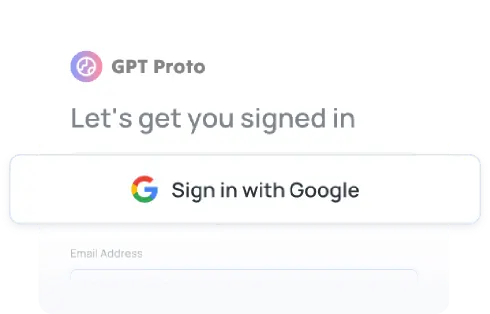
Create your free GPT Proto account to begin. You can set up an organization for your team at any time.

Top up

Top up

Your balance can be used across all models on the platform, including vidu2.0, giving you the flexibility to experiment and scale as needed.

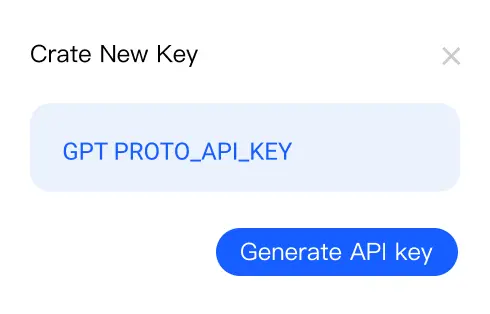
Generate your API key

Generate your API key

In your dashboard, create an API key — you'll need it to authenticate when making requests to vidu2.0.

Make your first API call

Make your first API call

Use your API key with our sample code to send a request to vidu2.0 via GPT Proto and see instant AI-powered results.

Get API Key

Vidu 2.0 Frequently Asked Questions

Expert answers to the most common questions about the Vidu 2.0 AI video generator.

What is Vidu 2.0 and how does it differ from the previous version?

Vidu 2.0 is a significant upgrade focusing on cinematic visual quality and texture. While the previous version laid the groundwork, Vidu 2.0 introduces 'crispy' visuals and higher detail density, though it requires more precise prompting to maintain physics stability.

Is Vidu 2.0 good for anime creation?

Yes, Vidu 2.0 has shown immense potential for anime. Many users compare the fluid motion and sharp linework of Vidu 2.0 to professional anime productions, making it a favorite for creators in that niche.

How do I fix the lip-sync issues in Vidu 2.0?

Vidu 2.0 can sometimes have inconsistent lip-syncing when characters move too much. To improve results in Vidu 2.0, try using prompts that specify 'subtle facial expressions' and avoid extreme camera angles during speaking parts.

Can I use Vidu 2.0 through an API?

Absolutely. The Vidu 2.0 API is available via GPTProto, allowing you to integrate these high-quality video generations into your own applications with ease and scalable pricing.

How does Vidu 2.0 prompt adherence compare to Seedance?

Currently, Seedance 2.0 is often cited as having better prompt adherence than Vidu 2.0. While Vidu 2.0 creates more 'crispy' and cinematic visuals, Seedance is generally more reliable for following complex, multi-step instructions.

Is Vidu 2.0 more expensive than Kling AI?

Generally, Kling AI offers a lower cost per generation. However, Vidu 2.0 is positioned as a premium aesthetic tool. Users often choose Vidu 2.0 when visual quality is more important than the volume of videos generated.

What does 'crispy visuals' mean in the context of Vidu 2.0?

The term 'crispy' is used by the Vidu 2.0 community to describe the high level of detail, sharp edges, and lack of blurriness in the generated videos, making Vidu 2.0 outputs look professional.

Can Vidu 2.0 generate videos from a single image?

Yes, Vidu 2.0 supports single image-to-video generation. However, some users note that Vidu 2.0 may struggle to follow specific movement instructions from a static image compared to text prompts.

How many videos can I generate per month with Vidu 2.0?

Official Vidu 2.0 plans can be restrictive, often limiting users to about ten 4-second videos. Using Vidu 2.0 via GPTProto provides a more flexible way to manage your generations without these tight constraints.

Is Vidu 2.0 still in beta?

Vidu 2.0 has been in a beta phase for early testers, with wider access rolling out. This means Vidu 2.0 is still undergoing improvements in areas like lip-sync and prompt following.

Does Vidu 2.0 respect physics better than other models?

Vidu 2.0 has a strong physics engine, but it is not perfect. While it handles light and shadow beautifully, Seedance 2.0 is sometimes preferred for realistic physical interactions and movement logic over Vidu 2.0.

How can I integrate Vidu 2.0 into my existing workflow?

You can integrate Vidu 2.0 by obtaining an API key from GPTProto and following our standard integration guides. This allows you to call Vidu 2.0 programmatically for automated video production.

Related Articles

More Blogs
Airbrush AI Clothes Changer: Best 2024 Tools

Airbrush AI Clothes Changer: Best 2024 Tools

Compare the best airbrush ai clothes changer tools for creators and professionals. Find the right AI outfit swapper for your needs today.

Invideo Ai: A Real-World Efficiency Test

Invideo Ai: A Real-World Efficiency Test

Discover if invideo ai is the right tool for your content strategy. We look at its massive stock library and the reality of AI-led editing. Start creating.

Abacus AI: The Heavy-Duty Engine for Scale

Abacus AI: The Heavy-Duty Engine for Scale

Is abacus ai right for your enterprise? We explore its multi-model power, AI agents, and the credit system. Learn how to scale your AI workflows today.

Vidu Q2 Review: The Future of AI Video Generation

Vidu Q2 Review: The Future of AI Video Generation

Create cinematic AI videos with Vidu Q2's natural expressions and smooth camera work. See how it compares to Sora 2 and turn images into video instantly.

GPT Proto

Empowering AI Innovation with Global Scale and Stability:

With our flagship product GPT Proto, we offer a unified interface to access and combine APIs from the world's leading AI providers—spanning text, vision, speech, and beyond. We empower developers and enterprises to simplify integration and accelerate innovation without limits.

Global Infrastructure, Local Compliance:

To ensure enterprise-grade reliability and compliance, Talent Tech Global Limited operates specifically as our global Billing and Contracting Entity. Meanwhile, our core technical infrastructure and R&D teams are strategically distributed across global innovation hubs, including Silicon Valley, Singapore, and Hong Kong.

Built to Scale:

We understand that stability is paramount. Our platform is built on a robust, decentralized architecture supporting dynamic Auto-scaling. Whether you are running a pilot or handling millions of concurrent requests, our system expands instantly to meet demand—guaranteeing that your business never outgrows our infrastructure.

Navigation

  • Dashboard
  • Models
  • Create Image
  • AI Image Upscale
  • AI Background Remover
  • Create Video
  • Edit in Canvas
  • Features
  • Pricing
  • AI Docs
  • AI Blog
  • AI Insight
  • AI Skills

Features

  • Anime to Real Life AI
  • Anime AI Art Generator
  • AI Object Remover
  • AI Image Editor
  • Unrestricted AI Image Generator
  • AI Motion Transfer
  • AI Clothes Remover
  • AI Watermark Remover
  • AI Image Enhancer Online
  • Online Background Remover Tool
  • AI Face Swap Image
  • AI Passport Photo Maker
  • MS Paint AI Generator
Explore all features >

LLM

  • Claude Opus 5
  • Gemini 3.6 Flash
  • Gemini 3.5 Flash Lite
  • Kimi K3
  • GPT 5.6 Luna
  • GPT 5.6 Terra
  • GPT 5.6 Sol
  • Grok 4.5
  • Claude Sonnet 5
  • Minimax M3
  • GLM 5.2
  • GPT 5.1 Chat Latest
  • Claude Fable 5
  • Qwen3.7 Max
  • Claude Opus 4.8 Thinking
  • Claude Opus 4.8
  • Gemini 3.5 Flash
  • DeepSeek v4 Flash
  • DeepSeek v4 Pro
  • Grok 4.3
Explore all models >

Image

  • Dola Seedream 5.0 Pro 260628
  • Gemini 3.1 Flash Lite Image
  • Gemini 3.1 Flash Image
  • GPT Image 2
  • Gemini 3.1 Flash Image Preview
  • Seedream 5.0 260128
  • Doubao Seedream 5.0 260128
  • Vidu Q2
  • Grok Imagine Image
  • Kling Image O1
  • GPT Image 1.5
  • Seedream 4.5 251128
  • Doubao Seedream 4.5 251128
  • Grok Imagine 0.9
  • Gemini 3 Pro Image Preview
  • Qwen Image Lora
  • Qwen Image Plus Lora
  • Qwen Image Plus
  • Grok 4 Image
  • GPT Image 1 Mini
Explore all models >

Video

  • Kling v3.0 4k
  • Dreamina Seedance 2.0 Mini 260615
  • Kling v3 Omni 4k
  • Dreamina Seedance 2.0 Fast 260128
  • Dreamina Seedance 2.0 260128
  • Vidu 2.0
  • Doubao Seedance 2.0 260128
  • Doubao Seedance 2.0 Fast 260128
  • Kling v3 Omni Pro
  • Kling v3 Omni Std
  • Vidu Q3 Turbo
  • Kling v3.0 Pro
  • Kling v3.0 Std
  • Vidu Q3 Pro
  • Kling v2.6 Std
  • Vidu Q2 Pro
  • Vidu Q2 Turbo
  • Vidu Q2 Pro Fast
  • Vidu Q2
  • Kling Video O1 Pro
Explore all models >

© 2026 Talent Tech Global Limited (Hong Kong) / Talent Tech Global LLC (US). All rights reserved.

  • About Us
  • Privacy Policy
  • Terms of Service
  • Sitemap