What Changed in AI Packaging Design in 2026?
The biggest change is not simply better-looking images. Current models follow detailed layouts, retain reference elements, edit selected regions, and render short text more reliably.
AI still does not replace packaging engineering, prepress, regulatory review, or a physical proof. Generated barcodes may not scan, legal copy may change, and attractive structures may be impossible to manufacture.
The most useful AI in packaging design trends for 2026 therefore point toward connected workflows rather than one-click finished packaging:
More control: Teams can specify composition, references, and product constraints.
Packaging-native platforms: Dielines, editable panels, and 3D previews sit closer to generation.
Faster variants: One direction can become multiple flavors, sizes, or regional versions.
Human verification: Brand, legal, print, accessibility, and manufacturing checks remain mandatory.
How We Evaluated These AI Packaging Design Tools
We compared the tools against six practical questions:
Can it create a strong concept from a detailed brief?
How well does it handle brand names, labels, and other visible text?
Can it use reference images or edit an existing direction?
Does it support packaging structures, dielines, or 3D mockups?
Can a designer move the result toward a print-ready file?
Does the price and access model fit occasional or repeated production?
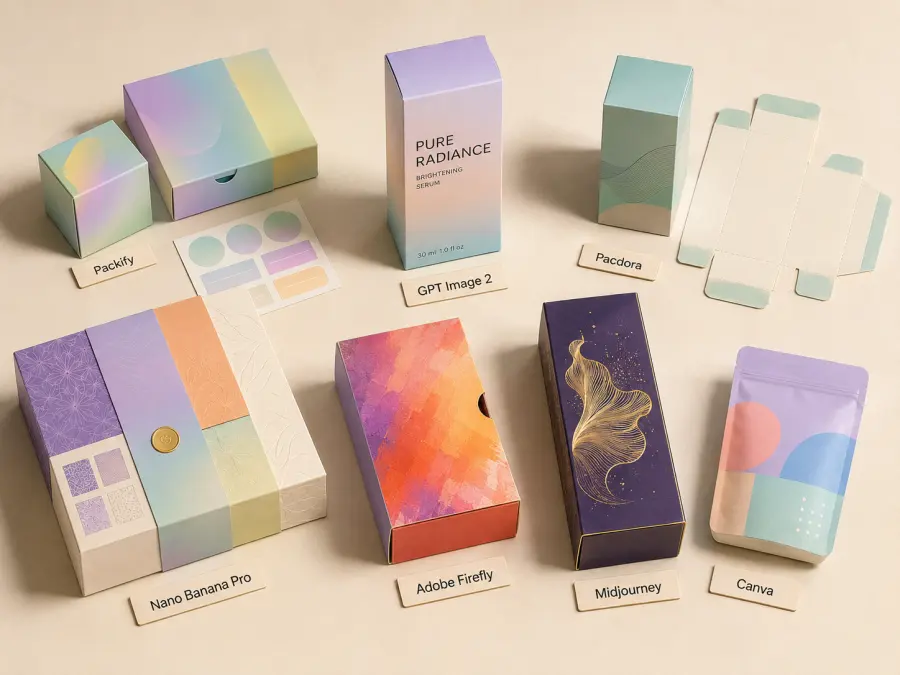
The evaluation basis differs by product. GPT Image 2, Nano Banana Pro, and Midjourney were assessed as image models. Packify, Pacdora, Firefly, and Canva were reviewed through current product documentation and were not newly hands-on tested for this update. A documented feature is not a verified result in your workflow.
Quick Comparison: Best AI for Packaging Design
| Tool |
Best for |
Text handling |
Packaging-specific features |
Access and cost structure |
Main limitation |
| Packify |
Packaging-native design |
Good for editable design workflows |
Dielines, 3D preview, editable exports |
Credit-based plans; check current pricing |
Final files still need printer and material checks |
| GPT Image 2 |
Text-heavy concepts and API workflows |
Strong |
Image generation and editing; no native dieline engineering |
Token-based API pricing |
Raster output is not a finished production file |
| Pacdora |
3D mockups and structural templates |
Better added as editable artwork |
Thousands of mockups and dieline templates |
Free and paid credit tiers |
Less focused on open-ended art direction |
| Nano Banana Pro |
Complex compositions and reference-led layouts |
Strong |
High-resolution concept generation |
From $0.0804 per 1K/2K output on GPT Proto at review time |
Current GPT Proto route should be checked for editing inputs |
| Adobe Firefly |
Adobe-centered editing and asset creation |
Useful, but verify all copy |
Integrates with Adobe creative tools |
From $9.99/month at review time |
Premium features and partner models consume credits |
| Midjourney |
Visual exploration and art direction |
Improving, but not our first choice for exact copy |
Concept images rather than dielines |
Subscription or pay-per-request access |
No official public self-service API from Midjourney |
| Canva |
Fast assembly and team-friendly finishing |
Best when text is added manually |
Templates, brand assets, simple mockups |
Free and paid plans with AI limits |
Less structural control for professional packaging production |
1. Packify — Best Packaging-Native AI Design Tool
Packify is the closest option here to an all-in-one AI packaging design workspace. It combines AI-assisted design, editable dielines, and 3D visualization instead of stopping at a flat image.
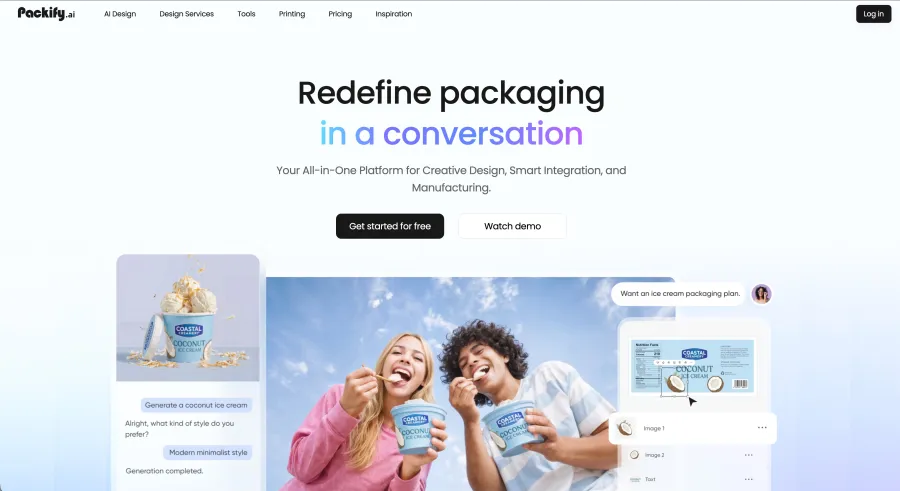
A designer can map artwork onto panels, preview the assembled package, and export editable SVG or PDF files. Packify says AI Design and Edit use 10 credits and AI Photoshoot uses 5 credits, although terms may change.
Why it ranks first: It covers more of the packaging-specific journey than a general image model.
Trade-off: An editable dieline is not automatic approval for production. Your printer or packaging supplier still needs to confirm dimensions, board or film type, bleed, folds, glue areas, color settings, and finishing requirements.
Best for: Teams that want concept generation, editable packaging layouts, dielines, and 3D previews in one environment.
2. GPT Image 2 — Best for Packaging Text and API Workflows
Misspelled copy can make an otherwise impressive package useless. GPT Image 2 is our first choice when the concept needs a readable product name, flavor, short benefit statement, or multilingual label inside the generated composition.
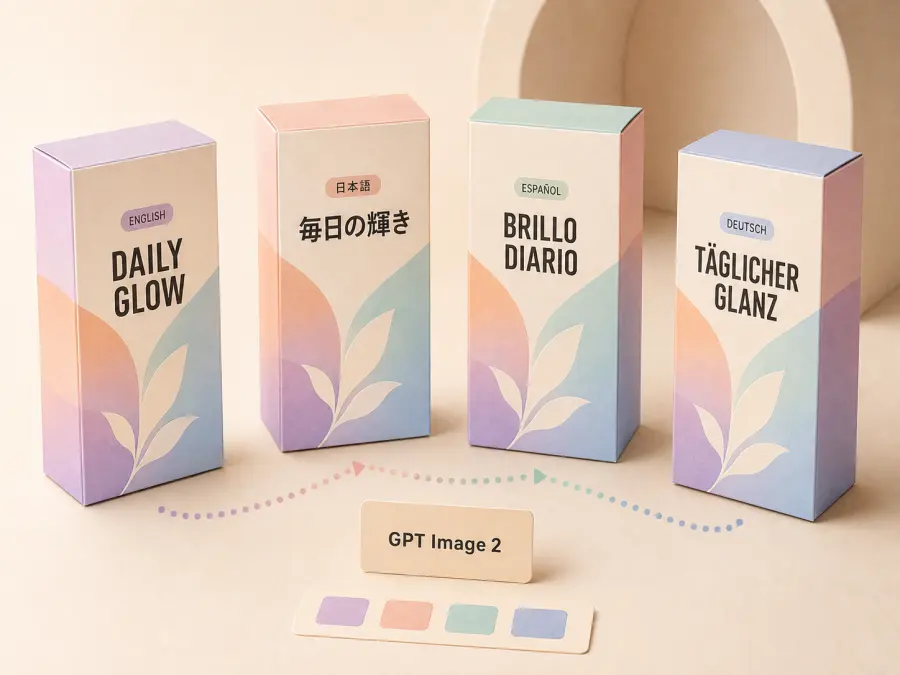
The model improves text rendering, layout control, editing, and instruction following. Reference images help preserve a product shape or approved visual direction. High-resolution output is useful for review, though it remains raster rather than print-ready vector artwork.
For non-technical users, the GPT Proto AI Packaging Design Generator offers a focused starting point. Teams comparing different visual models can use the broader AI image platform.
Developers can call GPT Image 2 through GPT Proto. The following request matches the documented text-to-image route at the time of this update:
export GPTPROTO_API_KEY="your_api_key"

curl --request POST "https://gptproto.com/api/v3/openai/gpt-image-2/text-to-image" \
  --header "Authorization: Bearer $GPTPROTO_API_KEY" \
  --header "Content-Type: application/json" \
  --data '{
    "prompt": "Front-facing premium coffee pouch for Northline Coffee. Cream paper texture, dark green geometric label, the exact text NORTHLINE COFFEE and ETHIOPIA SINGLE ORIGIN, small citrus illustration, clean studio lighting, no extra words",
    "n": null,
    "quality": "auto",
    "size": "auto",
    "response_format": "url"
  }'
GPT Proto lists separate token rates for text input, image input, cached input, and image output, so cost varies by request. Check the live GPT Image 2 model page before estimating a batch.
Why it ranks second: Text reliability and programmable access solve two common packaging bottlenecks: usable label concepts and repeatable variant generation.
Trade-off: Always retype the final copy in a design application. Even a model that usually renders text well can alter a letter, nutrition value, unit, claim, or required warning.
Best for: Text-led packaging concepts, multilingual exploration, image editing, and automated generation pipelines.
3. Pacdora — Best for 3D Packaging Mockups and Dielines
Pacdora is the strongest choice when the question is: “How will this design appear on the actual structure?”
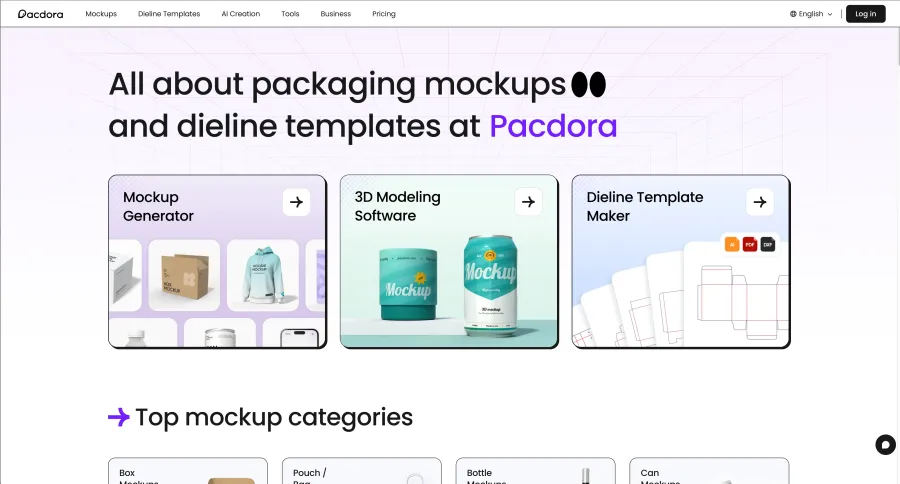
Its library contains thousands of packaging mockups and dieline templates. Depending on the plan, users can edit dimensions, apply artwork, render in 3D, and export PDF, DXF, or AI files. It is most useful after choosing a creative direction.
Why it ranks third: A convincing flat concept can hide panel alignment problems. A 3D mockup quickly reveals whether the logo crosses a fold, a key message disappears around a corner, or the hierarchy fails at shelf distance.
Trade-off: Pacdora is more useful for structure and presentation than for unrestricted visual ideation. AI credits and export permissions also vary by plan, so confirm what the selected template allows.
Best for: Structural exploration, client presentation, ecommerce mockups, and checking artwork across real packaging panels.
4. Nano Banana Pro — Best for Complex Layouts and References
Nano Banana Pro, available on the Gemini 3 Pro Image Preview model page, works well when a brief includes references, a defined composition, multiple assets, or a dense hierarchy.
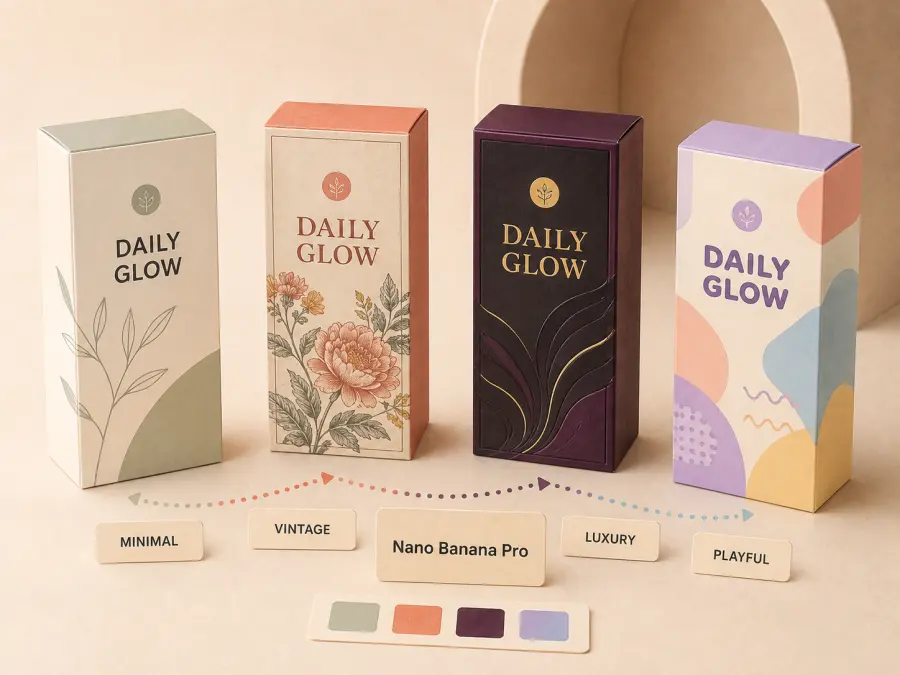
Its text rendering and instruction following make it a better 2026 replacement for DALL·E 3 in this ranking. It can coordinate illustration, ingredient cues, a brand block, and a product window in one front panel.
At review time, GPT Proto listed 1K and 2K outputs at $0.0804 each and 4K output at $0.144. Check the current route and price before building a batch workflow.
Why it ranks fourth: It handles complicated visual briefs well and can produce polished concept directions without requiring extensive prompt iteration.
Trade-off: Good-looking generated copy still needs to be replaced with approved, editable typography. Also verify whether the current API route supports the exact reference-image or editing input your workflow needs.
Best for: Complex front-panel layouts, reference-led concepts, campaign variants, and high-resolution presentation visuals.
5. Adobe Firefly — Best for Adobe-Based Packaging Workflows
Adobe Firefly makes sense for designers who finish packaging in Illustrator or Photoshop. It generates or modifies backgrounds, textures, product scenes, decorative graphics, and selected image regions.
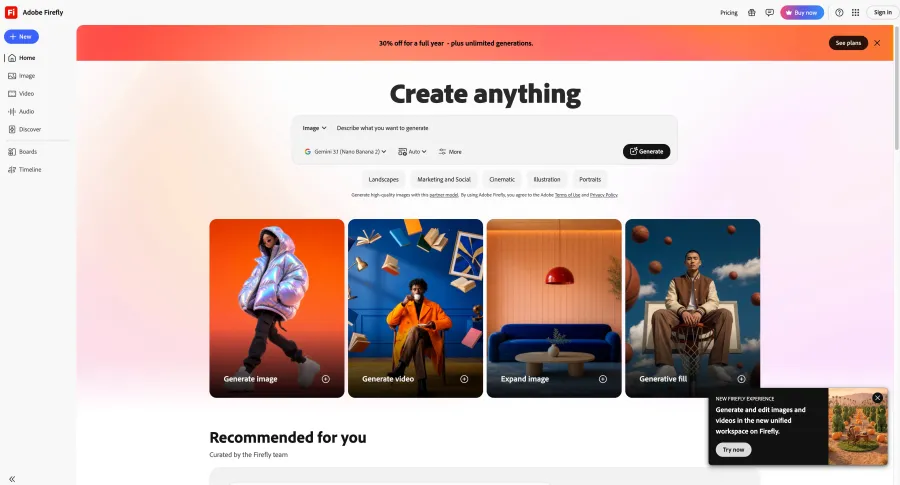
A designer can place a generated asset into Illustrator, rebuild typography and logos as vectors, and prepare production layers within the Adobe environment.
At review time, plans started at $9.99 per month for 2,000 credits. Adobe says its Firefly models are trained on licensed and public-domain content and positions standard outputs for commercial use. Companies should still review the applicable terms.
Why it ranks fifth: Firefly fits naturally into the software many packaging professionals already use for final artwork.
Trade-off: It is not a packaging engineering tool. Credit behavior also differs between standard generation, premium features, video, and partner models.
Best for: Adobe users who need generative assets, controlled edits, and a short path back to Illustrator or Photoshop.
6. Midjourney — Best for Packaging Concepts and Art Direction
Midjourney remains strong for visual mood, premium materials, editorial lighting, unusual illustration, and cohesive product families. It is most valuable before a team commits to one creative territory.
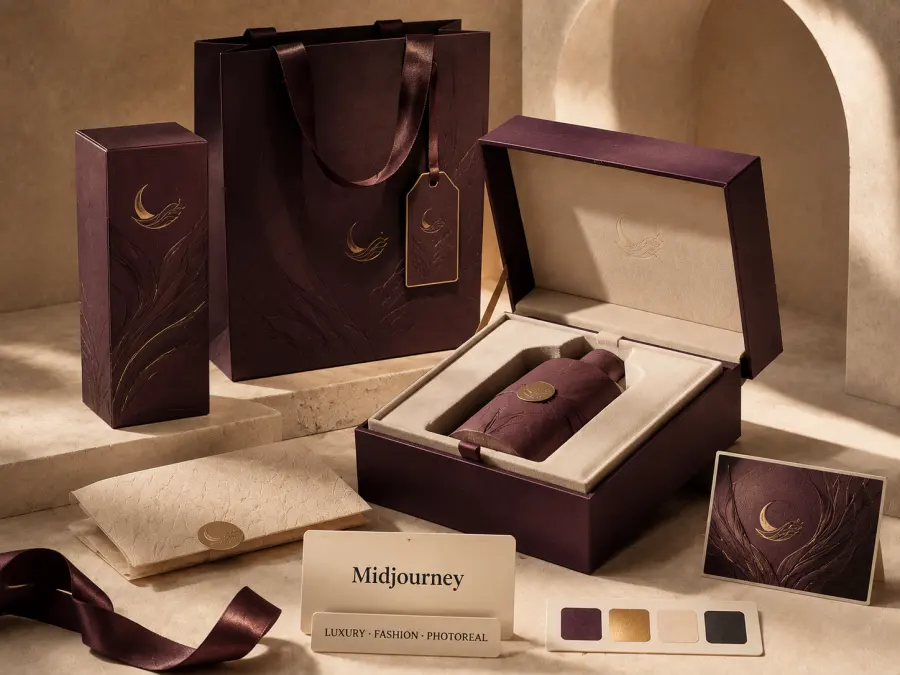
Use it to compare directions such as botanical versus clinical, maximalist versus quiet luxury, or several flavors within one visual system.
Official subscriptions were $10, $30, $60, and $120 per month at review time. GPT Proto also provides a managed Midjourney model route for programmable, pay-per-request access; check its live rate.
Why it ranks sixth: Few tools match its speed for exploring art direction and premium visual styles.
Trade-off: It is not our first choice for exact packaging copy, dielines, or production artwork. Midjourney also does not offer an official public self-service API, so API-based access relies on a managed third-party route.
Best for: Mood boards, early concept rounds, illustration direction, and premium product visualization.
7. Canva — Best for Beginners and Quick Manual Finishing
Canva is the easiest option for teams that need a clean concept presentation without learning professional packaging software. Templates, brand assets, text tools, and comments help assemble front-panel ideas and campaign mockups.
Instead of asking a model to render every word, users can generate a background and add the real product name, benefits, weight, and campaign copy as editable text.
AI allowances depend on plan, model, and task complexity. Free offers limited use, while Pro and Teams have higher limits; none should be treated as a guaranteed image count.
Why it ranks seventh: Canva lowers the barrier to producing a coherent concept board or simple label mockup.
Trade-off: It does not provide the structural precision, color controls, or prepress depth expected for demanding packaging production. A professional designer or printer may need to rebuild the approved concept.
Best for: Beginners, internal concept reviews, social and ecommerce extensions, and adding correct text to AI-generated visuals.
How AI Improves Product Packaging Design Efficiency
The main benefits of AI in packaging design appear before final production:
1. More directions from one brief
Compare minimalist, playful, premium, technical, and sustainability-led directions before developing each one manually. The goal is to find the two or three ideas worth refining.
2. Faster product-line variations
After approving a composition, explore color, flavor, seasonal, audience, or market variations. This is how AI improves product packaging design efficiency while a designer protects the brand system.
3. Earlier stakeholder alignment
A realistic concept or 3D mockup helps stakeholders settle the direction before investing in production artwork or physical samples.
4. Lower-cost previsualization
Shelf scenes and launch concepts make proposals easier to evaluate. They do not replace final product photography.
5. Easier automation
API access can connect a product database or brief form to controlled generation. A person approves outputs before layout, localization, or production.
Efficiency moves human attention from repetitive exploration to brand, compliance, manufacturing, and customer understanding.
Which Tool Fits Each Packaging Stage?
| Packaging stage |
Recommended tool |
What to produce |
Human check required |
| Brief and visual exploration |
Midjourney or Nano Banana Pro |
Art directions, moods, compositions |
Brand fit, originality, feasibility |
| Text-led concept generation |
GPT Image 2 |
Front-panel concepts and controlled variants |
Every word, number, symbol, and claim |
| Packaging-native layout |
Packify |
Editable packaging design and dieline |
Dimensions, folds, bleed, material rules |
| Structural mockup |
Pacdora |
3D package previews and presentation renders |
Panel alignment and real-world proportions |
| Asset editing and production layout |
Adobe Firefly with Illustrator/Photoshop |
Refined graphics and editable artwork |
Vectors, color, layers, image resolution |
| Simple assembly and review |
Canva |
Concept boards and manually corrected text |
Production suitability and export settings |
| Automated image generation |
GPT Proto model APIs |
Repeatable concepts or approved variants |
Output review and exception handling |
From AI Packaging Design to a Print-Ready File
An AI image is a concept asset. Use these five steps to turn the approved direction into production artwork.
Step 1: Start with the supplier's dieline
Get the exact supplier template. Confirm dimensions, bleed, safe area, cut and fold lines, glue zones, and file format. Never build final artwork around an AI-generated box.
Step 2: Rebuild critical elements as editable assets
Use the concept as a reference, then recreate logos, typography, legal copy, weights, and barcodes. Keep critical elements inside the safe area and validate every barcode.
Step 3: Prepare images and color for the process
Check resolution at final size and follow the printer's CMYK or spot-color specification. Account for substrate, coating, white ink, metallic layers, or transparent film.
Step 4: Run brand, legal, and accessibility review
Verify claims, required declarations, ingredients, regional rules, contrast, readability, and minimum type sizes. AI cannot approve compliance.
Step 5: Proof the real object
Review a physical proof under realistic lighting and at shelf distance. Fold it, hold it, and scan every code; a screen cannot expose every production problem.
Which AI Packaging Design Tool Should You Choose?
Choose by bottleneck, not by the longest feature list:
Pick Packify if you want a packaging-native workflow with editable structures and previews.
Pick GPT Image 2 if exact short text, controlled edits, or API access matters most.
Pick Pacdora if you already have artwork and need a dieline or realistic 3D mockup.
Pick Nano Banana Pro if the brief includes complex composition or several visual references.
Pick Adobe Firefly if Illustrator and Photoshop are already your production environment.
Pick Midjourney if the project is still searching for its visual identity.
Pick Canva if ease of use and manually editable copy matter more than prepress control.
A lean setup is GPT Image 2 or Nano Banana Pro for concepts, Pacdora or Packify for structure, and a professional layout tool for production.
Create Packaging Concepts with GPT Proto
GPT Proto supports three entry points:
Start with the AI Packaging Design Generator when you want a focused, no-code concept workflow.
Open the AI image platform when you want to compare models for different visual directions.
Use a model page and API when you need repeatable generation, application integration, or batch variants.
A team can use GPT Image 2 for text, Nano Banana Pro for a complex alternative, and Midjourney for broader exploration.
Keep final approval outside the generator. A person must confirm every output before layout, localization, or print production.
Bottom Line
The best AI packaging workflow in 2026 is a toolchain, not a single generator. Packify and Pacdora address structure and mockups. GPT Image 2 and Nano Banana Pro handle controlled visual generation. Midjourney expands the creative search. Firefly and Canva help teams edit, assemble, and communicate the selected direction.
Use AI to reach a stronger concept faster, then slow down where accuracy matters: exact copy, dielines, barcodes, color, materials, compliance, and physical proof. That division of labor produces packaging that is not only attractive on a screen, but also ready to become a real object.