Best AI Gateways for Developers at a Glance
| AI Gateway |
Best For |
Gateway Type |
Deployment |
Published Starting Cost |
Main Trade-Off |
| GPT Proto |
Affordable multimodal model access |
Managed model gateway |
Hosted |
Pay as you go |
Smaller catalog than OpenRouter |
| OpenRouter |
Model and provider breadth |
Managed model gateway |
Hosted |
5.5% credit-purchase fee |
Less infrastructure control |
| LiteLLM |
Self-hosting |
Open-source proxy |
Self-hosted |
Free software |
You manage the infrastructure |
| Cloudflare AI Gateway |
Spend limits and edge controls |
Managed control layer |
Hosted or BYOK |
Free core features; 5% unified billing fee |
Several newer features remain in beta |
| Vercel AI Gateway |
AI SDK and Next.js apps |
Managed model gateway |
Hosted or BYOK |
No token markup |
Most attractive inside the Vercel ecosystem |
| Portkey / Prisma AIRS |
Observability and governance |
Production control layer |
Hosted, hybrid, or self-hosted |
$49 per month |
Advanced controls may require Enterprise |
| Kong AI Gateway |
Enterprise API and agent governance |
Infrastructure gateway |
Hosted, hybrid, or self-hosted |
Component-based |
Complex and expensive for small teams |
There is no honest “best overall” until you decide whether you need hosted model access, self-hosted control, or enterprise governance.
How We Chose These AI Gateways
I compared the platforms across the parts that matter after an AI feature moves beyond a demo:
Model and modality coverage
OpenAI-compatible migration
Model and provider routing
Retries and automatic failover
Caching and token-cost controls
Usage logs and spend attribution
Hosted, BYOK, and self-hosted deployment
Published gateway fees
Infrastructure and maintenance costs
Fit for individual developers, startups, and enterprise platform teams
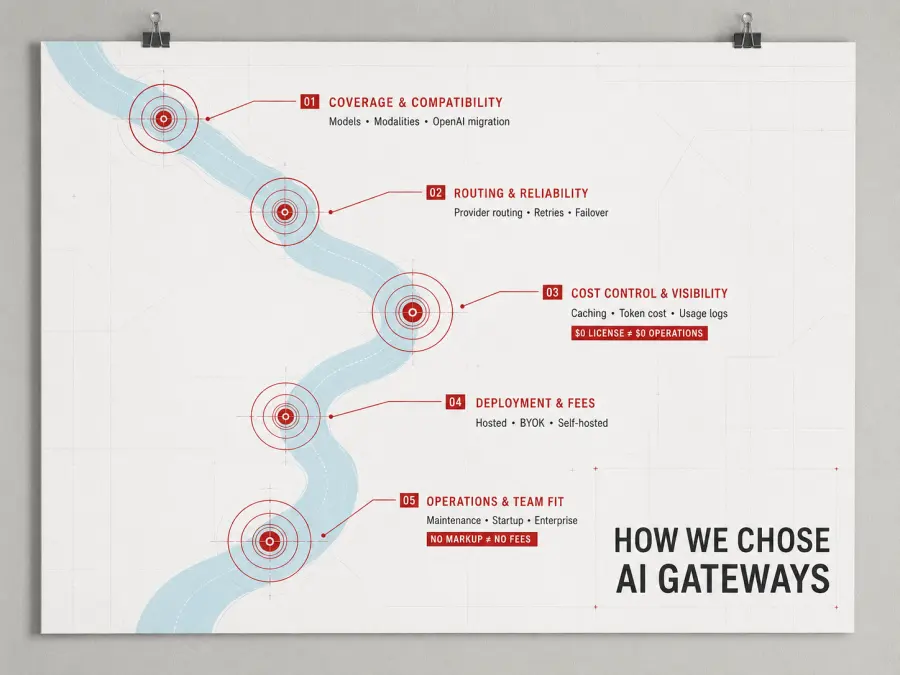
I also counted operational work as a cost. Open-source software may have a $0 license price, but someone still has to deploy it, secure it, store its logs, update it, and respond when it fails.
The same caution applies to “no markup.” A gateway may pass through token prices without adding a percentage while charging separately for credits, logs, control planes, enterprise features, or model proxies.
Not Every AI Gateway Does the Same Job
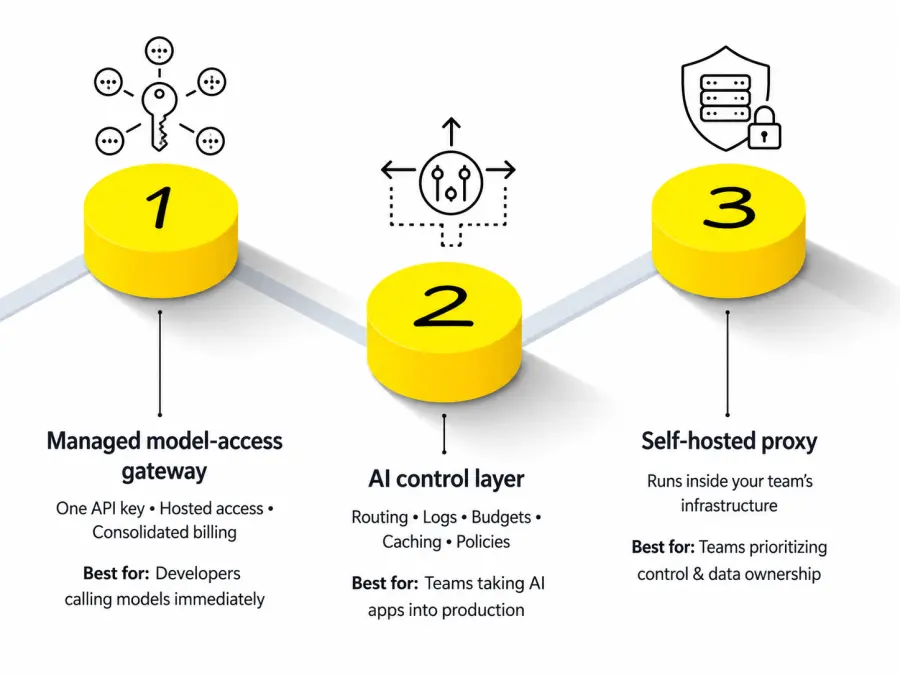
An AI gateway sits between an application and one or more AI services. Beyond that basic definition, the category splits into three groups.
| Gateway Type |
What It Gives You |
Typical User |
| Managed model-access gateway |
One API key, hosted model access, and consolidated billing |
Developers who want to call models immediately |
| AI control layer |
Routing, logs, budgets, caching, and policies around provider connections |
Teams taking AI applications into production |
| Self-hosted proxy |
Gateway software running inside the team’s infrastructure |
Teams prioritizing control and data ownership |
GPT Proto and OpenRouter primarily solve model access. LiteLLM lets you build and operate your own multi-provider proxy. Portkey and Kong focus more heavily on controlling AI traffic across teams and applications.
Cloudflare and Vercel sit between these categories. They can provide managed model access, but their strongest advantages come from the surrounding infrastructure.
This distinction matters. If you want one API key and a shared balance, installing a self-hosted proxy creates more work before you send your first model request. If your compliance team needs audit logs, SSO, content policies, and private deployment, choosing solely by model count misses the point.
1. GPT Proto — Best for Affordable Multimodal Model Access
GPT Proto is a managed all-in-one AI API with more than 200 text, image, video, and audio models under one account. Developers use one API key and one shared balance instead of opening and funding separate accounts for every model provider.
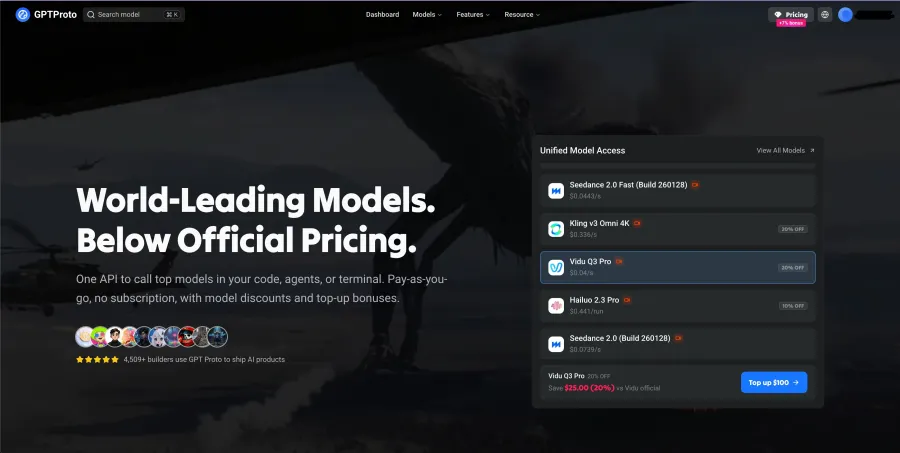
Its clearest advantage is access without infrastructure work. You do not need to deploy a proxy, maintain a model-routing database, or store several upstream credentials before calling a model. The API supports an OpenAI-compatible request format, making common text-model migrations largely a matter of changing the base URL, API key, and model ID.
GPT Proto uses pay-as-you-go billing with no fixed gateway subscription. Individual models have their own token or per-generation prices, and selected routes are priced below their upstream reference rates. This is especially relevant for image and video workloads, where a per-run difference compounds quickly during batch generation.
The platform also documents multiple API keys, credit caps per key, and spend tracking by team or project. Those controls help stop a test key, customer workspace, or internal agent from consuming the entire account balance.
Where GPT Proto fits
Choose GPT Proto when you want to:
Access hosted text, image, video, and audio models
Use one balance instead of several provider accounts
Compare models without rebuilding the integration
Avoid a fixed gateway subscription
Reach Chinese image and video models alongside Western models
Keep an OpenAI-style request format for common chat workflows
Where it does not fit
GPT Proto publishes a smaller model catalog than OpenRouter. It also should not be confused with a full enterprise API management system such as Kong.
If you need to host the gateway inside your own network, design custom routing plugins, or apply an existing enterprise API policy system to every request, a self-hosted or infrastructure-focused gateway is the better category.
Verdict: Choose GPT Proto when the goal is to call a wide range of models at competitive prices—not to become your own gateway operator.
You can browse the current inventory in the GPT Proto model catalog.
2. OpenRouter — Best for Model and Provider Breadth
OpenRouter has the largest published catalog in this comparison: more than 500 models across more than 80 providers on its pay-as-you-go plan.
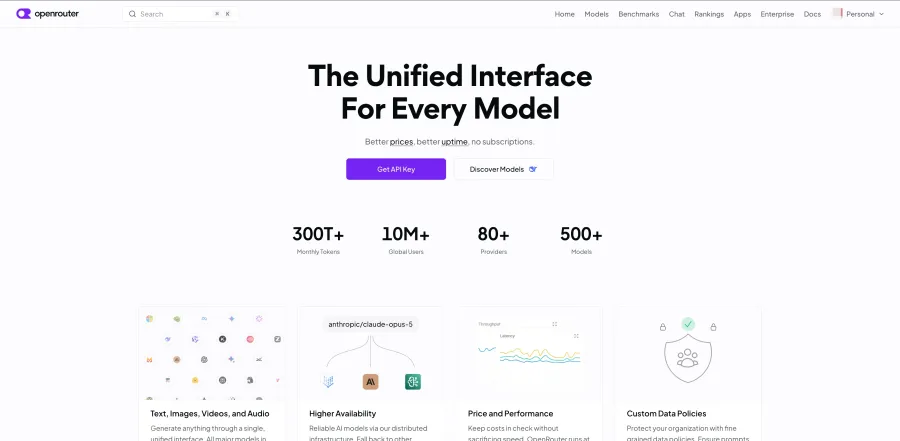
It is particularly useful when the same model is served by several inference providers. By default, OpenRouter can distribute requests among eligible providers, and developers can modify provider ordering based on preferences such as price, latency, or data policy.
OpenRouter is no longer a text-only LLM gateway. Its current documentation covers image generation, video generation, text-to-speech, speech-to-text, PDFs, and multimodal input. That removes an older distinction that many AI gateway comparisons still repeat.
Its pricing requires closer reading. OpenRouter passes through individual model prices but charges a 5.5% fee when users purchase credits. The published pay-as-you-go plan includes $25,000 of list-price BYOK inference per month without a BYOK fee, followed by a 5% fee above that allowance.
Where OpenRouter fits
Choose OpenRouter when you need:
A large model and provider catalog
Provider-level routing for the same model
BYOK with shared-capacity fallback
Multimodal inputs and outputs
Central activity and spend reporting
Frequent access to newly listed models
Where it does not fit
OpenRouter provides routing and organization controls, but it is still more model-access-oriented than an enterprise infrastructure platform. Teams requiring self-hosted data planes, deeply customized traffic policies, or existing API gateway integration may prefer LiteLLM or Kong.
Failover also has a boundary. If a provider fails before streaming begins, a gateway may retry elsewhere. Once part of a streaming response has reached the user, the gateway cannot silently discard it and recreate the complete answer without the application handling that interruption.
Verdict: OpenRouter wins on catalog breadth. That does not automatically make it the least expensive or most governable option.
For a narrower comparison, see OpenRouter vs GPT Proto or the OpenRouter alternatives guide.
3. LiteLLM — Best Open-Source AI Gateway
LiteLLM is the strongest option here for teams that want an open-source AI gateway running on their own infrastructure.
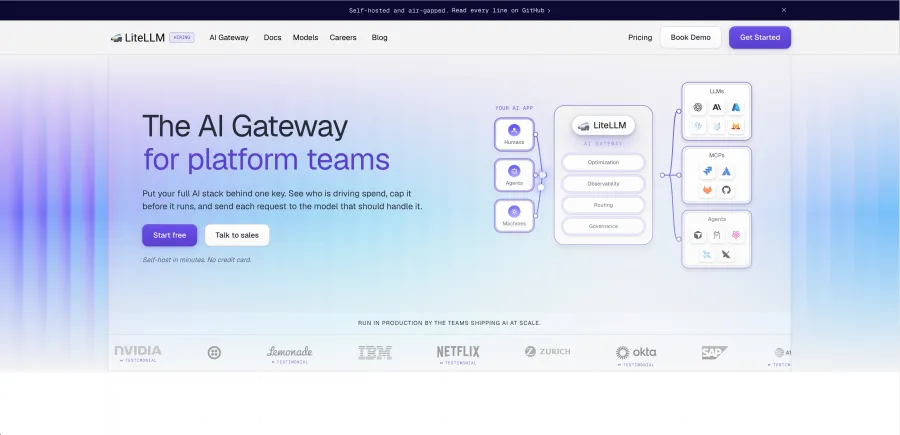
It offers both a central Proxy Server and a Python SDK. The proxy is designed for platform teams providing shared model access, while the SDK can sit directly inside a Python application. LiteLLM currently advertises more than 140 provider integrations.
Its routing layer includes load balancing, timeouts, retries, cooldowns, and provider fallbacks. Teams can create virtual keys, set budgets, enforce RPM and TPM limits, and track spend by user, team, model, or project.
That is a serious set of capabilities for software with a free self-hosted tier. The cost appears elsewhere.
What “free” does not include
Running LiteLLM in production may still require:
Cloud compute or Kubernetes capacity
Redis for shared routing and cooldown state
A database for keys, users, and usage records
Logging and cache storage
Metrics, alerting, and backups
Security patching
Version upgrades
An engineer responsible for the service
Separate payment to every upstream model provider
Enterprise features such as SSO, audit logs, custom support, and contractual service levels use custom pricing.
LiteLLM is therefore cost-effective when a team already has platform engineering capacity or needs control badly enough to justify it. It is less attractive when the objective is simply to call several hosted models with one account.
Verdict: LiteLLM removes the gateway software fee. It does not remove infrastructure responsibility.
4. Cloudflare AI Gateway — Best for Spend Limits and Edge Controls
Cloudflare AI Gateway combines request analytics, caching, rate limiting, retries, model fallback, and cost controls inside Cloudflare’s infrastructure.
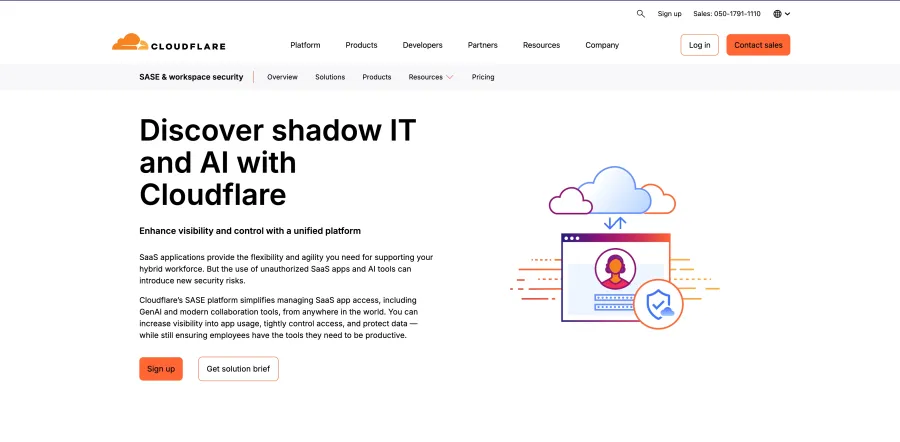
The published core gateway features are available without a separate AI Gateway subscription. Persistent log limits depend on the underlying plan: the Workers Free tier currently includes 100,000 logs across all gateways, while Workers Paid lists 10 million logs per gateway.
Cloudflare’s spend limits are the most concrete cost-control feature in this comparison. A team can set dollar budgets by model, provider, user, team, application, agent, or other custom metadata.
When a limit is reached, Cloudflare can reject the request with a 429 response. Developers can also combine the limit with a dynamic route that moves traffic from an expensive primary model to a cheaper fallback.
That is different from ordinary rate limiting. Ten short requests and ten million-token requests do not have the same financial effect. A dollar-based limit attempts to control actual spend rather than counting requests alone.
Cloudflare’s core gateway may be free, but its Unified Billing option applies a 5% fee when credits are purchased. Provider inference rates are passed through separately.
Important limits
A gateway currently supports up to 20 spend-limit rules.
Spend tracking uses best-effort cost estimates.
Concurrent bursts can briefly exceed a limit before usage records catch up.
Dynamic routing, spend limits, and several security features have carried beta labels.
The product is most convenient when the team already uses Cloudflare services.
Verdict: Cloudflare is strongest when AI traffic is one more workload inside an existing Cloudflare stack.
5. Vercel AI Gateway — Best for AI SDK and Next.js Apps
Vercel AI Gateway is the natural choice for developers building with the Vercel AI SDK.
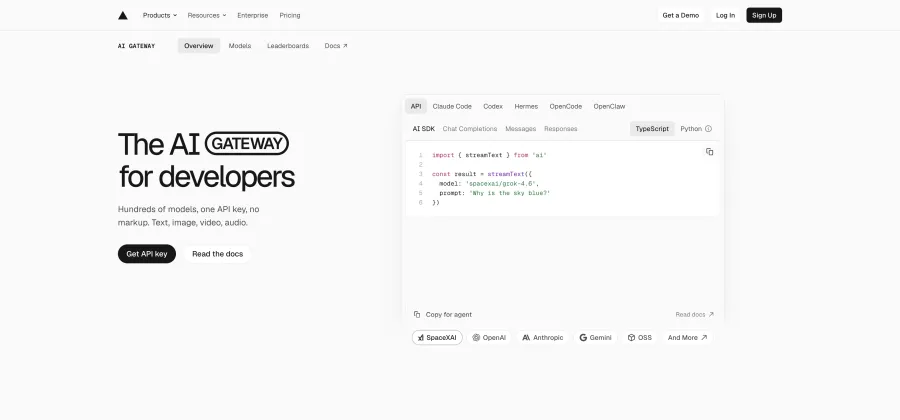
It supports Vercel’s AI SDK alongside OpenAI Chat Completions, OpenAI Responses, Anthropic Messages, and OpenResponses-compatible endpoints. The current catalog spans text, image, video, embeddings, and reranking.
Vercel passes through upstream token prices without a token markup. The same applies when developers bring their own provider keys. Some advanced capabilities remain tied to higher Vercel plans or separate usage charges, so “zero markup” should not be translated into “every gateway feature is free.”
Automatic failover is one of its strongest production features. The gateway can try another provider serving the same model and then move to a backup model if the configured provider options fail.
The dashboard reports usage, spend, request volume, time to first token, and token counts by model, provider, or project. Existing provider commitments can also flow through BYOK.
Where Vercel fits
It is a strong choice for:
AI SDK applications
Next.js and Vercel-hosted projects
Developers who want managed provider failover
Teams with existing provider contracts
Applications using multiple model modalities
Its value is less obvious for a backend that does not use Vercel’s SDK, deployment platform, or reporting systems. The gateway still works, but part of the convenience disappears.
Verdict: Vercel AI Gateway is an easy recommendation for an AI SDK application and a less automatic choice for an infrastructure-agnostic backend.
6. Portkey / Prisma AIRS — Best for Observability and Governance
Portkey is in the middle of a significant product transition. Palo Alto Networks announced its intention to acquire Portkey in April 2026, and Portkey’s current site identifies the product as Prisma AIRS AI Gateway.
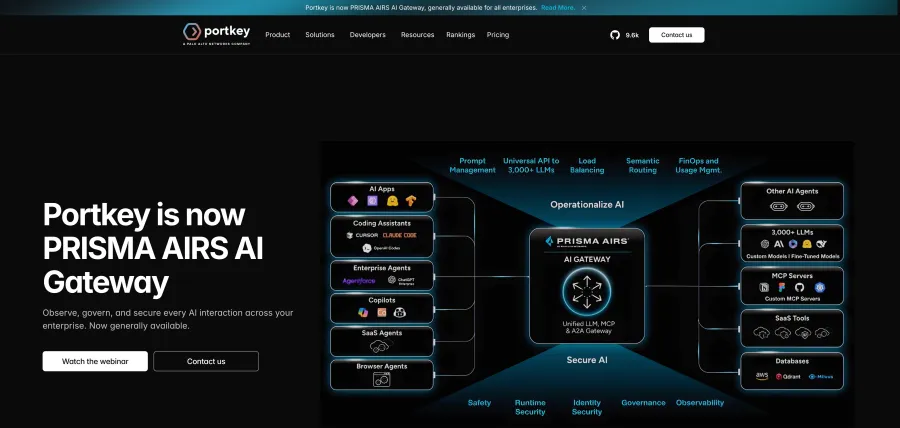
That status makes several older AI gateway comparisons stale before their feature tables even begin.
The gateway combines a universal API with retries, fallbacks, load balancing, circuit breakers, conditional routing, and request timeouts. It also offers simple and semantic caching, canary testing, guardrails, MCP support, and detailed observability.
Its published Production plan costs $49 per month. That plan includes 100,000 recorded logs per month, with an additional $9 for each extra 100,000 recorded requests. Log retention is listed as 30 days, while metrics are retained for 90 days.
Enterprise pricing is custom and adds more deployment, security, and compliance options.
Where the pricing becomes tricky
Not every capability displayed in Portkey’s product documentation is included in the $49 plan. Budget limits, for example, are documented as available to Enterprise and selected Pro customers.
Teams should therefore verify the specific combination of:
Budget enforcement
Data residency
Private deployment
Audit controls
Guardrails
Retention
Support
The current brand and ownership transition creates another reason to confirm pricing before committing.
Verdict: Portkey is attractive when the gateway must explain, trace, and govern every request—not merely forward it.
7. Kong AI Gateway — Best for Existing Enterprise API Infrastructure
Kong AI Gateway is closer to a full infrastructure system than a model marketplace.
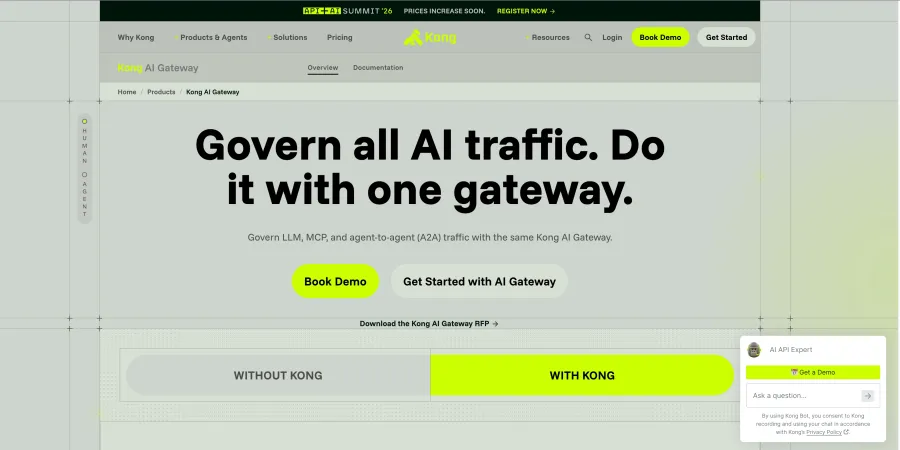
It provides a provider-agnostic API layer with authentication, access controls, streaming, load balancing, usage analytics, semantic routing, semantic caching, guardrails, and token-level cost controls.
Its scope now extends beyond model calls. Kong can govern MCP traffic and agent-to-agent communication alongside conventional APIs. That matters to enterprise platform teams trying to apply a common policy layer across applications, tools, models, and agents.
It also supports several deployment arrangements. Kong can manage the control plane while the customer hosts data planes, or an enterprise customer can discuss a fully self-hosted configuration.
This flexibility comes with a more complicated price structure. Kong offers a 30-day trial, while its published Plus plan uses component-based charges. The current table lists items such as $25 per month for a serverless control plane, a limit of five unique LLMs, and $100 per month for each proxied model. Provider inference charges remain separate. Full self-hosted Enterprise pricing is custom.
For a team calling dozens of models, those costs require careful calculation. For a company already operating Kong, however, extending an existing platform may be easier than introducing another gateway.
Verdict: If your company already runs Kong, AI Gateway is an extension. If it does not, Kong becomes another infrastructure system to own.
How AI Gateways Control Costs and Token Usage
An AI gateway does not reduce costs simply by existing. Savings come from specific policies applied to requests.
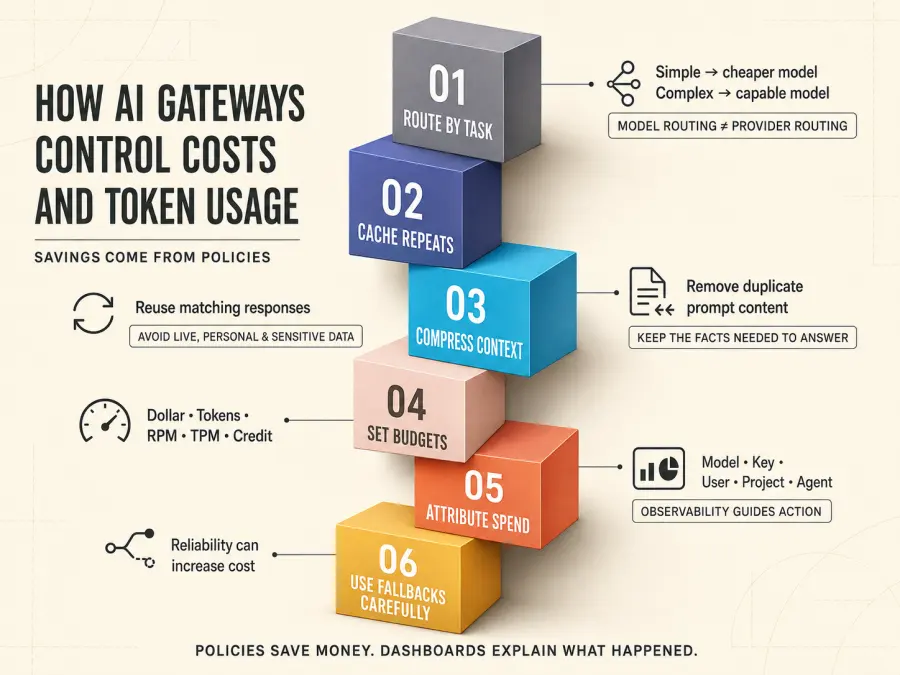
Route simple tasks to cheaper models
A model router can classify requests and send routine work to a cheaper model while reserving a more expensive model for difficult tasks.
This can reduce average cost, but it introduces a quality risk. If the router mistakes a complex request for a simple one, the cheaper model may produce an unusable answer.
Provider routing is different. It chooses between providers serving the same model. That may improve price or availability without changing the underlying model, although provider implementations and supported parameters can still vary.
Cache repeated responses
A gateway can store a completed response and return it when an identical or similar request appears again. The cached request avoids another model call, reducing both latency and token charges.
Caching works well for:
Static documentation questions
Repeated product information
Shared internal knowledge
Deterministic development and evaluation requests
It is a poor fit for:
Live data
Personalized answers
Rapidly changing policies
Requests containing sensitive user context
Tasks where fresh generation is part of the requirement
Semantic caching can increase the hit rate by treating similar prompts as equivalent, but an overly loose similarity threshold may return the wrong answer.
Compress unnecessary prompt context
Long prompts often contain repeated instructions, duplicated conversation history, or retrieved documents that do not help answer the current request.
Prompt compression reduces the number of input tokens sent to the provider. The trade-off is information loss. A compression rule that saves money but removes the one paragraph needed to answer correctly has failed.
Set budgets before requests are sent
Gateways can enforce several kinds of limits:
| Limit |
What It Controls |
| Dollar budget |
Estimated or recorded model spend |
| Token limit |
Input and output token consumption |
| RPM |
Requests per minute |
| TPM |
Tokens per minute |
| Credit cap |
Total balance available to a key or project |
These controls solve different problems. RPM can slow a request loop, but it does not distinguish a cheap request from an expensive one. A dollar budget is more closely tied to the bill, while TPM can protect provider capacity.
Attribute spend to users, teams, and agents
Observability can show which model, API key, customer, project, or agent generated the spend. That information helps a team decide where to add caching, use a cheaper model, or set a tighter limit.
But monitoring alone does not save money.
Routing decides where a request goes. A budget decides whether it may run. Observability explains what happened.
A dashboard that reports an expensive incident tomorrow does not prevent it today.
Use fallbacks carefully
Fallbacks improve reliability by retrying through another provider or model. They may also change costs.
Switching to another provider for the same model usually creates less output variation. Switching to a different model can change:
A production fallback should therefore be tested as its own model path, not treated as an invisible backup.
Which AI Gateway Should You Choose?
| Your Requirement |
Recommended Gateway |
| Call text, image, video, and audio models with one balance |
GPT Proto |
| Access the largest published model catalog |
OpenRouter |
| Self-host the gateway and control provider keys |
LiteLLM |
| Add spend limits to Cloudflare traffic |
Cloudflare AI Gateway |
| Build with Vercel AI SDK |
Vercel AI Gateway |
| Centralize logs, guardrails, and governance |
Portkey / Prisma AIRS |
| Govern enterprise API, MCP, and A2A traffic |
Kong AI Gateway |

For a prototype, I would avoid deploying a large enterprise gateway before the application has real traffic. GPT Proto, OpenRouter, or Vercel can get a multi-model feature running with less infrastructure work.
As usage grows, the decision changes. Production teams need to inspect budgets, rate limits, logs, retention, provider failover, data policies, and the person responsible for the gateway when something breaks.
If your company lacks a DevOps or platform team, self-hosting is not automatically the economical option. If your application mainly generates images and videos, check the actual model inventory and task endpoints rather than accepting a generic “multimodal support” label.
Quick Start: Call an AI Model Through GPT Proto
The following cURL request calls Gemini 3.7 Flash through GPT Proto’s OpenAI-compatible Chat Completions endpoint:
curl --request POST "https://gptproto.com/v1/chat/completions" \
  --header "Authorization: Bearer $GPTPROTO_API_KEY" \
  --header "Content-Type: application/json" \
  --data '{
    "model": "gemini-3.7-flash",
    "messages": [
      {
        "role": "user",
        "content": "Explain how an AI gateway controls token costs."
      }
    ]
  }'
Replace $GPTPROTO_API_KEY with an environment variable containing your key. The same account can then call other available models by changing the model ID and, where required, the task-specific endpoint or request fields.
An AI gateway does not create a multi-agent system by itself. Tools such as Workbuddy, LangGraph, CrewAI, or your own application decide how many agents run and which tasks they receive.
Multiple agents can use one GPT Proto API key as long as the account has enough balance and the requests remain within applicable concurrency and rate limits. The gateway provides model access; the agent framework provides orchestration.
Explore the current GPT Proto model catalog before choosing model IDs for production.
Final Verdict
The first question is not which AI gateway has the longest feature list. It is whether you want managed model access or infrastructure control.
Choose GPT Proto if you want one API key and one balance for more than 200 text, image, video, and audio models, with pay-as-you-go billing and no gateway subscription.
Choose OpenRouter for the broadest published model and provider catalog. Choose LiteLLM when self-hosting and provider-key control justify the maintenance. Cloudflare and Vercel fit teams already working inside their respective ecosystems. Portkey and Kong become more relevant as observability, policy enforcement, MCP governance, and enterprise deployment requirements grow.
If your immediate goal is to compare models and start sending requests, explore more than 200 AI models through GPT Proto.