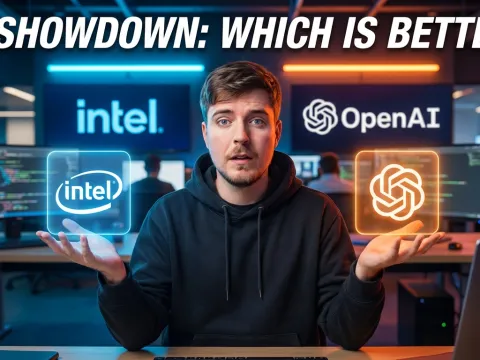
Current Landscape Of Playground AI Tools
Every developer and creator eventually needs a dedicated testing environment. A modern playground ai serves exactly this purpose. These environments allow users to test prompts, push model limits, and evaluate outputs before writing a single line of production code.
But the market remains highly fragmented. The capabilities of one playground ai platform often differ wildly from another. Some prioritize strict safety controls, while others give you raw, unfiltered access to local hardware.
Understanding these differences saves you hours of frustration. We have analyzed the top platforms based on real practitioner feedback. The consensus? Your choice of playground ai dictates entirely what you can build.
Marketing teams love selling the idea of infinite creative freedom. Reality looks much different. Let's look at the numbers and actual user experiences across the major players.
Why Local Vs Cloud Matters
The biggest dividing line in the playground ai ecosystem involves execution location. Cloud-based ai platforms offer convenience but sacrifice privacy. Local ai models demand heavy hardware but guarantee total data control.
When you run an ai image generator locally, your graphics card handles the processing. No API costs. No sudden rate limits. Most importantly, local execution bypasses the aggressive censorship often found in cloud environments.
Cloud platforms flip this dynamic. You get massive compute power without buying a high-end GPU. But there is a catch. Cloud providers monitor your inputs, throttle your speeds, and often claim rights to train on your data.
If you prefer cloud infrastructure but hate managing multiple accounts, explore all available AI models through unified API providers. These services aggregate access, saving you from hardware management headaches.
Intel AI Playground: Uncensored Image Generator Power
The Intel playground ai represents a massive shift toward local, high-performance generation. Users consistently report that it generates high-quality images with impressive speed. This tool runs directly on your hardware.
Because the processing happens locally, you avoid the latency typical of cloud-based ai platforms. But the real draw involves content freedom. Creators tired of restrictive cloud policies flock to this playground ai platform.
Intel provides a dedicated 18+ content toggle. Enabling this setting removes standard restrictions, allowing uncensored operations. For digital artists generating complex or mature content, this feature alone makes the Intel environment indispensable.
Bypassing The Safety Checker
Sometimes the official toggles still flag legitimate artistic prompts. False positives happen constantly in any ai image generator. Real users found a reliable workaround for the stubborn safety checker.
You can disable the censorship entirely by editing a specific script file. Navigate to the installation directory. Locate the file named nodes.py in that folder. Open it with a standard text editor.
- Find the safety checker boolean variable.
- Change the value from True to False.
- Save the nodes.py file.
- Restart your playground ai environment.
This simple edit hands you total control over your local ai models. You assume full responsibility for the generated output, just as local execution intended.
Managing VRAM And Custom Models
Running uncensored ai models requires serious hardware. Specifically, your GPU VRAM dictates your upper limits. The Intel playground ai allows custom model imports, meaning you are not stuck with default architecture.
You can import your own models directly into the interface. The community heavily favors standard architectures like SD1.5 and SDXL. Adding your model of choice transforms the platform into a customized powerhouse.
"You can add your model of choice as well, provided your VRAM can handle them. SDXL requires significantly more memory than older SD1.5 variants."
SD1.5 runs comfortably on 8GB VRAM cards. It generates outputs quickly and handles complex prompt structures well. SDXL demands 12GB to 16GB VRAM for stable generation without out-of-memory errors.
Memory management becomes your primary job when using this playground ai tools setup. Monitor your system resources closely. Pushing SDXL on low-tier hardware causes hard crashes.
Apple AI Playground: Music Generation Struggles
Apple entered the ai platforms race with heavy promises. Their native playground ai deeply integrates with the iOS ecosystem. Users expected intelligent, context-aware automation. The reality has fallen far short of expectations.
Music playlist generation highlights these failures perfectly. Users testing the Apple environment report highly negative experiences. The system frequently fails to understand basic context and musical genre boundaries.
One practitioner provided a perfect example of this friction. They requested a straightforward playlist for a summer roadtrip. The playground ai generated a list containing completely irrelevant genres.
Specifically, the system injected at least five regional Indian songs into a standard western summer roadtrip prompt. This erratic behavior proves the underlying ai models struggle with basic contextual grounding.
Real World Playlist Performance
The Apple ai environment suffers from deep architectural confusion. Enthusiasts debate whether the system utilizes on-device local models or relies heavily on cloud server processing.
Network analysis suggests heavy cloud reliance for complex requests. Many power users state they do not believe this tool uses an on-device model for music curation. The latency and poor contextual matching point to rushed cloud architecture.
| Playground AI Platform |
Primary Modality |
Execution Type |
User Satisfaction |
| Intel AI |
Image Generator |
Local Hardware |
High (Uncensored) |
| Apple AI |
Text & Music |
Mixed / Cloud |
Negative |
| OpenAI |
Text & Code |
Cloud Server |
High (Guarded) |
This table highlights the stark contrast between specialized local tools and generalized consumer platforms. Apple’s playground ai tools remain too unpredictable for serious daily driver usage.
OpenAI Playground AI Evolution And Guardrails
The OpenAI playground ai practically invented the modern prompt engineering workspace. It offers granular control over temperature, top-p, and frequency penalties. But the platform has changed drastically since its inception.
Early versions of the platform operated entirely without safety constraints. Researchers and standard users could prompt the ai models to generate virtually anything. This freedom quickly exposed massive security vulnerabilities.
Users successfully utilized the early open ai playground to generate keyloggers, malware, and remote access trojans (RATs). The system output highly functional malicious code without hesitation. This raw capability alarmed cybersecurity professionals.
OpenAI responded by implementing aggressive safety guardrails. The modern playground ai platform intercepts requests before the model even processes them. If a prompt violates safety protocols, the API blocks the generation entirely.
From Malware To Strict Safety
These strict openai playground guardrails frustrate some legitimate developers. Red team researchers testing system vulnerabilities frequently hit block screens. The platform refuses to write exploit code, even for authorized penetration testing.
But these guardrails prevent massive abuse. Demonstrations showing the early release lacking constraints proved that unfiltered cloud intelligence poses real dangers. OpenAI chose safety over absolute freedom.
If your development work requires unfiltered access, you must abandon cloud ai platforms. Local ai models remain the only viable path for unrestricted code generation and penetration testing research.
For developers building standard applications, managing costs becomes the next hurdle. We recommend you monitor your API usage in real time. Unchecked loop calls in the playground ai will drain your billing account rapidly.
Privacy And Commercial Use In A Playground AI
Testing prompts feels harmless until you read the fine print. Every playground ai platform operates under strict terms of service. Ignorance of these terms exposes you to severe legal and security risks.
Many developers treat these sandboxes as secure environments. They paste proprietary codebase snippets, customer data, and internal financial metrics into the prompt box. This represents a catastrophic security failure.
Cloud-based ai platforms often log every interaction. They utilize your input data to train future ai models. You must avoid giving confidential information to any web-based prompt interface.
Your proprietary data becomes part of the training matrix. A competitor could potentially extract your pasted code by writing specific adversarial prompts against future model versions. Data sanitization remains mandatory.
Reading The Commercial Use Terms
Licensing presents another massive hurdle. The visual assets generated by an ai image generator might not actually belong to you. You must carefully review the commercial use terms attached to the specific playground ai.
Many platforms restrict output rights explicitly. The terms often state the platform is for personal non-commercial use only. Selling images, code, or text generated under these licenses invites immediate legal action.
Local uncensored ai models typically carry open-source licenses. Using SDXL locally usually grants you full commercial rights to the output. This legal clarity drives many professionals away from cloud providers.
Always verify the specific commercial use terms before integrating an API into your production app. If you are ready to scale safely, get started with the GPT-4 API via enterprise-grade unified platforms. They offer guaranteed data privacy agreements that standard consumer sandboxes lack.
Best Playground AI Platform For Your Needs
Choosing the correct playground ai platform comes down to your exact use case. No single environment handles image generation, music curation, and code generation perfectly. You must specialize.
If you need an ai image generator and own a powerful GPU, the Intel playground ai wins easily. The ability to load local ai models, disable the safety checker, and generate uncensored assets provides unmatched value.
If you need to test complex conversational logic or API integrations, OpenAI remains the industry standard. Despite the heavy openai playground guardrails, the underlying reasoning capabilities outclass most local models.
Avoid the Apple environment for now. The chaotic playlist generation and heavy cloud reliance make it a poor choice for serious testing. The ai models behind it simply lack the necessary maturity.
Alternative AI Platforms Worth Trying
Beyond the heavyweights, smaller ai platforms offer niche advantages. Independent developers constantly release alternative tools that bypass traditional billing constraints and hardware limits.
GenTube.app represents one such alternative. Users highlight it as a free and unlimited AI tool for content generation. While it lacks the deep parameter controls of a true playground ai, it handles quick generative tasks effectively.
Many users find GenTube really fun to use for rapid prototyping. It strips away the complex API settings, offering a streamlined interface. Sometimes, a simpler tool beats a complex sandbox for basic brainstorming.
Your ideal playground ai tools stack will likely involve multiple services. Use local uncensored models for images, enterprise cloud APIs for logic, and specialized web apps for quick media generation.
Stop fighting the limitations of a single platform. If you want to master prompt engineering, you must adapt to the specific strengths of each environment. To master the broader ecosystem, learn more on the GPT Proto tech blog.
Written by: GPT Proto
"Unlock the world's leading AI models with GPT Proto's unified API platform."