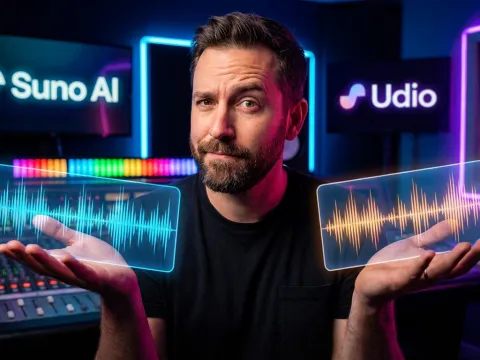
Evaluating the Best AI Music Generator Landscape
Finding the best ai music generator feels like navigating a minefield of overhyped marketing and questionable audio output. New platforms launch weekly. Every single one claims flawless track quality. Real-world testing reveals a much different reality.
Most AI music tools struggle with basic mixing fundamentals. Artifacts plague the high frequencies. Stereo imaging often collapses. Subscriptions trap users before they can thoroughly test the music generation engine. Finding a reliable music generator demands careful evaluation.
Here's the truth based on extensive community testing and producer feedback. No single AI music generator handles every genre perfectly. Different workflows require different tools. Let's break down the actual performance metrics of the top contenders right now.
Expectation management remains critical. An ai music generator rarely outputs a finalized, radio-ready master track. These platforms excel at rapid ideation, structural sketching, and stem generation. Understanding this limitation prevents massive frustration during the music generation process.
Why Audio Output Quality Matters Most
Producers prioritize audio output quality above interface design. A beautiful dashboard means nothing if the resulting audio output sounds compressed or distorted. Track quality dictates whether an AI-generated idea can survive the journey into a professional digital audio workstation (DAW).
Poor audio output quality manifests in specific ways. Harsh high-end frequencies. Muddy low-end responses. Phase cancellation issues across the stereo field. We evaluate every ai music generator against these strict audio engineering standards.
Consistent track quality sets the top-tier music generator platforms apart from the novelty applications. When you feed a text prompt into an AI engine, you need predictable, usable audio output.
Head-to-Head Breakdown: Suno AI vs Mureka
Two platforms currently dominate the conversation regarding the best ai music generator: Suno AI and Mureka. Both offer distinct advantages. Both suffer from highly specific limitations. Choosing between them depends heavily on your desired track quality and required genres.
| AI Music Generator |
Primary Strength |
Audio Output Quality |
Major Limitation |
| Suno AI |
Prompt control & consistency |
High (with high-end EQ needs) |
Persistent 12kHz hiss |
| Mureka |
Ease of use & genre consistency |
Very High (clean mix) |
Limited genre support |
| AirMusic AI |
Rapid workflow ideation |
Inconsistent / Sketch-level |
Unusable final tracks |
| Udio |
User input focus |
Variable (phasing issues) |
Strict paywall limits |
Suno AI Track Quality Analysis
Suno AI consistently ranks as the top dog among active users. If your workflow heavily prioritizes detailed prompting, Suno AI delivers unparalleled structural control. It actively allows users to upload custom audio and generate expanded songs based on that initial seed.
This audio-to-audio capability makes Suno AI a powerful music generator for producers looking to expand brief loops into full arrangements. The music generation engine understands complex structural tags like [Bridge], [Guitar Solo], or [Drop].
But there's a significant catch regarding Suno AI track quality.
"Suno has this persistent high-frequency hiss (around 12kHz) that ruins every track."
This 12kHz artifact represents a major roadblock for professional use. It forces users to apply aggressive low-pass filtering or dynamic EQ cuts inside their DAW. Additionally, unlocking full commercial features requires a paid subscription.
Mureka as a Genre-Specific Music Generator
Mureka takes a different approach to AI music generation. Users repeatedly praise Mureka for its ease of use and remarkably consistent track quality. Many consider Mureka the absolute best ai music generator available right now across specific, supported genres.
The audio output quality from Mureka rarely suffers from the harsh digital artifacts found in competitor outputs. The mixes sound balanced. The frequency spectrum feels natural. For standard pop, electronic, or lo-fi arrangements, Mureka excels.
However, this high music generation quality comes with a trade-off. Mureka currently supports a limited roster of genres. Complex sub-genres or experimental fusions often confuse the Mureka AI engine, resulting in generic or repetitive audio output.
Performance Realities: AirMusic AI and Udio
Beyond the top two contenders, AirMusic AI and Udio offer alternative music generation workflows. These platforms cater to different user intents, ranging from casual mobile ideation to dedicated, input-heavy audio generation.
Evaluating these platforms requires examining their specific use cases. Neither platform consistently outputs final-quality tracks. Both platforms, however, serve crucial roles in the broader AI music generation pipeline.
Ideation Workflows with AirMusic AI
AirMusic AI functions best as a digital sketchbook. When inspiration strikes, producers need a fast, frictionless music generator. AirMusic AI delivers rapid generation speeds, making it excellent for testing chord progressions or melodic concepts.
Expectations must remain grounded. Users frequently report significant inconsistency regarding final track quality.
"It felt more like sketching ideas than chasing perfect tracks. The inconsistency can be frustrating if you expect every generation to be usable."
Using AirMusic AI as your primary best ai music generator will likely cause frustration. Using it as a rapid prototyping tool before moving into a more robust platform changes the entire workflow dynamic.
Udio and Audio Output Artifacts
Udio presents a highly capable music generation engine focused deeply on user input parameters. The platform allows granular control over the resulting track. Unfortunately, Udio suffers from distinct audio output quality issues.
Users frequently describe the Udio audio output as sounding "underwater." This specific artifact indicates severe phase alignment issues within the stereo generation algorithm. High frequencies wash out. Transients lose their punch.
Furthermore, Udio employs a strict monetization model. Users describe the platform as "pay to win," noting that basic functionalities—like uploading seed audio—remain locked behind rigid subscription tiers. For teams managing tight software budgets, exploring flexible pay-as-you-go pricing models on other platforms often proves more cost-effective.
Tackling Common Music Generation Quality Issues
Selecting the best ai music generator represents only the first step. Maximizing the track quality from these AI platforms requires active audio engineering. Raw AI audio output rarely sits perfectly in a mix.
Producers must develop specific strategies to mitigate common AI music generation artifacts. Understanding how to process these files separates amateur outputs from professional-sounding tracks.
Mitigating the 12kHz Suno AI Hiss
Dealing with the infamous Suno AI hiss requires precision equalization. Never apply a generic high-shelf cut; this destroys the track's air and vocal clarity. Instead, employ a surgical dynamic EQ.
Isolate the 12kHz region. Create a narrow Q-band notch filter. Engage the dynamic threshold so the cut only triggers when the hiss algorithmically peaks. This technique preserves the surrounding high-frequency content while suppressing the harsh digital noise inherent to the Suno AI audio output.
Fixing Underwater Audio Output
Repairing the "underwater" phase issues generated by tools like Udio proves much more difficult. Phase cancellation destroys stereo information permanently. You cannot boost frequencies that no longer exist.
The most effective workaround involves mid-side processing. Sum the problematic audio output to pure mono. This eliminates the stereo phasing artifacts. Next, apply artificial stereo widening using a high-quality chorus or micro-delay plugin. This reconstructs a stable, artificial stereo image over the damaged AI track.
Advanced Music Prompt Optimization Strategies
The secret to unlocking the best ai music generator lies in the text prompt. Vague prompts yield vague music. Complex, highly structured prompts force the AI engine to generate specific, usable arrangements.
Effective music prompt optimization requires translating musical theory into text. You must dictate the BPM, the key signature, the exact instrumentation, and the emotional timbre. Do not rely on the AI to guess your intentions.
Structuring Your AI Music Generator Prompt
Stop writing simple prompts like "make a sad rock song." Instead, utilize advanced prompt architecture. Include specific metadata tags.
- Genre Directives: Specify exact sub-genres (e.g., Post-Rock, Synthwave, Chicago House).
- Tempo & Key: Define the exact BPM and musical key (e.g., 120 BPM, C Minor).
- Instrumentation: List specific instruments (e.g., heavily distorted telecaster, analog Juno synth bass, tight 808 drums).
- Structural Tags: Use brackets to dictate song flow (e.g., [Intro], [Verse 1], [Pre-Chorus], [Drop]).
Crafting these complex prompt structures takes time. Many producers now rely on secondary LLMs for heavy prompt generation. If you need robust backend text models to script these complex audio directives, explore all available AI models designed to handle intricate logic parsing.
Multi-Tool AI Music Pipelines
Relying on a single AI music generator limits your creative potential. The most successful producers utilize an iterative, multi-tool workflow. They extract the best features from different platforms.
"I usually generate the track first with AirMusic AI and then feed it into video tools."
A professional pipeline looks like this. Generate rapid chord progressions using AirMusic AI. Export the best sketch. Upload that audio sketch into Suno AI to generate a full, high-quality arrangement based on that seed. Finally, export the Suno AI track and utilize a stem-splitter to isolate the vocals and instrumentals for final mixing.
This iterative process demands patience. Generate multiple versions. Pick the one that sounds best. Never accept the first audio output draft.
The Final Verdict: Your Best AI Music Generator Choice
Determining the ultimate best ai music generator requires analyzing your specific needs. There is no single, universal winner. The landscape remains highly fragmented based on workflow requirements.
If you demand maximum structural control and rely heavily on precise prompting, Suno AI stands as the premier choice. Be prepared to handle the high-frequency EQ repairs. If you prefer seamless ease of use and pristine track quality within standard genres, Mureka confidently takes the top spot.
For rapid sketching, AirMusic AI serves a valuable purpose. Udio provides solid generation capabilities, provided you are willing to navigate their strict subscription models and tackle complex phase artifacts.
Experimentation remains mandatory. The AI music generation landscape evolves monthly. To stay updated on the underlying architecture powering these tools, learn more on the GPT Proto tech blog. Master the art of music prompt optimization, embrace the iterative process, and integrate these AI platforms into your broader audio engineering workflow.
Written by: GPT Proto
"Unlock the world's leading AI models with GPT Proto's unified API platform."