Here is the thing most "Canva alternative" lists skip: Canva's video feature, *Create a Video Clip*, is Google's Veo 3 under the hood. That is a fact, straight from Canva's own announcement. So when people search for a Canva AI video generator alternative, they are not really asking for "another app that feels like Canva." They are running into a ceiling — and looking for a way past it.
The ceiling is real and worth stating in numbers. Canva caps *Create a Video Clip* at **8-second clips** (6 seconds if you turn audio off), an initial limit of **5 generations per month**, paid plans only, and at launch only **16:9 horizontal**. For a pitch-deck opener or one moving background, that is plenty. For a series of social clips, reference-led generation, longer scenes, or anything at volume, you hit the wall fast.
I went down this road because the "alternatives" everyone links are other point-and-click apps — and that is fine if you want a different editor. But if you are a developer or a small team already comfortable sending an HTTP request, there is a more direct route: call the same class of model Canva wraps, straight from an API, with no monthly ceiling and per-second pricing you can actually see. That is what this list is about.
**Who should keep reading:** anyone who has outgrown Canva's quota and wants more length, more control, reference-image input, or repeatable generation. **Who should not:** if your whole job is dragging a template and posting one clip, stay in Canva. None of this will make your life easier.
Canva AI Video Generator Alternatives: 4 Models You Can Call Direct (2026)
Canva's AI video generator is just Veo 3 — capped at 5 clips a month. These 4 alternatives call the model direct via API, from $0.04/s, with no monthly limit.
How I ranked these
Four criteria, in order of weight:
- Blind-vote quality — Elo from the Artificial Analysis Video Arena, where people pick the better of two clips without knowing which model made them. It is the closest thing to a neutral scoreboard.
- Transparent price — an actual per-second number, not "credits" or "free tier."
- Image-to-video and reference support — because the common Canva job is "turn this product photo or brand asset into motion," not "type a sentence."
- Can you call it today — availability beats benchmark wins you cannot access.
Every model below is one you reach through a single GPT Proto balance, so the comparison is apples-to-apples on billing.
Quick comparison
| Model | Quality (AA Arena) | Max length | Resolution | Audio | Image-to-video + reference | Price (from) |
|---|---|---|---|---|---|---|
| Seedance 2.0 | #1 both arenas (Elo 1219 T2V / 1344 I2V) | 15s | 480p+ | Generated | Yes + 9 img / 3 clip / 3 audio refs | ~$0.077/s |
| Kling v3.0 Std | Top-tier generation (see note) | 15s | 1080p | Synced, on by default | Yes | $0.067/s |
| Vidu Q3 Pro | ~Elo 1227 (≈ Veo 3) | 16s | up to 1080p | Native A/V sync | Yes + start/end frame | $0.04/s |
| Wan 2.6 | No standalone Arena score yet | 15s | up to 1080p | Native synced (voice + lip-sync + SFX + music) | Yes + reference | $0.09/s |
| Canva (Veo 3) | — | 8s | 720p/1080p | Synced | No (text prompt only) | Capped at 5/month |
Two honest caveats on the quality column, because precision matters more than a clean table. The Arena benchmarks Kling 3.0 Pro, not the cheaper Standard tier linked here — same generation, lower price, but I am not going to pin the Pro score on Std. And the Arena currently lists Wan 2.7, not 2.6, so I will not borrow that number either. Where I cannot attribute a score cleanly, I would rather leave the cell honest.
The 4 models
1. Seedance 2.0 — the quality ceiling
ByteDance's Seedance 2.0 sits at #1 on both the text-to-video and image-to-video arenas (Elo 1219 with audio for T2V, 1344 for I2V without audio), ahead of Kling 3, Veo 3, and Sora 2. It is not a single-prompt model — you can feed up to 9 reference images, 3 video clips, and 3 audio files into one generation and combine them with plain-language direction. For "make this look like my brand," nothing here is more controllable.
Now the cost, because a top score with an asterisk is still an asterisk. ByteDance paused Seedance 2.0's global rollout in March 2026 amid copyright disputes with Hollywood studios, and there has been no globally available production API direct from the source since. It also blocks real human faces as reference uploads (illustrations and AI faces are fine). My read: for international commercial production, that legal cloud is a real factor — and it is precisely why aggregator access exists, since calling it through a platform is, for many teams, the only practical route to it right now.
Price runs about $0.077/s (480p, 4s ≈ $0.31). It also sits in the faster tier, so iteration does not crawl.
Use it when quality is the whole point and you can live with the constraints. → Seedance 2.0 model page
2. Kling v3.0 Standard — the one you can ship on today
If Seedance is the trophy, Kling v3.0 is the workhorse you actually put into production. It does 1080p, holds motion and physics together well, and — the part that directly answers Canva's limit — supports multi-scene generation in a single call (multi_prompt), so you are not capped at one 8-second beat. Audio is synced and on by default. Duration runs 3 to 15 seconds.
The cost: the model linked here is the Standard tier, tuned for price, not the Pro tier that tops the Arena. You trade a slice of peak fidelity for $0.067/s (text-to-video; image-to-video runs ~$0.084/s) and rock-solid availability. For most marketing and social work, I think that trade is correct — Std is the pragmatic default when you need an API that just works today.
Use it when you need reliable output now, not a benchmark you cannot reach. → Kling v3.0 Std model page
3. Vidu Q3 Pro — cheapest, and the longest single take
Vidu Q3 Pro is the value pick, and it is not close. At $0.04/s for 540p it undercuts everything else on this list, and it still climbs to 1080p ($0.12/s) when you need it. It generates up to 16 seconds in one pass with native audio-visual sync — the longest single take here — which makes it the natural choice for animated series, explainers, and high-volume iteration where you are burning generations to find the right one. Its Arena standing (≈Elo 1227) lands it roughly level with Veo 3 Preview.
The cost: that headline $0.04/s is the 540p rate. Push to 1080p and the price triples, and at the very top of the quality field it trails Seedance and Kling Pro. It is the best dollar-per-clip on the list, not the best clip.
Use it when you are making a lot of video, or long video, on a budget. → Vidu Q3 Pro model page
4. Wan 2.6 — the most complete in one pass
Alibaba's Wan 2.6 is the model that does the most in a single generation. It produces synced audio — dialogue with lip-sync, sound effects, and music — in the same pass as the frames, plans multi-shot scenes (wide → close-up → reaction) so you are not stitching clips by hand, and holds a character's identity across cuts from reference input. Up to 1080p at 24fps, 5/10/15 seconds.
The cost: Wan 2.6 is API-only — its weights are not open (the open-weight Apache-2.0 releases are 2.1 and 2.2, not this one), so "self-host it for free" is off the table here. And as noted, it has no standalone Arena score yet, so its ranking is an open question rather than a settled one. Price is $0.09/s at 720p, $0.135/s at 1080p.
Use it when you want a narrated, multi-shot clip to come out finished, not assembled. → Wan 2.6 model page
Which should you actually use?
No single winner — the right pick depends on the job:
- You hit Canva's 5-a-month wall and need volume or length → Vidu Q3 Pro. Cheapest per second, longest single take.
- You want the highest visual quality and can accept the legal/face constraints → Seedance 2.0.
- You need an API that is stable and available right now → Kling v3.0 Std.
- You want a narrated, multi-shot clip out of one prompt → Wan 2.6.
- You only ever make one quick clip for a design → honestly, stay in Canva. The API route is not worth the setup for that.
How to call it (real, runnable code)
This is the part every point-and-click roundup leaves out. Here is an actual GPT Proto call for Kling v3.0 Std — start a job, then poll for the result. (Each model page also has a Playground if you want to try it in-browser first, no code.)
Note one quirk that trips people up: the auth header is the bare API key, no Bearer prefix.
import requests, time

API_KEY = "sk-..."  # from your GPT Proto dashboard
BASE = "https://gptproto.com/api/v3"
HEADERS = {"Authorization": API_KEY, "Content-Type": "application/json"}

# 1) Start a generation
payload = {
    "prompt": "A matte-black water bottle on wet stone, slow dolly-in, "
              "soft morning light, condensation droplets, cinematic",
    "aspect_ratio": "9:16",
    "duration": 10,
    "sound": True,
}
r = requests.post(f"{BASE}/kwaivgi/kling-v3.0-std/text-to-video",
                  headers=HEADERS, json=payload)
r.raise_for_status()
job = r.json()["data"]
poll_url = job["urls"]["get"]   # ready-to-use GET URL with the id baked in

# 2) Poll until it's done
while True:
    res = requests.get(poll_url, headers=HEADERS).json()["data"]
    if res["status"] in ("completed", "succeed"):
        print(res["outputs"])    # video URL(s)
        break
    if res["status"] == "failed" or res["error"]:
        raise RuntimeError(res["error"])
    time.sleep(5)
To beat Canva's single 8-second clip, Kling v3.0 lets you script multiple shots in one call with multi_prompt (the segment durations should sum to duration):
payload = {
    "prompt": "Three-beat product story for a sneaker drop",
    "aspect_ratio": "16:9",
    "duration": 5,
    "sound": False,
    "multi_prompt": [
        {"index": 1, "prompt": "Close-up: sneaker rotating on a turntable, studio light", "duration": "2"},
        {"index": 2, "prompt": "Runner laces up on a rooftop at dawn, low angle", "duration": "3"},
    ],
}
Same prompt in one line of cURL:
curl --location 'https://gptproto.com/api/v3/kwaivgi/kling-v3.0-std/text-to-video' \
  --header 'Authorization: YOUR_GPTPROTO_API_KEY' \
  --header 'Content-Type: application/json' \
  --data '{"prompt":"a neon city street in the rain, slow dolly","aspect_ratio":"9:16","duration":5,"sound":true}'
The other three models follow the same shape — POST to /api/v3/<provider>/<model>/<task>, then poll /api/v3/predictions/{id}/result — with their own body parameters. Grab the exact fields from each model's page linked above; the request and polling pattern is identical.
Pick the model that fits the job, top up one balance, and you are generating in minutes — no monthly ceiling, no waiting for next month's five clips. Start with GPT Proto →



FAQs
What AI model does Canva's video generator use?
Is there a free Canva AI video alternative?
Can I generate more than 5 videos a month?
Which one is cheapest?
Can I turn a product photo or brand asset into video?
Can I make clips longer than Canva's 8 seconds?
Related Articles
More Blogs
Best AI Video Generation Models 2025: Top 5 Ranked
TL;DR The landscape of content creation is shifting rapidly, driven by increasingly sophisticated AI video generation models . Tools like Runway Gen-4, OpenAI Sora, and Google Veo 3 are not just novelties; they are reshaping professional workflows by making high-fidelity video production accessible and affordable. This comprehensive guide evaluates the leading AI video generation models of 2025, breaking down their performance in quality, rendering speed, user experience, and cost. Whether you are a filmmaker, marketer, or developer, finding the right model is essential to staying competitive in the digital age.
Tiffany Layne | 2026-03-02
Vidu Q2 Review: The Future of AI Video Generation
The landscape of digital content creation is undergoing a seismic shift, and at the epicenter of this revolution is Vidu Q2 . Released by Shengshu Technology in September 2025, this advanced AI video generation model is not just another tool; it is a solution to the long-standing challenges of consistency and realism in generative media. By transforming static images into cinematic clips with breathtaking micro-expressions and professional camera movements, Vidu Q2 empowers creators to produce high-end video content without the overhead of traditional production. In this comprehensive review, we explore why Vidu Q2 is poised to become the industry standard, comparing it directly with competitors like Sora 2.
Tiffany Layne | 2026-03-02

The Best AI Tools for Packaging Design in 2026 (Tested, With Real Costs)
AI can produce an attractive package concept in seconds. The harder test is whether the brand name is correct, the copy remains legible, and the design fits a structure that can actually be printed. That is why the best AI tools for packaging design in 2026 are not seven versions of the same image generator. Some are better at text-heavy artwork, some create editable dielines, and others turn a flat design into a convincing 3D mockup. The right choice depends on where you are in the packaging workflow. Here is the short version: Best packaging-specific AI workspace: Packify Best for accurate text and programmable image generation: GPT Image 2 Best for 3D packaging mockups and dielines: Pacdora Best for complex layouts and reference-led concepts: Nano Banana Pro Best for Adobe-based creative workflows: Adobe Firefly Best for premium concept art and visual direction: Midjourney Best for beginners and quick manual finishing: Canva No single tool wins every stage. A practical setup combines an image model, a packaging platform for structure or mockups, and a design application for final production. Create Your First Packaging Concept Pricing note: Prices, credits, and model availability in this guide were checked on September 2, 2026. Providers can change them, so confirm the current terms before committing to a workflow.
Tiffany Layne | 2026-06-18
How to Generate Product Images in Bulk with the Seedream 5.0 Pro API
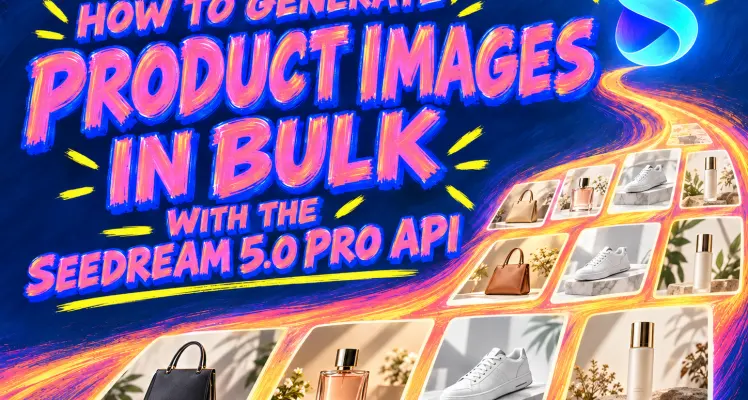
A 100-SKU catalog is not one image request. Each product needs its own reference images, prompt variables, filename, retry record, and approval state. Copying prompts into a playground can produce images, but it cannot tell you which version belongs to MUG-001 or whether a failed bag image should be retried. The practical solution is one Seedream request per SKU, run through a small worker pool. That is what “bulk” means here. BytePlus currently lists text-to-multiple-images as unsupported for Seedream 5.0 Pro, so one prompt does not return an entire catalog. Instead, a CSV supplies the product data, Python sends several independent requests at a controlled rate, and a manifest records every result. The finished workflow uses the Seedream 5.0 Pro API on GPTProto and produces: products.csv , with one row per product image; bulk_seedream_products.py , which creates and runs the jobs; generated/ , with filenames tied to SKUs; and manifest.json , with attempts, errors, output locations, and review status.
Schuyler Stacy | 2026-09-17