Why two models instead of one
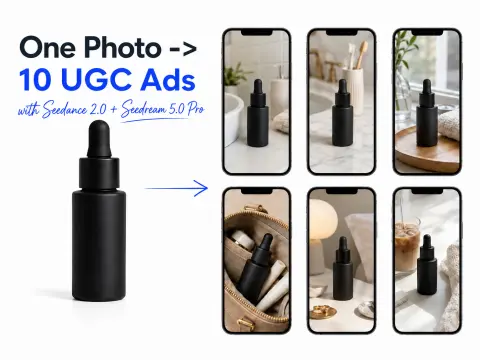
Seedance 2.0 can generate video straight from text, so why make an image first? Because ad performance lives or dies on product accuracy, and a text prompt can't reliably reproduce your actual bottle, label, and packaging. The fix is to lock the real product into a still first, then animate that exact still.
Seedream 5.0 Pro is the image half. It's a text-to-image and image-edit model that plans a layout before it renders, writes on-image text in 14 languages with correct letterforms, and accepts up to 10 reference images so it treats your real packaging as ground truth. Seedance 2.0 is the video half — ByteDance's text/image/reference-to-video model that generates synchronized audio in the same pass instead of stitching a voiceover on afterward (the architecture and native-audio claim are in the arXiv paper). Only Seedance 2.0's reference-to-video mode lets you hand it the Seedream still and say "keep this product, build a scene around it."
One photo in, ten videos out, the product consistent across all of them. That's the whole idea.
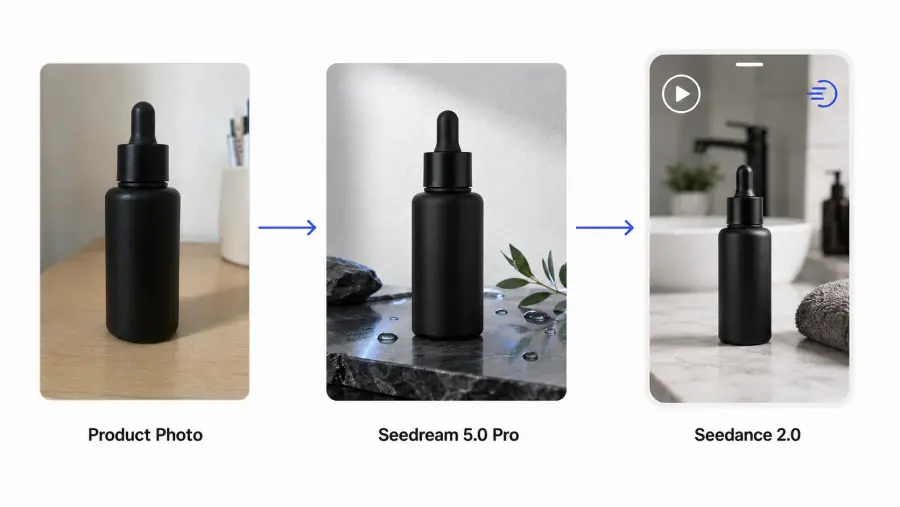
The two-model chain: Seedream 5.0 Pro makes the still, Seedance 2.0 animates it.
The cost math that decides whether this is worth it
I put the numbers side by side first, because this is the figure that actually justifies building the pipeline.
| Ten finished 15s vertical ads |
This workflow (API) |
Ten human-creator videos |
| Hero image |
$0.081 (one 2K Seedream still, reused) |
included per shoot |
| 10 videos |
~$24.95 (10 × 720p, 15s Seedance) |
— |
| Total for 10 ads |
≈ $25 |
$1,500–3,000 |
| Paid-ad usage rights |
included |
+25–30% |
| Turnaround |
an afternoon |
~a week |
That's about $2.58 per finished 15-second ad. Prices are from GPT Proto's own Seedream 5.0 Pro and Seedance 2.0 pages (10% under ByteDance list); the human range is from 2026 UGC rate surveys. My read — and this is judgment, not a measured claim — is that the money isn't even the main win. The real win is that variation becomes free: run one product photo through ten prompts and get ten angles to A/B test instead of one.
What you need
A GPT Proto account with an API key (email signup, no phone or business verification), Python 3 with requests, one product photo hosted at a public URL, and roughly $30 of balance to run the full ten-ad batch a couple of times. Grab the key from your dashboard — it looks like sk-... — and paste it as the raw Authorization header value exactly as the docs show, with no Bearer prefix.
Step 1 — Turn the product photo into a hero still
Both models are async: you POST a job, get a prediction id back, then poll GET /api/v3/predictions/{id}/result until status is succeeded. Here's a small poller we'll reuse for both steps.
import requests, json, time

API_KEY = "sk-xxxxx"                     # paste your key directly, no "Bearer"
HEADERS = {"Authorization": API_KEY, "Content-Type": "application/json"}
BASE = "https://gptproto.com/api/v3"

def submit(path, payload):
    r = requests.post(f"{BASE}/{path}", headers=HEADERS, data=json.dumps(payload))
    r.raise_for_status()
    return r.json()["data"]["id"]

def wait(pred_id, every=5, timeout=600):
    deadline = time.time() + timeout
    while time.time() < deadline:
        r = requests.get(f"{BASE}/predictions/{pred_id}/result", headers=HEADERS)
        data = r.json()["data"]
        if data["status"] == "succeeded":
            return data["outputs"][0]
        if data["status"] in ("failed", "expired"):
            raise RuntimeError(f"job {data['status']}: {data.get('error')}")
        time.sleep(every)
    raise TimeoutError("polling timed out")
Now take the one product photo and place it into a scene with the image-edit task. Write it like a design brief, not a caption — put the composition rules first and the style adjectives last, and name the light directly, because that's where Seedream's realism comes from. Keep it to roughly 30–80 words, and use a portrait 2K size so the still matches a 9:16 video frame.
product_photo = "https://your-cdn.com/serum-bottle.png"   # the one photo you start with

edit_prompt = (
    "Place this matte-black serum bottle on a wet bathroom counter, "
    "soft window light from the left, water droplets on the glass, "
    "shallow depth of field, photoreal product photography, keep the label exactly as shown"
)

img_id = submit(
    "bytedance/dola-seedream-5-0-pro-260628/image-edit",
    {"prompt": edit_prompt, "images": [product_photo], "size": "1600*2848"},
)
hero_image_url = wait(img_id)["url"]   # feed this into Seedance next
print(hero_image_url)
The same call in cURL, if you're testing from the shell first:
curl --location 'https://gptproto.com/api/v3/bytedance/dola-seedream-5-0-pro-260628/image-edit' \
  --header 'Authorization: sk-xxxxx' \
  --header 'Content-Type: application/json' \
  --data '{"prompt":"Place this matte-black serum bottle...","images":["https://your-cdn.com/serum-bottle.png"],"size":"1600*2848"}'
Note the size format uses an asterisk (1600*2848), not an x. A 2K image runs $0.081; the same shot at 1K (832*1248) drops to $0.0405 if you're doing throwaway concept tests. The first reference image is free; extra references are $0.0027 each, up to 10.
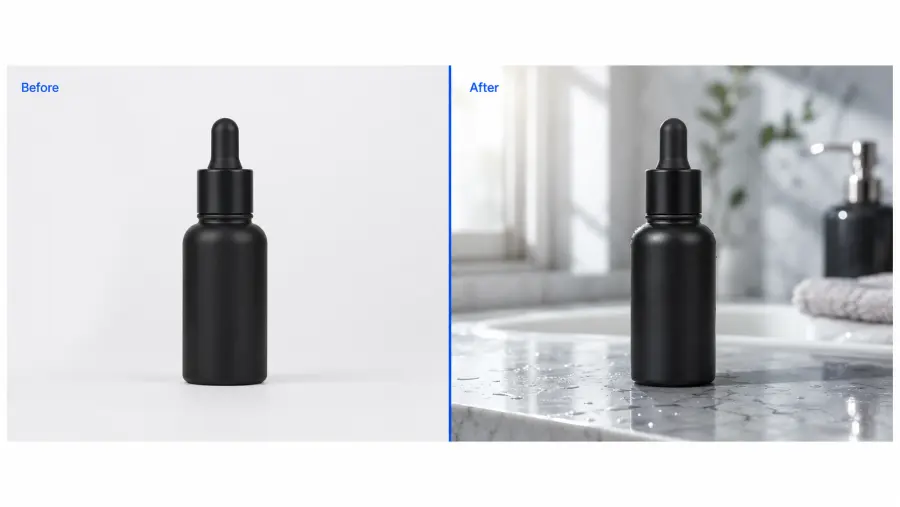 Step 1: the same bottle, moved from a plain studio shot into a UGC-ready scene.
Step 2 — Write the UGC prompt (this is where most ads fail)
A Seedance ad prompt is a shot brief, not a description, because the model writes picture and sound in one pass. Structure it in four layers: the subject and scene (describe the creator or product with at least three concrete visual details), the hook in the first 0–3 seconds, the product moment at 4–10 seconds, and a clean closing frame. Put spoken lines in double quotes and keep them short — long monologues drift out of lip-sync.
The trap almost everyone hits is over-polishing. The instinct is to prompt for cinematic lighting and a dramatic camera move; in a UGC feed that reads as fake. A believable clip should look like something a real person could have filmed in their bathroom on a phone — slightly handheld, natural window light, no studio gloss. Don't cram two ideas into one prompt either: one format per generation.
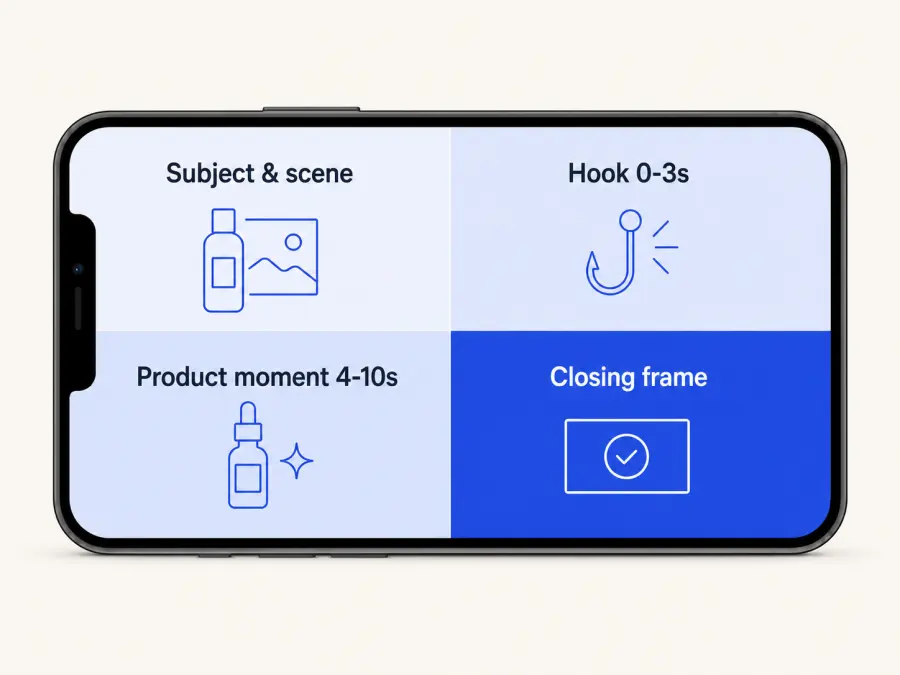
The four layers every Seedance 2.0 UGC prompt needs.
Step 3 — Animate the hero still with Seedance 2.0
This is the step the playground guides skip. Use reference-to-video and pass the Seedream URL in images — that's what keeps your exact product on screen. Match duration to the timing you wrote into the prompt, set 9:16 for TikTok and Reels, and leave generate_audio on so the dialogue renders natively.
video_prompt = (
    "UGC-style phone video, vertical, a woman in her late twenties in a bright bathroom "
    "holding the serum bottle to camera with easy creator energy, slightly handheld, "
    "natural window light. She says: \"Okay this one actually cleared my skin in a week.\" "
    "Cut to a macro close-up of the dropper. Ends on the bottle held up, label facing camera."
)

vid_id = submit(
    "bytedance/dreamina-seedance-2-0-260128/reference-to-video",
    {
        "prompt": video_prompt,
        "images": [hero_image_url],   # product consistency comes from here
        "aspect_ratio": "9:16",
        "duration": 15,
        "resolution": "720p",
        "generate_audio": True,
        "seed": -1,
    },
)
print(wait(vid_id, every=10)["url"])   # video takes longer -- poll less often
curl --location 'https://gptproto.com/api/v3/bytedance/dreamina-seedance-2-0-260128/reference-to-video' \
  --header 'Authorization: sk-xxxxx' \
  --header 'Content-Type: application/json' \
  --data '{"prompt":"UGC-style phone video...","images":["HERO_IMAGE_URL"],"aspect_ratio":"9:16","duration":15,"resolution":"720p","generate_audio":true}'
If you'd rather animate a single start frame without the full reference system, image-to-video takes one image field instead of the images array and behaves the same otherwise.
Step 4 — Batch the ten variations
Here's the payoff of doing this in code: ten angles cost the same effort as one. Loop the video call with ten different prompts against the same hero still, submit them all, then collect the URLs.
angles = [
    "...opens on a splash of water, energetic hook, 'wait for it'...",
    "...opens mid-sentence, skeptical creator tone, 'I did not expect this'...",
    "...opens on the product already in hand, calm morning-routine demo...",
    "...street-style, walking and talking, quick to-camera line...",
    "...close friend recommendation, sitting on the bathroom floor...",
    # ...ten total, one format each
]

jobs = [
    submit("bytedance/dreamina-seedance-2-0-260128/reference-to-video",
           {"prompt": p, "images": [hero_image_url], "aspect_ratio": "9:16",
            "duration": 15, "resolution": "720p", "generate_audio": True})
    for p in angles
]
clips = [wait(j, every=10)["url"] for j in jobs]
for i, url in enumerate(clips, 1):
    print(f"ad {i}: {url}")
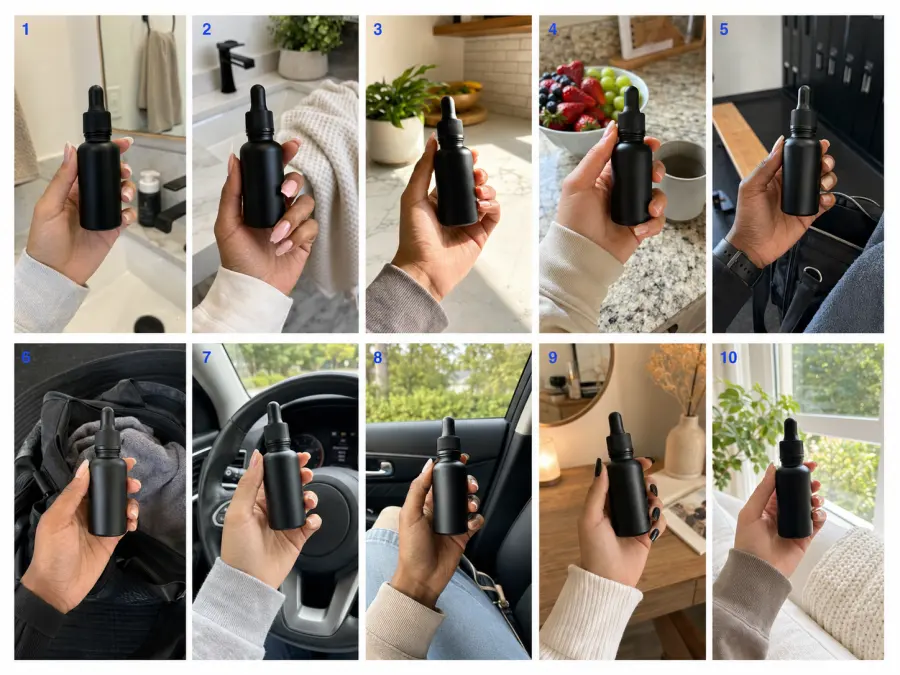
One hero still, ten ad angles — the batch from Step 4.
Seedance 2.0 output specs and pricing
| Resolution |
Aspect |
Duration |
Price / run |
| 480p |
16:9 |
4s |
$0.3094 |
| 720p |
16:9 |
15s |
$2.4948 |
| 1080p |
16:9 |
15s |
$6.1746 |
| 4K |
16:9 |
15s |
$12.83 |
Resolutions run 480p/720p/1080p/4K, durations 4–15 seconds, in six aspect ratios (9:16, 1:1, 16:9, 4:3, 3:4, 21:9). At 720p, 16:9 renders at 1280×720 and 1080p at 1920×1088. For paid social I'd stay at 720p 9:16 — it's the sweet spot on cost, and feed compression eats most of the 1080p difference anyway. Full tables are on the Seedance 2.0 model page and the model page.
The errors that actually bite
Duration mismatch is the quiet one: if your prompt is paced for 15 seconds but you leave duration at the default 5, the model rushes or truncates the scene. Match them. A 503 from the API is a content-policy rejection (it returns as a 400) — reword and resubmit rather than retrying blind. A 403 usually means insufficient balance, not a bad key. And if a clip comes back looking like a luxury commercial, that's not a win for a UGC placement — dial the prompt back toward "filmed on a phone."
Before you ship
Treat every output as a draft ad, not a finished one. Check product claims, image rights on the photo you uploaded, the platform's ad policy, and whatever AI-disclosure rules apply in your market before you put spend behind a clip. AI removes the production cost, not the responsibility for what the ad says.
Every image in this post — the cover plus four illustrations — was generated with Seedream 5.0 Pro for about $0.24 total. Same workflow, same key.