Why the Arrival of Hunyuan 3d 3.0 Matters Right Now
For the longest time, 3D modeling has been the ultimate bottleneck in creative pipelines. While 2D art saw an explosion of generative tools, 3D stayed stubborn, complex, and computationally expensive. But things are changing fast, and hunyuan 3d 3.0 is a massive reason why.
This isn't just another incremental update; it's a fundamental shift in how we think about assets. We are moving away from manual vertex pushing toward high-level intent. If you've spent hours retopologizing a messy sculpt, you know the pain I'm talking about.
The tech world is currently obsessed with efficiency. Studios and solo devs are looking for ways to bypass the "boring" parts of the pipeline. That's where hunyuan 3d 3.0 steps in, offering a bridge between a rough idea and a usable asset.
Hunyuan 3d 3.0 represents a significant milestone where AI begins to understand the structure of 3D objects, not just their surface appearance.
Whether you’re a hobbyist playing with ComfyUI or a pro looking to speed up gray-boxing, ignoring these advancements is a mistake. The barrier to entry for 3D content creation is crumbling, and this model is one of the heaviest sledgehammers in the shed.
The Shift to AI-Native Workflows With Hunyuan 3d 3.0
Before tools like hunyuan 3d 3.0, generating a 3D mesh from an image was mostly a parlor trick. The results were often "blobs" that looked okay from one angle but fell apart when you rotated them. Now, we are seeing real structural intelligence.
Integrating hunyuan 3d 3.0 into a modern workflow means you can focus on the creative direction rather than the technical minutiae. This shift is similar to how digital cameras changed photography—it didn't kill the craft, it just changed the focus.
But let's be real: it isn't magic. You still need to understand the fundamentals of 3D to get the most out of it. Using hunyuan 3d 3.0 requires a new kind of "technical literacy" that blends prompt engineering with traditional spatial awareness.
And if you're worried about the cost of running these massive AI models, you aren't alone. Many developers manage your API billing carefully to balance performance with budget when testing these new systems.
Core Concepts of Hunyuan 3d 3.0 Explained
At its heart, hunyuan 3d 3.0 is a multi-modal powerhouse. It doesn't care if you start with a text string, a flat 2D image, or even a messy napkin sketch. It takes those inputs and attempts to reconstruct a three-dimensional representation.
One of the standout features of hunyuan 3d 3.0 is how it handles the underlying data. It's not just guessing depth; it's trying to understand volume and occlusion. This is a massive jump over earlier iterations that felt much more superficial.
The "Hunyuan" family has always been about high-fidelity generation, and this version doubles down on that. It's designed to minimize the artifacts that usually plague AI-generated meshes, like floating geometry or "melting" surfaces that drive 3D artists crazy.
So, how does it actually work? It uses a sophisticated diffusion-based architecture tuned specifically for 3D space. This allows hunyuan 3d 3.0 to predict how a back of an object looks based on the front, which is no small feat for any AI.
- Text-to-3D: Generating meshes from descriptive prompts.
- Image-to-3D: Turning a single reference photo into a model.
- Sketch-based generation: Interpreting rough drawings as 3D volumes.
- Advanced topology handling: Attempting to create cleaner edge loops.
Understanding 3D Parts Decomposition in Hunyuan 3d 3.0
Here is where hunyuan 3d 3.0 gets really interesting: 3D Parts Decomposition. Most AI generators give you a single "merged" mesh that is a nightmare to rig or animate. This model tries to break things down logically.
Think about a character. You don't want the head, torso, and limbs to be one inseparable blob. Hunyuan 3d 3.0 works toward identifying these distinct parts during the generation process, which is a huge win for actual production utility.
By decomposing the model, hunyuan 3d 3.0 makes it easier for you to swap parts or refine specific areas. It’s the difference between a solid block of marble and a Lego set. One is a finished product; the other is a working asset.
If you're building a library of assets, this feature alone makes hunyuan 3d 3.0 worth your time. It saves dozens of hours in the cleanup phase, letting you get to the fun part of game dev or animation much faster.
Step-by-Step Walkthrough: Getting Started With Hunyuan 3d 3.0
Ready to get your hands dirty? Setting up hunyuan 3d 3.0 can be a bit of a hurdle if you aren't prepared. You have two main paths: running it locally via ComfyUI or using a cloud-based solution.
If you choose the local route, you'll need the right environment. Most people are using the official hunyuan 3d 3.0 nodes in ComfyUI. This gives you a visual way to chain the generation process, which is way more intuitive than command lines.
First, you’ll download the weights. Be warned, these files are massive. Once they are in your models folder, you can start building a basic workflow. You’ll need an input node (like a Load Image node) and the hunyuan 3d 3.0 sampler node.
For those who want to read the full API documentation for similar AI integrations, understanding how parameters like "guidance scale" affect your 3D output is vital. Small tweaks in hunyuan 3d 3.0 can lead to vastly different results.
- Install ComfyUI and the required custom nodes for Hunyuan.
- Download the hunyuan 3d 3.0 model weights and place them in the correct directory.
- Create a workflow that links your input (text or image) to the 3D generation node.
- Set your parameters—pay close attention to the resolution and step count.
- Execute the prompt and wait for the mesh to be generated.
Optimizing Hunyuan 3d 3.0 for Lower VRAM Setups
Let's address the elephant in the room: hunyuan 3d 3.0 is a resource hog. If you don't have a high-end workstation, you're going to see a lot of "Out of Memory" errors. But there are ways around this.
Quantization is your best friend here. By using quantized versions of the hunyuan 3d 3.0 weights, you can squeeze the model into much smaller VRAM footprints. You might lose a tiny bit of detail, but it’s a fair trade for actually being able to run it.
Another trick is block offloading. This tells the system to only keep parts of the hunyuan 3d 3.0 model in your GPU memory at any given time. It slows down the generation, but it prevents the dreaded crash. It’s slow, but it works.
If your local machine simply can't handle it, don't force it. Renting a cloud GPU for an hour is often cheaper than the electricity and frustration of trying to run hunyuan 3d 3.0 on a laptop with 8GB of VRAM.

Common Mistakes and Pitfalls in Hunyuan 3d 3.0
The biggest mistake people make with hunyuan 3d 3.0 is expecting "perfect" geometry right out of the box. AI is still AI. You are likely to see some weirdness, especially in complex areas like fingers or thin mechanical parts.
Another pitfall is using poor reference images. If your input image is blurry or has weird lighting, hunyuan 3d 3.0 will try to bake those errors into the 3D model. Garbage in, garbage out remains the golden rule of AI asset generation.
Many users also ignore the "Smart Topology" settings. If you just click 'generate' with default settings, you might get a mesh that is way too dense. This makes hunyuan 3d 3.0 models hard to work with in software like Blender or Unreal Engine.
Don't fall into the trap of thinking hunyuan 3d 3.0 replaces the need for UV unwrapping entirely. While it does a decent job, a professional human artist will still want to tweak those maps for optimal texture density and seam placement.
| Common Issue |
The Cause |
The Fix |
| OOM Errors |
High VRAM usage of hunyuan 3d 3.0 |
Use quantization or offloading |
| Melting Geometry |
Conflicting prompt instructions |
Simplify the input prompt |
| Broken Textures |
Poor UV Unwrapping defaults |
Adjust the UV settings in hunyuan 3d 3.0 |
| Slow Generation |
Inefficient workflow nodes |
Streamline your ComfyUI graph |
The Myth of "Production-Ready" With Hunyuan 3d 3.0
I see this all over Twitter: "Hunyuan 3d 3.0 makes 3D artists obsolete!" That is pure hype. The mesh quality is significantly better than before, but it still isn't quite at the level of a high-end manual model for AAA games.
Hunyuan 3d 3.0 is a fantastic "starter" tool. It gets you 80% of the way there in seconds. But that last 20%—the technical polish, the specific edge flow, the optimized LODs—still requires a human touch.
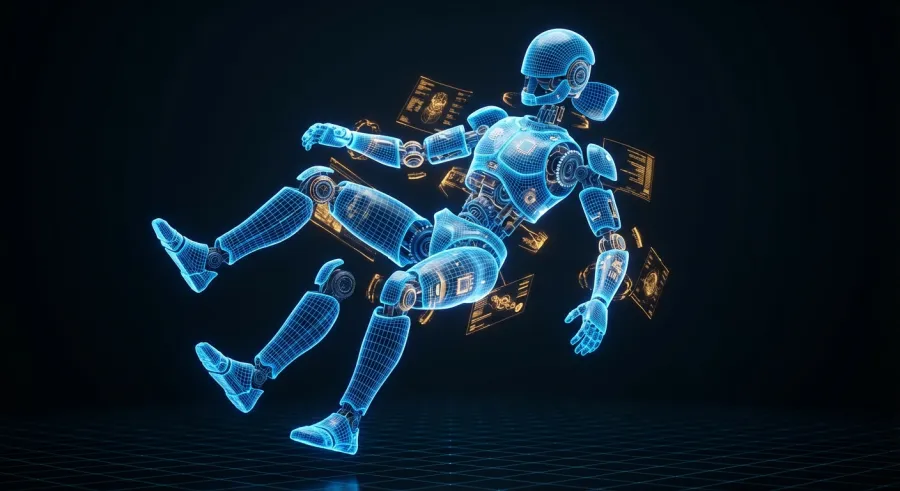
If you treat hunyuan 3d 3.0 as a conceptual tool or a base mesh generator, you'll be thrilled. If you expect it to hand you a rig-ready protagonist for a major title, you're going to be disappointed. Manage your expectations.
That said, for indie developers or prototype stages, hunyuan 3d 3.0 is a total lifesaver. You can latest AI industry updates to see how others are bridging this gap between AI output and final production assets.
Expert Tips and Best Practices for Hunyuan 3d 3.0
If you want to really push hunyuan 3d 3.0, you need to start thinking about "multi-view" consistency. Even though it generates from one image, giving the AI a very clear, orthographic-style reference will yield much better results than an action shot.
Another tip: Use a 2D AI upscaler on your input image before feeding it into hunyuan 3d 3.0. The more detail the model has to work with, the more accurate the final mesh will be. It’s a simple extra step that makes a huge difference.
Pay attention to the Smart Topology feature. This isn't just a marketing buzzword. Within the hunyuan 3d 3.0 settings, you can often guide how the mesh is decimated. Choosing the right target polycount early can save you a headache later.
And here’s a pro move: Combine hunyuan 3d 3.0 with traditional sculpting tools. Use the AI to get the general proportions and volume, then take it into ZBrush or Nomad Sculpt to add the fine details. It’s the ultimate hybrid workflow.
The most successful artists using hunyuan 3d 3.0 aren't replacing their skills; they are amplifying them with better, faster base meshes.
Leveraging the ComfyUI Ecosystem for Hunyuan 3d 3.0
ComfyUI is where the real power of hunyuan 3d 3.0 lies. Because it’s node-based, you can feed the output of a 2D generator (like SDXL) directly into the hunyuan 3d 3.0 generation node. This creates a fully automated pipeline.
You can even add nodes that automatically handle the UV Unwrapping and texture baking after hunyuan 3d 3.0 finishes its job. This kind of automation is what makes the 3.0 version so much more powerful than its predecessors.
Don’t be afraid to experiment with different "Checkpoints" if they become available. The community often finds ways to fine-tune these models for specific styles, like anime characters or architectural elements, making hunyuan 3d 3.0 even more versatile.
For those managing multiple models, it’s worth checking out how to browse hunyuan 3d 3.0 and other models in a unified way. Keeping your workflow organized is the only way to stay sane in this fast-moving space.
What’s Next for Hunyuan 3d 3.0 and Beyond
Looking at hunyuan 3d 3.0, it’s clear that we are heading toward a "text-to-world" future. We are starting with single objects, but the logical next step is entire scenes. The architecture behind this model is already hinting at that scale.
We can expect future updates to hunyuan 3d 3.0 to focus even more on animation readiness. Imagine a model that doesn't just give you a mesh, but a fully rigged character with weight painting already done. We aren't there yet, but it's on the horizon.
The competition is also heating up. Other tech giants are watching what's happening with hunyuan 3d 3.0 and will surely respond with their own versions. This competition is great for us users, as it drives down costs and pushes features forward.
Ultimately, hunyuan 3d 3.0 is a glimpse into a future where the friction between an idea and a 3D asset is almost zero. It’s an exciting—and slightly terrifying—time to be a creator in the 3D space.
The Role of Cloud Computing in Hunyuan 3d 3.0
As these models get bigger, the "local vs. cloud" debate will only intensify. Hunyuan 3d 3.0 is right at the edge of what consumer hardware can handle. In a year or two, we might all be using APIs to do the heavy lifting.
This is where platforms like GPT Proto come in. While hunyuan 3d 3.0 is a specific tool, most of us use a variety of models. GPT Proto offers up to 70% discounts on mainstream AI APIs and a unified interface for multi-modal models. It makes sense to offload the compute-heavy tasks of things like hunyuan 3d 3.0 to a specialized infrastructure.
By using a unified API standard, you can switch between performance-first and cost-first modes. This is crucial when you are iterating on 3D designs and don't want to burn through your budget on a single experimental run with hunyuan 3d 3.0.
So, whether you stick to your local GPU or move to the cloud, the goal remains the same: create faster and better. Tools like hunyuan 3d 3.0 are just the beginning of a very long and interesting road for AI in the creative arts.
Written by: GPT Proto
"Unlock the world's leading AI models with GPT Proto's unified API platform."