What Is Step 5 Preview?
Step 5 Preview is a multimodal reasoning model developed by Shanghai-based StepFun. It is intended to plan, call tools, inspect results, revise its approach, and continue until it produces a deliverable.
Here are the main facts from the official model documentation and StepFun’s launch page:
| Specification |
Step 5 Preview |
| Developer |
StepFun |
| Model ID |
step-5-preview |
| Architecture |
Sparse Mixture of Experts |
| Parameters |
600B total, 27B active per token |
| Context window |
1M tokens |
| Maximum output |
64K tokens |
| Input |
Text, images, and video |
| Output |
Text |
| Reasoning control |
low, medium, or high |
| API status |
Available from StepFun |
| Open-weight status |
Planned for October 15, 2026 |
| GPT Proto status |
Not available yet; integration planned |
“Preview” is important. The API can be used now, but behavior, limits, pricing, and even naming may change before a stable release. StepFun says the model’s weights will be released on October 15, 2026. Until that happens, it should be treated as a hosted proprietary model—not as an open-weight model that can already be self-hosted.
Step 5 Preview Features and Architecture
600B parameters without activating all 600B
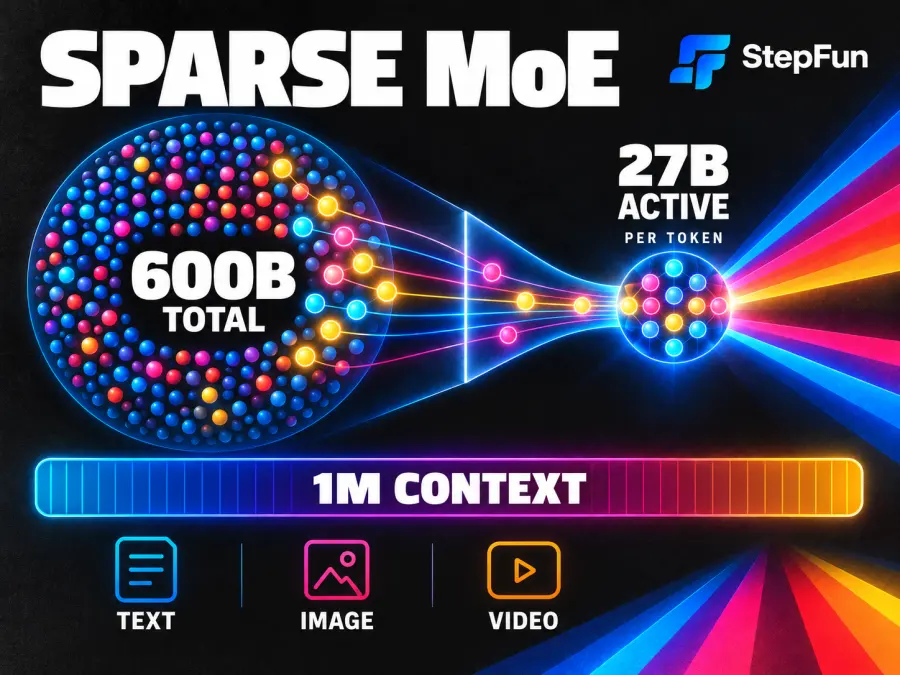
Step 5 Preview uses a sparse Mixture-of-Experts, or MoE, design. It contains 600 billion parameters in total, but only 27 billion are active for each token. A routing system selects the experts relevant to the current input.
“600B” describes total capacity; it does not mean every token incurs the cost of a dense 600B model. The active count is more relevant to inference efficiency, but hardware, batching, reasoning length, and provider capacity still determine real performance.
A 1M-token context and 64K-token output
The 1-million-token context window targets large repositories, reports, conversations, and document collections. Maximum output is 64,000 tokens. Large context still requires disciplined retrieval: more material can add irrelevant evidence, conflicting instructions, and cost.
Prompt caching makes repeated work over the same codebase, policy library, or research corpus much cheaper than repeatedly sending uncached input.
Text, image, and video input
The model accepts text, up to 60 images per request, and video. Images can be JPEG, PNG, WebP, or static GIF. Video formats include MP4, QuickTime, and Matroska; StepFun recommends clips under five minutes.
You may see third-party databases list only text and image input. That does not necessarily contradict StepFun. For example, Artificial Analysis records the modalities covered by its listing and tests, while StepFun documents video support in its own API. For implementation limits, use the first-party documentation; for comparative performance, use independent testing.
Tool calling is not built-in access to the outside world
Step 5 Preview supports streaming, function calling, JSON mode, JSON Schema, and adjustable reasoning effort. However, the model does not independently browse the web, execute code, or access a developer’s files. StepFun explicitly states that search, code execution, document handling, and other tools must be supplied by the integrating application.
The model can decide when and how to use a tool, but the surrounding agent system controls its tools, permissions, and result validation.
Step 5 Preview for Coding and Agentic Work
In a coding agent, the model receives a goal, reads files, applies changes, runs tests, observes failures, and iterates. Its long context can preserve repository structure and earlier decisions across that loop.
StepFun reports the following results for the model at high reasoning effort:
| Benchmark |
Step 5 Preview score |
What it tests |
| DeepSWE v1.1 |
67.7% |
Repository-level software engineering |
| StepCodeBench |
49.0% |
Multi-language engineering tasks |
| Terminal-Bench v4 |
33.3% |
Coding and terminal tool use |
| Agents’ Last Exam (ALE-CLI) |
29.5% |
Computer-use agent tasks |
| GPQA Diamond |
93.5% |
Graduate-level reasoning and knowledge |
| HLE |
46.5% |
Broad, difficult expert questions |
These are vendor-reported results. StepCodeBench is internal; some rivals use “Max” effort while Step 5 uses “High”; and some HLE-with-tools comparisons use different subsets. The scores show capability, not guaranteed superiority on a particular repository.
StepFun acknowledges a meaningful gap on the hardest long-running coding tasks. Test bug repair, feature changes, test generation, and rollback on your own code, then measure accepted tasks per dollar and minute.
Early community evidence is thin. In one Linux DO launch thread, a user liked the visible intermediate reasoning; Reddit discussion focused more on leaked or mirrored weights than production reliability. These launch-day anecdotes suggest questions to test, not a ranking.
Why Step 5 Preview Focuses on Finance
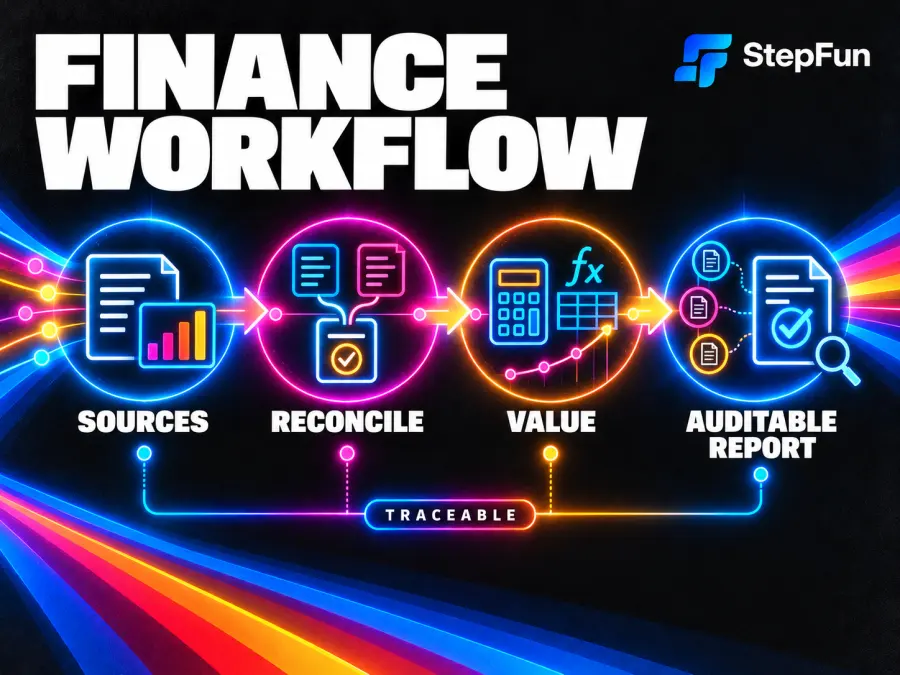
Step 5 Preview in finance is not simply about answering accounting questions. StepFun targets analyst workflows that gather filings and market data, reconcile definitions, build valuations, run calculations, and produce an auditable report. Sources, assumptions, formulas, and sensitivities must remain traceable.
StepFun reports 66.4% on the external FrontierFinance benchmark. It also reports 74.5% on FinStepBench LiveSearch, 60.6% on CorporateValuation, and 55.8% on Finance Deep Research. The last three are StepFun’s internal benchmarks, so they should carry less weight than independent tests until third parties reproduce the results.
A strong score does not make unsupervised financial decisions safe. Keep source links, calculation traces, approval gates, and human review—especially for investment, credit, tax, or compliance decisions.
How Good Is Step 5 Preview in Independent Tests?
Artificial Analysis gives Step 5 Preview an Intelligence Index score of 44. It measured output at 99.8 tokens per second, a 2.96-second time to first token, and $0.72 per Intelligence Index task on StepFun’s API.
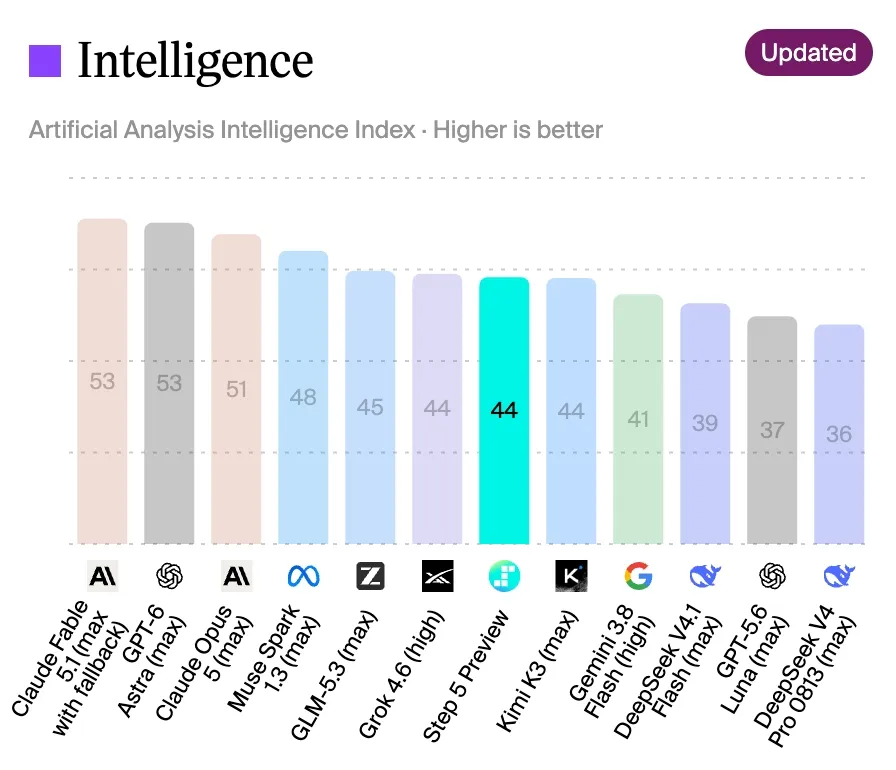
The important warning is verbosity: 160 million output tokens across the evaluation versus a 92-million class median. A reasonable token price can still produce a high task cost, so production systems need output caps, appropriate reasoning effort, and stop conditions.
Independent testing also lists text and image input, not video. That reflects the scope of the evaluator’s model record; StepFun’s official API documentation remains the source for video capability. Keeping those two evidence types separate avoids turning a difference in test coverage into a false contradiction.
Step 5 Preview Pricing Explained
StepFun’s official pricing page lists three rates per 1 million tokens:
| Token type |
Price |
| Uncached input |
$1.00 |
| Cached input |
$0.05 |
| Output |
$2.70 |
For Step 5 Preview, cache-miss input pricing includes writing new content to the cache. Output billing includes both reasoning tokens and the final answer, so hidden reasoning is not free.
For example, 100,000 uncached input tokens plus 10,000 output tokens cost about $0.127. With the input fully cached, the same request costs about $0.032. Tool loops, retries, and reasoning length can change the total.
This is StepFun’s price, not a GPT Proto price. GPT Proto has not added the model yet, so there is no legitimate GPT Proto Step 5 Preview rate to quote.
Step 5 Preview vs GLM 5.3 Flash vs DeepSeek Flash
This table uses Artificial Analysis data current on September 21, 2026. DeepSeek Flash means DeepSeek V4.1 Flash at maximum reasoning effort.
| Model |
Intelligence Index |
Output speed |
Input / output per 1M tokens |
Cost per task |
Context |
Weights |
| Step 5 Preview |
44 |
99.8 tok/s |
$1.00 / $2.70 |
$0.72 |
1M |
Planned Oct. 15 |
| GLM 5.3 Flash |
42 |
95.0 tok/s |
$0.15 / $0.50 |
$0.25 |
1M |
Open, MIT |
| DeepSeek V4.1 Flash |
39 |
242.3 tok/s |
$0.30 / $1.20 |
$0.27 |
1M |
Open, MIT |
GLM 5.3 Flash vs Step 5 Preview
Step 5 Preview leads by two Index points at a similar speed. GLM is far cheaper and its MIT-licensed weights are available now. Step 5 is more interesting for finance-specific workflows or official video input; GLM is the stronger starting point for cost and self-hosting.
Step 5 Preview vs DeepSeek Flash
Step 5 leads by five Index points, but DeepSeek is more than twice as fast, costs much less per task, and is already open-weight. Choose Step 5 only if its reasoning produces enough additional accepted work to justify slower, costlier runs.
GPT Proto currently offers both GLM 5.3 Flash and DeepSeek Flash. For a deeper comparison between those available options, see GLM 5.3 Flash vs DeepSeek V4 Flash.
How Can You Access Step 5 Preview?
Developers can call StepFun’s POST /v1/chat/completions endpoint with model ID step-5-preview. Its request shape follows the OpenAI chat-completions style. This example targets StepFun directly; it is not a GPT Proto endpoint.
curl https://api.stepfun.ai/v1/chat/completions \
  -H "Content-Type: application/json" \
  -H "Authorization: Bearer $STEP_API_KEY" \
  -d '{
    "model": "step-5-preview",
    "messages": [
      {
        "role": "user",
        "content": "Review this repository migration plan and list the three highest-risk assumptions."
      }
    ],
    "reasoning_effort": "medium",
    "max_tokens": 1200
  }'
The official API reference should be checked before production use for current parameters, errors, rate limits, and multimodal request formats.
If you prefer one balance and a unified interface across many models, GPT Proto plans to add Step 5 Preview later. Until the model appears in the live catalog, do not assume that a similar name, a third-party mirror, or an unofficial route is the GPT Proto integration.
Is Step 5 Preview Worth Trying?
Step 5 Preview deserves a controlled evaluation for long documents, coding agents, multimodal research, or traceable finance workflows. Its independent intelligence score is strong and its 1M context is useful.
It is not the default choice. GLM is cheaper and open-weight; DeepSeek is much faster; and Step 5 remains verbose, in preview, and unavailable on GPT Proto.
The best decision metric is completed, reviewed work—not parameter count or a single benchmark. Run the same representative tasks through each candidate, record correctness, intervention rate, latency, and total token cost, then choose the model that produces the lowest cost per accepted result.