TL;DR
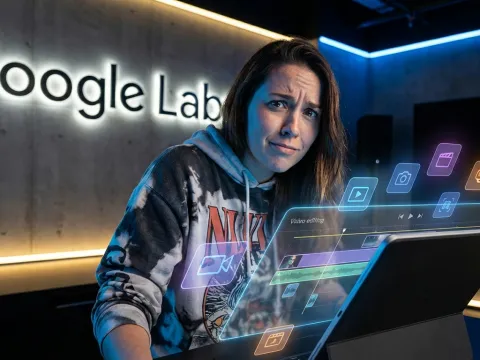
Google Labs Flow aggregates heavy-hitting generative tech into a single browser interface, giving creators direct access to the Veo 3 video models. While the visual fidelity and scene chaining tools are impressive, the platform currently suffers from a buggy beta interface and a ruthless credit system that drains budgets fast.
Generating professional AI video takes more than a simple text prompt. You need actual directorial control. Google built this workspace to move beyond random hallucinatory clips and introduce real timeline mechanics. You can establish your base shots with the Nano Banana image model, then push those assets into a pipeline designed to hold character identities intact across multiple camera angles.
But executing that workflow requires fighting through heavy technical friction. Obscured navigation buttons, unpredictable renders, and steep generation costs force users to plan every click carefully. Shifting your production pipeline over to this experimental environment means weighing the stunning cinematic outputs against the sheer frustration of early beta software.
What Is Google Labs Flow?
Google Labs Flow operates as an advanced AI creative studio targeting heavy multimedia creation. If you want direct access to cutting-edge models without managing complex local infrastructure, this platform serves as the current testing ground. It aggregates heavy-hitting generative tech into a single browser interface.
Originally, the ecosystem started as a strictly focused video tool built entirely around the Veo models. Recent updates transformed the workspace. Google Labs Flow now handles multi-modal asset generation, moving beyond basic prompt-to-video tricks into structured scene creation.
But there is a catch. Early beta software always brings friction. Before you transition your entire production pipeline over, you need to understand the underlying engines, the unpredictable user interface, and the extremely aggressive credit system. Let's break down the actual capabilities.
The Core Flow Video Generation Engines
The primary draw for Google Labs Flow remains the Veo video generation architecture. Users interact directly with Veo 3, pushing the boundaries of AI video fidelity. This engine does not just spit out random hallucinatory clips. It generates cohesive, high-quality motion sequences.
Early tests show massive improvements in physics and lighting. The flow video generation capabilities rival top-tier competitors, producing cinematic outputs when given strict prompt constraints. Operating these Veo models requires precision. You cannot just type a vague sentence and expect a masterpiece.
Integrating Nano Banana Image Models
One of the biggest recent additions to the flow ai studio is the oddly named Nano Banana model. This engine handles high-quality image generation. Google Labs Flow positions Nano Banana as a direct competitor to Midjourney and DALL-E 3.
Image fidelity matters because visual assets feed the video engines. The platform encourages generating your base concepts through Nano Banana first. Once you secure the perfect static shot, you push that asset directly into the Veo pipeline for animation.
Getting Started With Google Labs Flow
Accessing Google Labs Flow requires navigating an interface that often feels highly experimental. Many users report immediate frustration before generating a single frame. The UI feels buggy, unpolished, and sometimes completely broken.
A common issue involves the core navigation. Banners and messages often obscure critical buttons at the bottom of the screen. You might click "Get Started" and see absolutely nothing happen. This represents a classic beta environment headache.
Bypassing The Experimental UI Bugs
You must adjust specific browser settings to reclaim your screen real estate. The most reliable fix involves modifying your viewable area. Uncheck the "Always show bookmarks bar" option in your browser menu. This slight vertical expansion usually reveals the hidden confirmation messages.
If the bookmark trick fails, another proven workaround exists. Hold down the escape key on your keyboard while clicking the primary action buttons. For whatever reason, this bypasses the modal overlay bugs. Operating Google Labs Flow requires these small technical hacks until the development team stabilizes the front-end code.
Key Features Inside The Flow AI Studio
When the interface cooperates, Google Labs Flow delivers serious production power. The platform moves past simple prompt boxes and introduces actual timeline mechanics. This shifts the workflow from basic generation to actual directorial control.
We need to look at specific tools that separate this platform from simple Discord-based bots. The flow ai studio attempts to replicate traditional non-linear editing software concepts using pure generative AI.
The Flow Scene Builder Advantage
The most powerful tool in the arsenal is the Flow Scene Builder. Most AI video generators output random, disconnected snippets. Google Labs Flow fixes this exact problem. The system builds on the exact last frame of any generated clip.
You chain those specific clips together within the timeline. The result? You get full sequences with logical visual progression. The flow scene builder ensures the camera movement and subject positioning remain locked from the end of clip A to the beginning of clip B.
Flow Character Consistency Controls
Maintaining character identity represents the hardest challenge in AI video. Google Labs Flow attacks this through its "Ingredients" feature. This toolset lets you upload up to three distinct reference images per generation cycle.
By feeding the engine multiple angles of your subject, your character actually stays recognizable across completely different scenes. Flow character consistency sets a new benchmark. You no longer end up with a protagonist who changes race, age, and clothing every time the camera cuts.
Native Audio Synchronization
Visuals only solve half the production puzzle. Google Labs Flow includes native audio generation directly tied to the video movement. The system analyzes the physical actions happening on screen and generates matching sound profiles.
Dialogue, ambient background noise, and specific sound effects are all automatically synced to the video's movement. If a character speaks, the lip-syncing attempts to match the generated phonemes. This eliminates the tedious process of manually aligning Foley work in external editors.
The Hidden Costs: Google Labs Flow Pricing
Here is the harshest reality check regarding Google Labs Flow. The pricing structure is completely disconnected from reality. Running advanced AI models requires massive compute power, and Google passes that entire server bill directly to the user.
You operate via a credit system. Generating basic low-res clips drains credits slowly, but nobody uses this platform for low-res tests. You want the flagship quality. And that premium output carries an eye-watering cost.
Managing Expensive Flow Credits
A single high-quality Veo 3 video can cost up to 100 credits. Let that sink in. One failed generation, one weird artifact, or one physics hallucination instantly burns those expensive flow credits. The subscription plans deplete incredibly fast during heavy production days.
If you test multiple prompts, experiment with different reference images, and chain multiple scenes together, your daily allowance vanishes within an hour. This aggressive monetization forces users to be extremely strategic with every single click.
Exploring API Alternatives For Better Pricing
Because native flow pricing runs so high, many power users look for API access alternatives to manage their budgets. Tapping directly into AI infrastructures via API usually offers better volume control. If you run a development team, relying on beta UI credits makes no financial sense.
This is where aggregator platforms excel. By routing your AI tasks through a unified API gateway, you slash overhead. For example, platforms like GPT Proto offer up to a 70% discount on various leading models. You get one-stop multi-modal access without dealing with experimental frontend bugs.
You can
manage your API billing much more effectively when using flexible pay-as-you-go pricing models. Smart scheduling and unified endpoints protect your budget from runaway generation costs.
Real-World Google Labs Flow Workflow Challenges
Do not expect to type a script and receive a finished short film ten minutes later. The marketing materials imply blazing speed, but real user experiences tell a completely different story. Creating polished videos requires massive time investments.
You will spend hours tweaking prompts, waiting for renders, throwing away bad outputs, and starting over. The flow video generation pipeline demands patience.
Time Investment For High-Quality Output
Let's look at the actual numbers. For a standard 60-second cohesive video, expect about four hours of active work. You must generate the initial assets, feed them into the flow scene builder, wait for the rendering queues, review the physics, and re-roll the failures.
Every iteration burns time. Because you pay heavy credit costs for mistakes, you spend more time crafting the perfect prompt than you do watching the final video. The workflow feels less like directing and more like programming a highly unpredictable rendering farm.
| Workflow Stage |
Tool Applied |
Average Time Cost |
Credit Burn Rate |
| Base Image Creation |
Nano Banana |
15 - 30 minutes |
Low |
| Character Setup |
Ingredients UI |
10 - 20 minutes |
Medium |
| Sequence Chaining |
Flow Scene Builder |
2 - 3 hours |
Very High |
| Final Audio Sync |
Native Audio Engine |
30 - 45 minutes |
High |
Combining External AI Tools
Despite the powerful internal engines, Google Labs Flow rarely functions as an all-in-one final destination. Experienced creators still rely heavily on external software. The native timeline lacks the fine-grain control required for professional post-production.
Most workflows require exporting the raw Veo video files into traditional NLEs. You will likely open up CapCut or Premiere Pro to tighten the pacing. Furthermore, while the native audio sync works well for ambient noise, precise dialogue often requires dedicated voice generators. Many users run scripts through ElevenLabs for voice overs before dropping the final audio track into CapCut.
The Future Of Google Labs Flow
Google clearly views this platform as the central hub for their entire creative AI division. The current beta phase, bugs and all, represents just the foundation. The development roadmap points toward massive ecosystem integration.
Future updates promise deep connections with other proprietary tools. Google Labs Flow is set to integrate directly with Whisk and ImageFX. This cross-pollination will make it easier than ever to create across modalities without constantly exporting and importing files between browser tabs.
Expanding Multi-Modal Capabilities
When Whisk and ImageFX merge into the primary dashboard, the flow ai studio will gain advanced vector and layout generation capabilities. You will design a product mockup in ImageFX, refine the branding in Whisk, and instantly animate the commercial using the veo video models.
This unified vision looks great on paper. But Google must fix the underlying infrastructure first. The experimental interface and the brutal credit pricing remain massive roadblocks for widespread professional adoption.
Is The Flow Video Maker Worth It?
If you have the budget and the patience, absolutely. Google Labs Flow offers unparalleled visual consistency through its exact last frame chaining and multi-image reference system. When the Veo 3 engine hits a perfect render, the results look like magic.
But for budget-conscious creators or developers needing stable backend access, relying strictly on the web interface introduces too much friction. For scalable production, you should
browse various AI models through a reliable API provider. Integrating a unified API gives you the generative power without the beta UI headaches or the unpredictable credit burn.
Written by: GPT Proto
"Unlock the world's leading AI models with GPT Proto's unified API platform."