Цены+7% бонус

Eternal AI Image Generator

Create original character images from a text prompt or upload an image to change its style, setting, outfit, lighting, and other visible details. Choose an example to load a ready-made idea, then generate your image online.

The positive prompt for the generation.
Просмотреть изображение
История
Скачать
Пополните на $50 сейчас → Oct 11 – Oct 31 · Квота ограничена · Кто раньше, тот и получил
Пополнить

Examples

Eternal AI Image Generator Examples

Choose an example to load its prompt and generation mode. Use it as written or adjust the character, setting, clothing, composition, and art style before generating.

Ideas

What You Can Create

Use text-to-image for new concepts or image-to-image when you already have a visual starting point.

  • Original Character Images

    Turn a written character idea into a portrait with a defined appearance, outfit, expression, environment, lighting style, and camera composition.

  • Character Portrait Variations

    Upload an existing character image and create new outfits, settings, moods, poses, or visual styles while describing the identity details that should remain recognizable.

  • Photo Restyling and Image Editing

    Use the Eternal AI image editor workflow to change backgrounds, clothing, lighting, colors, atmosphere, or art style without rebuilding the entire composition manually.

  • Story and Roleplay Visuals

    Create portraits and scene concepts for original stories, roleplay characters, visual novels, game ideas, social content, and other fictional projects.

What it is

What Is an Eternal AI Image Generator?

The Eternal AI Image Generator on GPTProto is an independent online tool for creating character images from text or transforming an uploaded picture with written instructions. You can begin with only a prompt, use an image as a visual reference, or load one of the examples on this page.

Text-to-image generation is useful when you want to design a new character or scene from scratch. Image-to-image generation is better when you already have a face, character design, pose, product, or composition that should guide the result.

The tool is designed for people searching for an Eternal AI-style image creation workflow but who want direct control over the prompt and the option to upload a reference image. GPTProto is not the official Eternal AI website and does not claim endorsement or affiliation.

Text to Image or Image to Image: Choose How You Start

Choose the input route that matches the result you want to create.

  • Text to Image: Enter a written description to create an original character, portrait, illustration, or scene from scratch. Describe the subject, appearance, outfit, action, setting, lighting, composition, and visual style.

  • Image to Image: Upload an existing image and explain what should change. Identify the face, pose, hairstyle, character design, product shape, camera angle, or other details that should remain close to the source.

Text-to-image gives you more freedom to invent a new visual direction. Image-to-image gives the generator a stronger reference for identity and composition, although exact preservation is not guaranteed in every result.
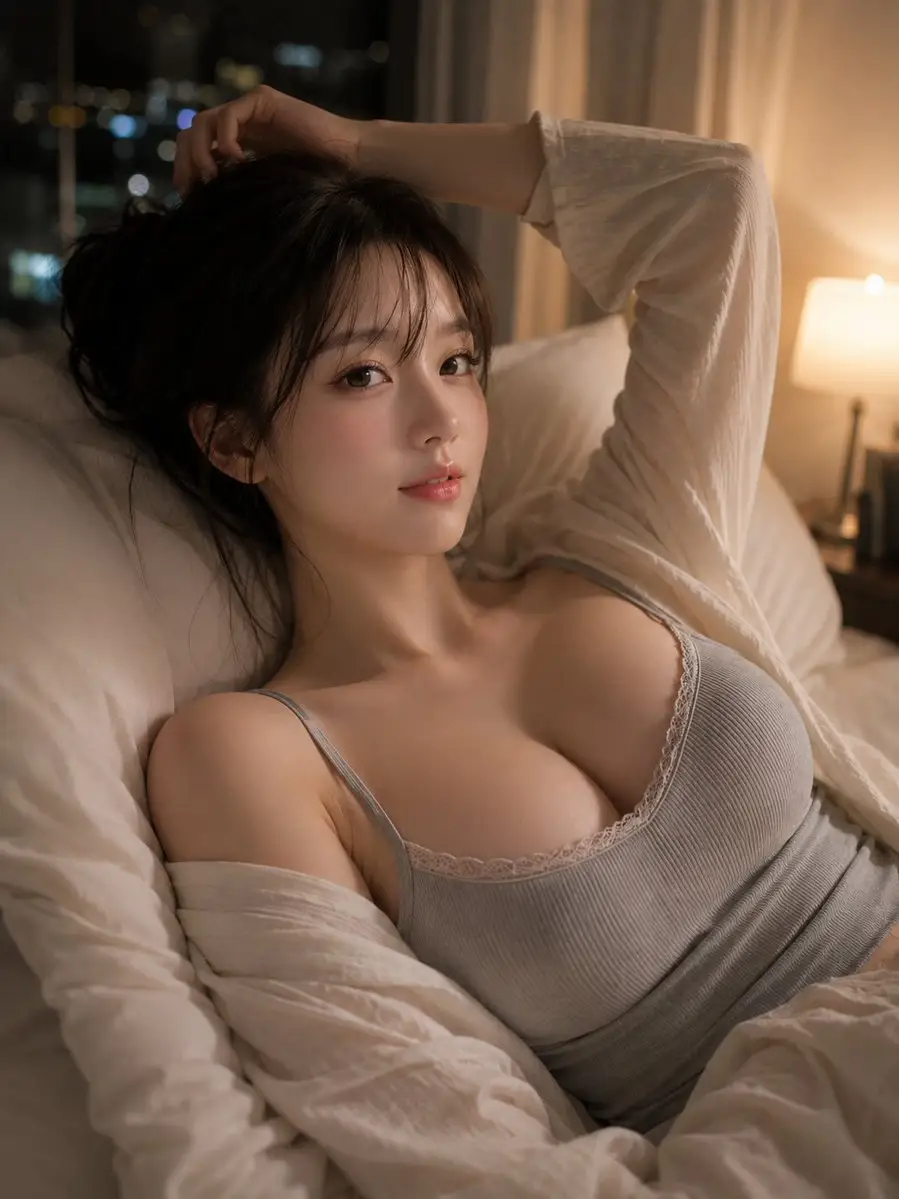
Consistent Tips

Create More Consistent AI Character Images

Character consistency starts with a clear identity description and a reference image that makes the important features easy to see.

Character Prompt Formula: Character identity + age group + facial features + hairstyle + clothing + expression or action + setting + lighting + camera composition + visual style + details to preserve

  • Define the Character Clearly: Describe the character's approximate age group, face shape, hair, eyes, clothing, expression, and distinguishing features instead of relying on a short label.

  • Reuse the Same Identity Details: Keep the important character description consistent across prompts. Changing the hair, age, face, clothing, setting, and art style at the same time can make the result drift.

  • Use a Clear Reference Image: For image-to-image generation, choose a sharp image with the character clearly visible. Heavy blur, strong shadows, face coverings, and crowded group photos provide less usable reference information.

  • State What Must Remain Unchanged: Tell the generator to preserve specific details such as the face shape, eye color, hairstyle, age, expression, outfit elements, or camera angle.

  • Change One Main Element at a Time: Create the character first, then test a new scene, outfit, or mood. Smaller controlled changes are easier to compare than rewriting the entire concept in every generation.

Example Consistency Prompt: Use the uploaded character as the identity reference. Preserve the same adult age, face shape, eye color, hairstyle, and recognizable features. Place the character in a new setting while keeping the visual identity consistent. Change only the outfit, background, and lighting described below.

Better Prompt

How to Write a Better Eternal AI Image Prompt

A useful image prompt separates the main subject from the visual details that control the final result.

Prompt Formula: Main subject + appearance + pose or action + outfit + setting + lighting + camera and composition + visual style + details to preserve

  • Start with the Main Subject: State whether you want an original character, portrait, couple, group, product, creature, environment, or story scene.

  • Describe Visible Details: Include specific information about clothing, materials, colors, facial expression, hairstyle, props, weather, and the surrounding environment.

  • Set the Composition: Add directions such as close-up portrait, waist-up shot, full-body composition, eye-level camera, low angle, centered subject, or wide cinematic scene.

  • Control the Lighting and Mood: Use clear descriptions such as soft daylight, warm sunset light, studio lighting, neon reflections, dramatic side lighting, or a muted nighttime atmosphere.

  • Name the Intended Style: Specify realistic photography, anime illustration, fantasy concept art, graphic novel, watercolor, editorial fashion, cinematic still, or another visual direction.

  • Protect Important Source Details: When editing an image, list the features that should stay recognizable and separate them from the parts you want the generator to change.

Want to Learn More About Eternal AI?

Looking for information about the original Eternal AI platform rather than an image generator you can use here? Read our overview of its image and video features, product changes, content policies, and available alternatives.

Read the Eternal AI Review and Policy Update

Explore More AI Online Tools

One GPTProto balance gives you access to more than 100 AI tools for creating, editing, and transforming images and videos.

Frequently Asked Questions

What is an Eternal AI image generator?

An Eternal AI image generator is a tool used to create character images and visual scenes with AI. On GPTProto, you can generate a new image from a text prompt or upload an existing picture and describe how it should be transformed.

Is this the official Eternal AI image generator?

No. This is an independent image generation tool provided by GPTProto for users who want an Eternal AI-style character and image workflow. GPTProto is not affiliated with, endorsed by, or operated by Eternal AI.

Can I create an image using only text?

Yes. Select the text-to-image option and describe the subject, character, outfit, setting, lighting, composition, and visual style you want. You do not need to upload an image when creating a new concept from scratch.

Can I upload and edit an existing image?

Yes. Select the image-to-image option, upload a source image, and enter a prompt describing what should change and what should remain recognizable. You can request changes to clothing, backgrounds, lighting, colors, atmosphere, and art style.

Can I use it as an Eternal AI character image generator?

Yes. You can create original character portraits from text or upload a character reference and generate a new scene or visual variation. For better continuity, repeat the same identity details and clearly state which features should remain unchanged.

Is the Eternal AI image generator uncensored?

GPTProto does not add an extra prompt-rewriting or keyword-blocking layer before submitting your request. However, availability can still depend on the selected model and applicable platform rules. “Uncensored” does not permit illegal, non-consensual, exploitative, or rights-infringing use.

Is the Eternal AI image generator free?

GPTProto uses pay-as-you-go credits rather than unlimited free generation. Create an account, add credits, and use your balance for the generations you run. No separate monthly image-generator subscription is required.

How do I get better image-to-image results?

Use a clear source image and separate your instructions into two parts: what should change and what should stay recognizable. Specify details such as the face, hairstyle, pose, product shape, camera angle, or composition that should remain close to the original.

Can I keep the same character across several images?

You can improve consistency by reusing the same reference image and identity description, but exact reproduction is not guaranteed. Keep the face, hairstyle, age group, clothing details, and visual style stable, then change one scene element at a time.

Can I generate or edit images of real people?

Only upload or edit images when you have the necessary rights and consent. Do not use the tool for deceptive impersonation, non-consensual intimate content, harassment, fraud, or other unlawful activity.

Can I use the generated images commercially?

Generated images may be used for eligible personal or commercial projects, but you are responsible for confirming that the prompt, uploaded materials, character designs, trademarks, and final use do not violate copyright, privacy, publicity, or other third-party rights.

What Creators Use It For

Maya Chen

5 / 5

Digital Illustrator

“I use the text-to-image mode to test character ideas before committing to a full illustration. Loading an example gives me a useful structure, and I can replace the appearance, outfit, and setting with my own direction.”

Jordan Blake

5 / 5

Indie Game Designer

“The image-to-image workflow is useful when I already have a character sketch. I can explore a different costume or environment while explaining which identity details should stay close to the reference.”

Sofia Martinez

5 / 5

Roleplay Writer

“I create portraits for original characters and story scenes. Being able to start from text or upload an existing portrait means I do not need a separate tool for every stage of the idea.”

Daniel Brooks

5 / 5

Daniel Brooks

“The examples make the first generation less intimidating. I choose a composition I like, change the character and visual style, and then refine the prompt after seeing the result.”

Priya Nair

5 / 5

Creative Marketer

“I use the editor for early visual concepts when a campaign needs a different background, color direction, or atmosphere. It is useful for comparing ideas before arranging a final production shoot.”

Liam Patel

5 / 5

Visual Novel Developer

“For character variations, I keep the identity description stable and change one setting or outfit at a time. That gives me a clearer workflow than rewriting the whole prompt for every scene.”